


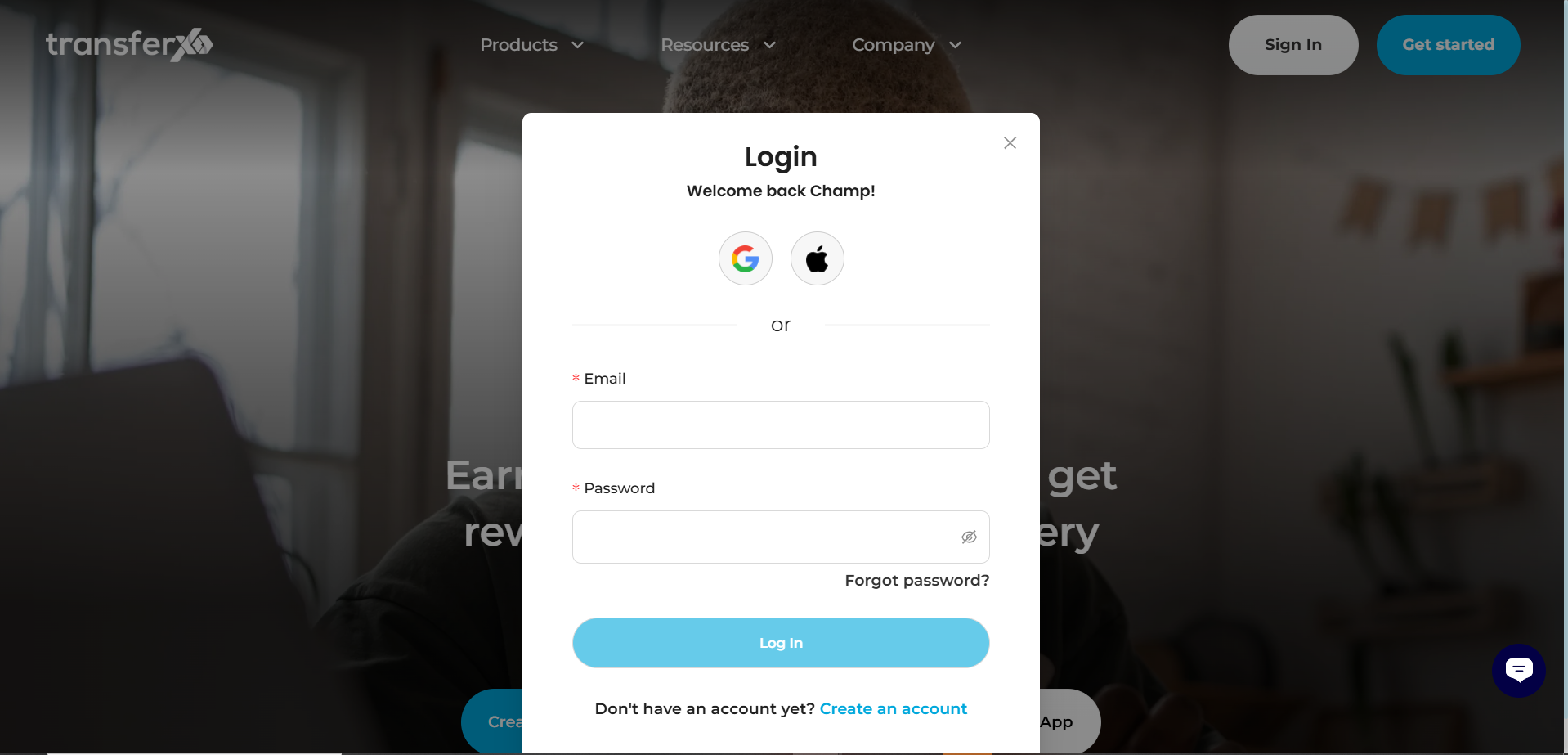
Step 1: Login
Navigate to transferxo.com and click Login. Authenticate your session via your 2FA method.
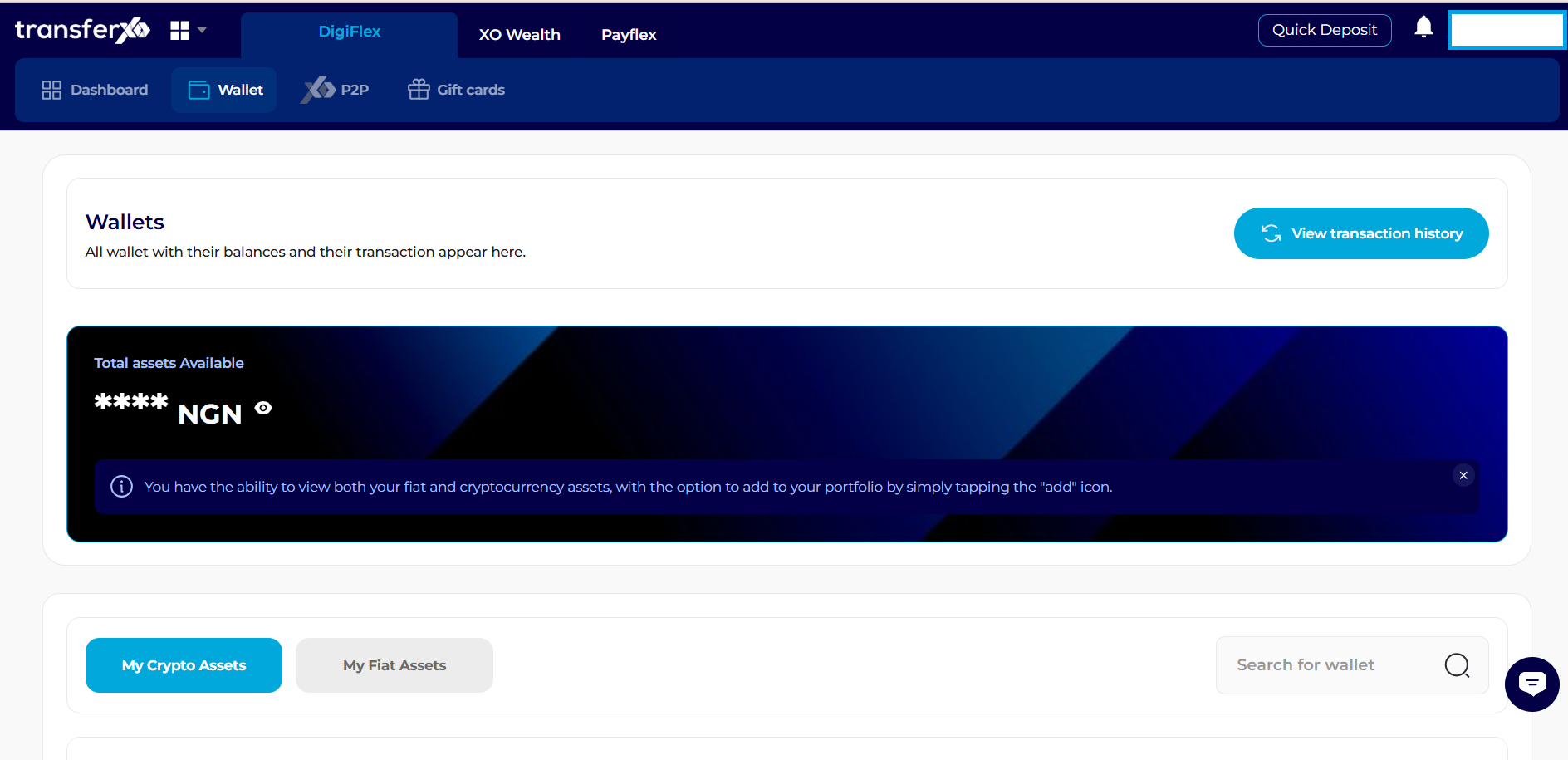
Step 2: Wallet Navigation
From the top navigation menu, click Wallet.
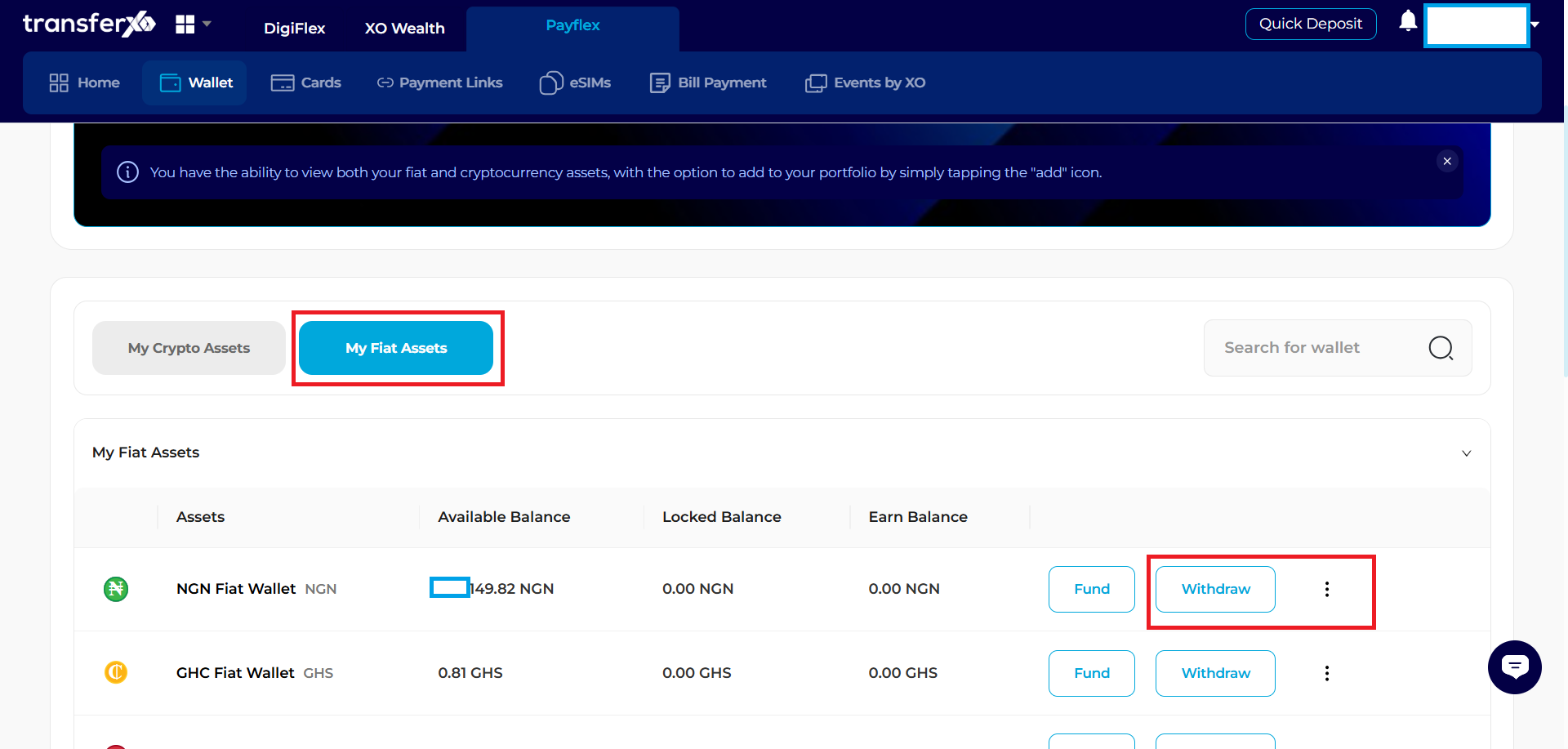
Step 3: Selection
Scroll to the "My Fiat Assets" section.
Locate the NGN row and click the Withdraw button on the right.
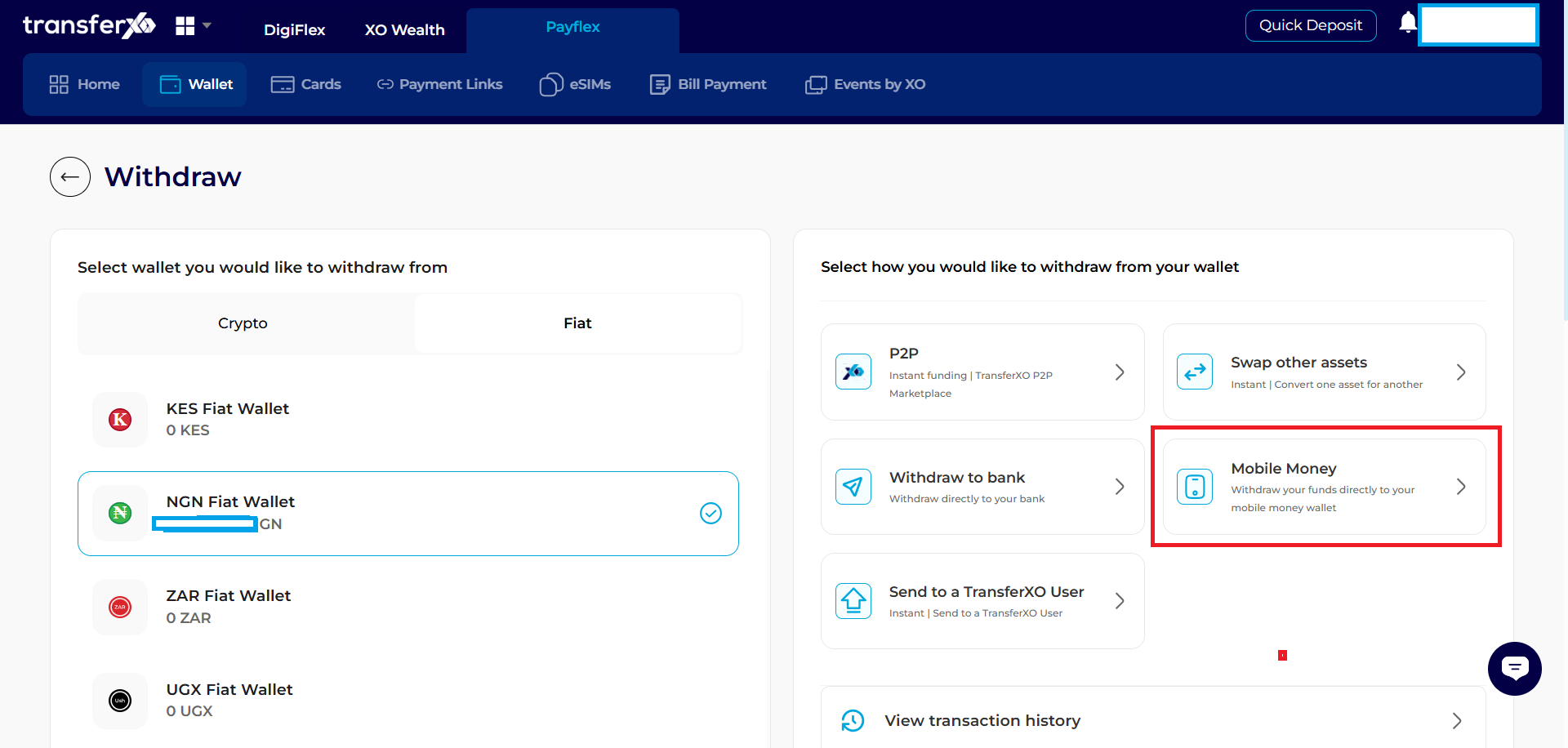
Step 4: Withdrawal Panel
A panel will slide out from the right side of the screen. Select Withdraw to Bank.
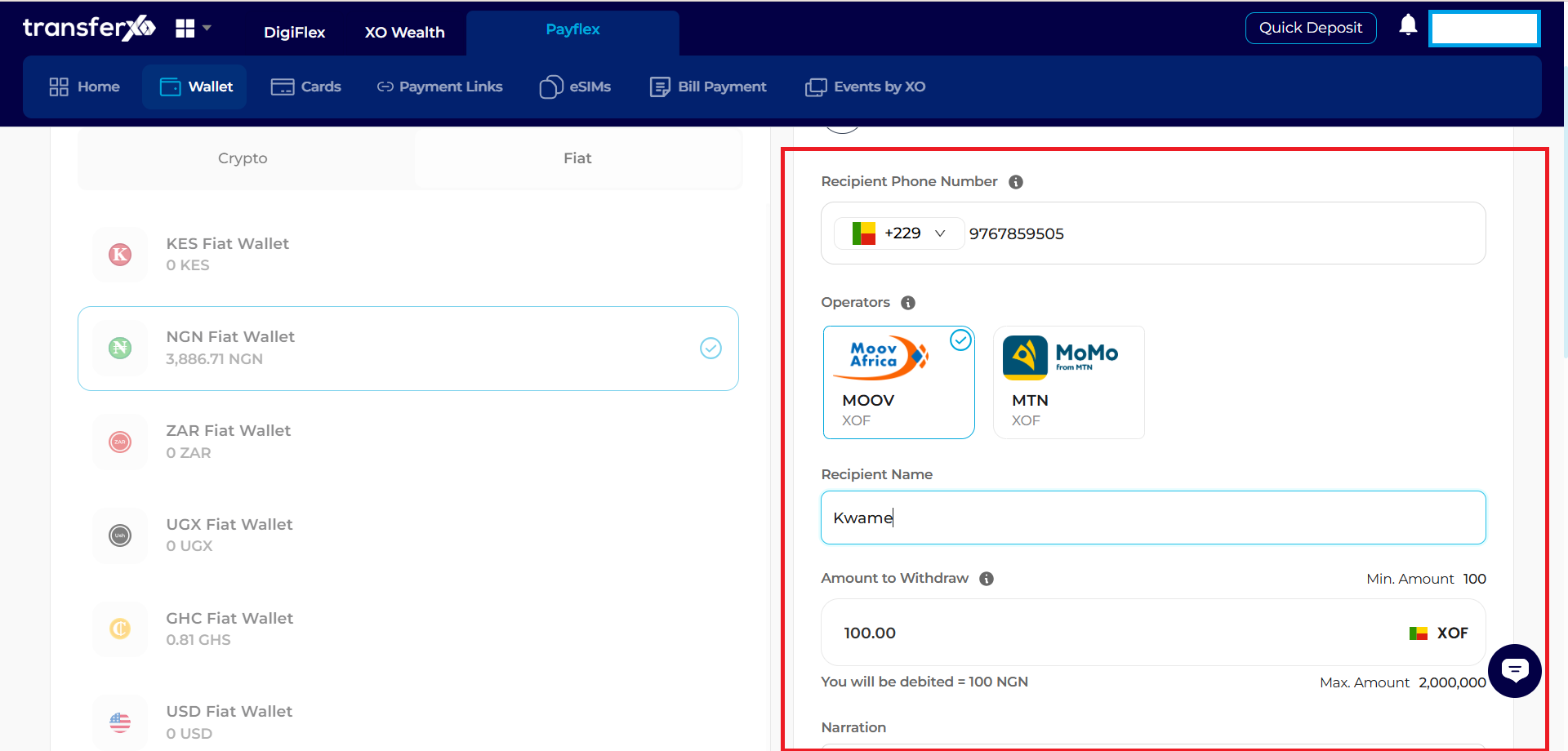
Step 5: Enter Transaction Details:
- Enter Recipients Phone Number
- Select Operators
- Enter Recipient Name
- Enter Amount To Withdraw
- Add Narration
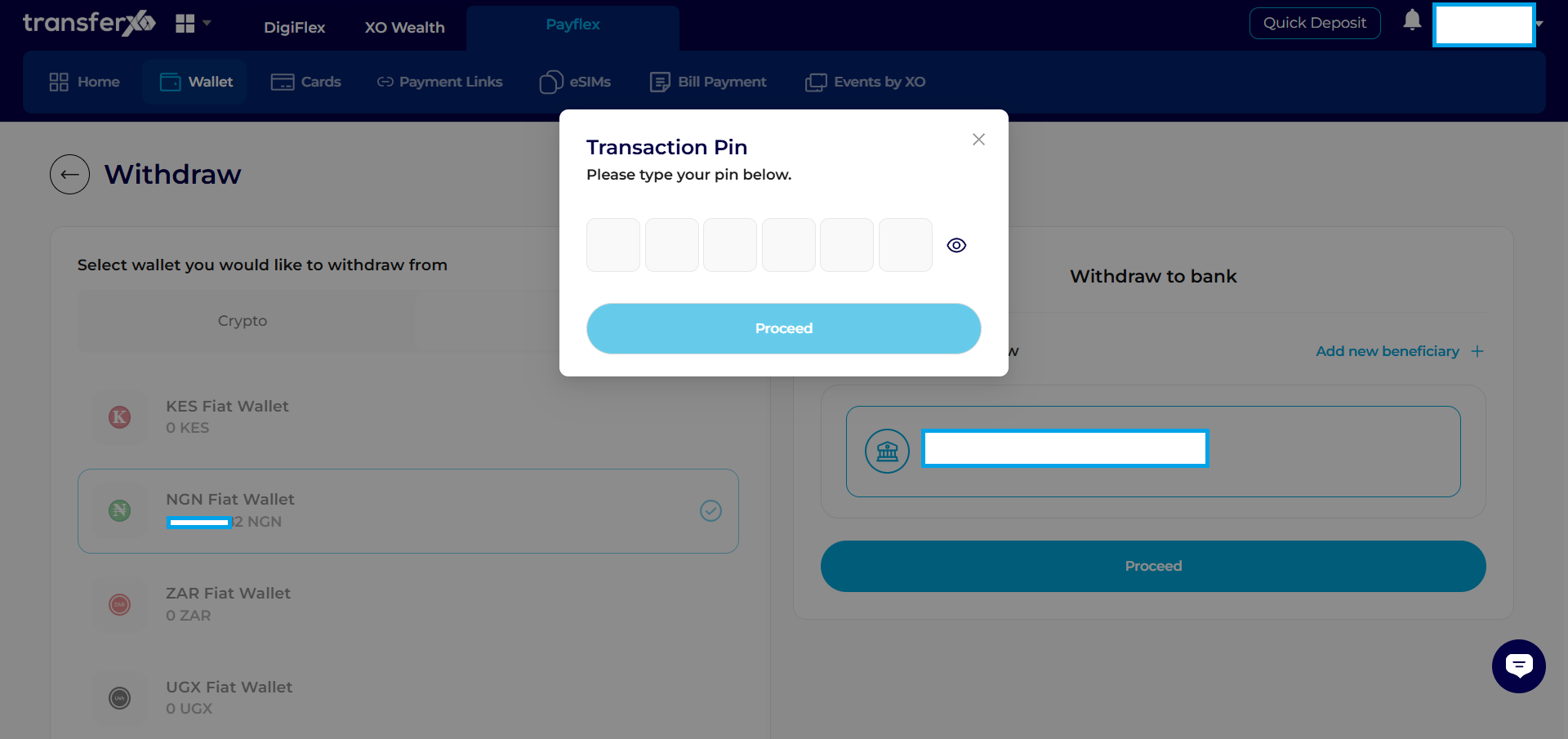
Step 6: Input Transaction Pin
Enter your Transaction PIN and click Proceed.
Step 6: Payment Processing Window
Your payment will be processed within the time frame shown
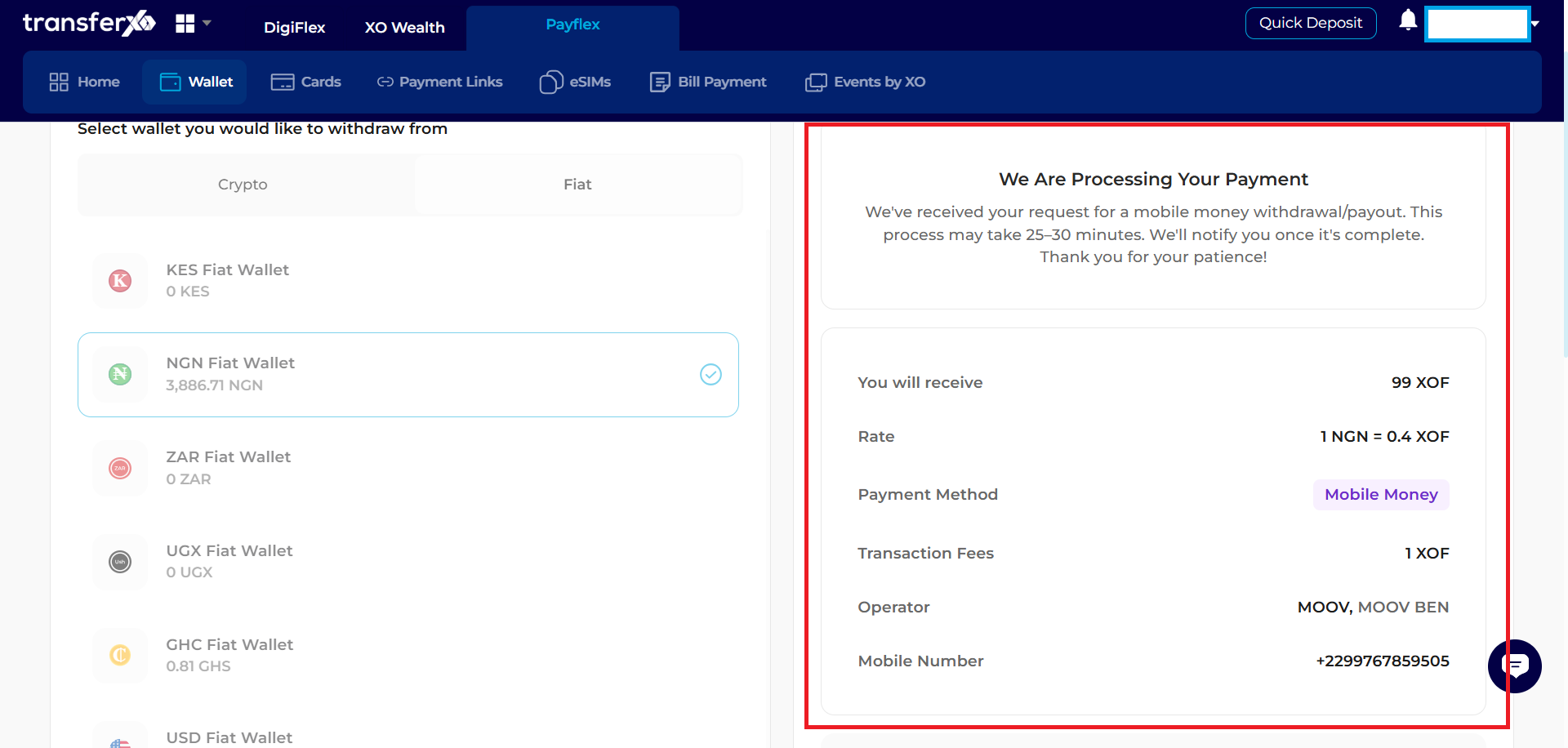
Congratulations, Your Withdrawal Is Completed!