


Step 1: Authentication
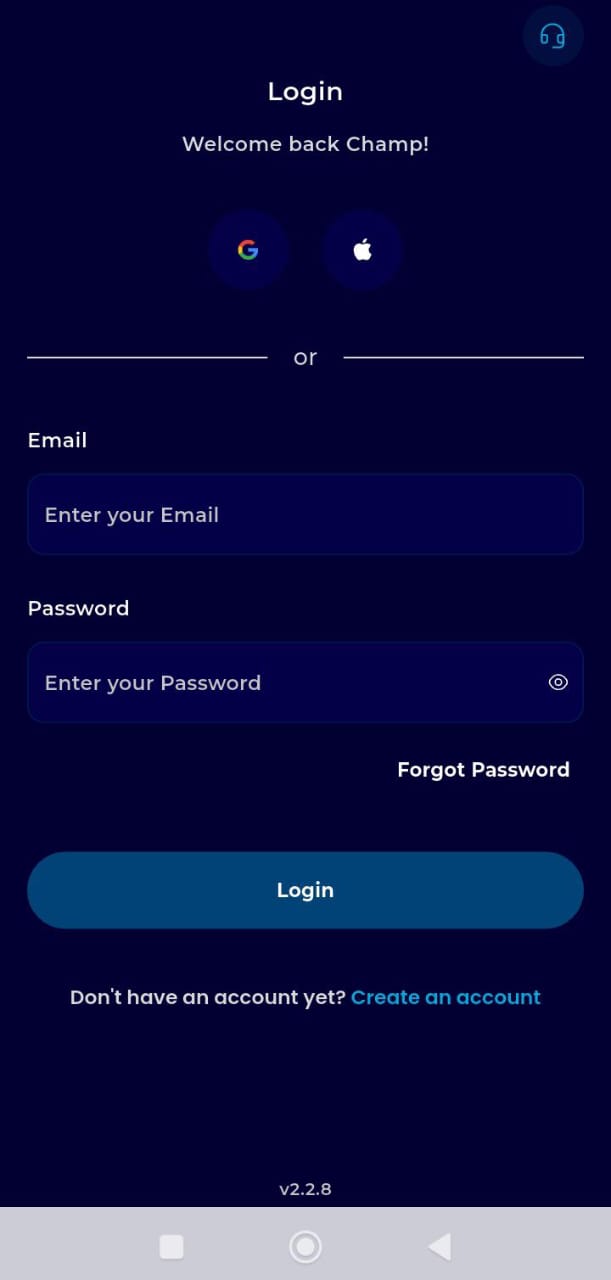
Sign In: Open your browser, go to the menu (three lines), and log in to your dashboard.
Step 2: Access the Wallet Hub
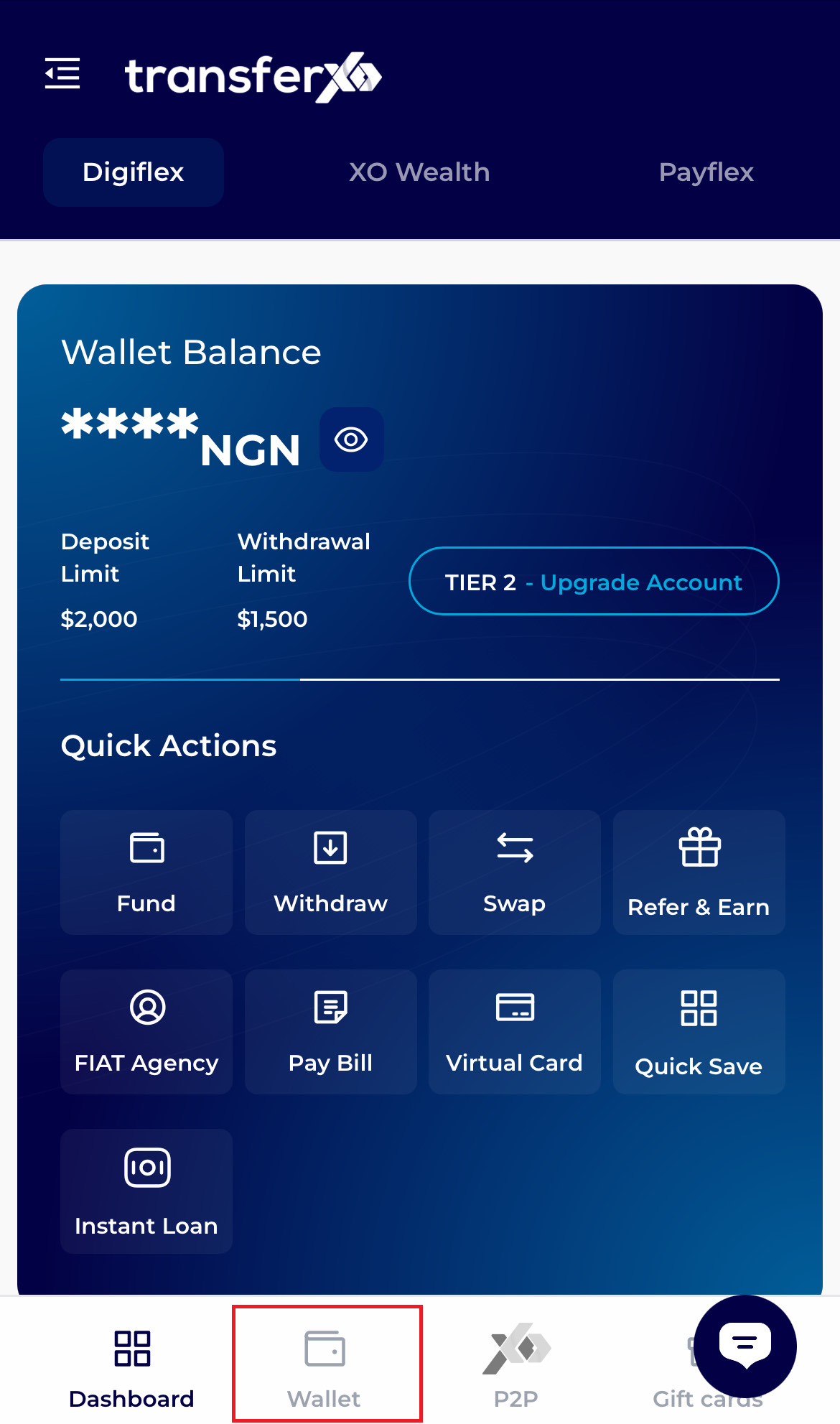
Tap the Wallet icon in the fixed navigation bar at the bottom of the screen.
Step 3:Select Asset
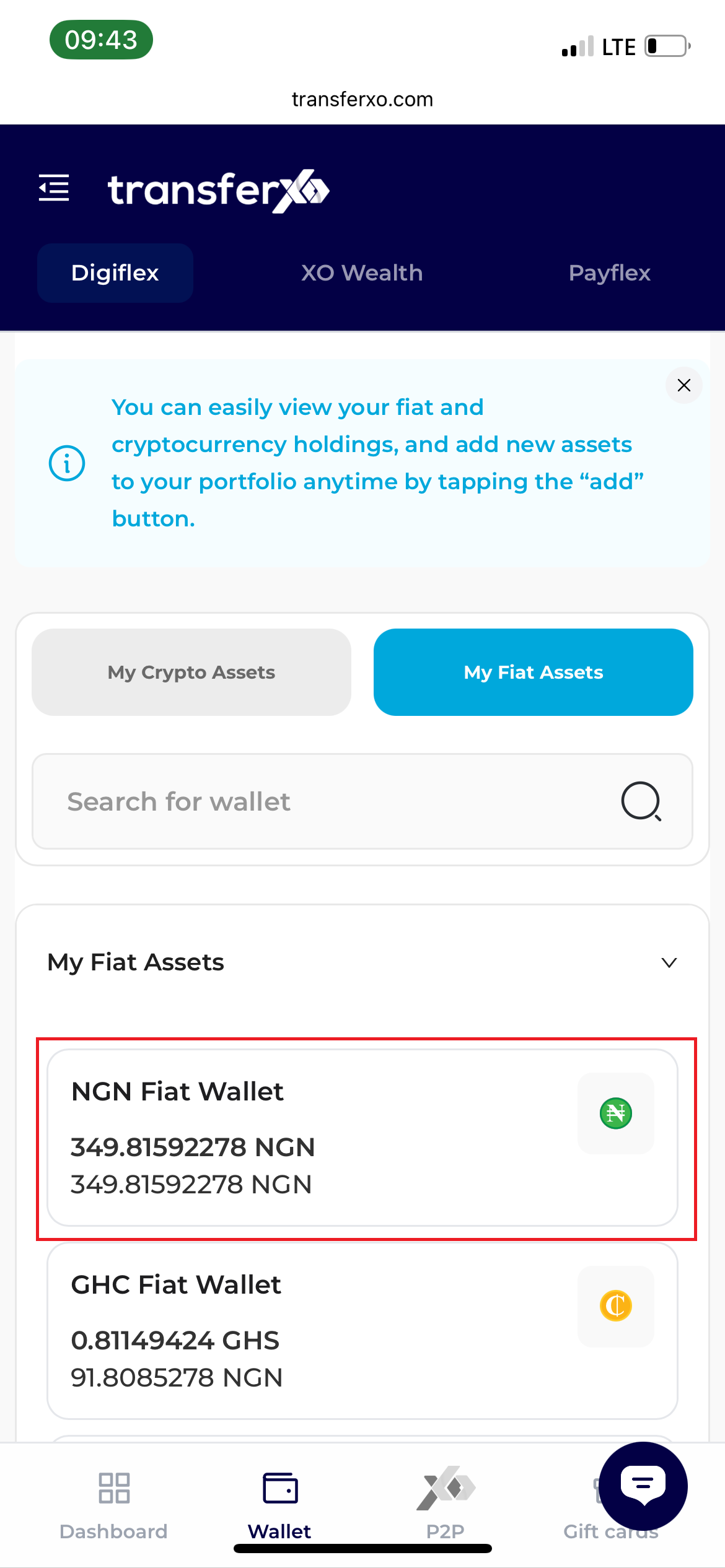
Tap on your NGN Wallet balance.
Step 4: Open Method Menu
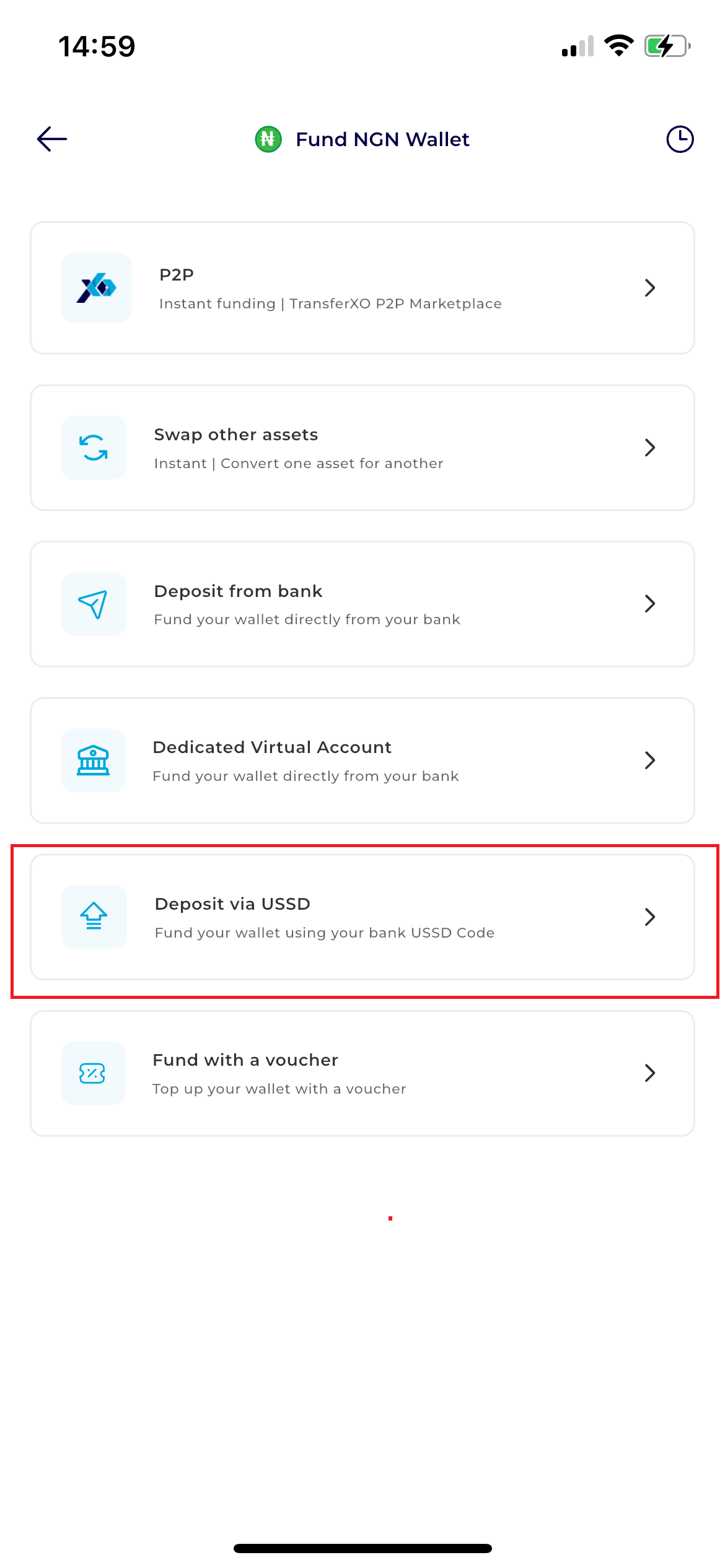
Tap the Fund button. From the list of options that appears, select Dedicated Virtual Account.
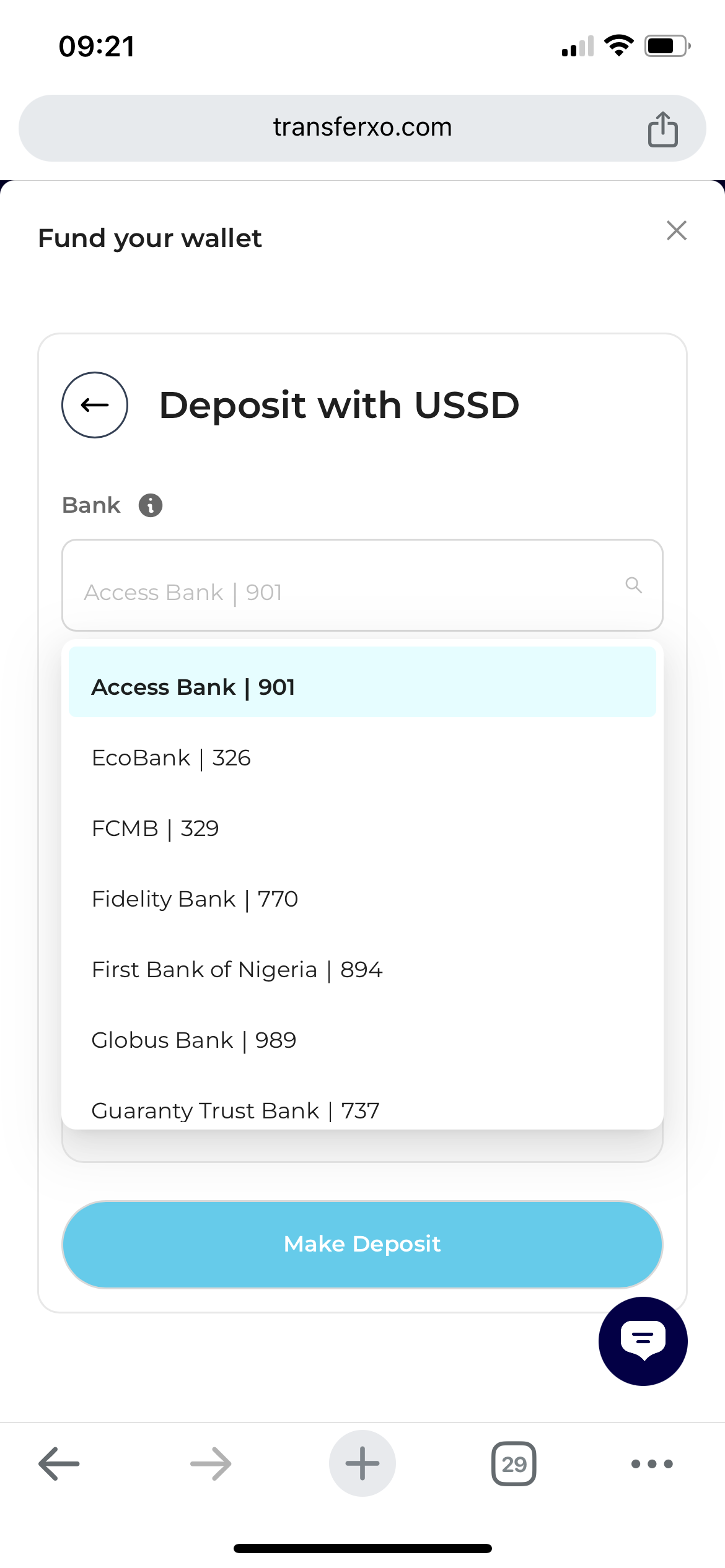
Step 5: Select From The List Of Banks
The screen will display the list of banks available.
Step 6: Input The Transaction Details
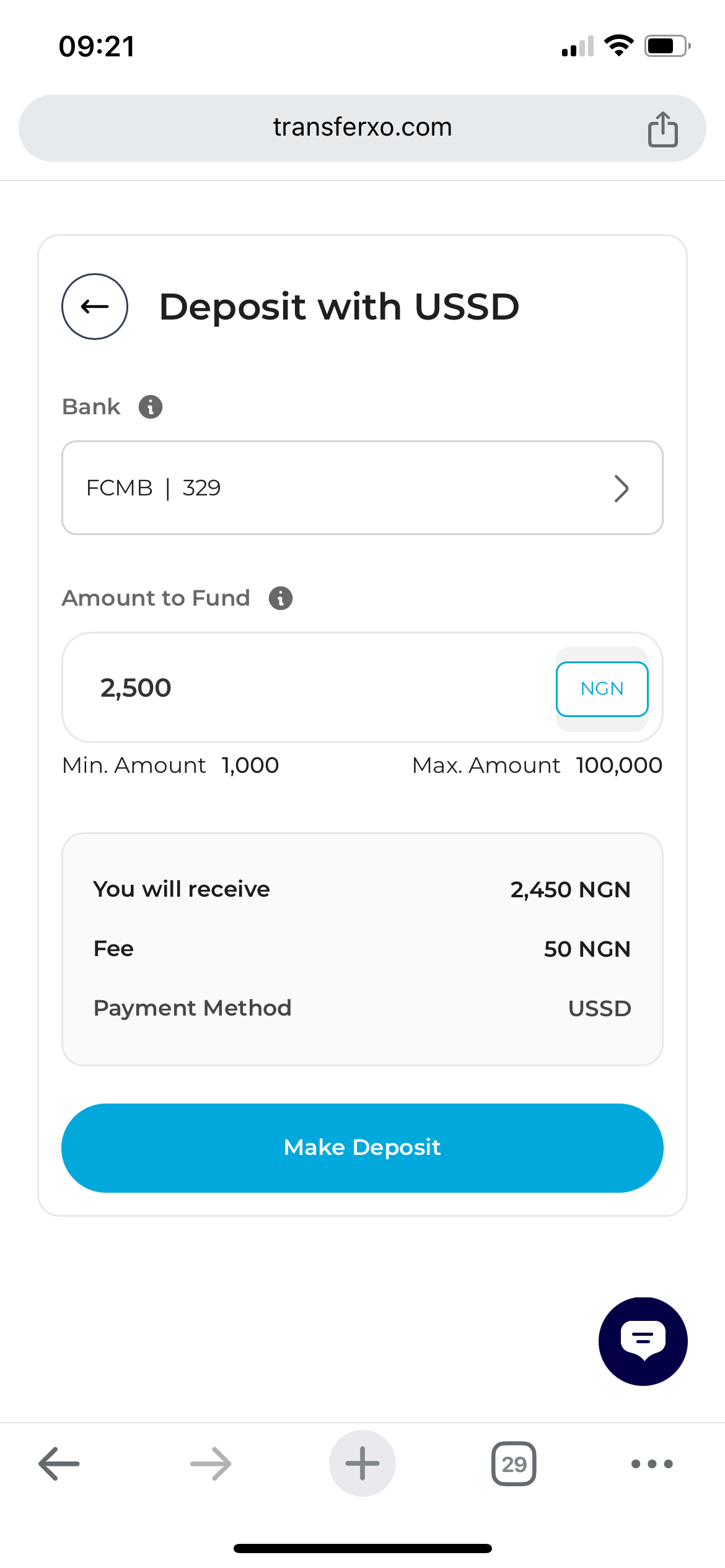
After selecting the bank, enter the transaction Amoint
Step 7: Complete The Transaction
Tap the ussd to copy it. Open your mobile phone to complete the transfer.
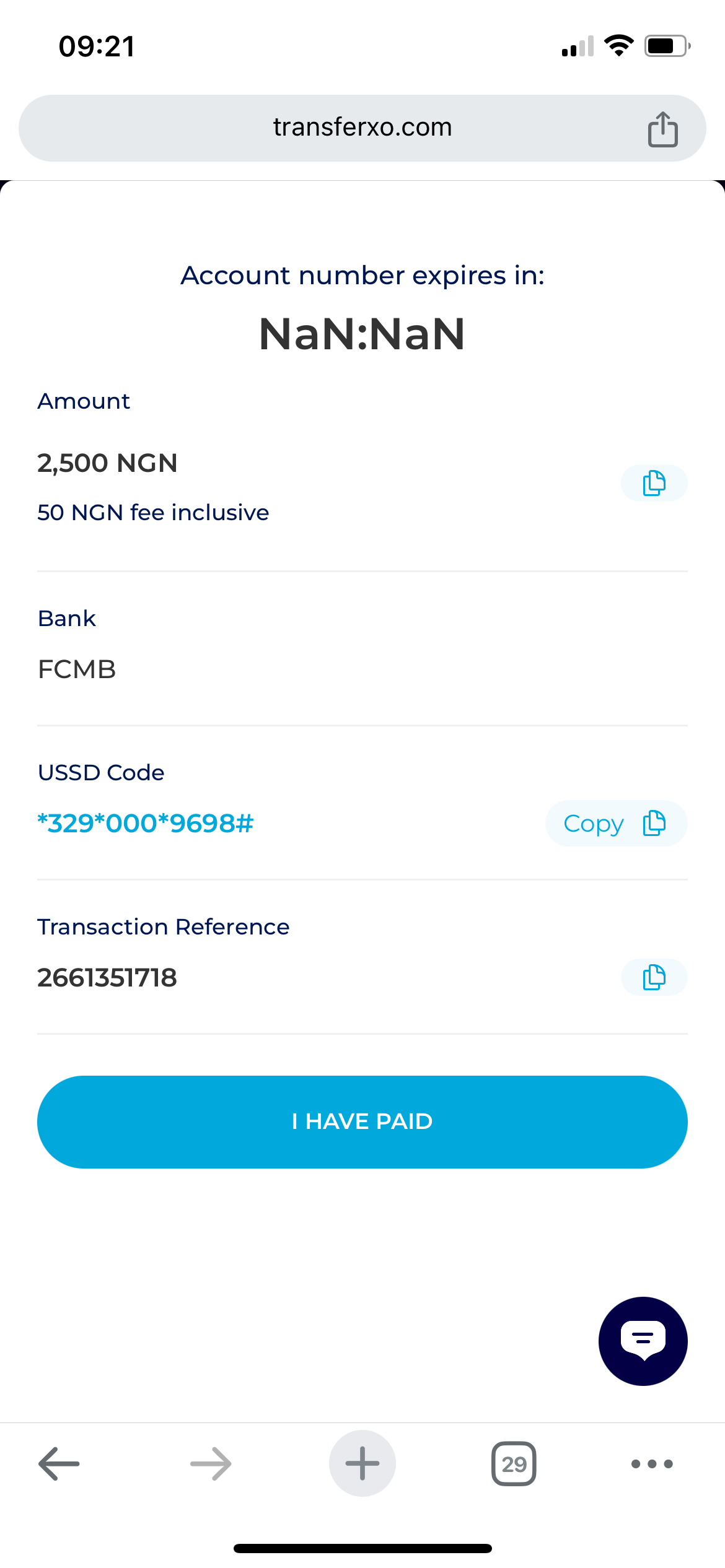
Once the transfer is complete, return to your browser and tap Dashboard to see your updated balance.