


This guide will walk you through how to complete a payment on a TransferXO payment link using cryptocurrency on your browser.
Step 1: Open the payment link in your browser and review the payment details.
Copy the payment link shared with you and paste it into your browser to access the payment page.
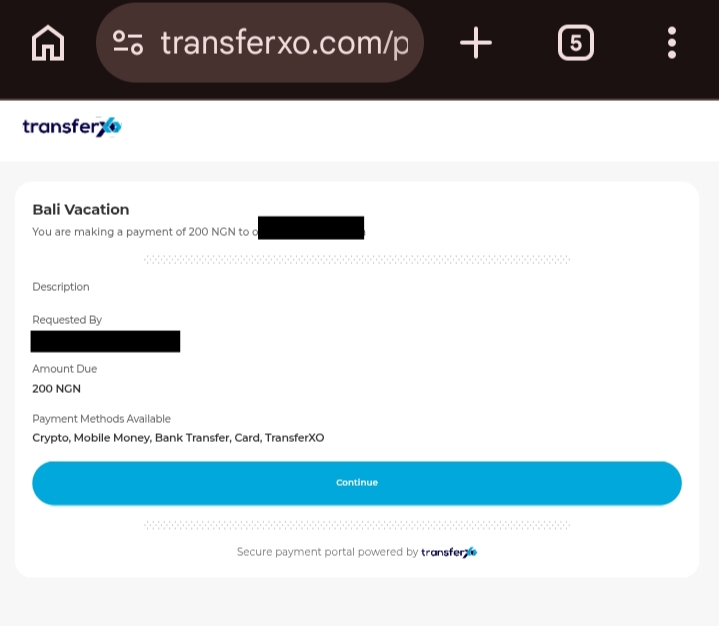
Check the payment information displayed to ensure the request is correct before proceeding.
Step 2: Fill in the required details and click continue.
Provide the necessary details on the payment page and proceed to the next step.
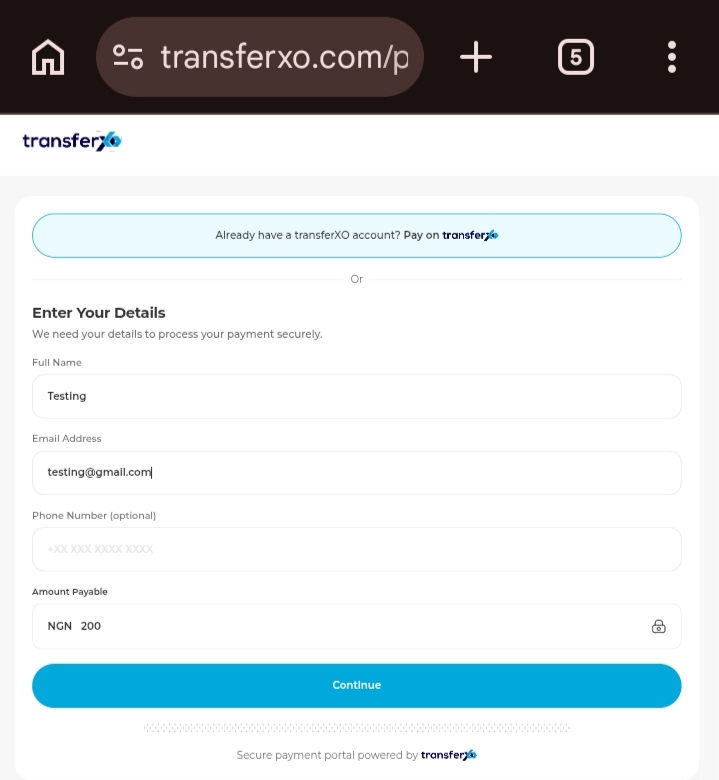
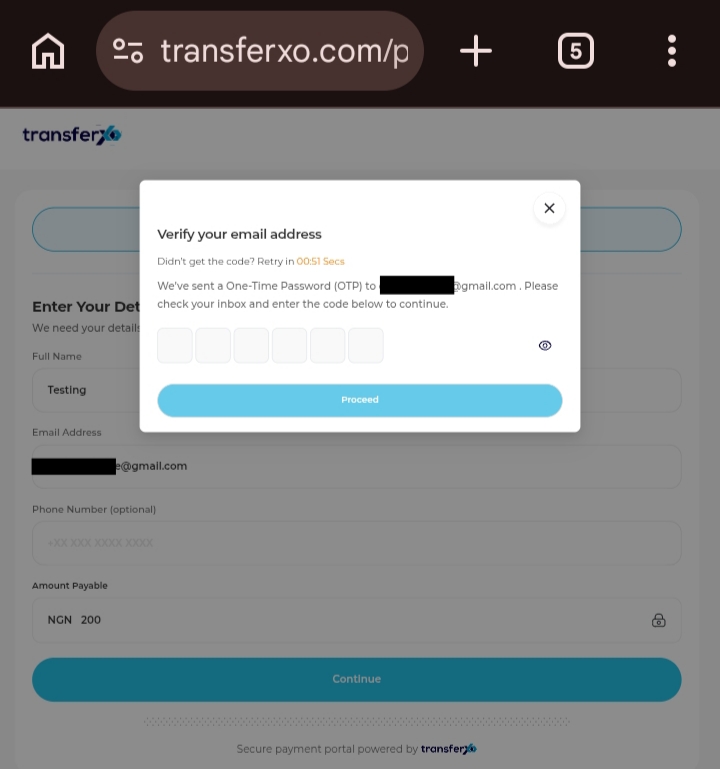
Step 3: Verify your email address.
Enter the verification code sent to your email to confirm your identity and continue with the payment.
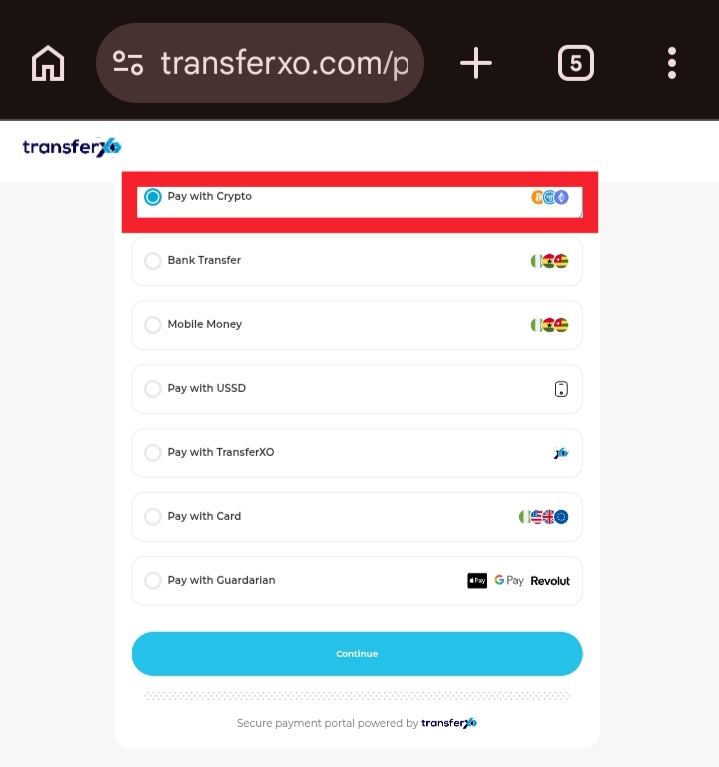
Step 4: Click Pay with Crypto.
Select the crypto payment option to proceed with the transaction.
Confirm the details and complete the payment using your crypto wallet.