


This guide will walk you through the steps to make a payment using cryptocurrency through a TransferXO payment link on your mobile browser.
Step 1: Open the payment link in your mobile browser.
Copy the payment link shared with you and paste it into your mobile browser to access the payment page.
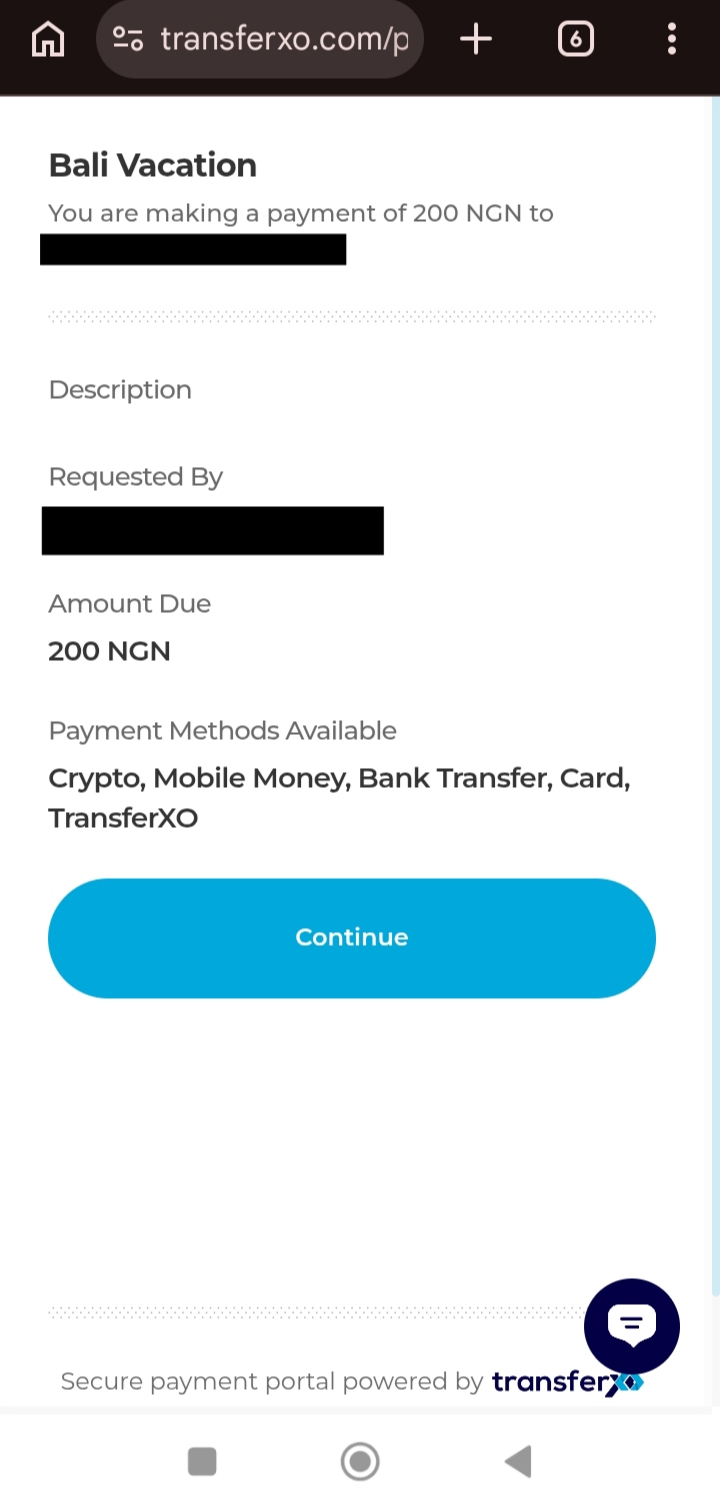
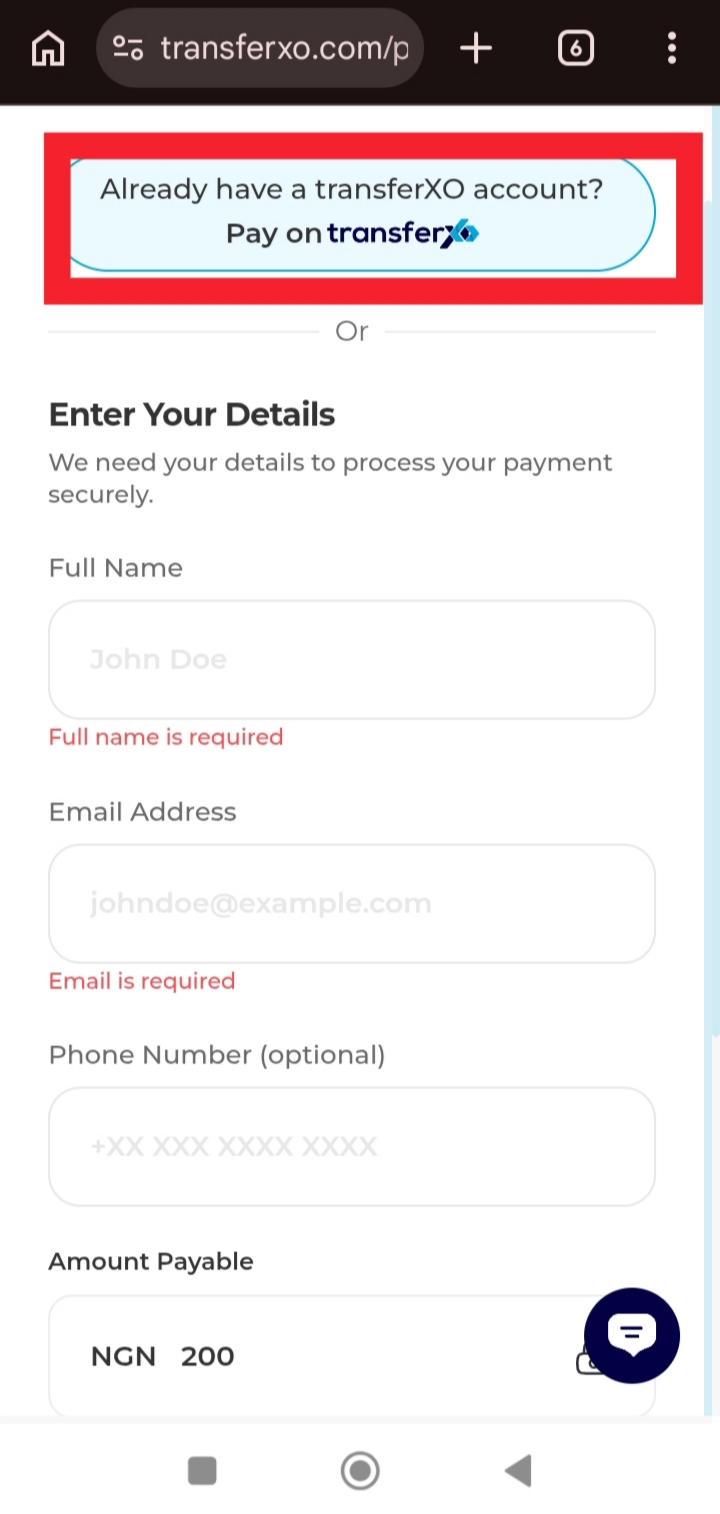
Step 2: Enter your details to continue.
Provide the required information on the payment page and click on Pay on TransferXO.
Step 3: Scan the QR Code displayed on the page.
After submitting your details, the page will redirect to a QR code that can be scanned using your crypto wallet.
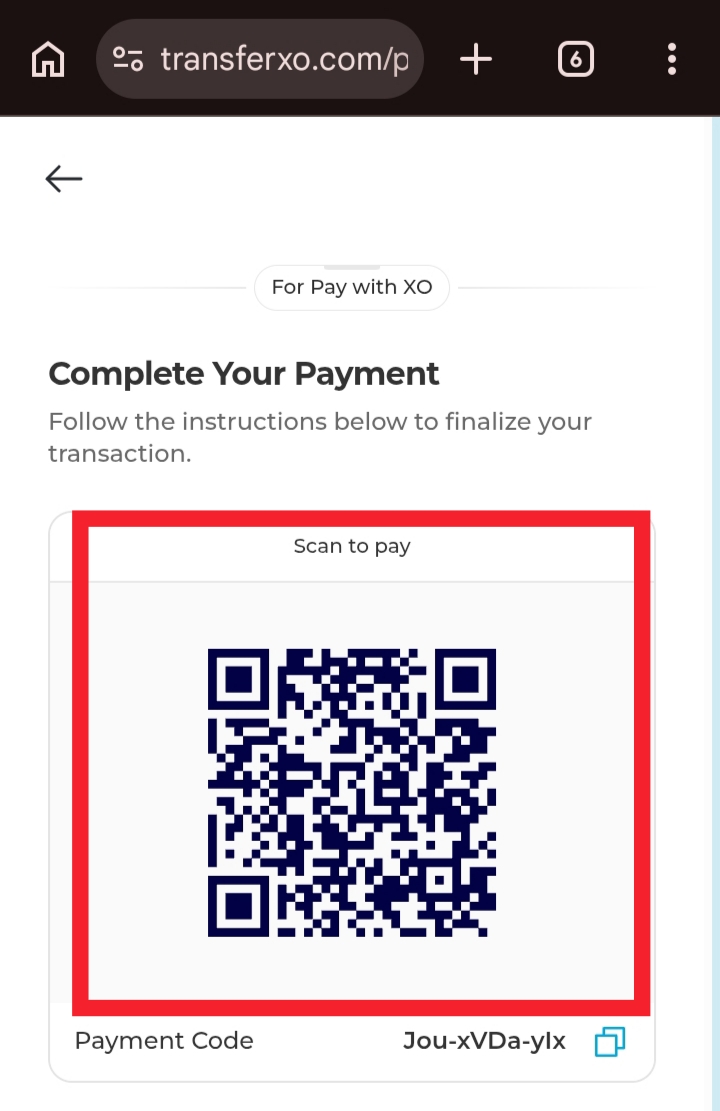
Review the transaction details in your wallet and confirm the payment to complete the transaction.