


This guide will walk you through the steps to make a payment using cryptocurrency through a TransferXO payment link on your mobile device.
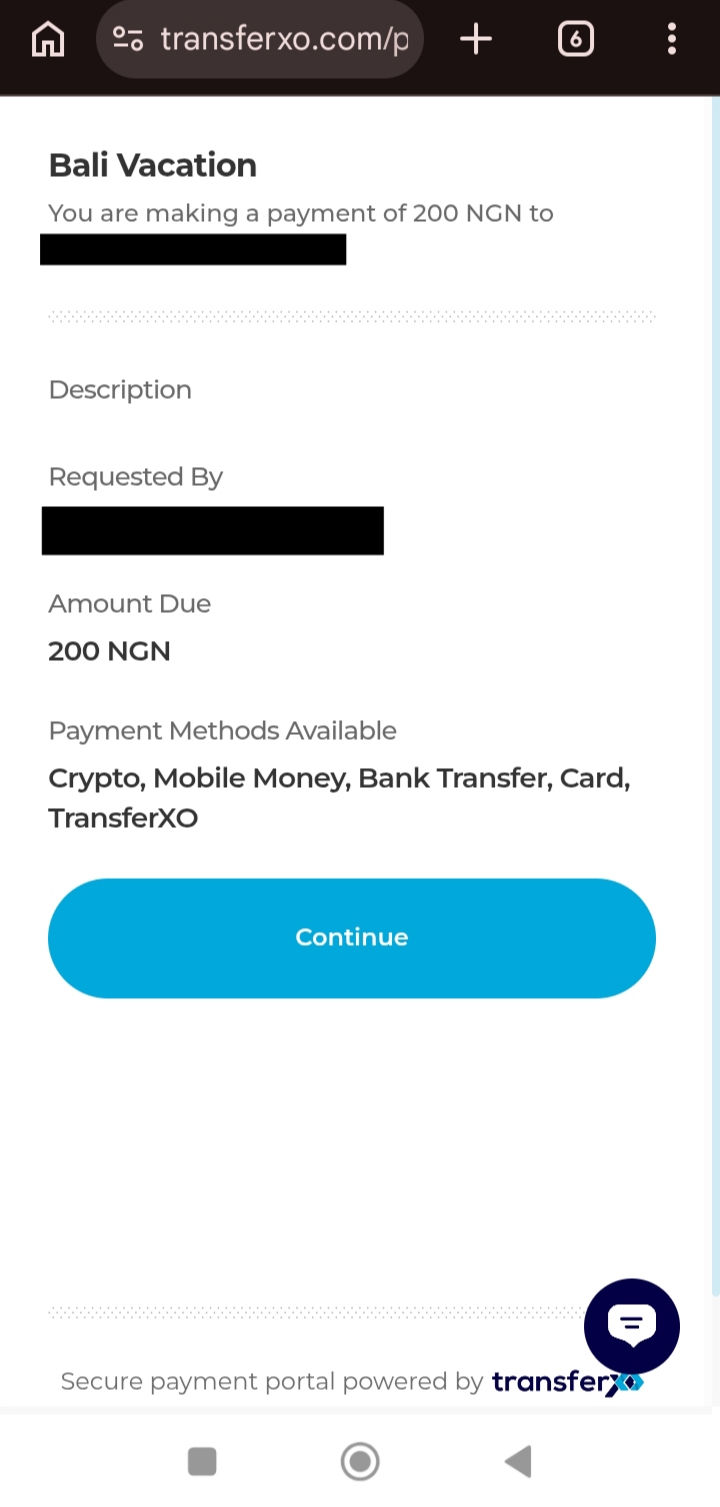
Step 1: Open the payment link in your mobile browser.
Copy the payment link shared with you and paste it into your mobile browser to access the payment page.
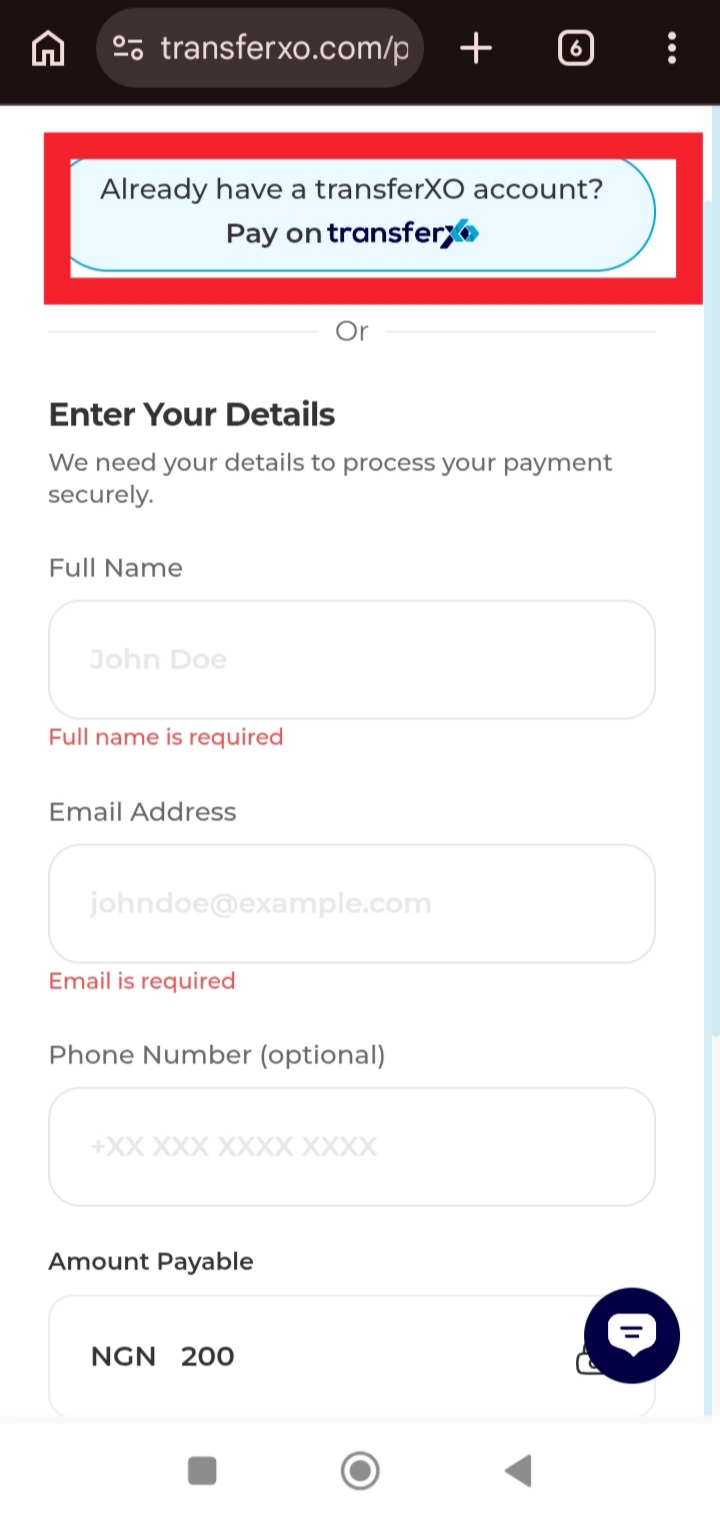
Step 2: Enter your details to continue.
Provide the required details on the payment page. If you already have a TransferXO account, you can select Pay with TransferXO to proceed.
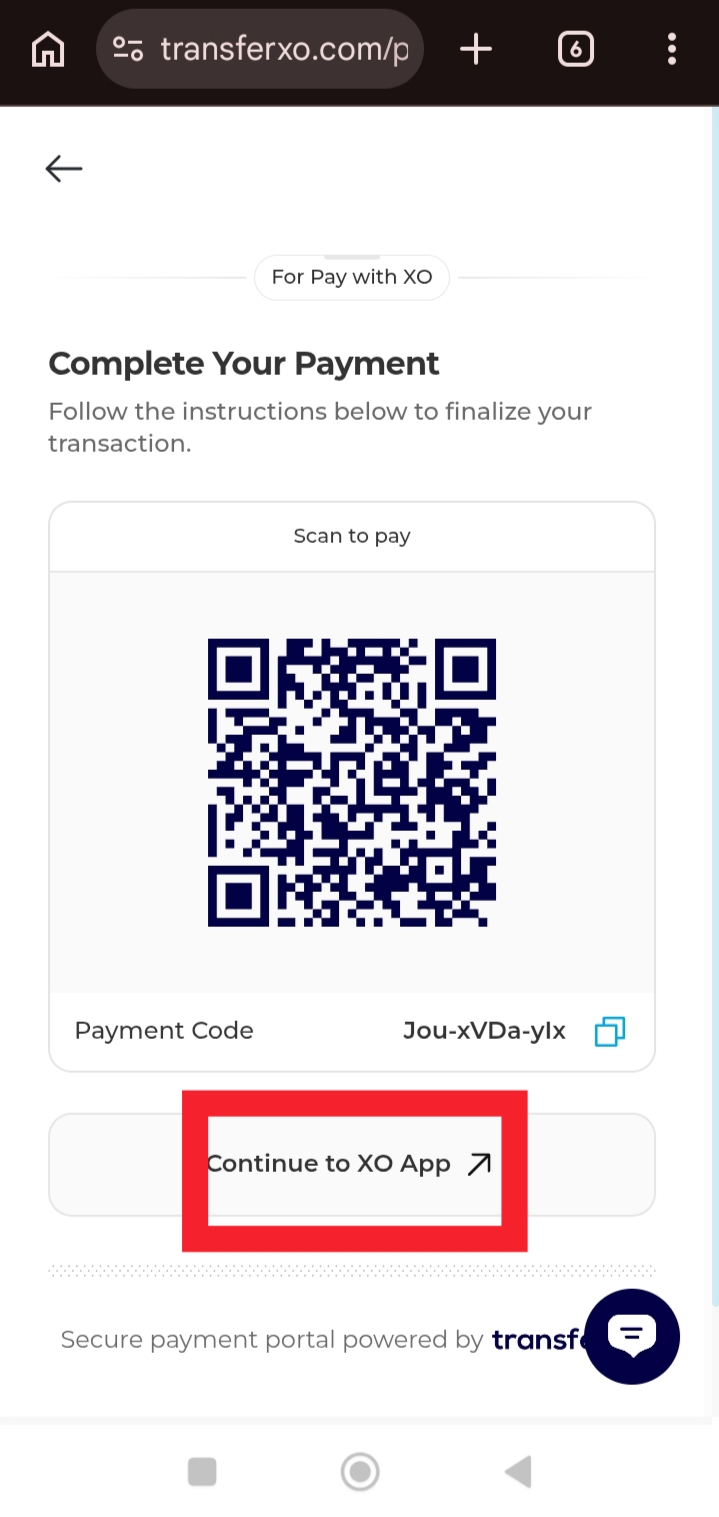
Step 3: Click Continue to XO App.
This redirects you to the TransferXO mobile app where you can securely complete the payment.
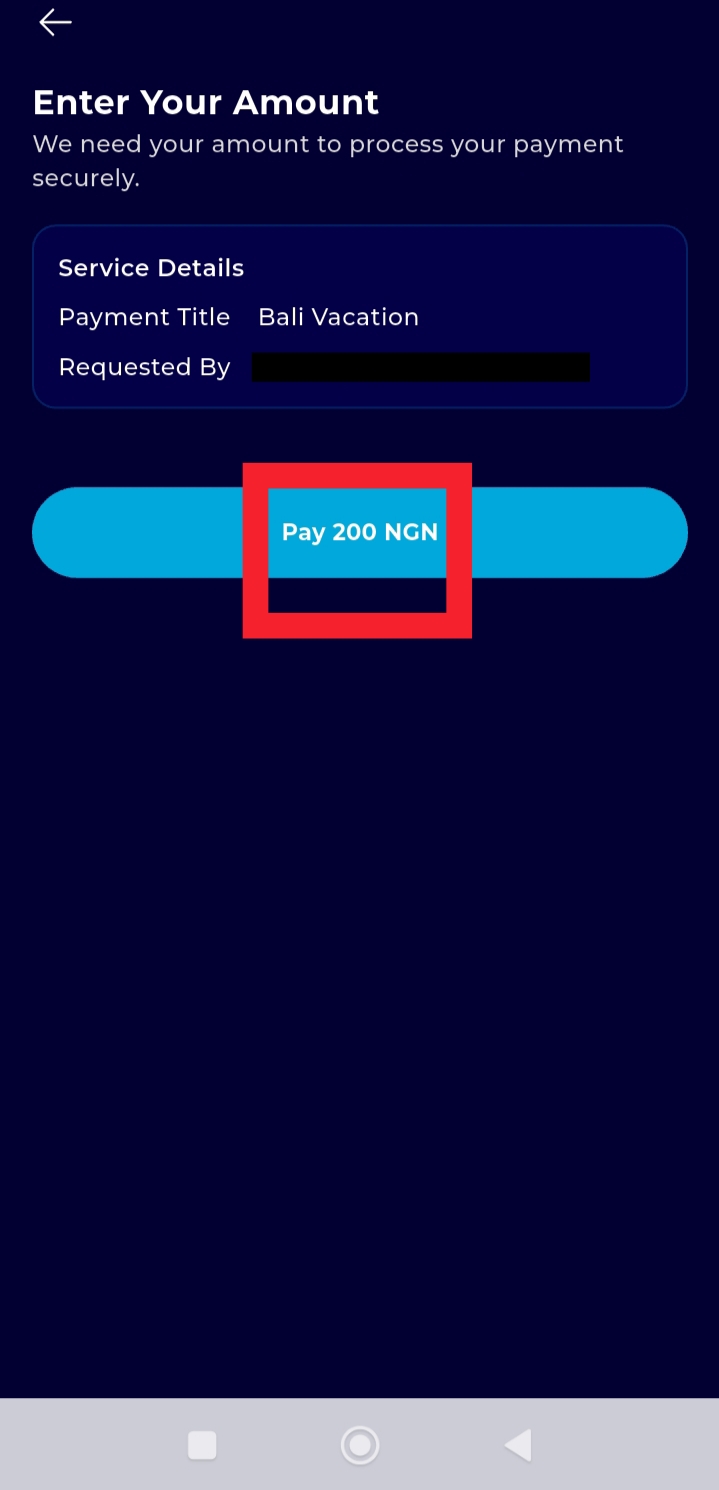
Step 4: Enter the payment amount.
Input the amount you want to pay if the payment link allows flexible payments.
Step 5: Change the payment method to Crypto and complete the payment.
Select Crypto as your payment method.
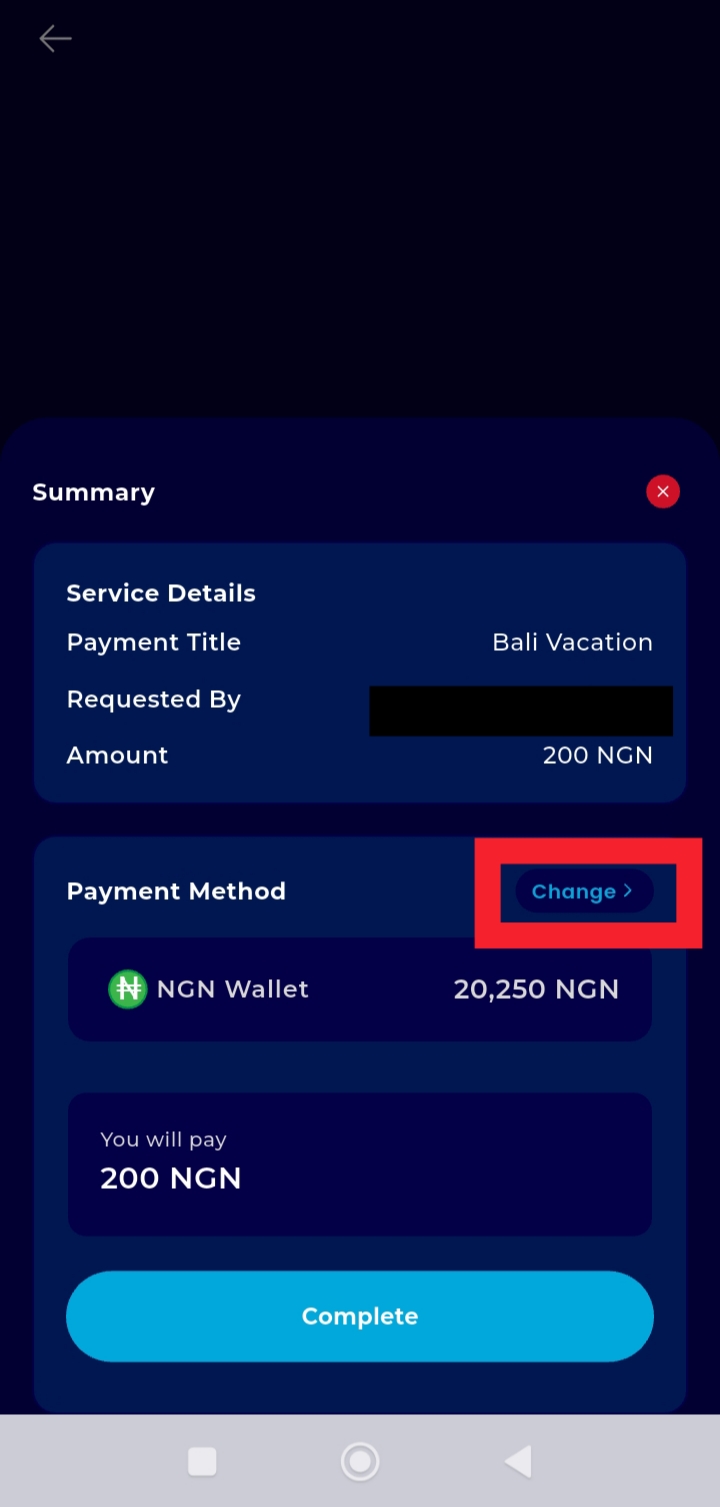
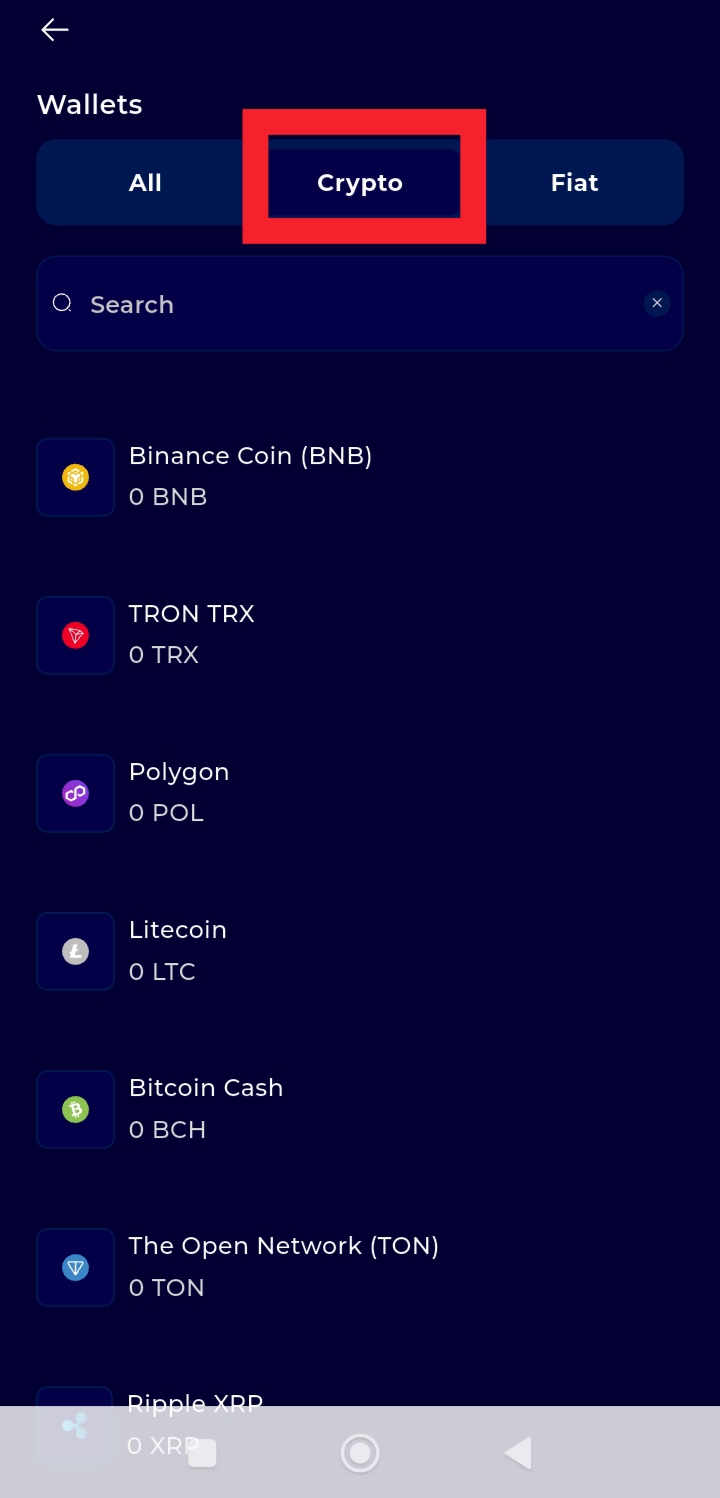
Review the payment details, and click complete to finalize the transaction.