


This guide shows you how to deactivate a payment link so that it stops receiving payments.
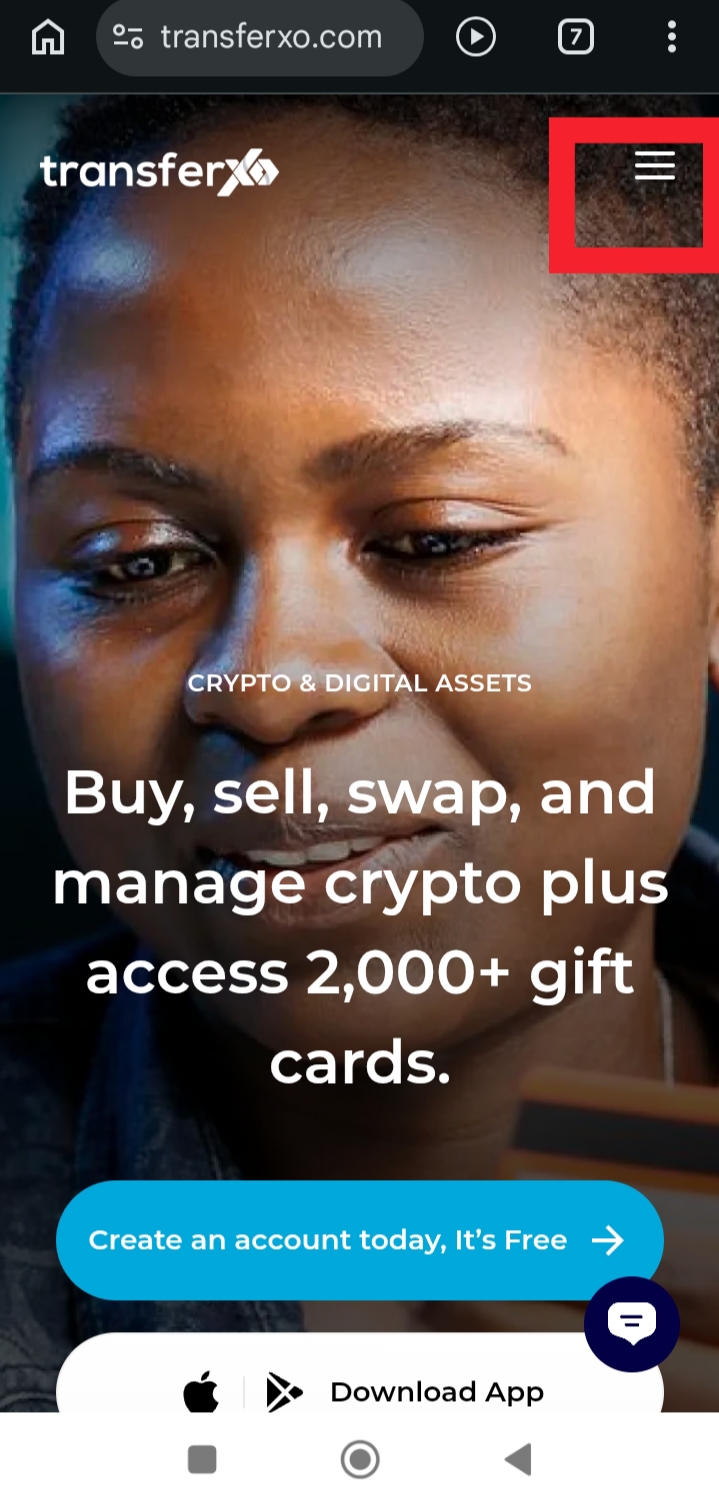
Step 1: Visit TransferXO.com and tap the Hamburger menu.
This opens the navigation menu where you can access the login option.
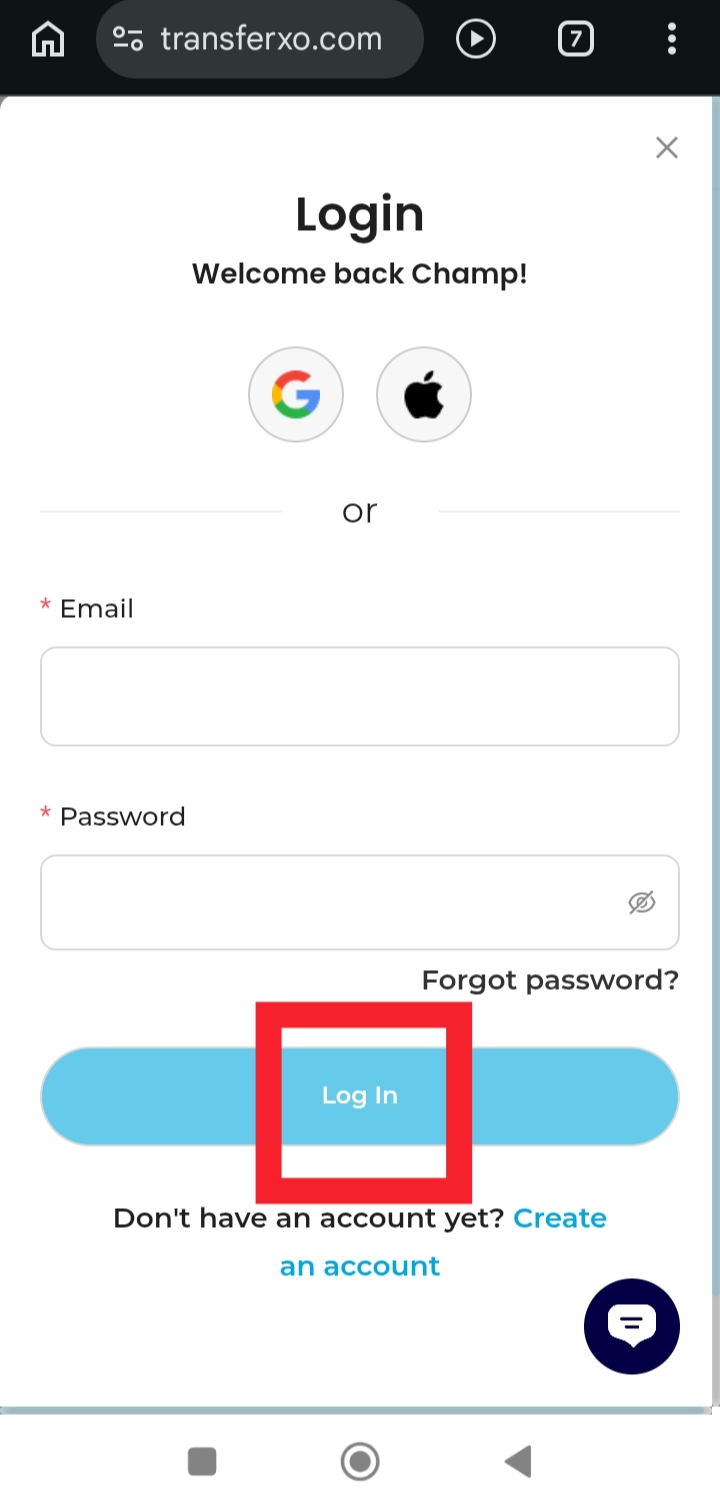
Step 2: Login to your account to access your Dashboard.
Enter your username and password to sign in.
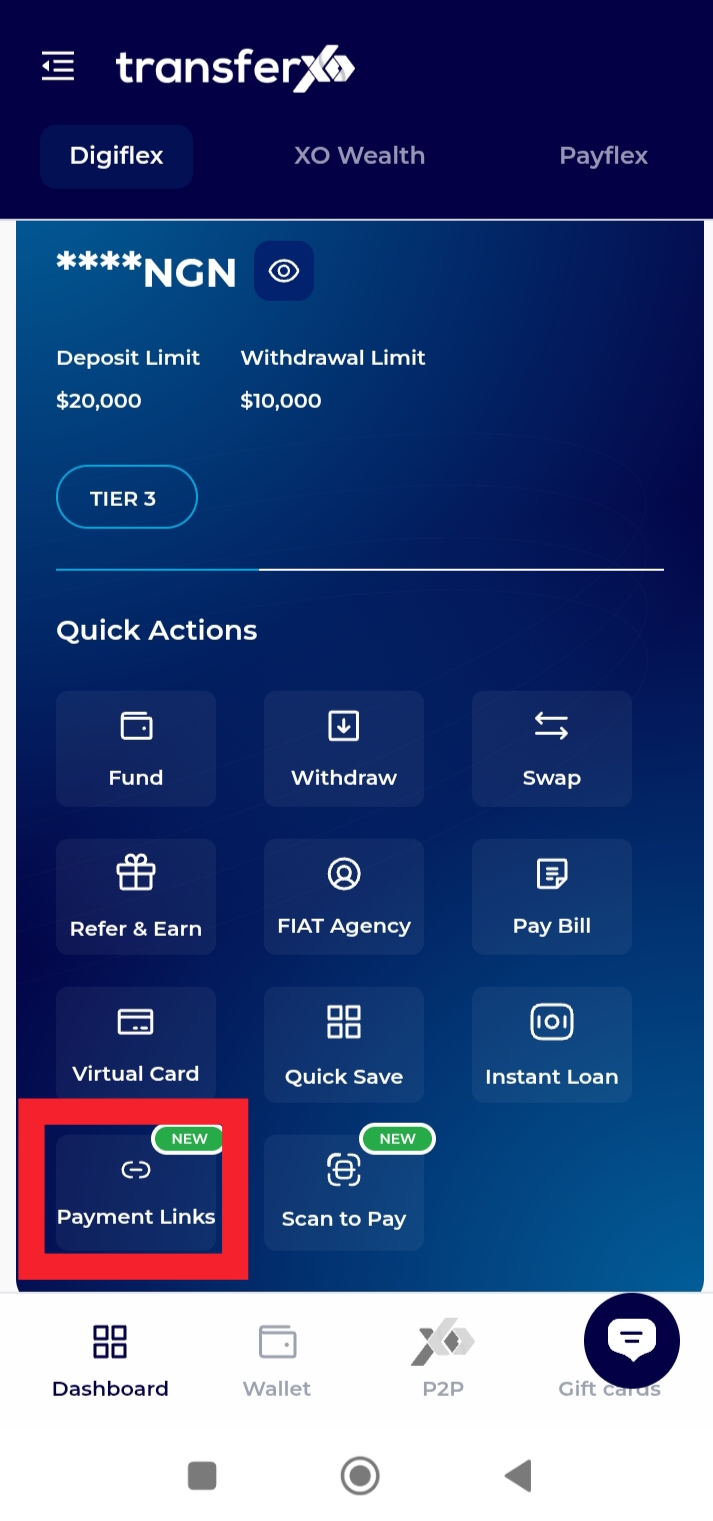
Step 3: On your Dashboard, tap Payment Links.
This takes you to the section where your payment links are managed.
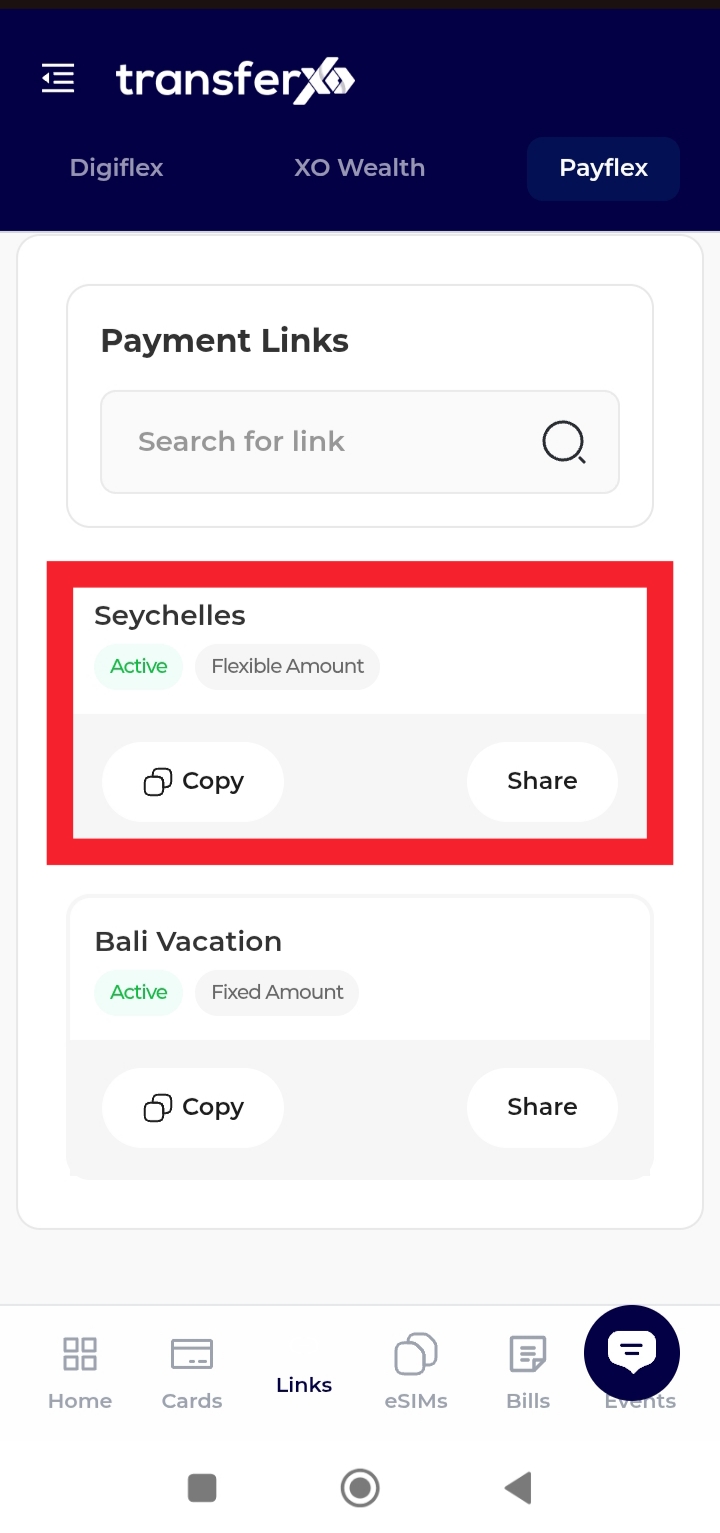
Step 4: Select the payment link you want to disable.
Tap the link to open its details.
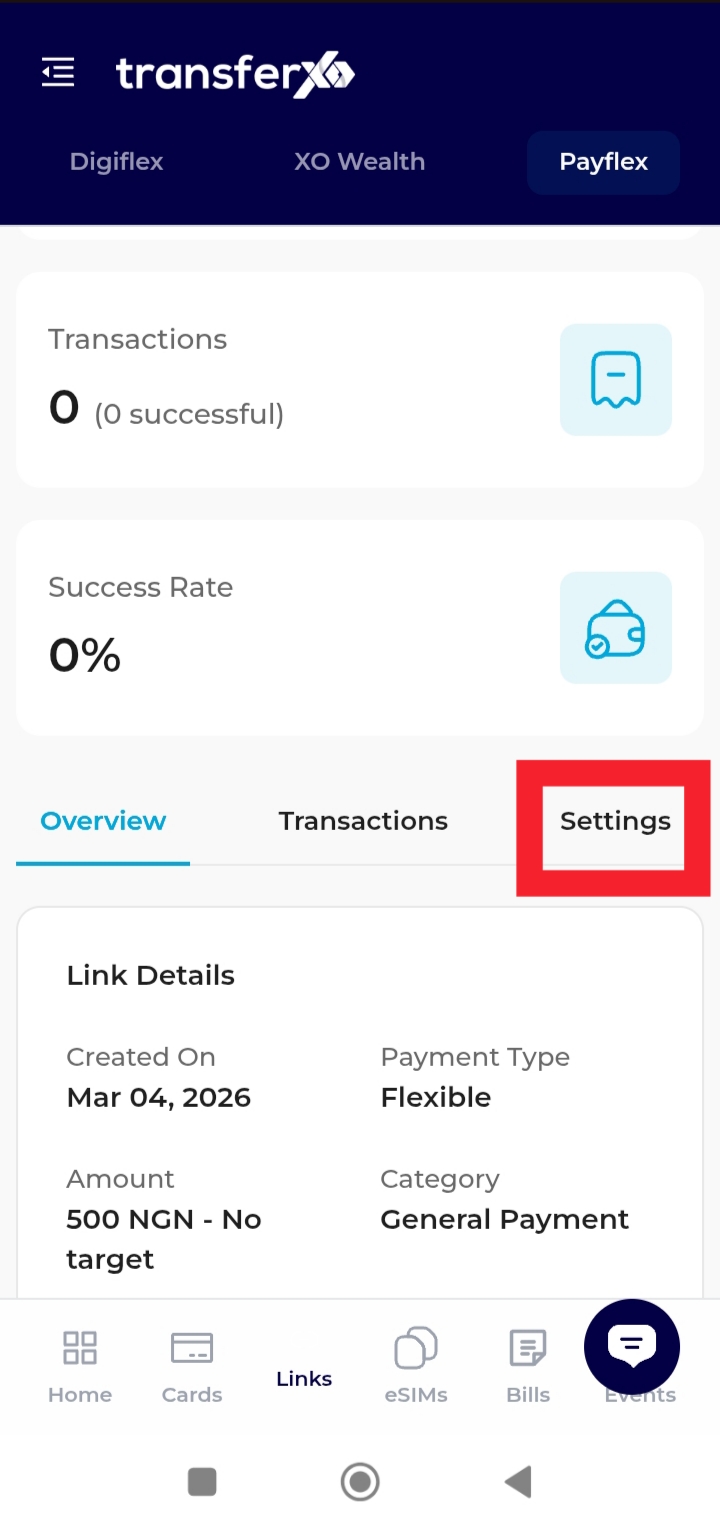
Step 5: Click on Settings.
This displays more options available for managing the selected payment link.
Step 6: Tap Disable Link and confirm the action.
This option allows you to deactivate the payment link.
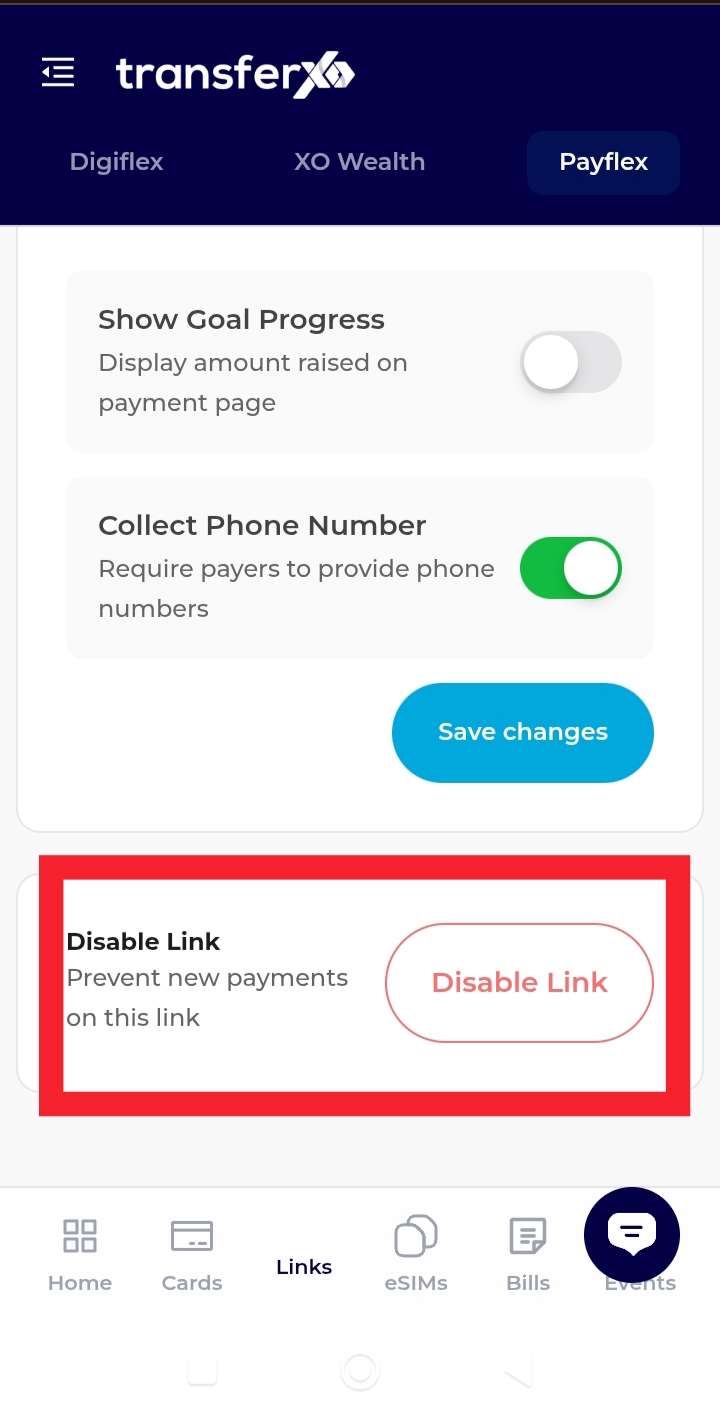
The payment link will immediately stop accepting payments.