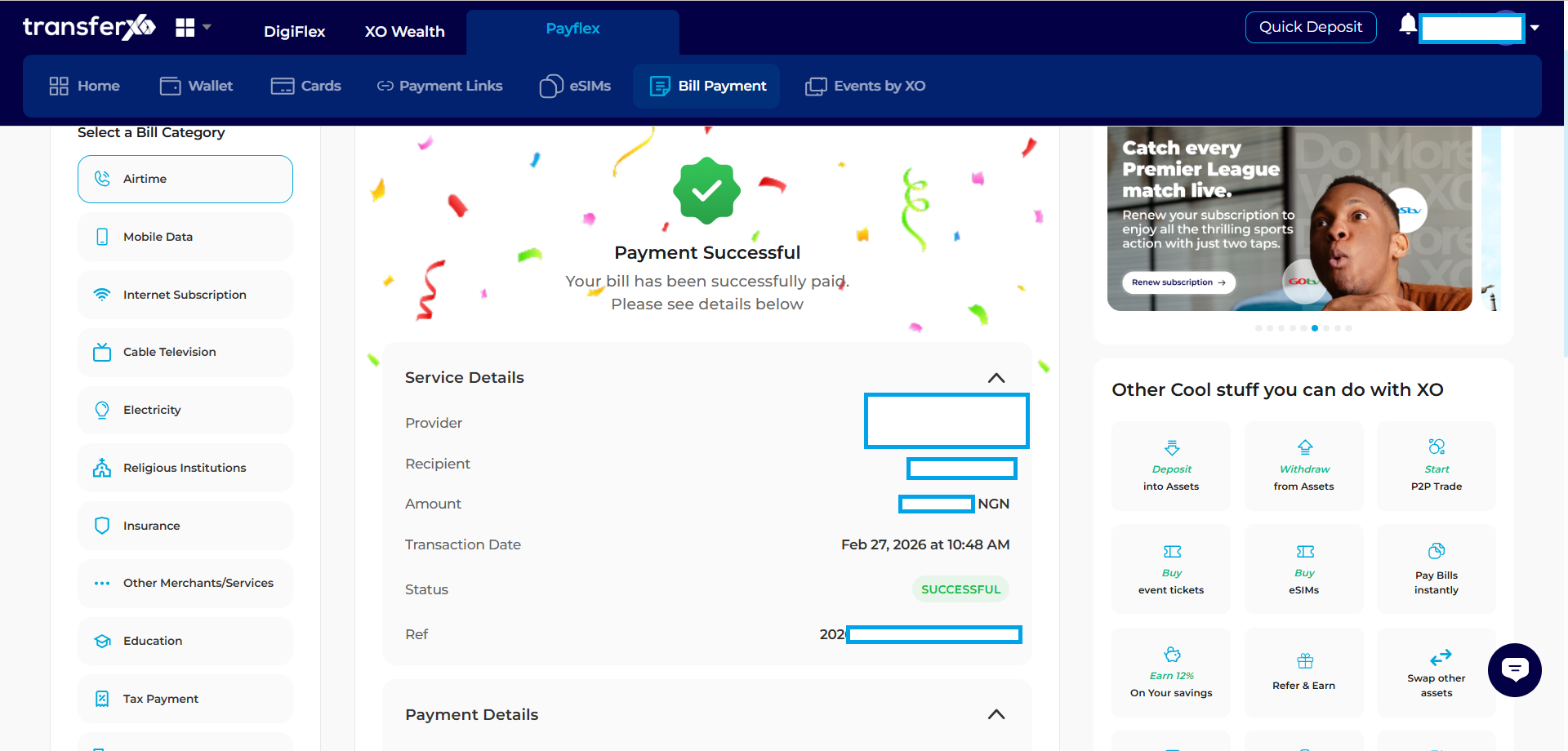
Step 1: Log In
Visit transferxo.com and sign in to your account.
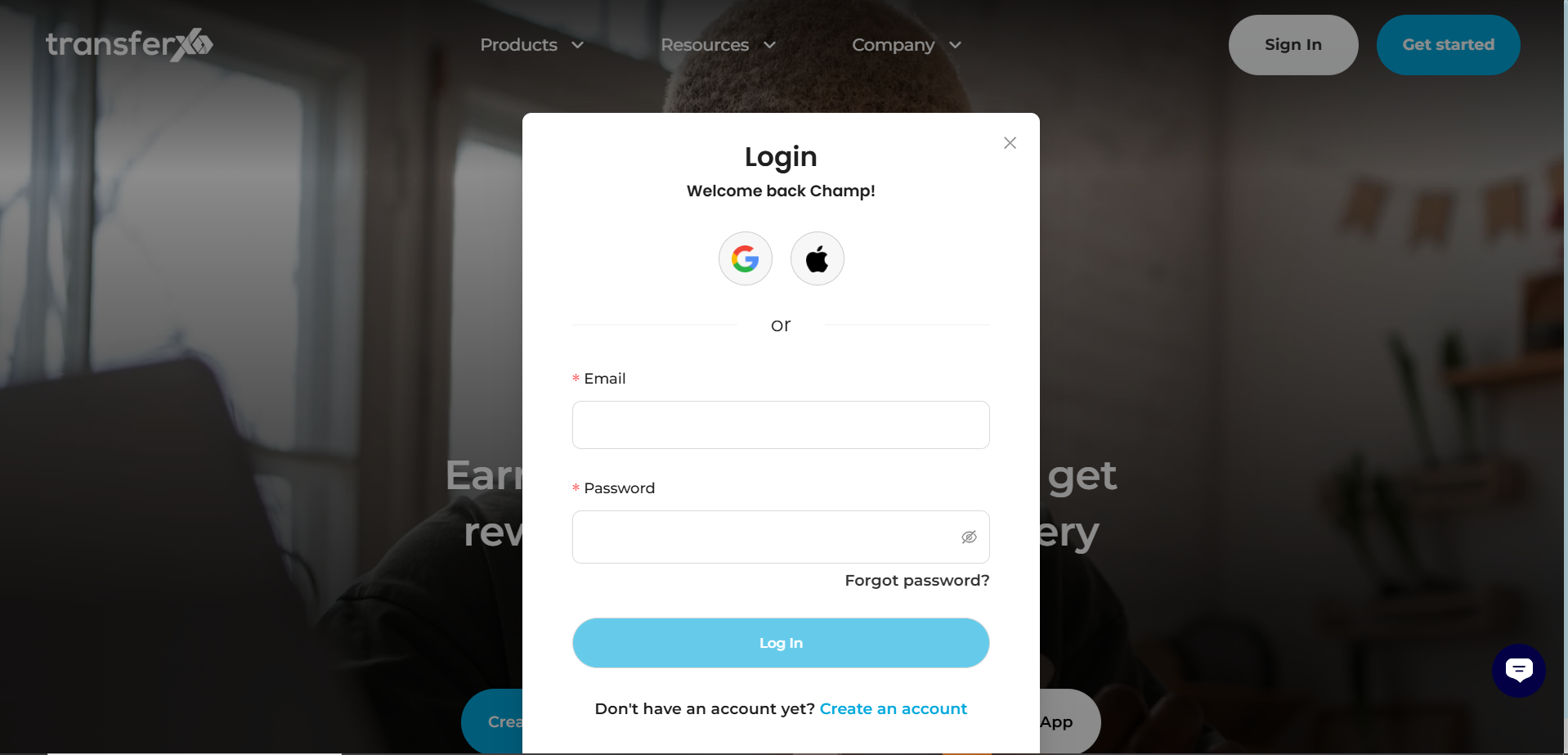
Step 2: Open PayFlex
From the dashboard, click on the PayFlex button located in the Key Offering Panel at the top.
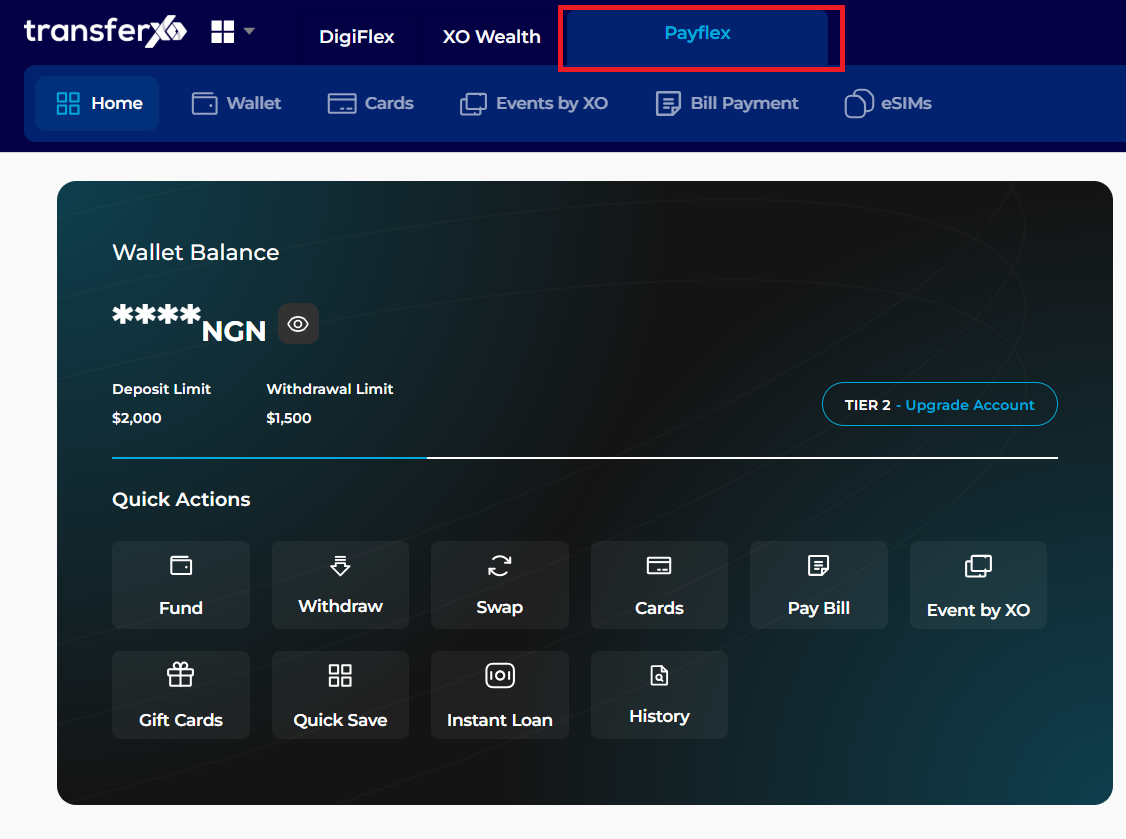
Step 3: Select Bill Payment
Click the Bill Payment tab.
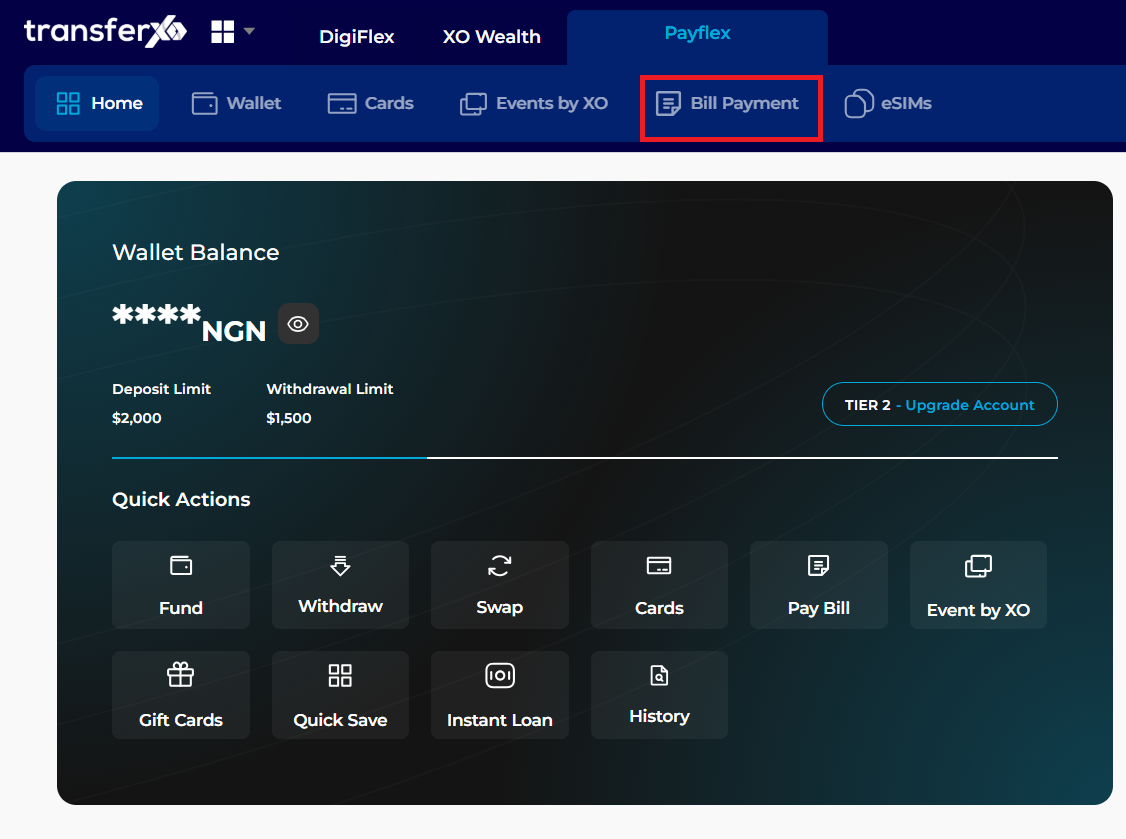
Step 4: Select 'Cable Televison'
click the cable tv icon
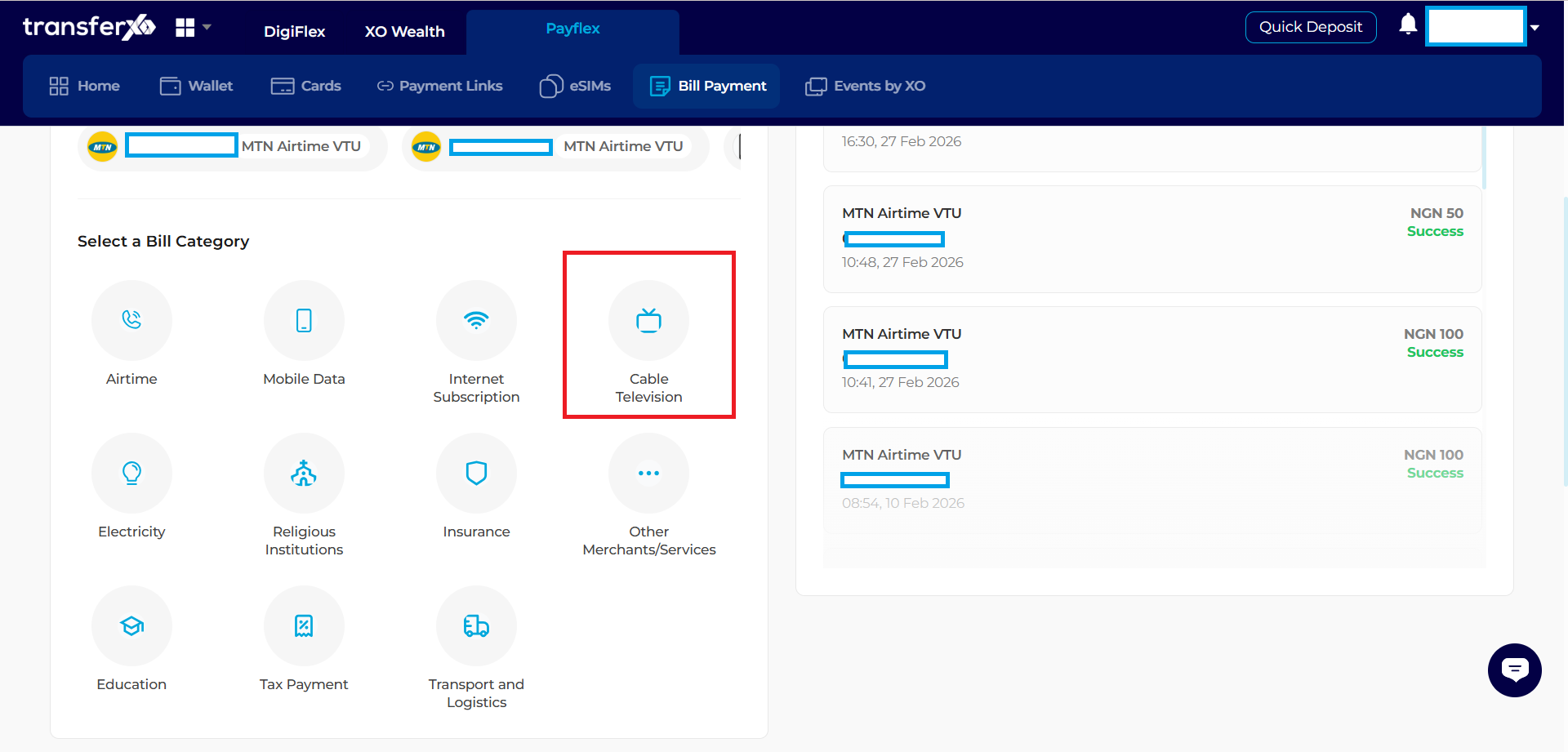
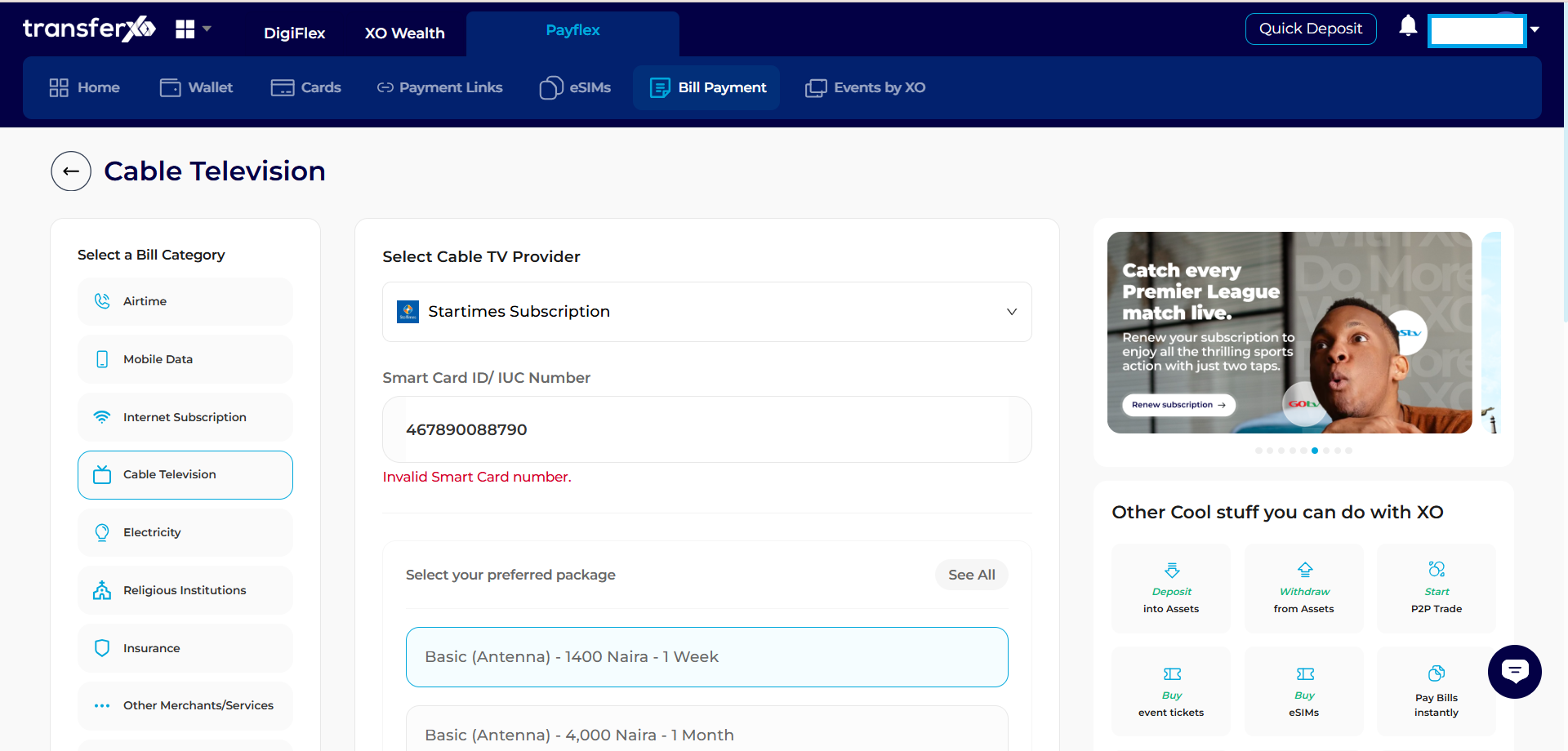
Step 5: Configure Transaction Details
- Select Cable TV, your Country, and the Provider.
- Select your Package and provide the SmartCard/IUC Number.
Step 4: Wallet Selection
Click Next. Choose your preferred wallet (Fiat or Crypto) and the specific asset for payment.
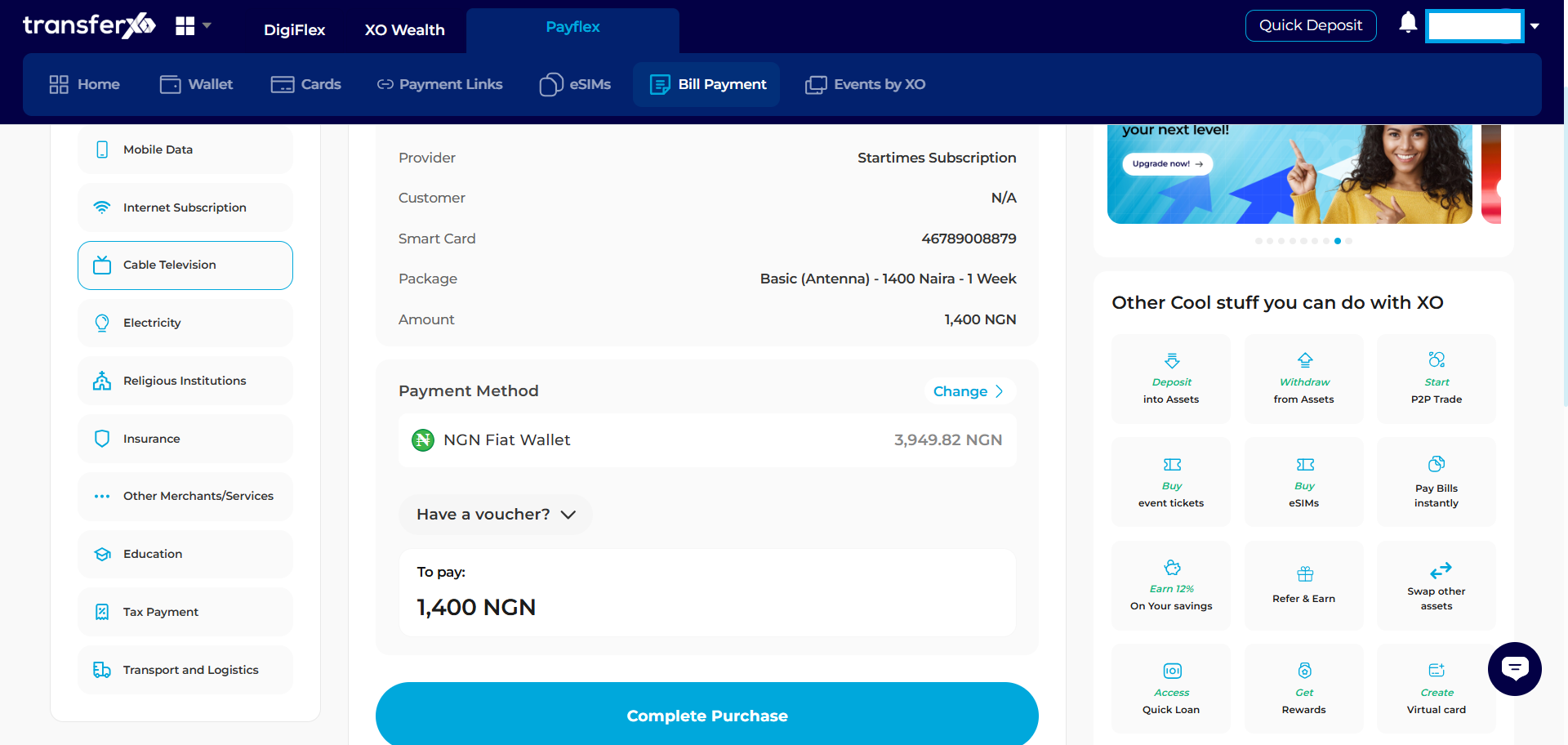
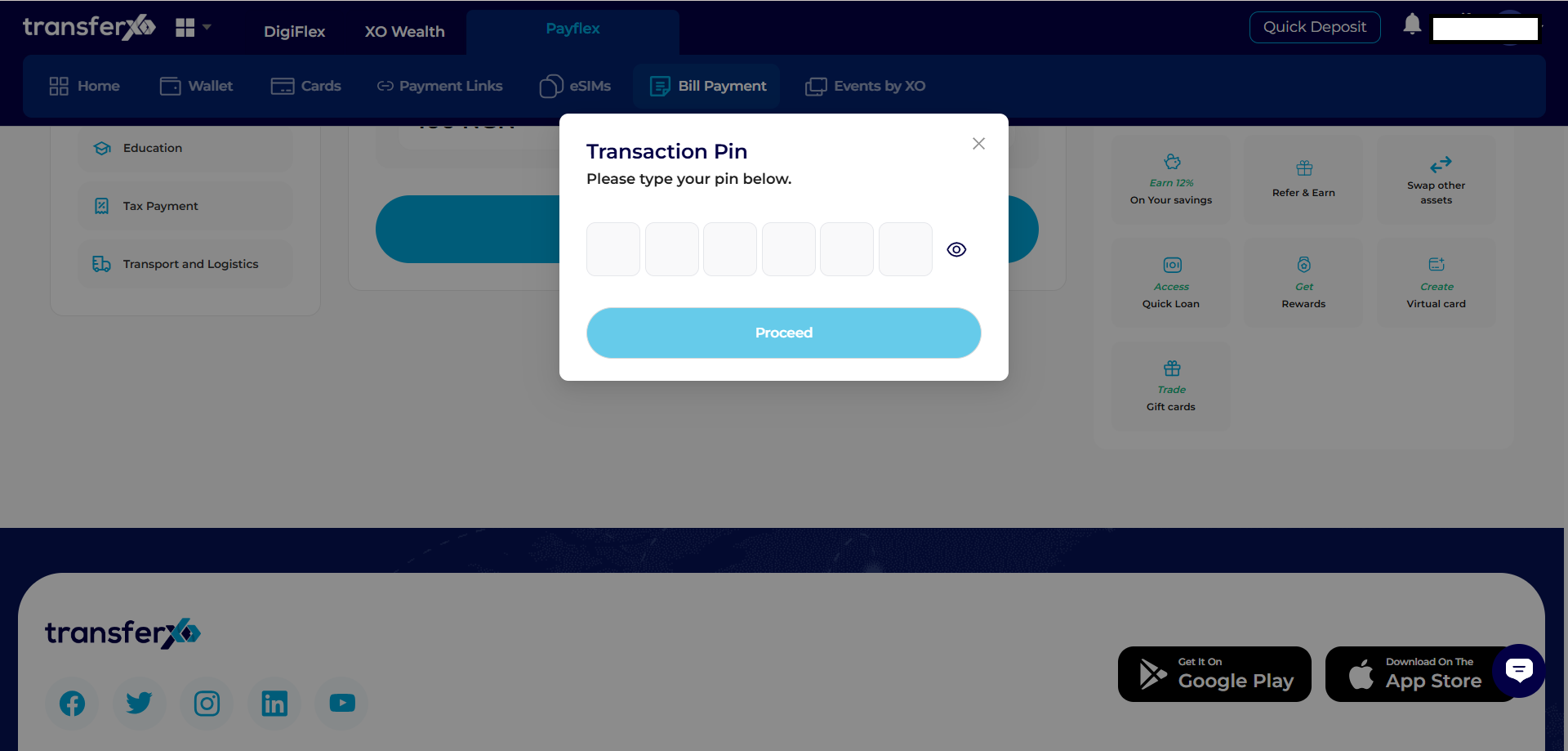
Step 5: Finalize Purchase
Click Complete Purchase. Enter your Transaction PIN in the pop-up field and click Proceed.
Congratulations, You have successfully completed your purchase.