


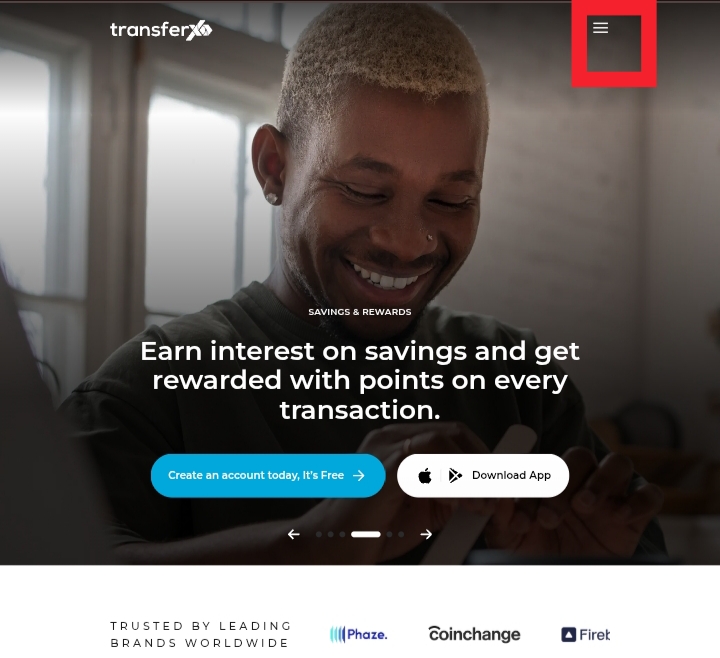
Step 1: Visit TransferXO.com and click on the Hamburger menu.
This opens the navigation menu where you can access the login option.
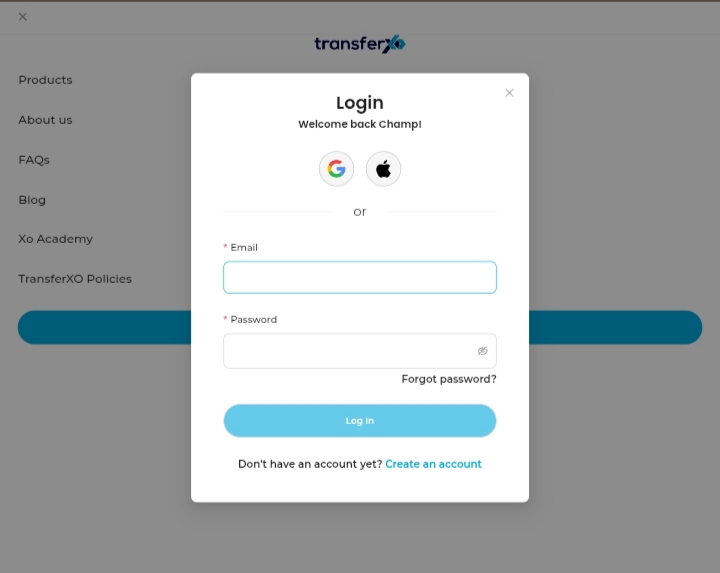
Step 2: Login to your account to access your Dashboard.
Enter your email/username and password to sign in to your account.
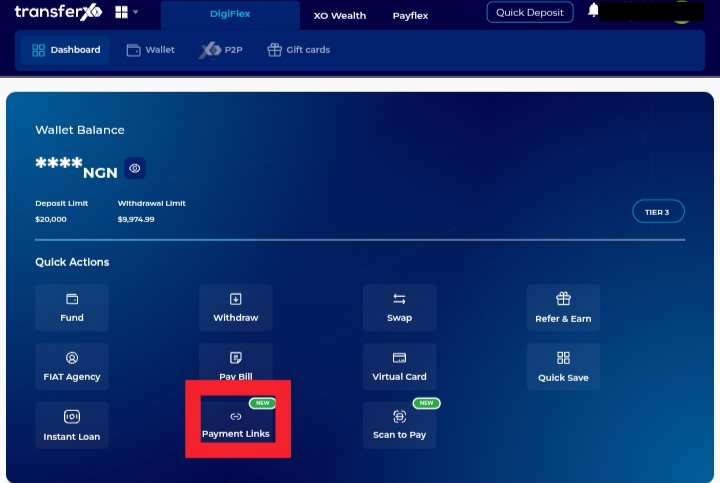
Step 3: On your Dashboard, click on Payment Links.
This takes you to the payment link management section.
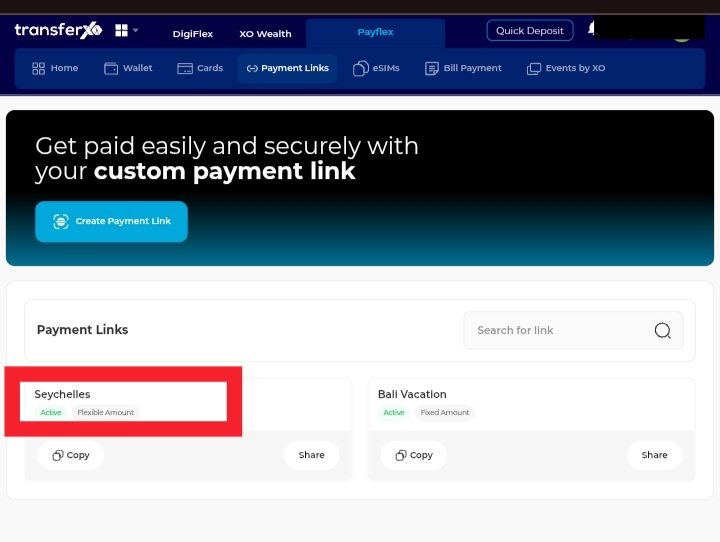
Step 4: Click on the payment link you want to edit.
Select the link you want to edit to open its details.
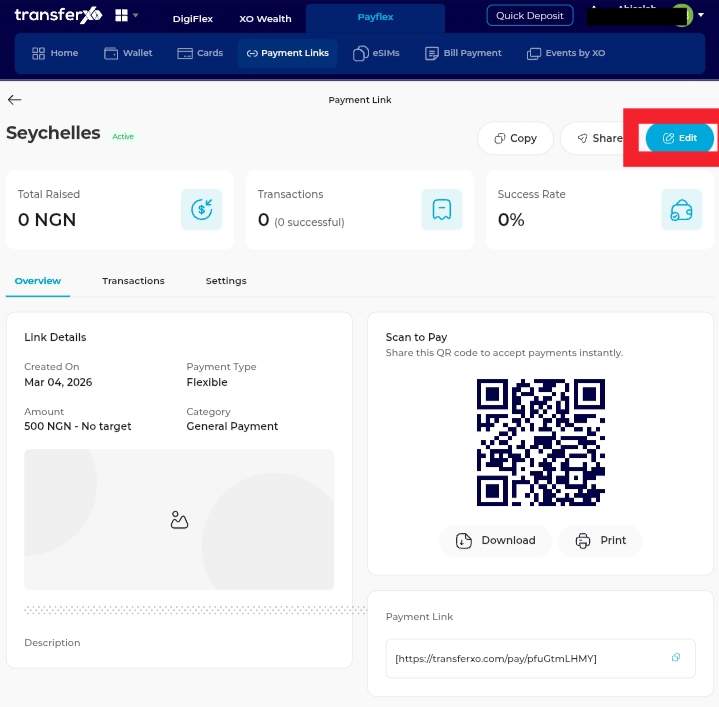
Step 5: Click Edit.
This allows you to modify the link title, amount settings, or other available details.
Step 6: Make the necessary changes.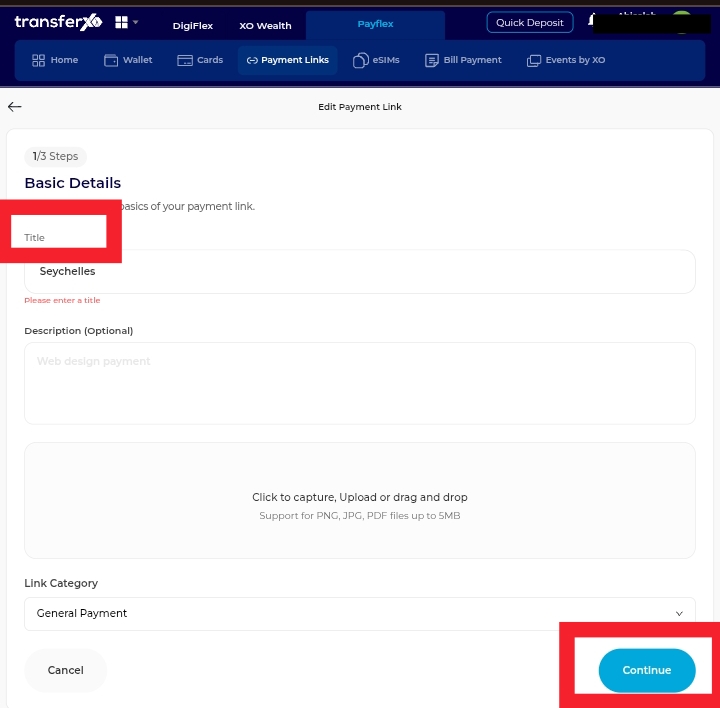
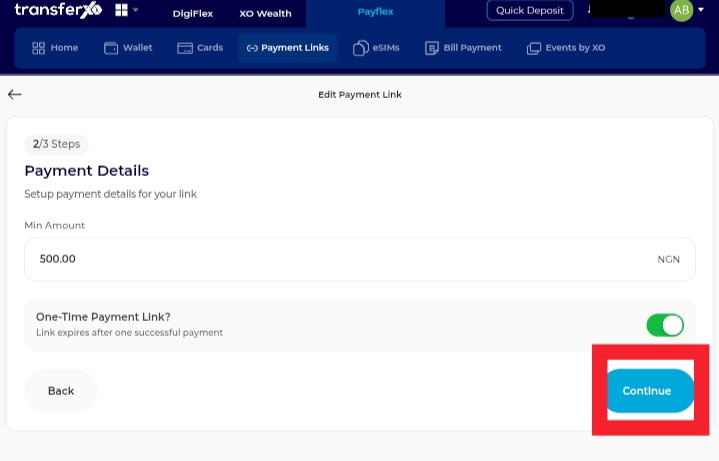
Step 7: Click Edit Link.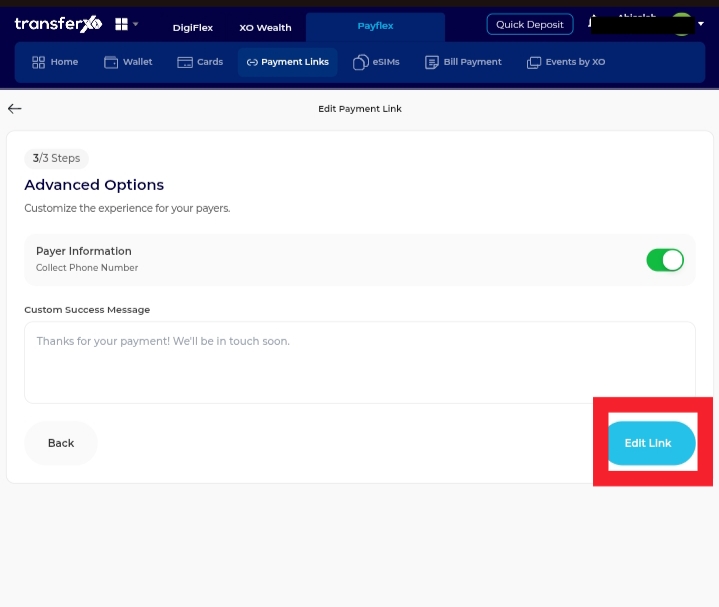
Your updates will be applied instantly.
You can now manage and update your payment links seamlessly from the website.