


This guide walks you through the steps to modify the details of a payment link you have already created.
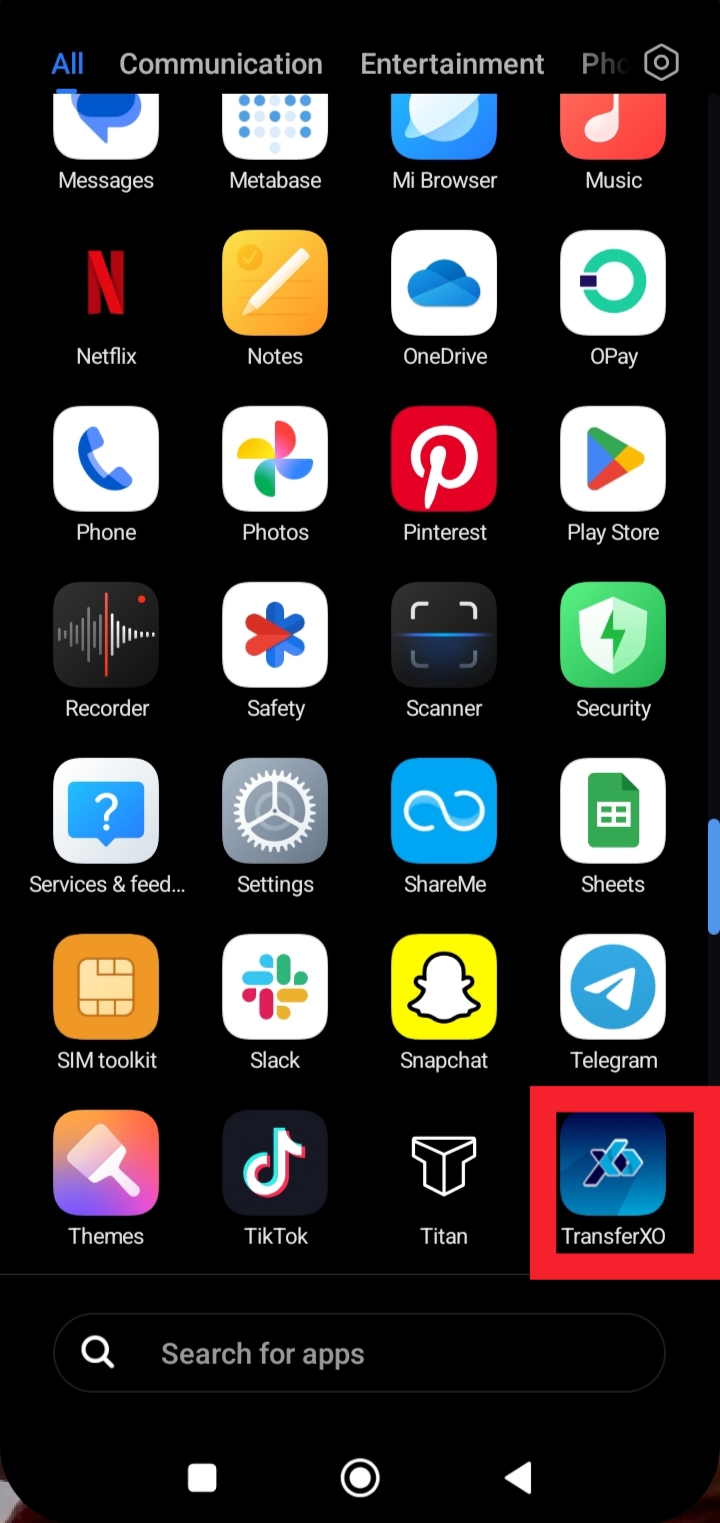
Step 1: Launch the TransferXO app on your mobile device.
Open the TransferXO app to access your account services.
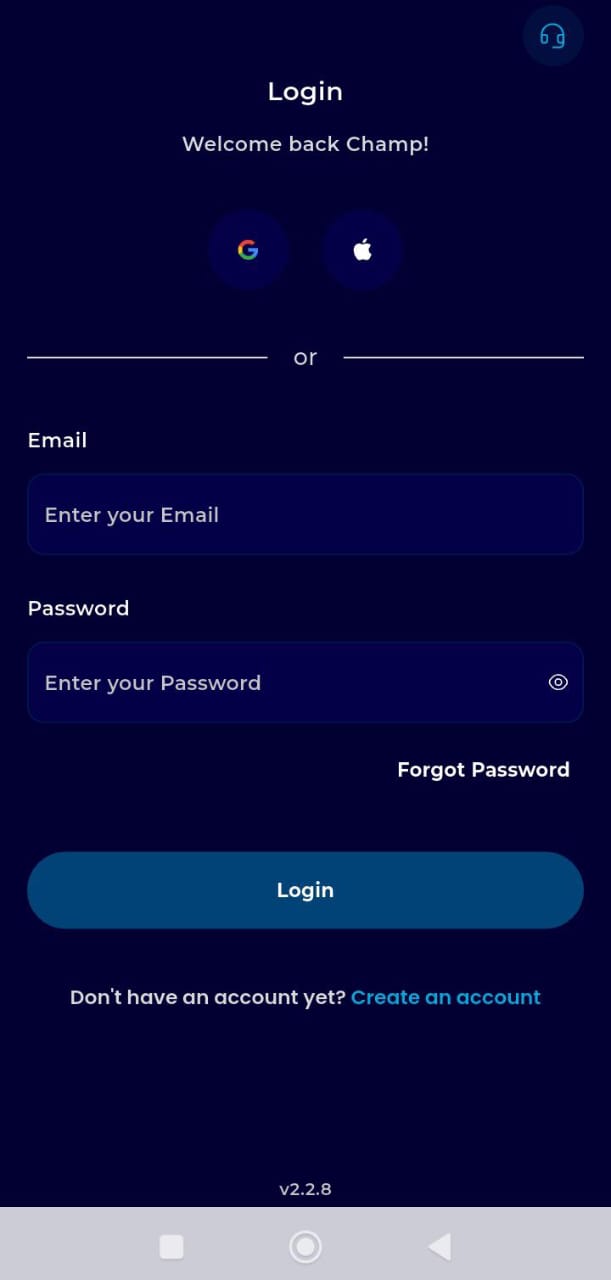
Step 2: Login to your account.
Enter your username and password to securely access your dashboard.
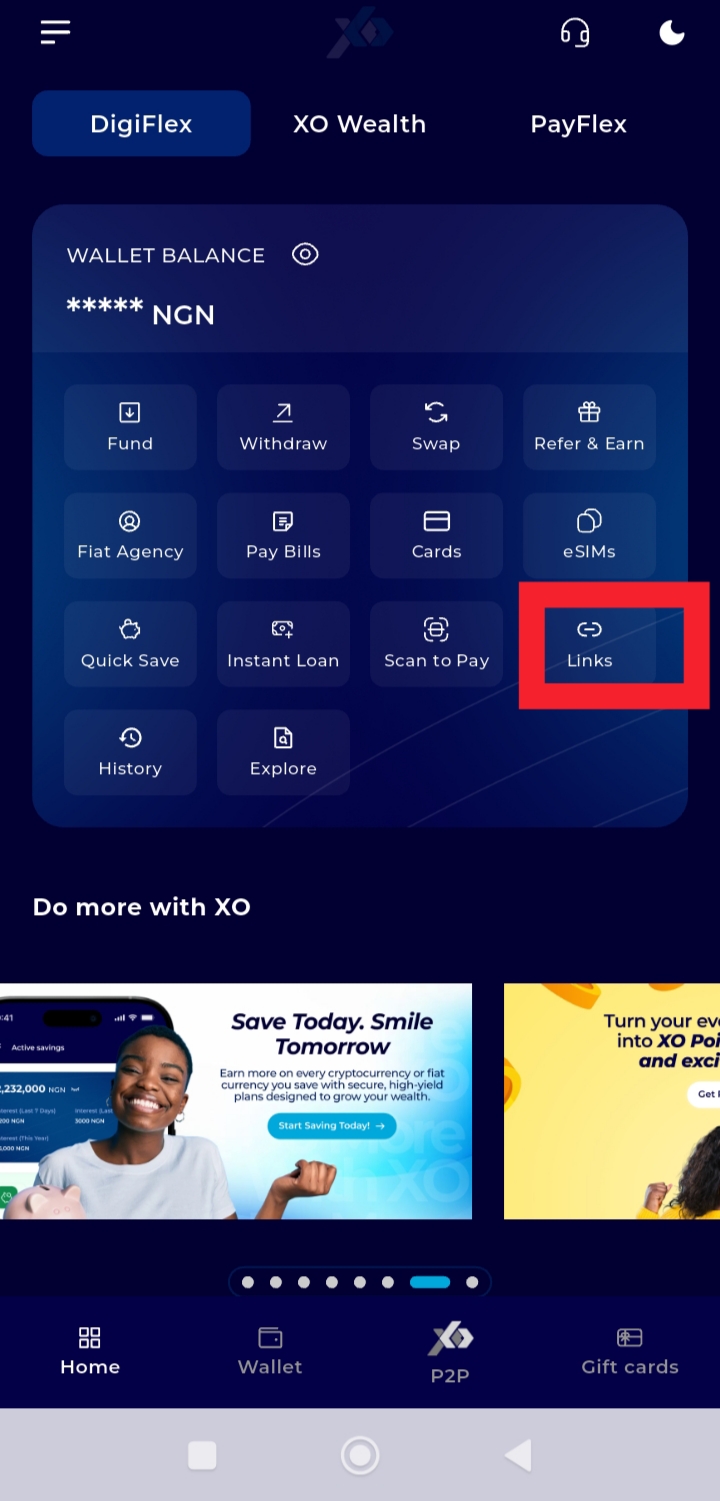
Step 3: On your Dashboard, tap Links.
This takes you to the payment link management section.
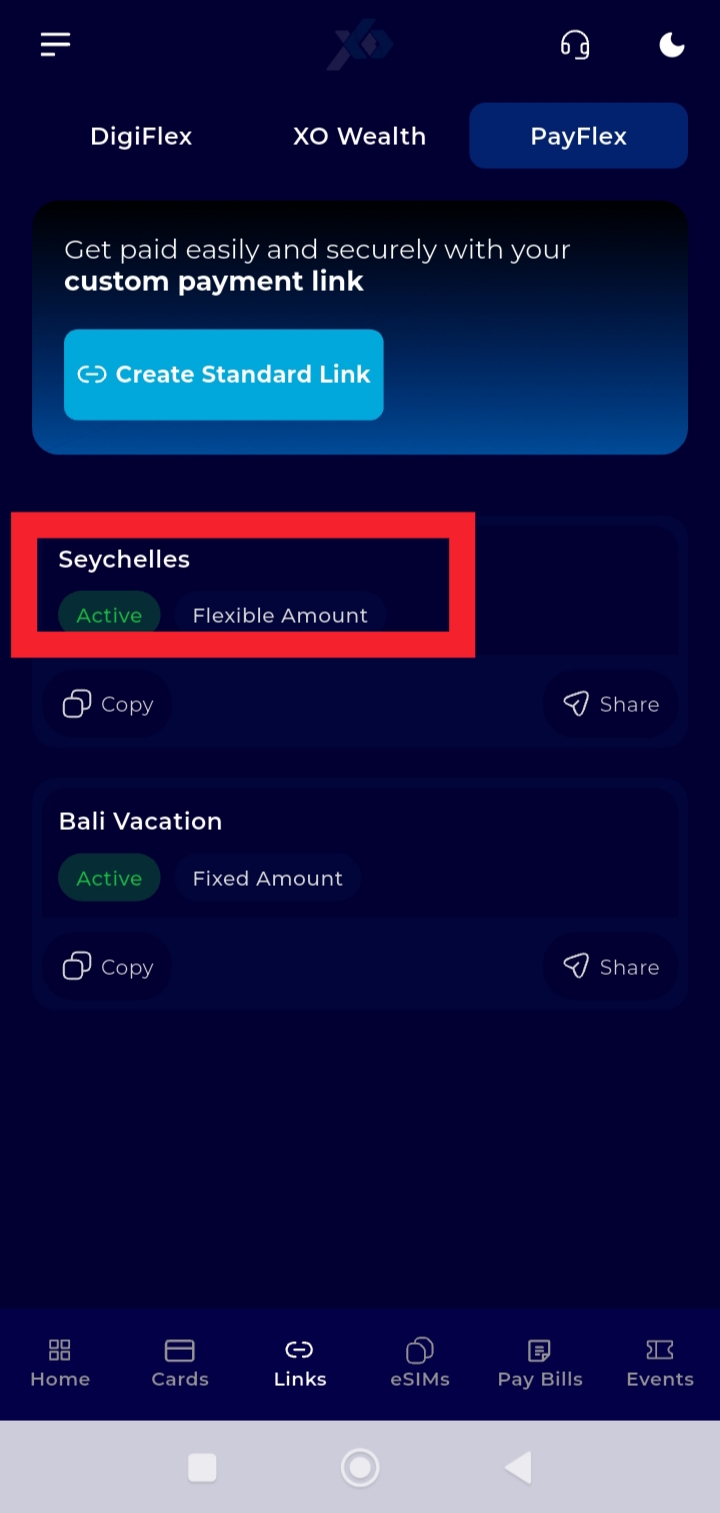
Step 4: Select the payment link you want to edit.
Tap the specific link to open its details.
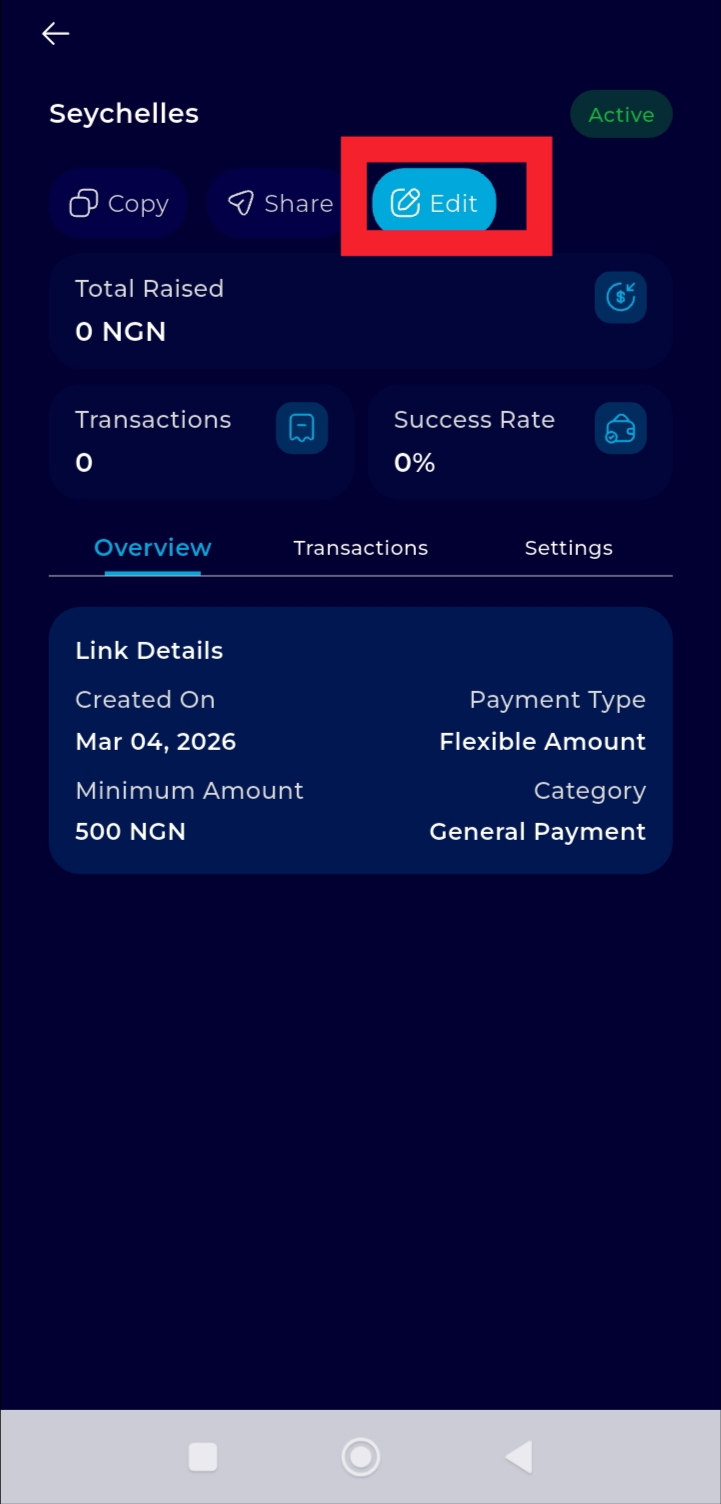
Step 5: Tap Edit.
This allows you to update the link title, amount settings, or other available details,.
Step 6: Make the necessary changes and save.
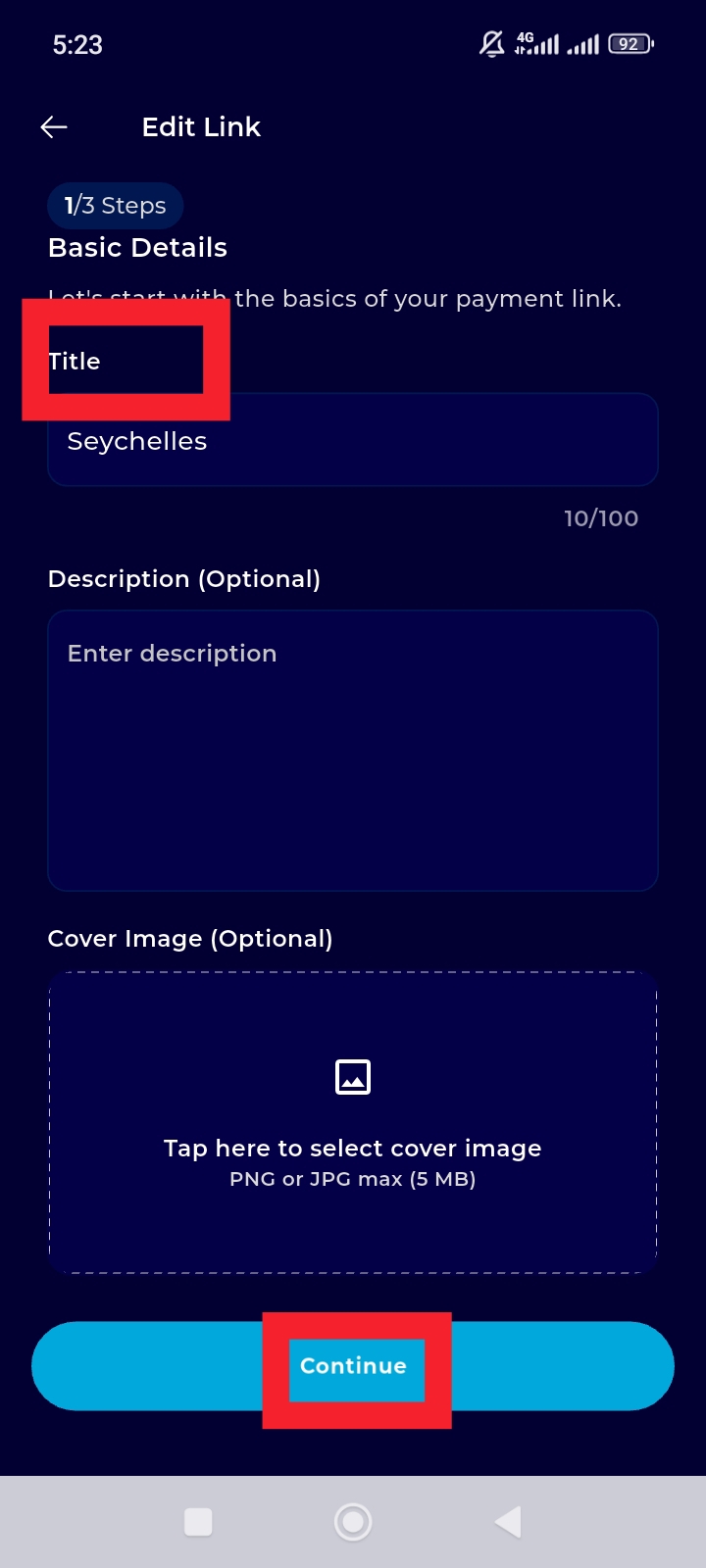
Your updates will be applied immediately.
You can now manage and adjust your payment links whenever needed.