


This guide walks you through the steps to generate a flexible payment link that allows the payer to enter the amount they wish to pay.
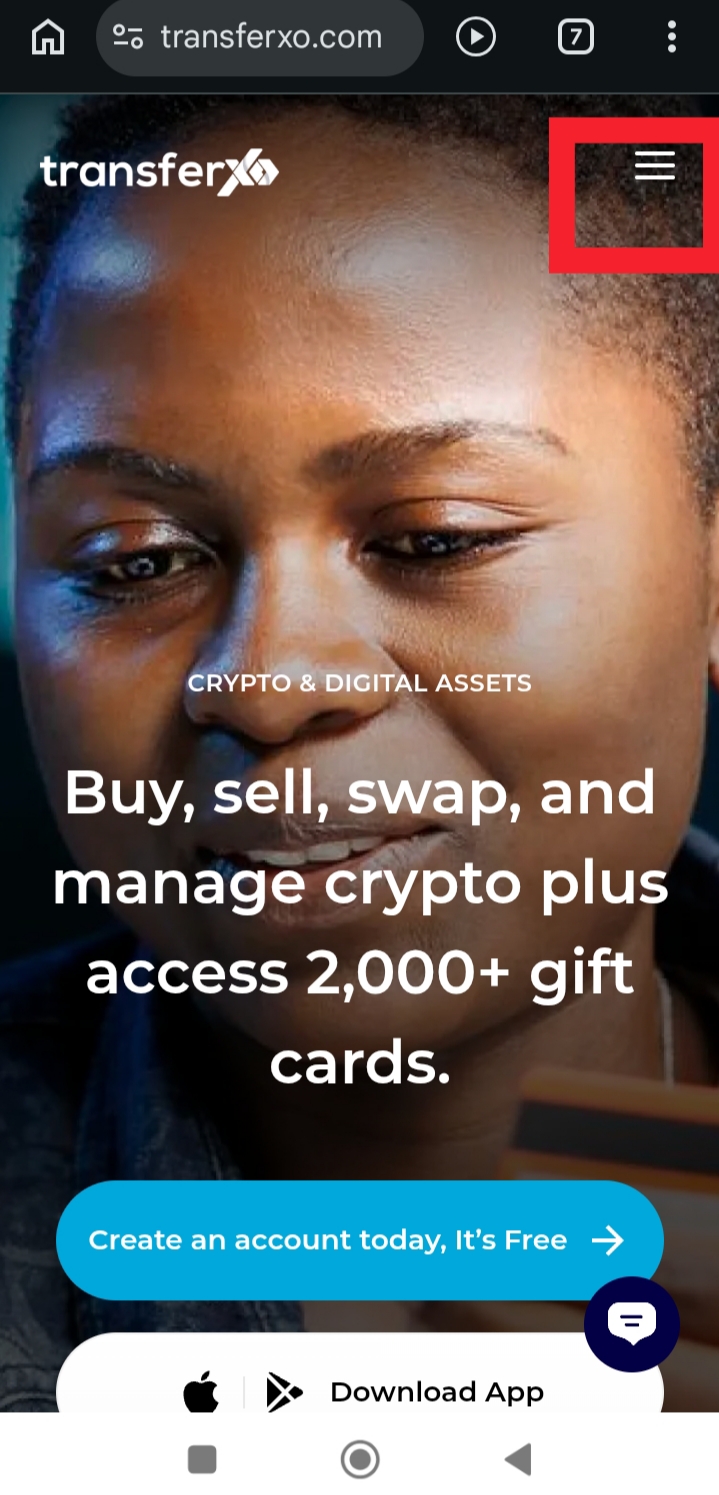
Step 1: Visit TransferXO.com and tap the Hamburger menu.
This opens the navigation menu where you can access the login option.
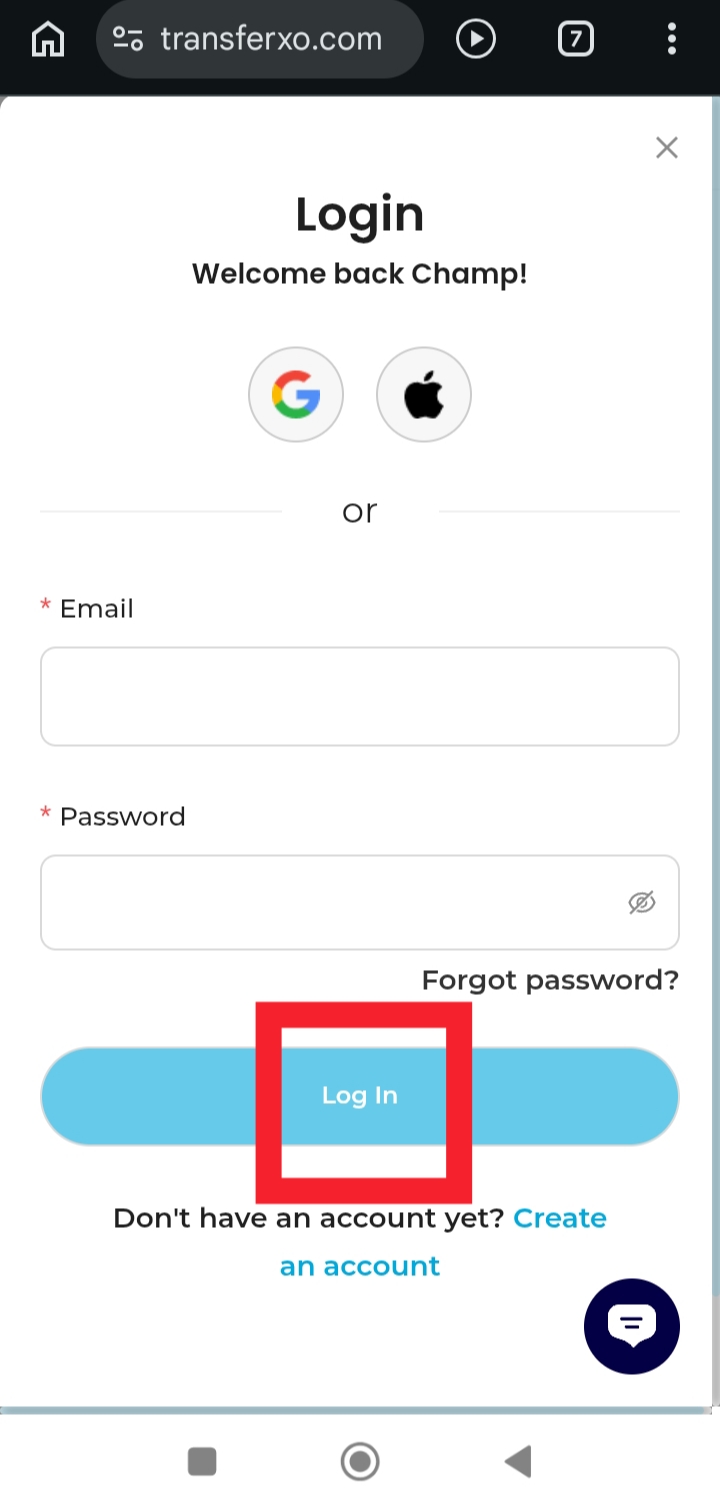
Step 2: Login to your account to access your Dashboard.
Enter your username and password to securely sign in.
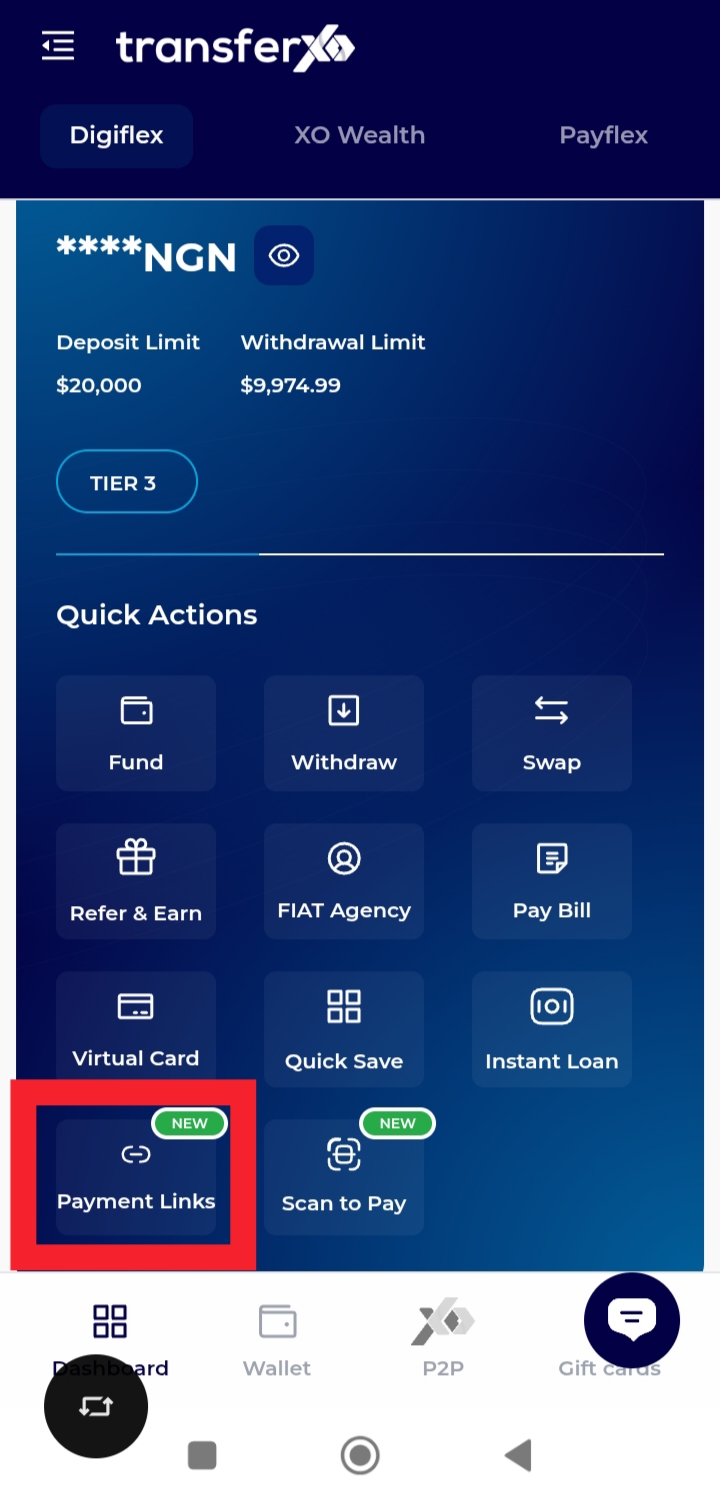
Step 3: On your Dashboard, tap Payment Links.
This takes you to the section where you can create and manage your payment links.
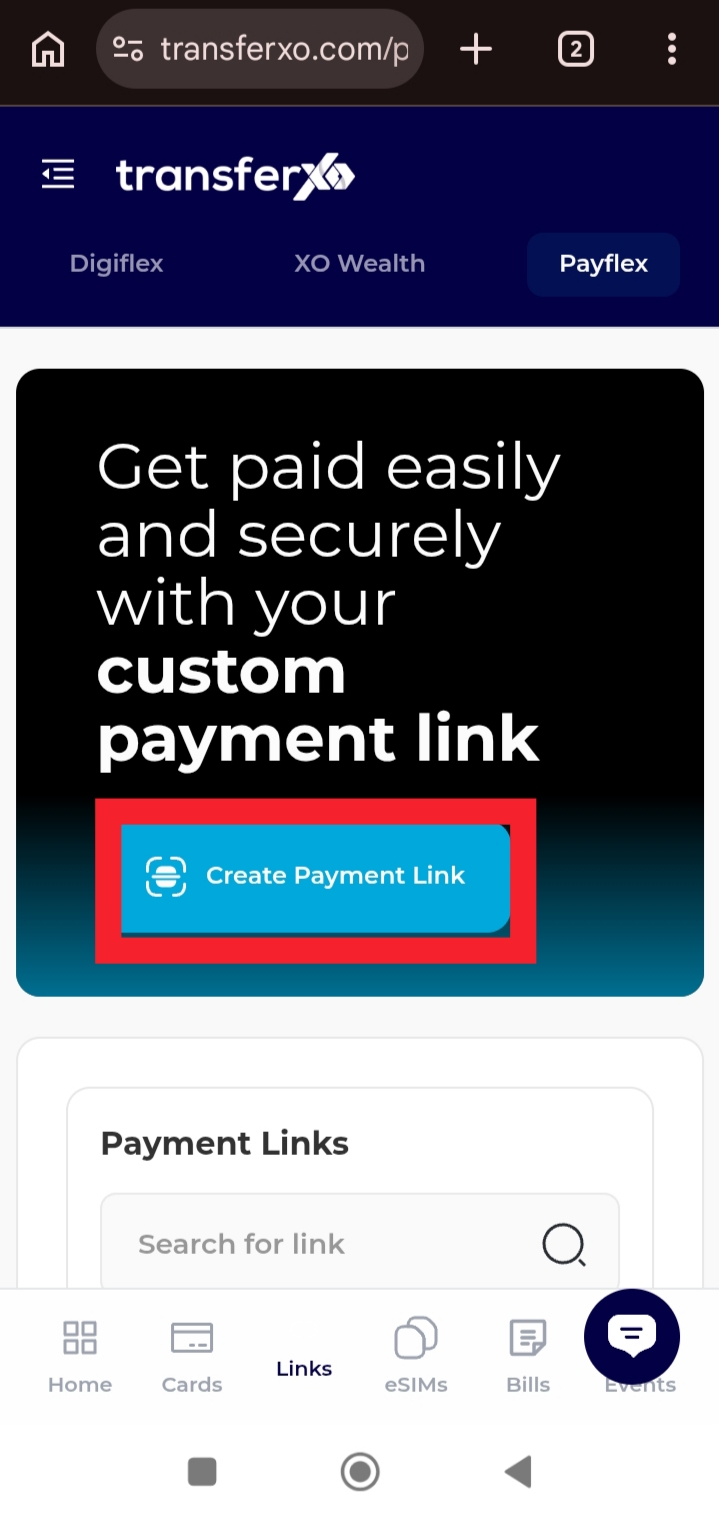
Step 4: Tap Create Payment Link.
This begins the process of setting up a new payment link.
Step 5: Enter the link title and tap continue.
Provide a clear title that helps you identify the purpose of the payment link.
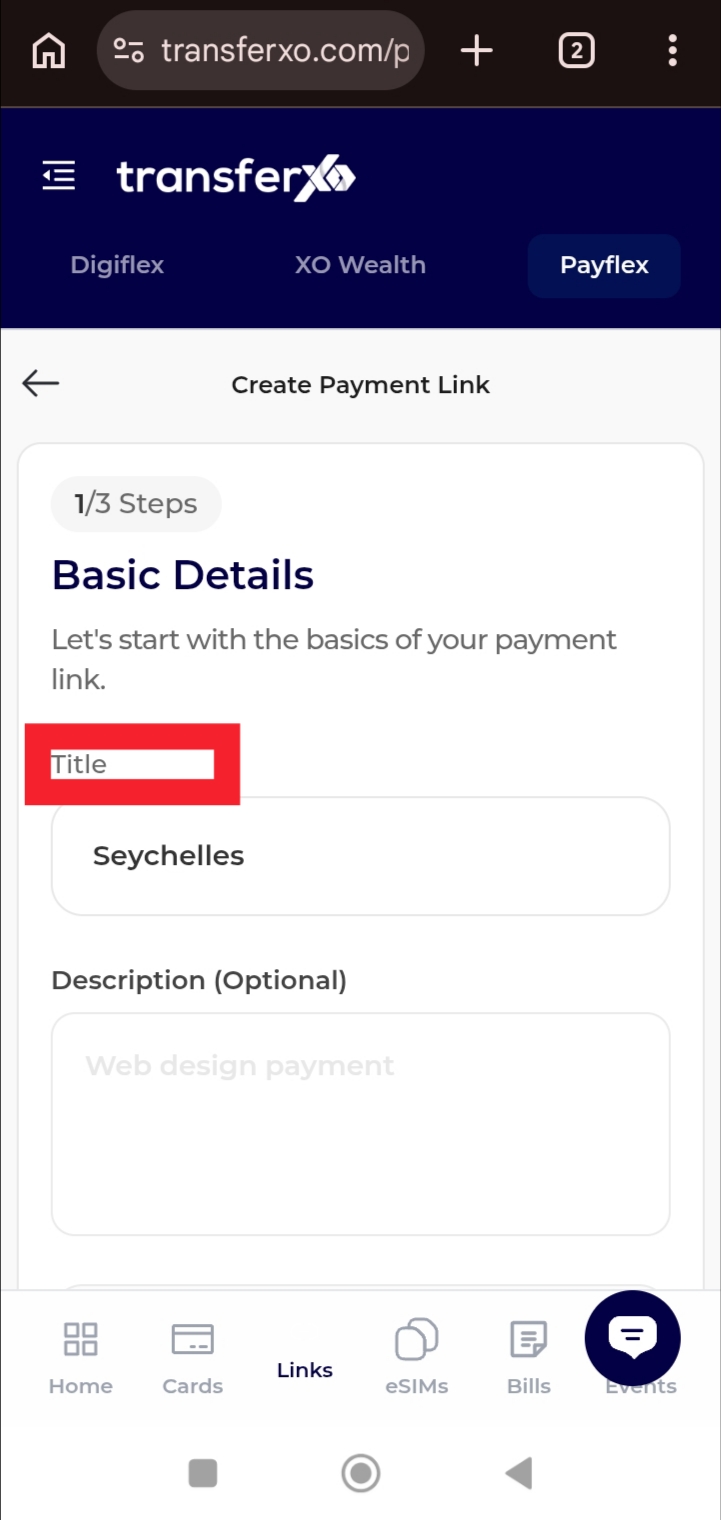
Step 6: Tap Link Category.
Here, you can choose the type of payment link you want to create.
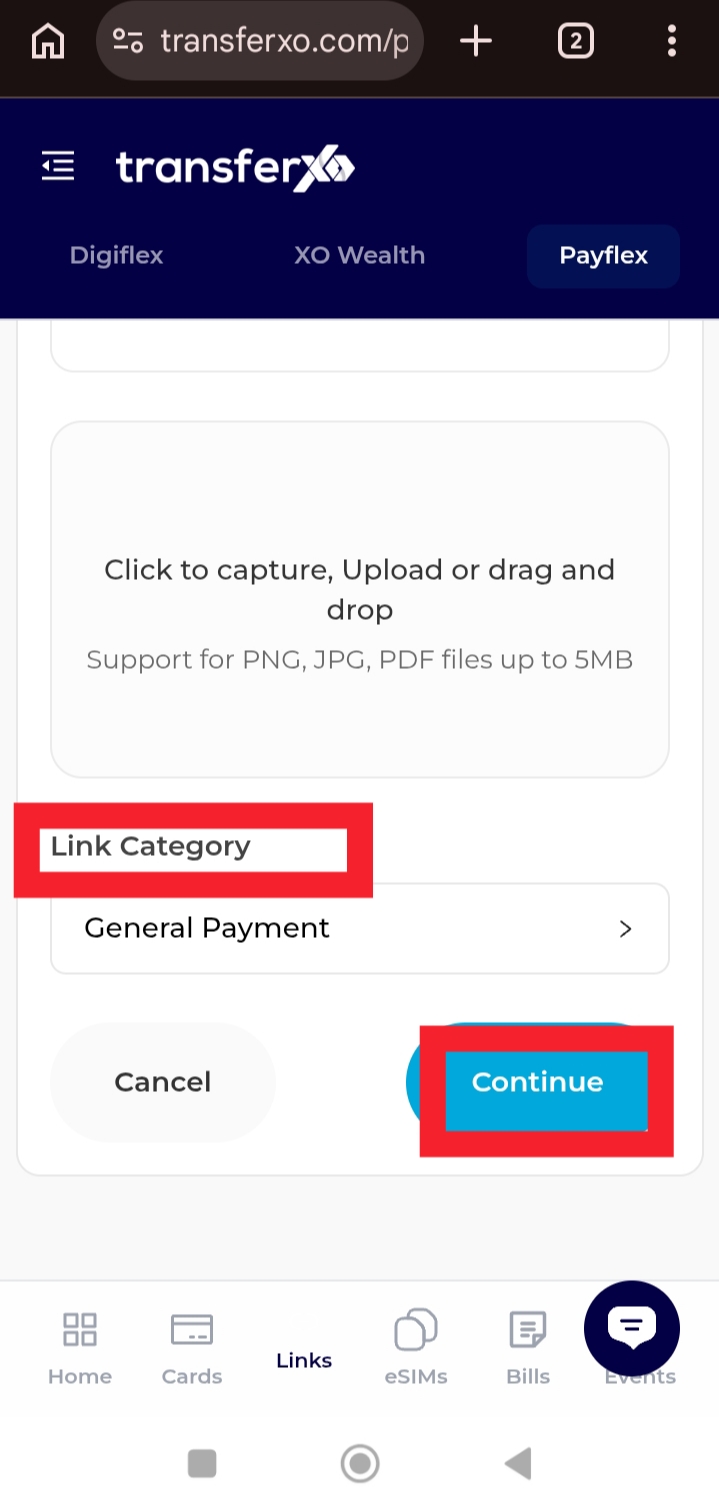
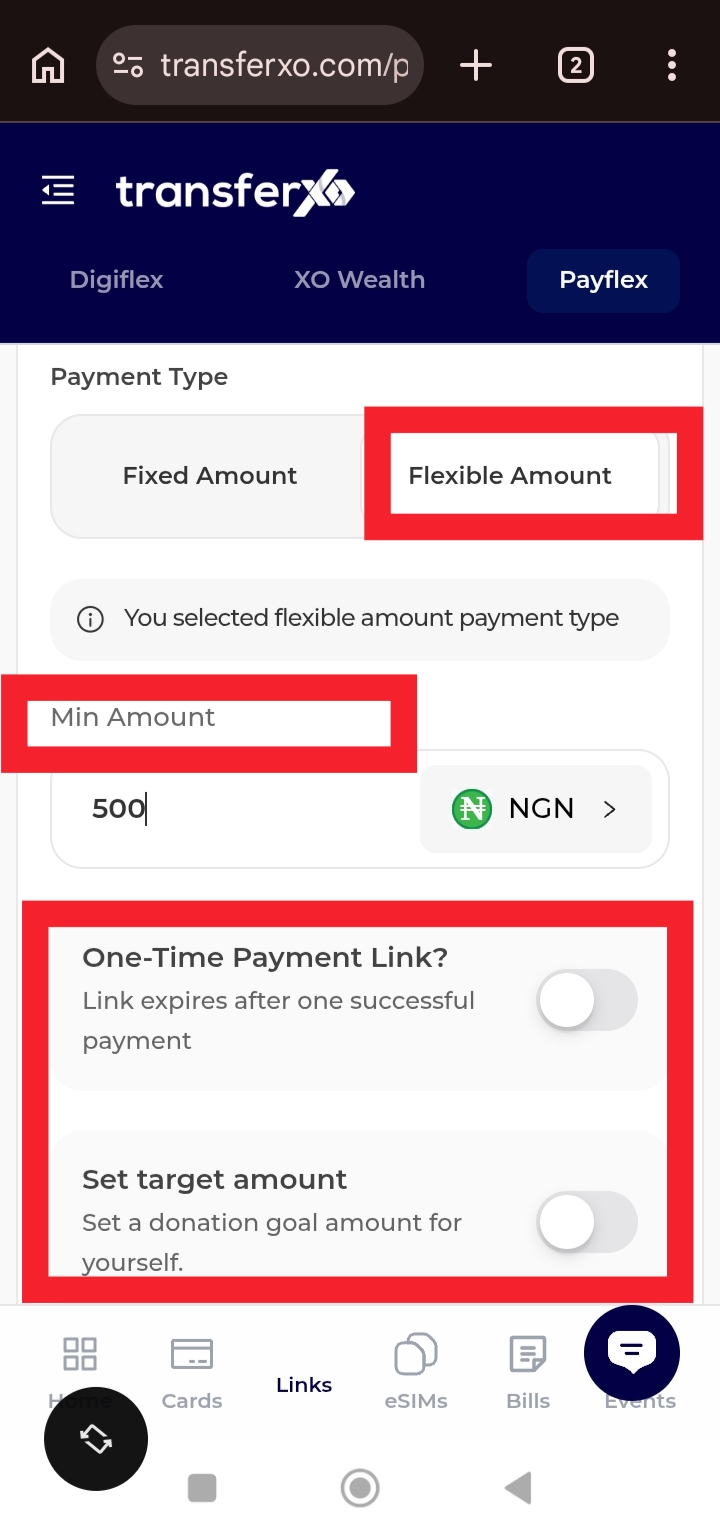
Step 7: Select Flexible Amount and choose your payment type.
You may select a One-Time Payment Link or Set Target depending on your objective, then tap continue.
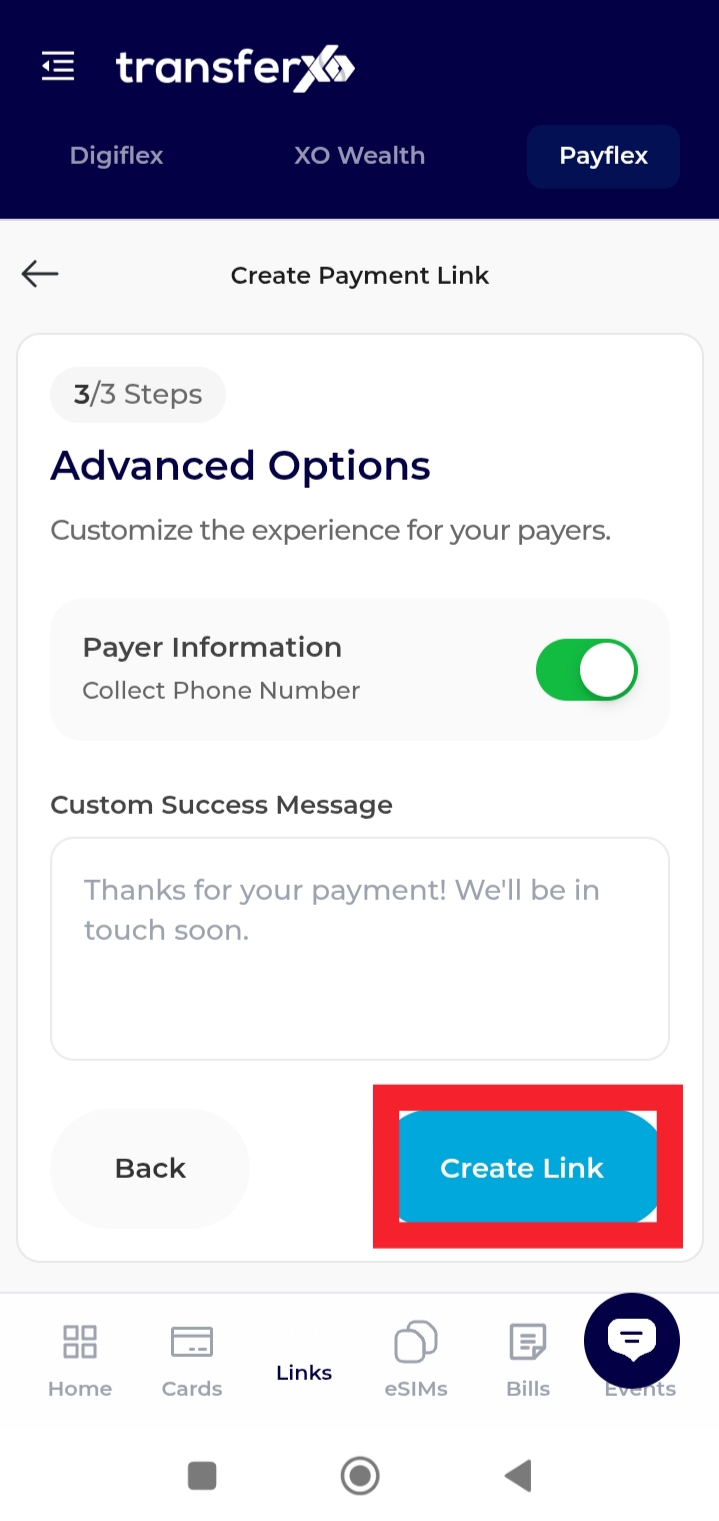
Step 8: Review your details, fill in the payer information if required, and tap Create Link.
Once completed, your flexible payment link will be successfully generated and ready to share.
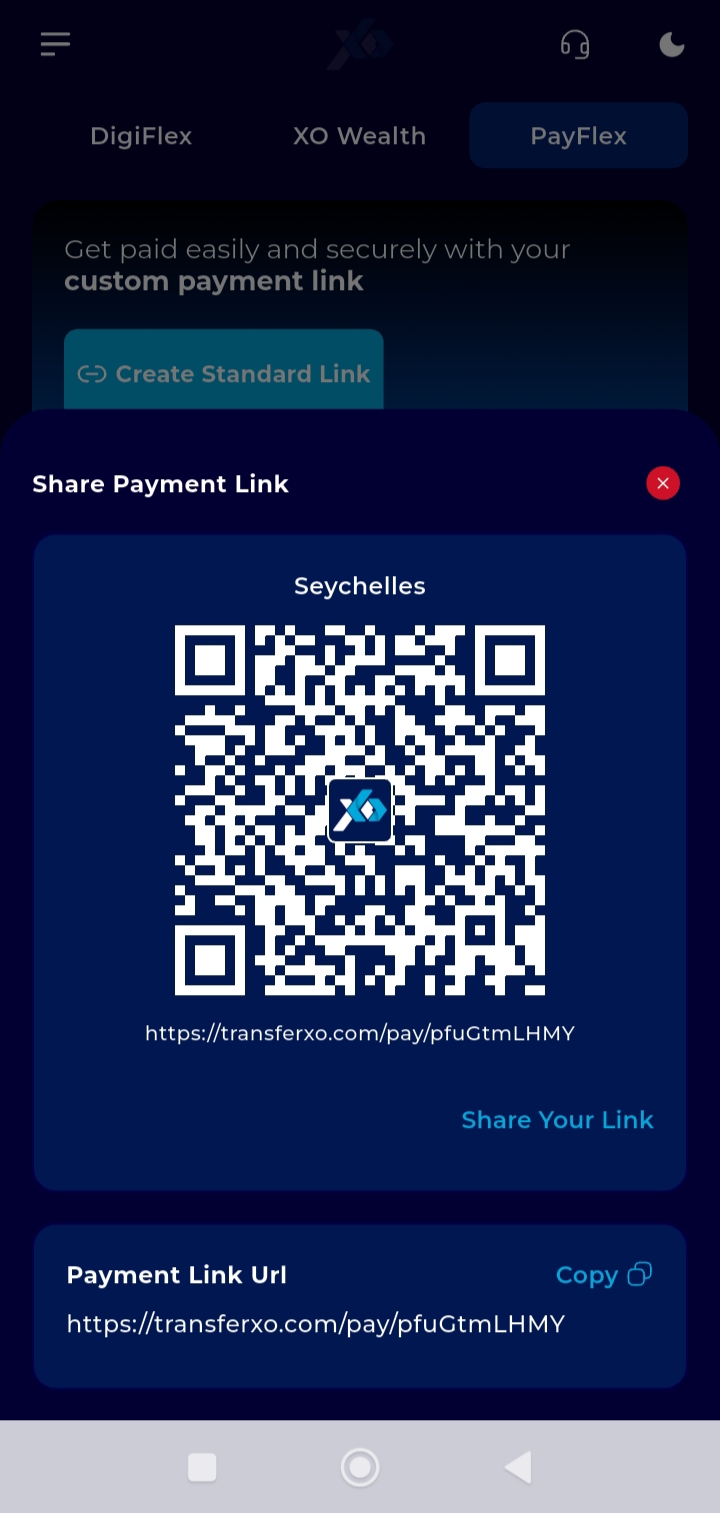
You can now copy and share your link to receive payments in varying amounts conveniently.