


Follow the steps below to unfreeze your card using the TransferXO mobile app.
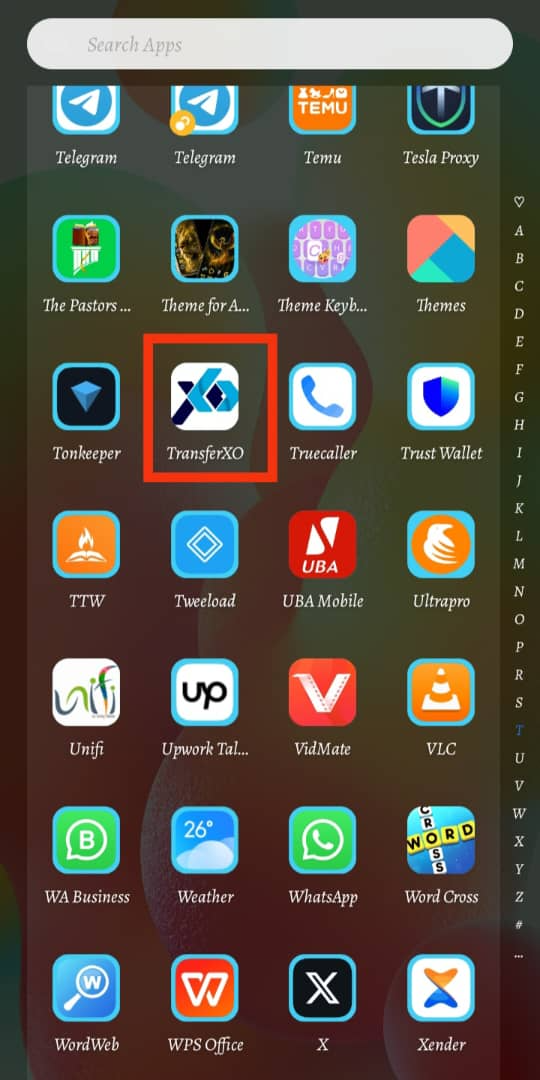
Step 1: Open the TransferXO Mobile App
Launch the TransferXO app on your mobile device.
Step 2: Log In to Your Account
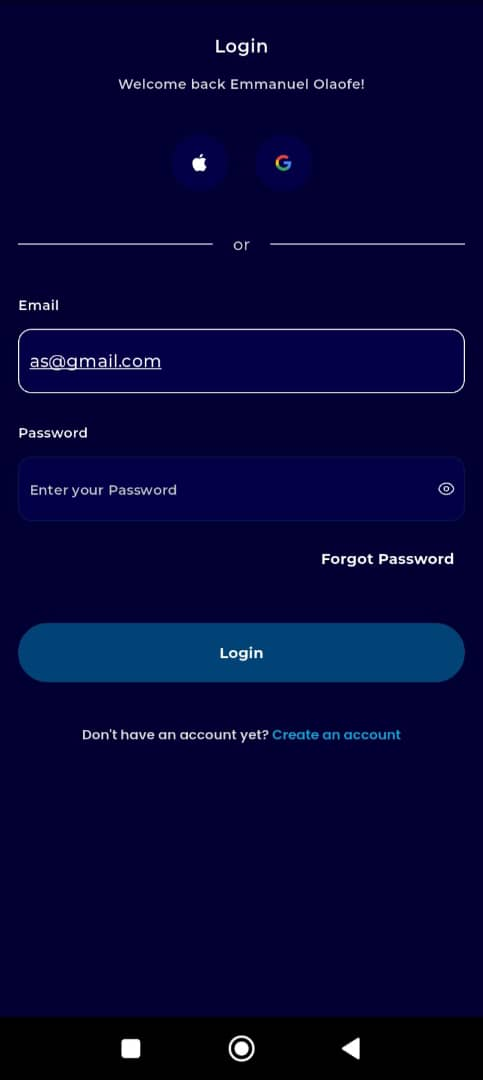
Enter your email address and password.
If you registered using Gmail or Apple ID, select the corresponding option to log in.]
Step 3: Go to Your Dashboard
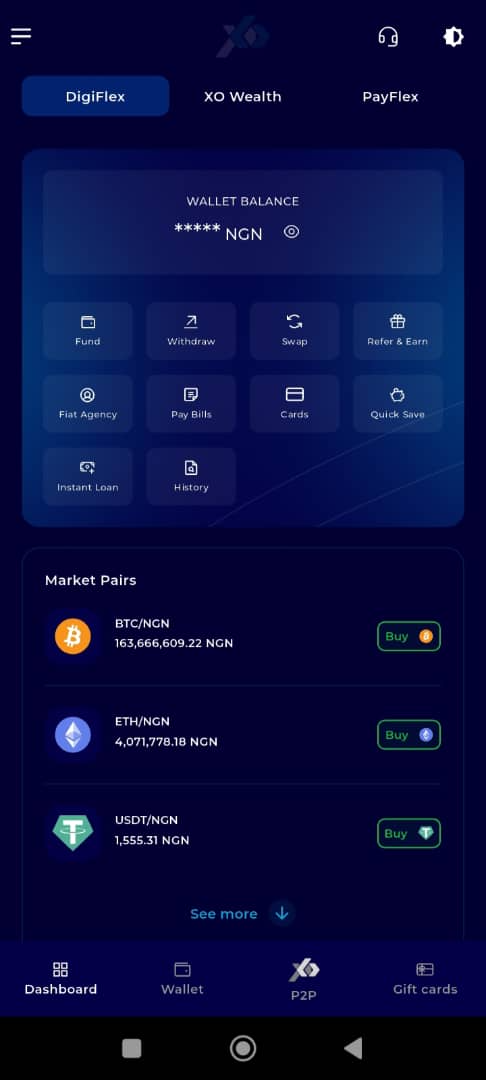
Once logged in, you’ll be directed to your dashboard.
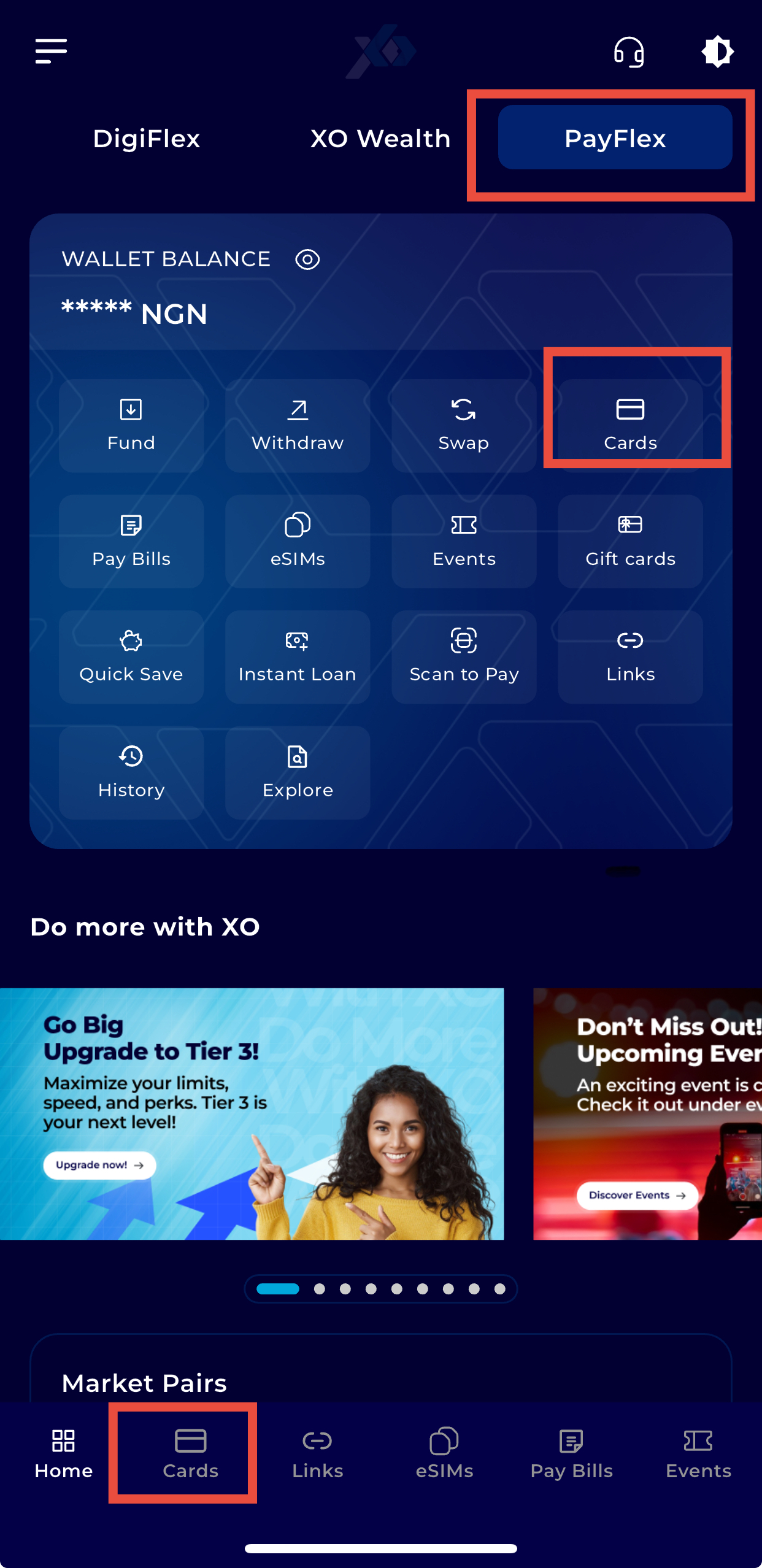
Step 4: Select Cards
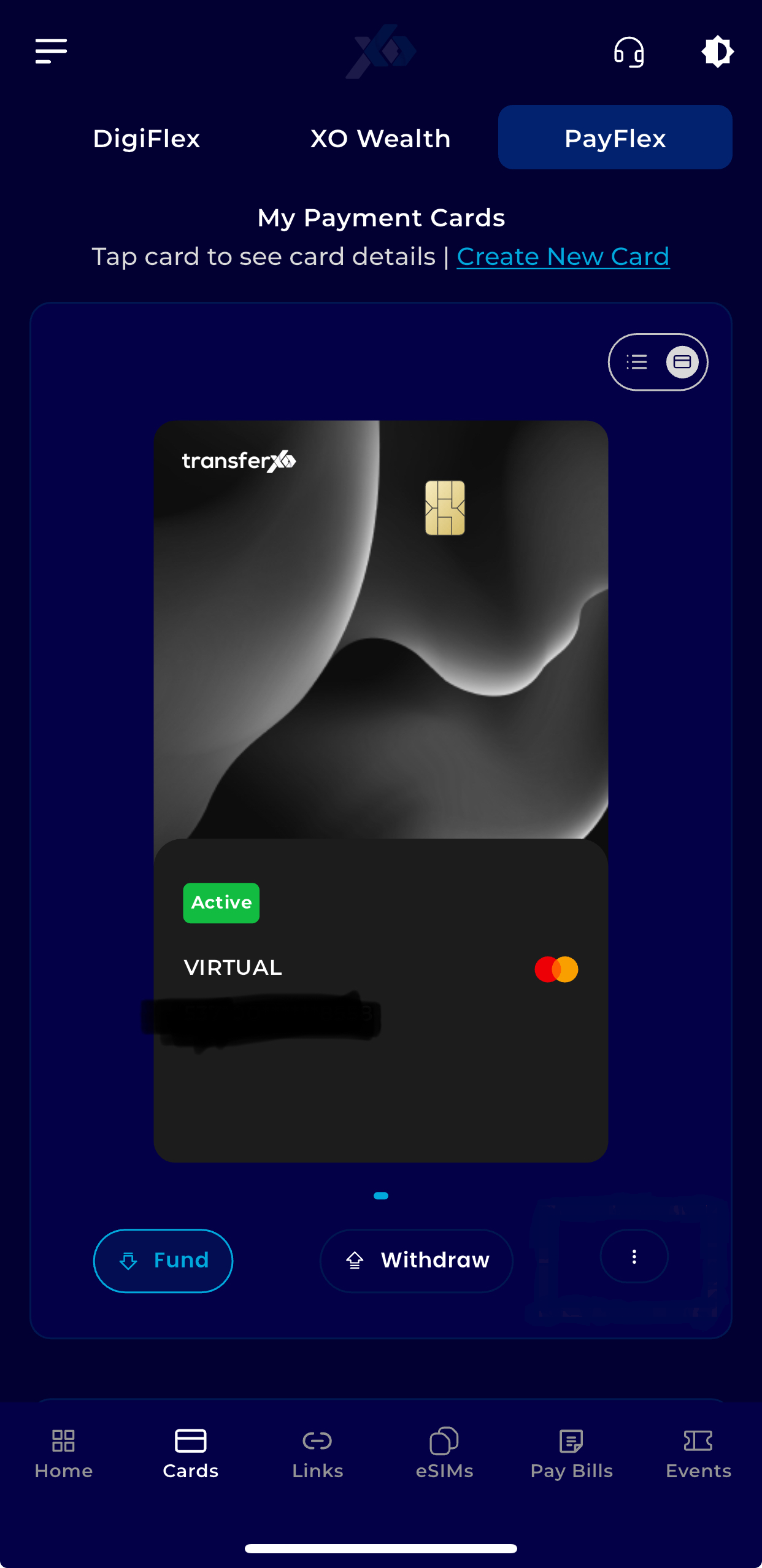
On your dashboard, tap Cards.
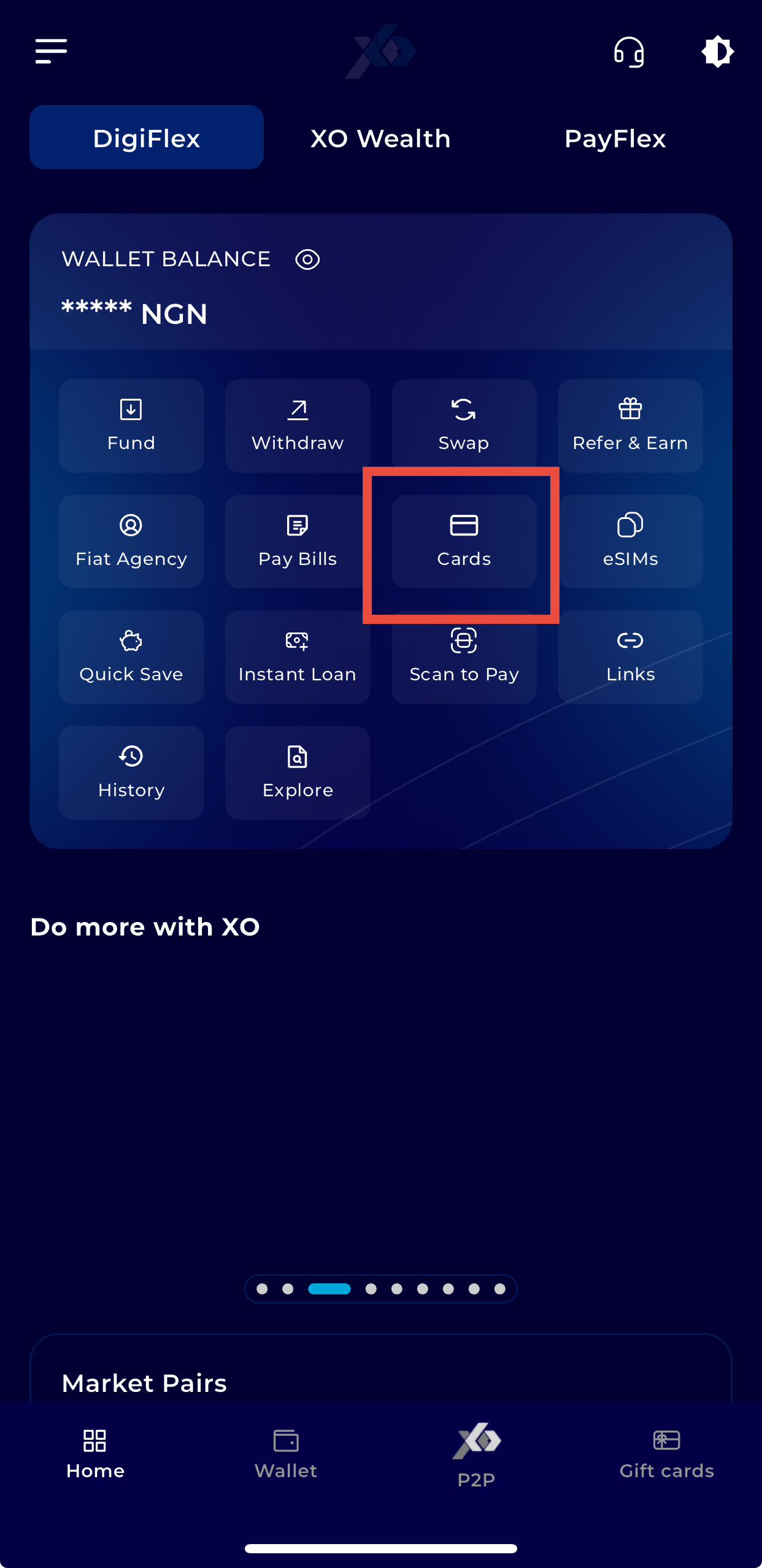
OR
Navigate to PayFlex and select Cards from the menu.
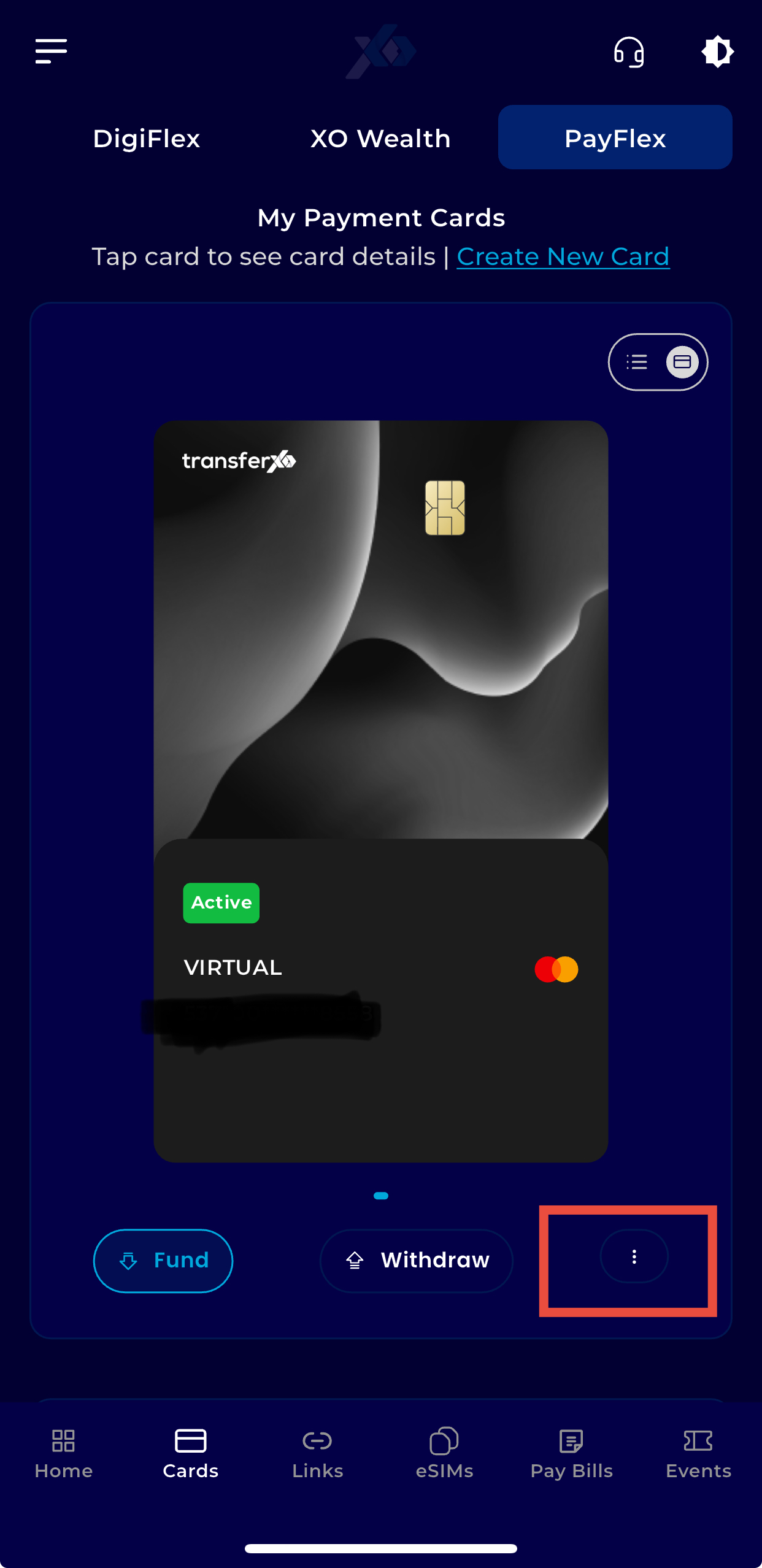
Step 5: Open Card Options
Tap the three vertical dots below the card you want to freeze.
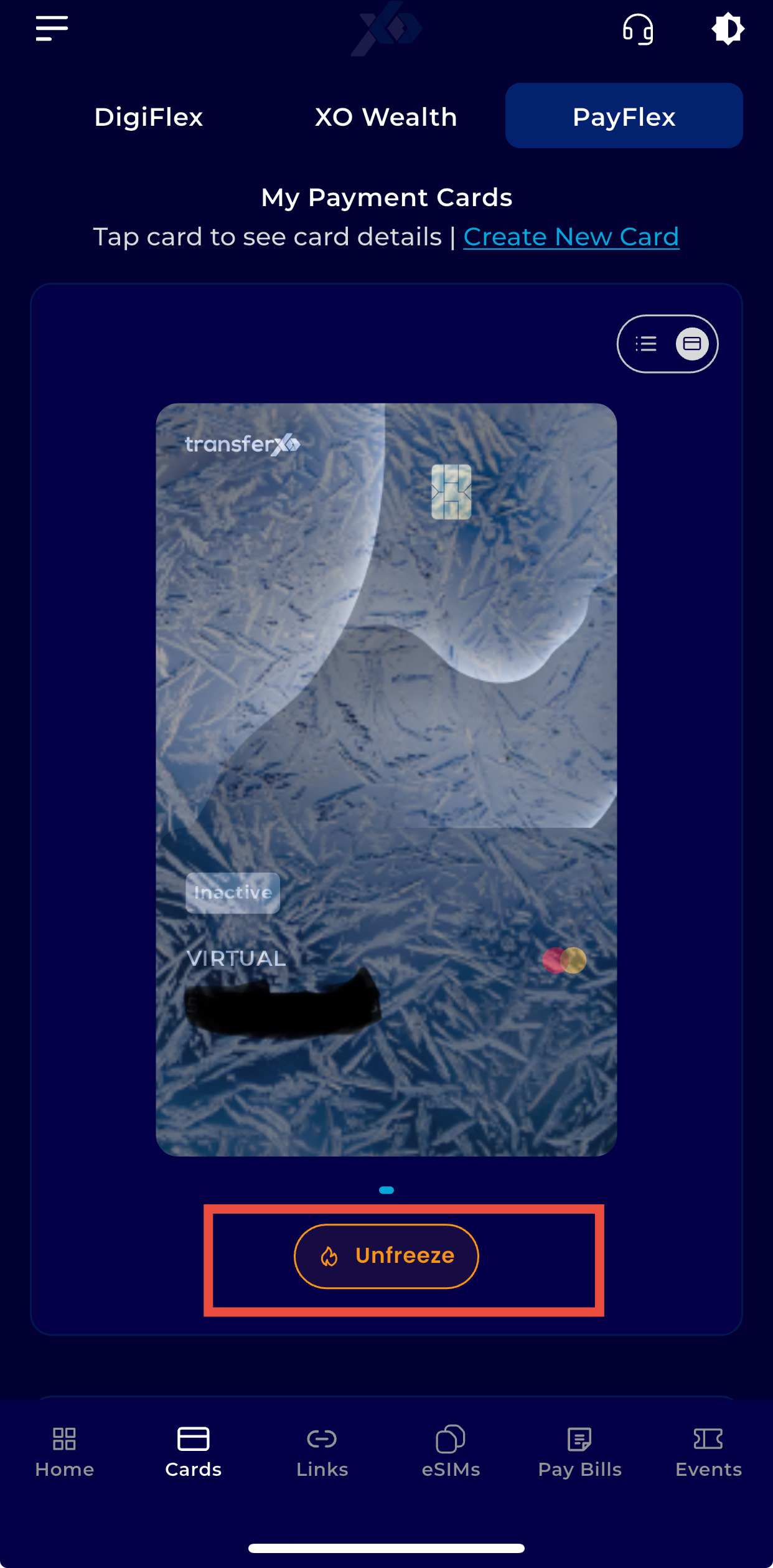
Step 6: Select Unfreeze
Tap Unfreeze below the card you want to reactivate.
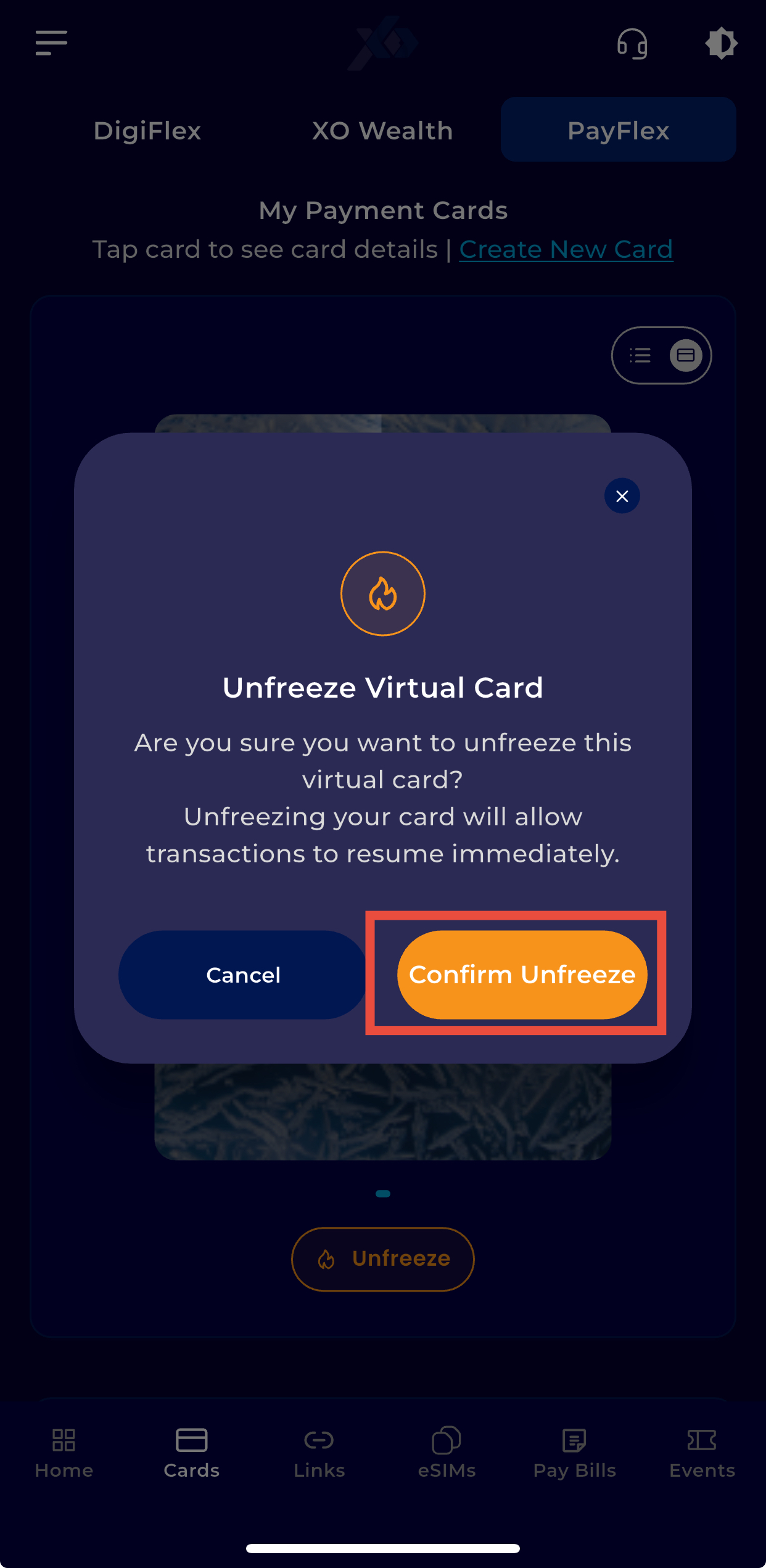
Step 7: Confirm Action
Tap Confirm to unfreeze your card.
Your card is now active and ready for transactions.