


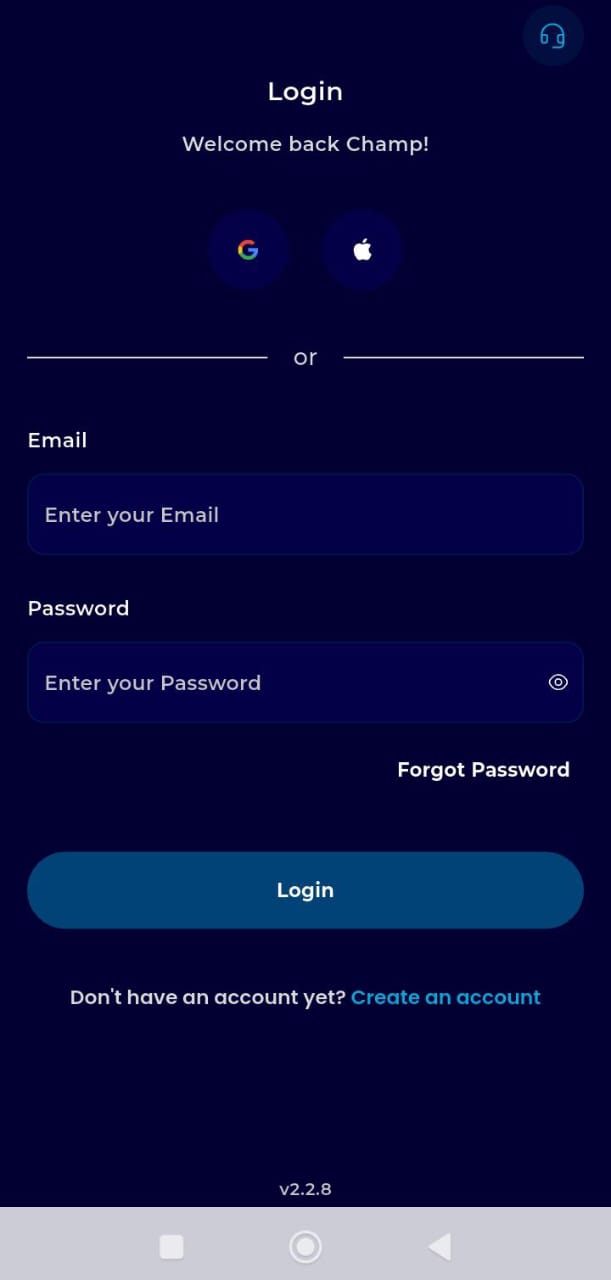
Step 1: Authentication
Launch your transferxo app on your mobile device
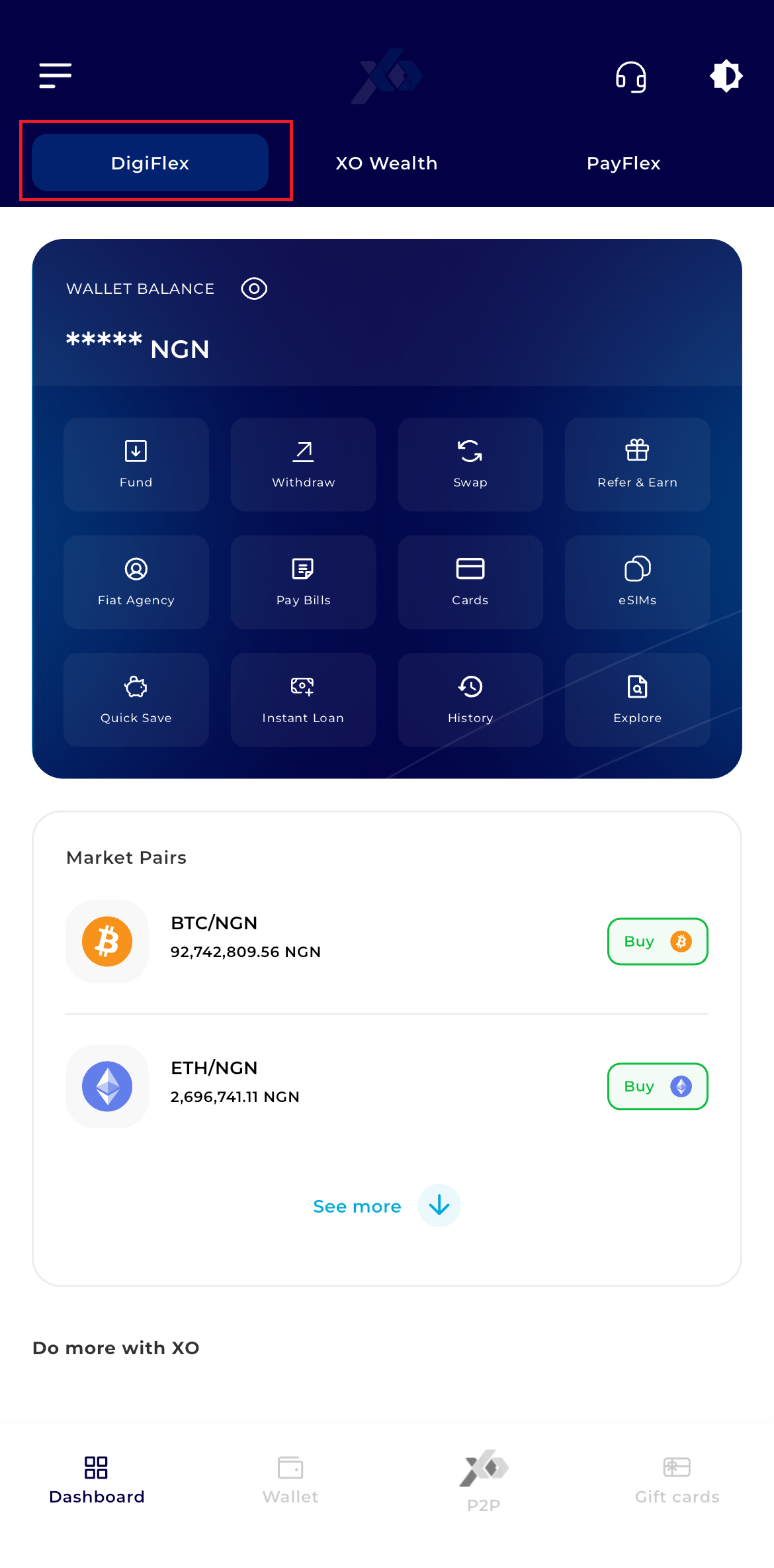
Step 2: Dashboard Access
Upon successful login, you will land on the DigiFlex Dashboard.
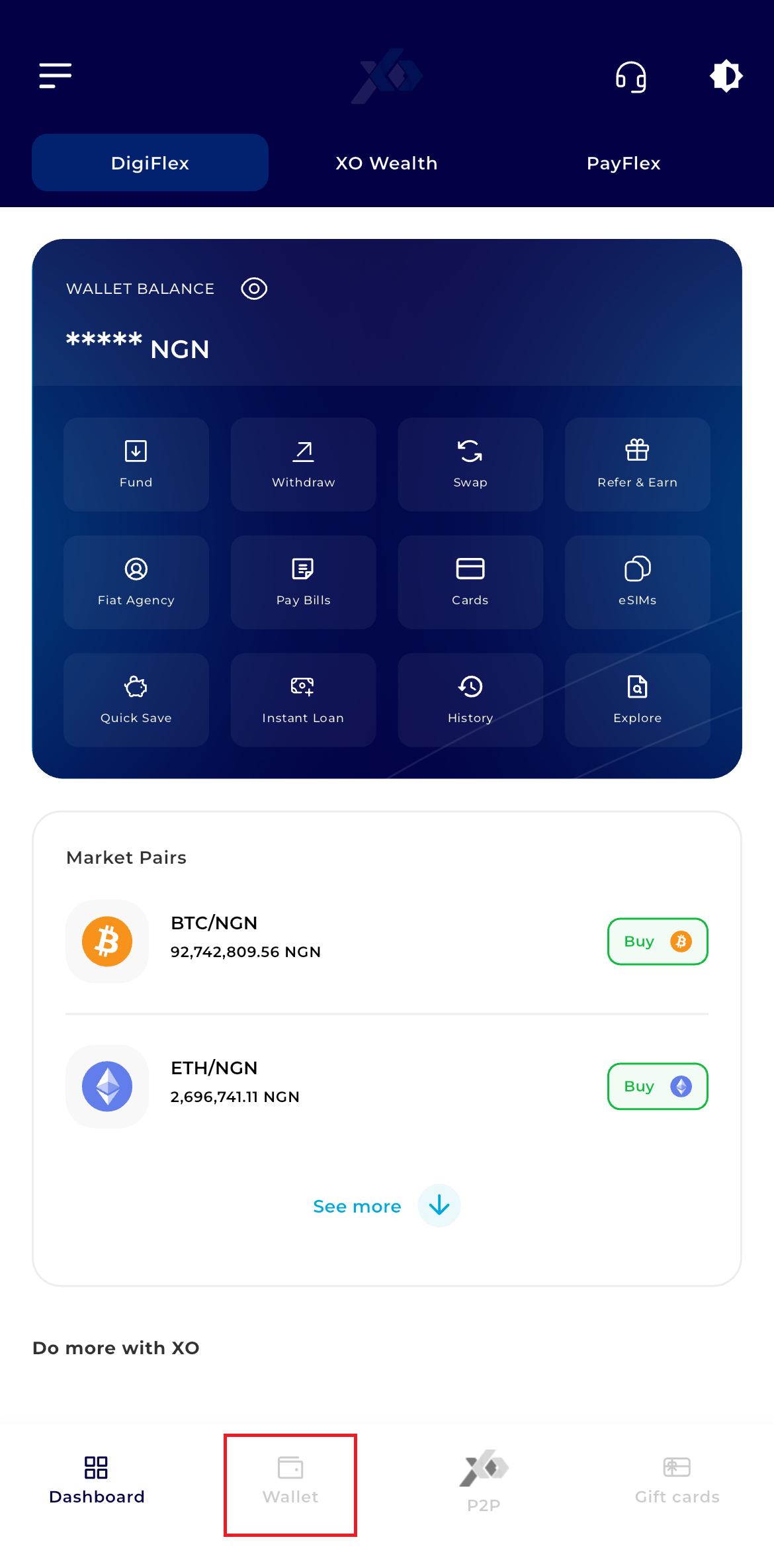
Step 3: Navigate to Wallet
Locate the navigation bar at the bottom of the screen. Tap the Wallet icon
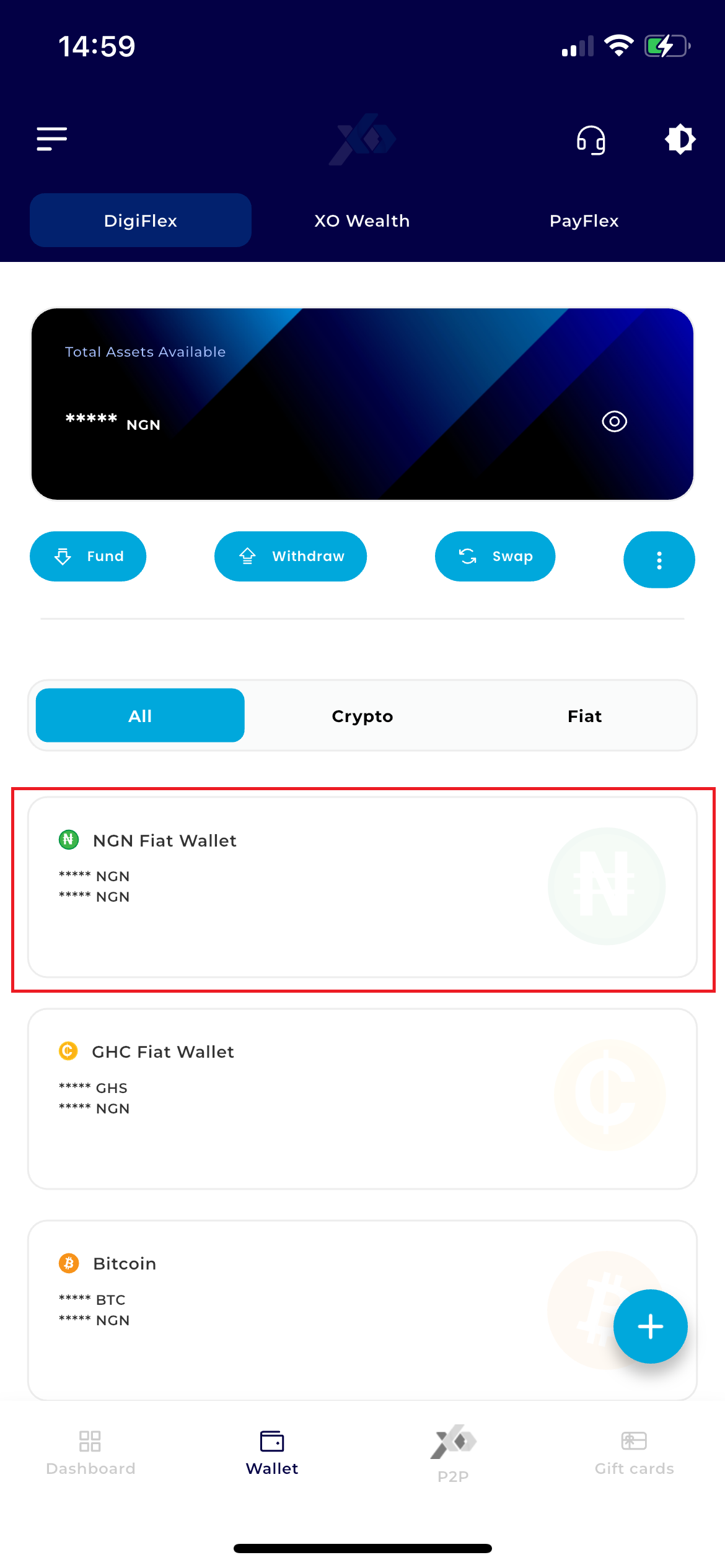
Step 4: Select Currency
Within your wallet list, tap on your NGN Wallet (Naira).
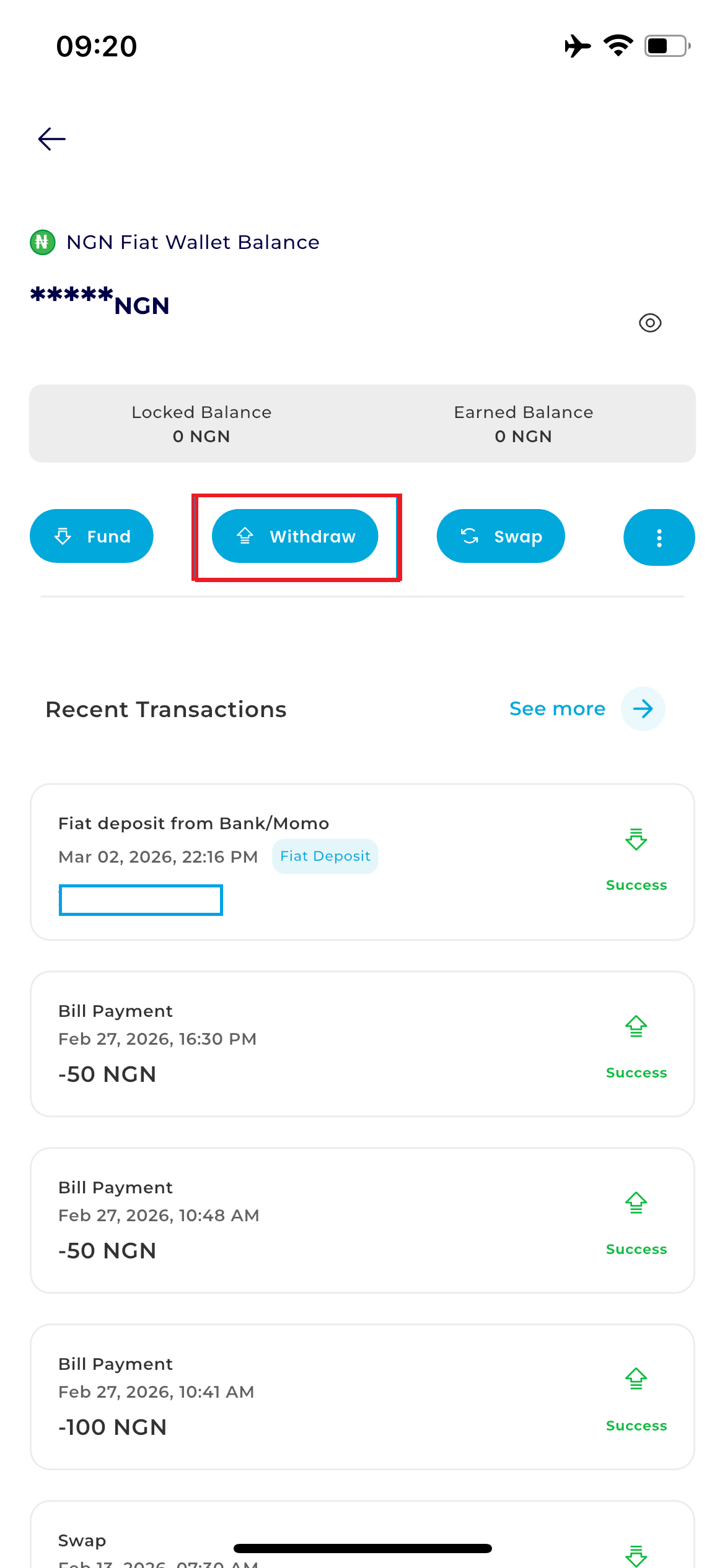
Step 5: Access Withdrawal Menu
Locate the action buttons directly below your balance card and tap Withdraw.
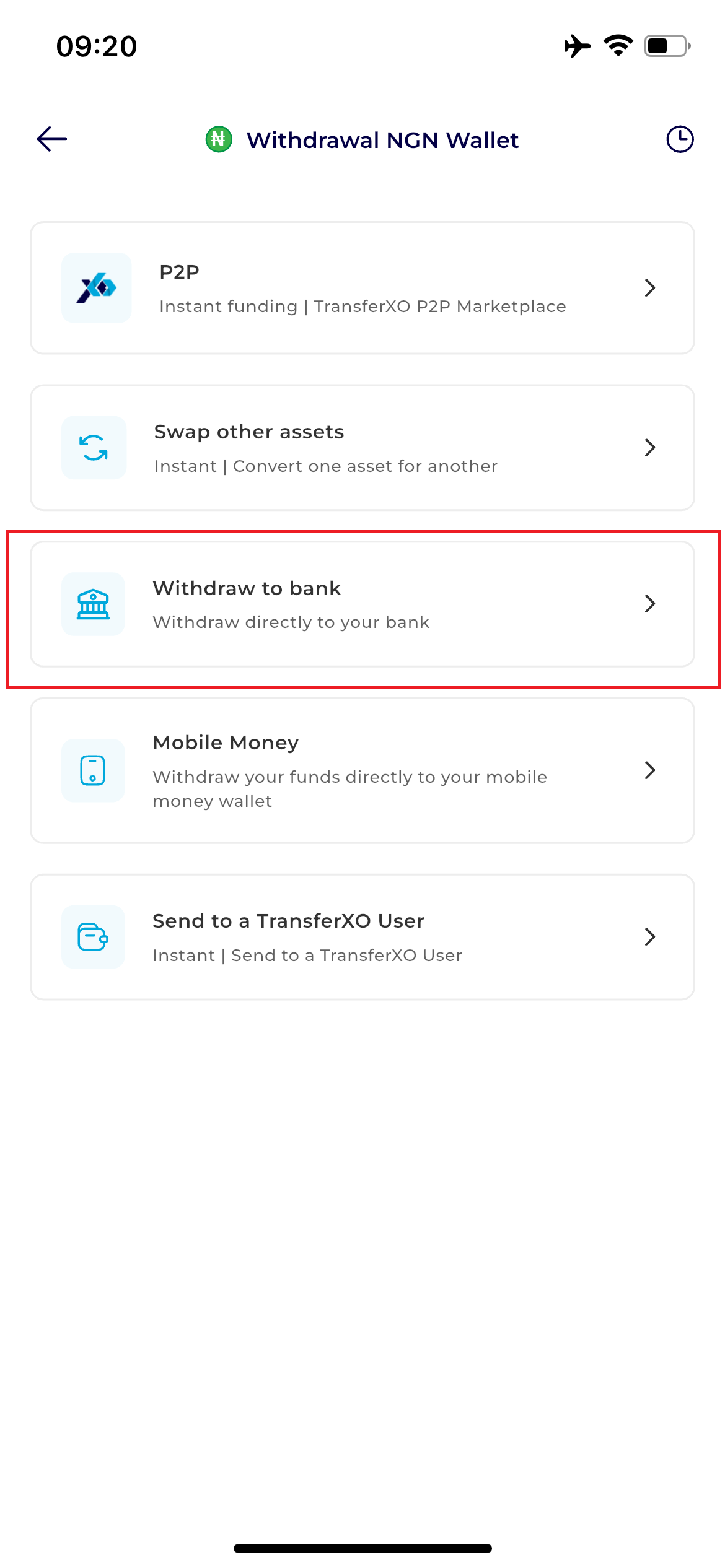
Step 6:Select Method
From the available payout options, choose Withdraw to Bank. This option specifically handles transfers to Nigerian commercial bank accounts.
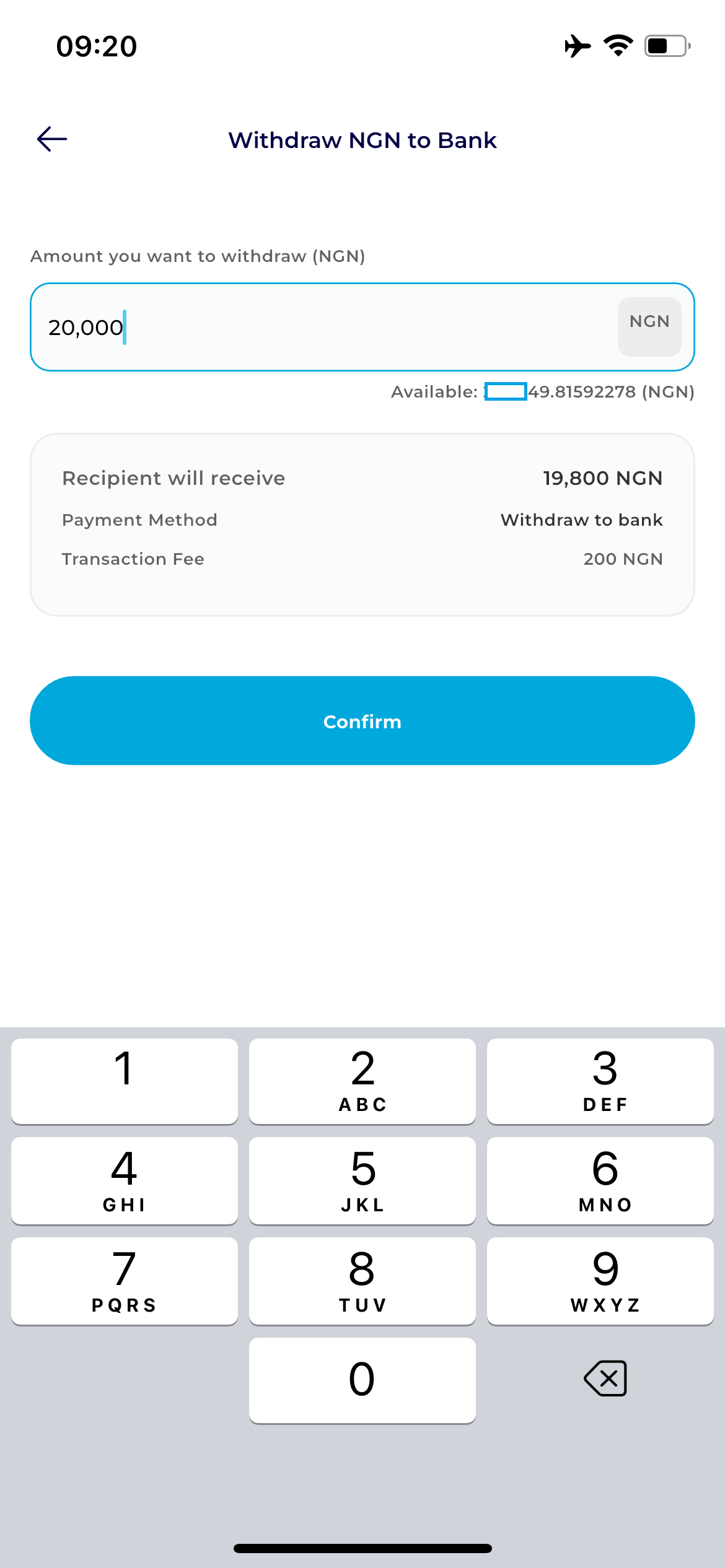
Step 7: Enter Amount
Input the specific amount you wish to withdraw to your bank.
Pro Tip: Always ensure you leave enough in your balance to cover the infinitesimally small transaction fee displayed on the screen.
- Select a Beneficiary: Tap to choose a previously saved bank account.
- Adding a New Bank: If this is your first withdrawal, tap Add Beneficiary. Enter the Bank Name and Account Number. The system will automatically verify the account name to ensure it matches your TransferXO profile. Save the details to proceed.
Step 8: Review Summary
Carefully check the withdrawal summary, including the destination account details and the final amount to be received.
Step 9: Authorization
Tap the Confirm button. A security prompt will appear:
Enter your 6-digit Transaction PIN.
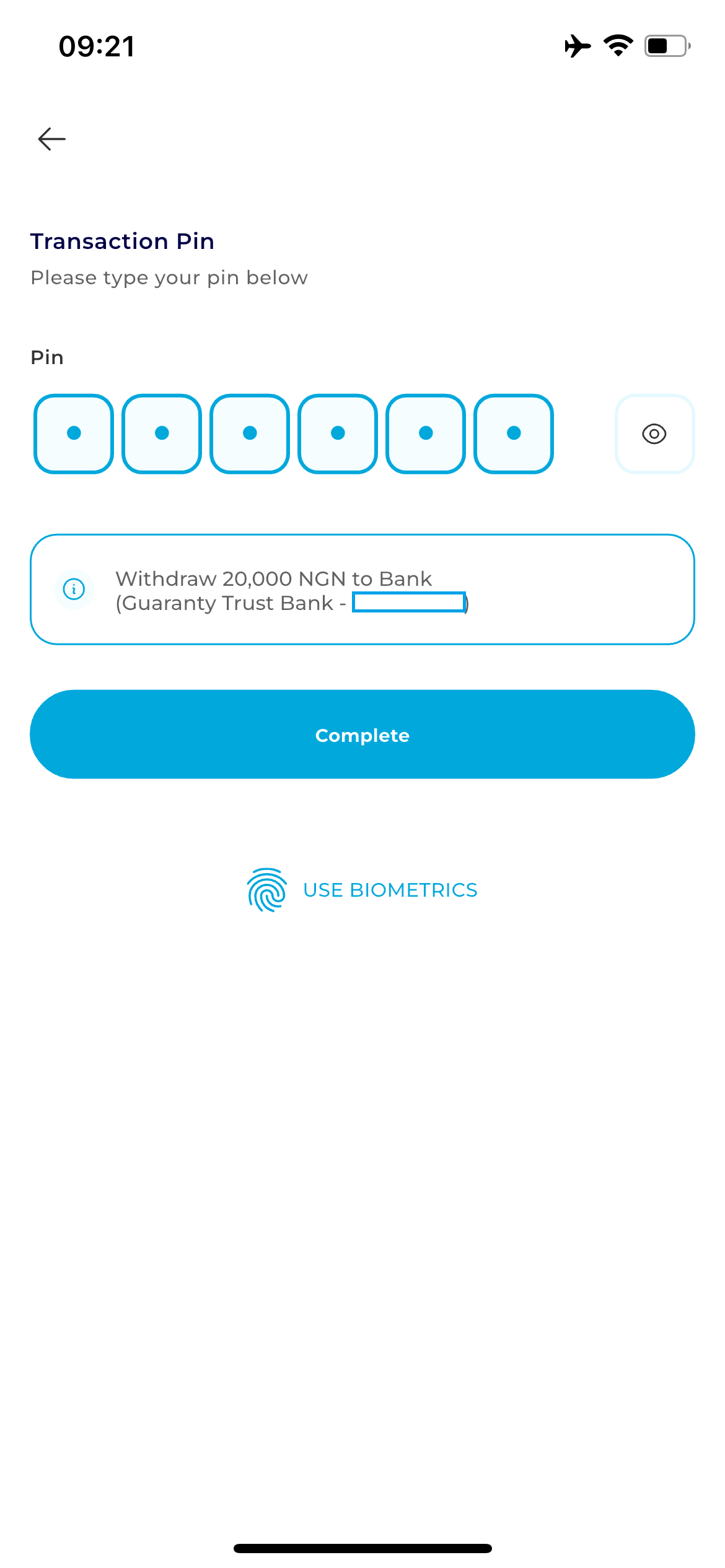
Tap Complete to finalize the request. Congratulations! you have successfully withdrawn to your bank