


This guide walks you through the steps to generate a fixed-amount payment link that you can easily share to receive payments.
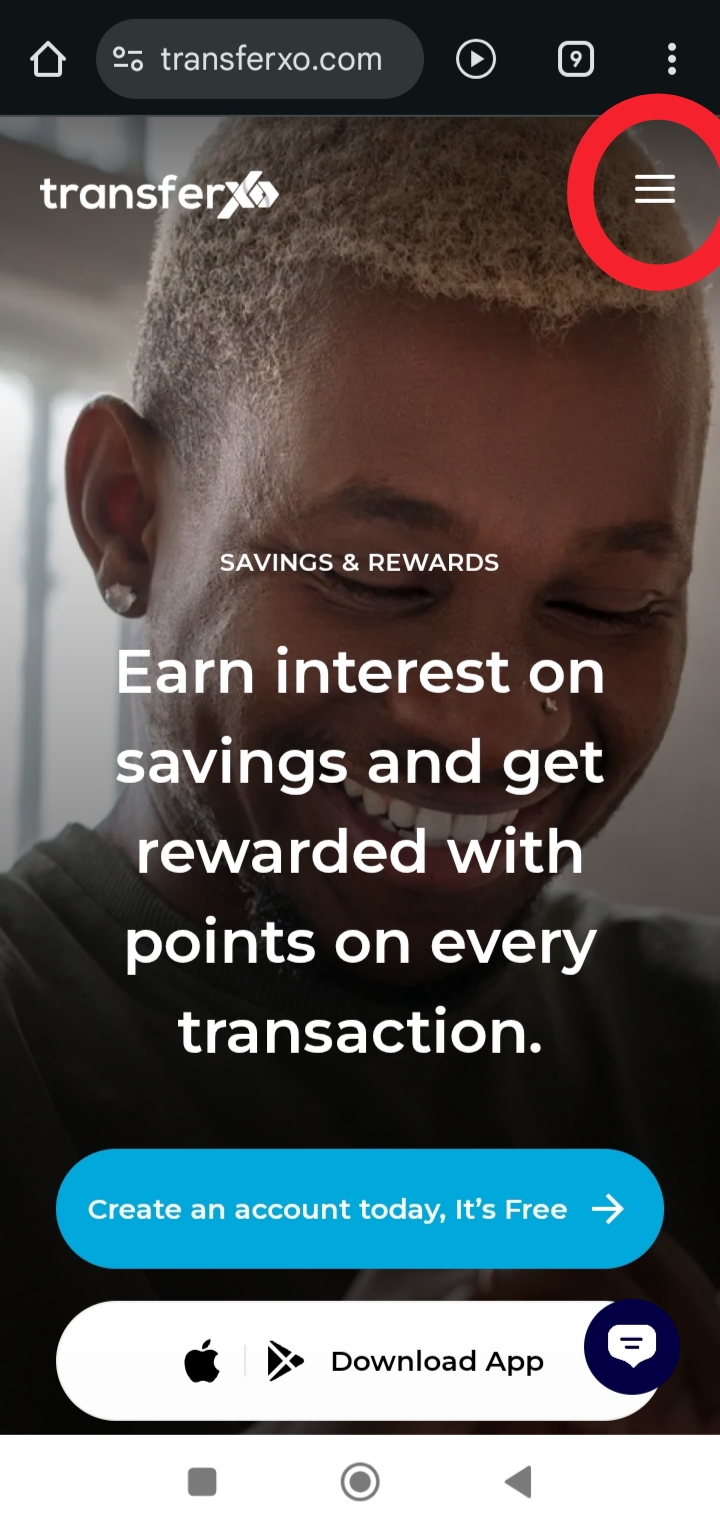
Step 1: Visit TransferXO.com and tap the Hamburger menu.
This opens the navigation menu where you can access the login option.
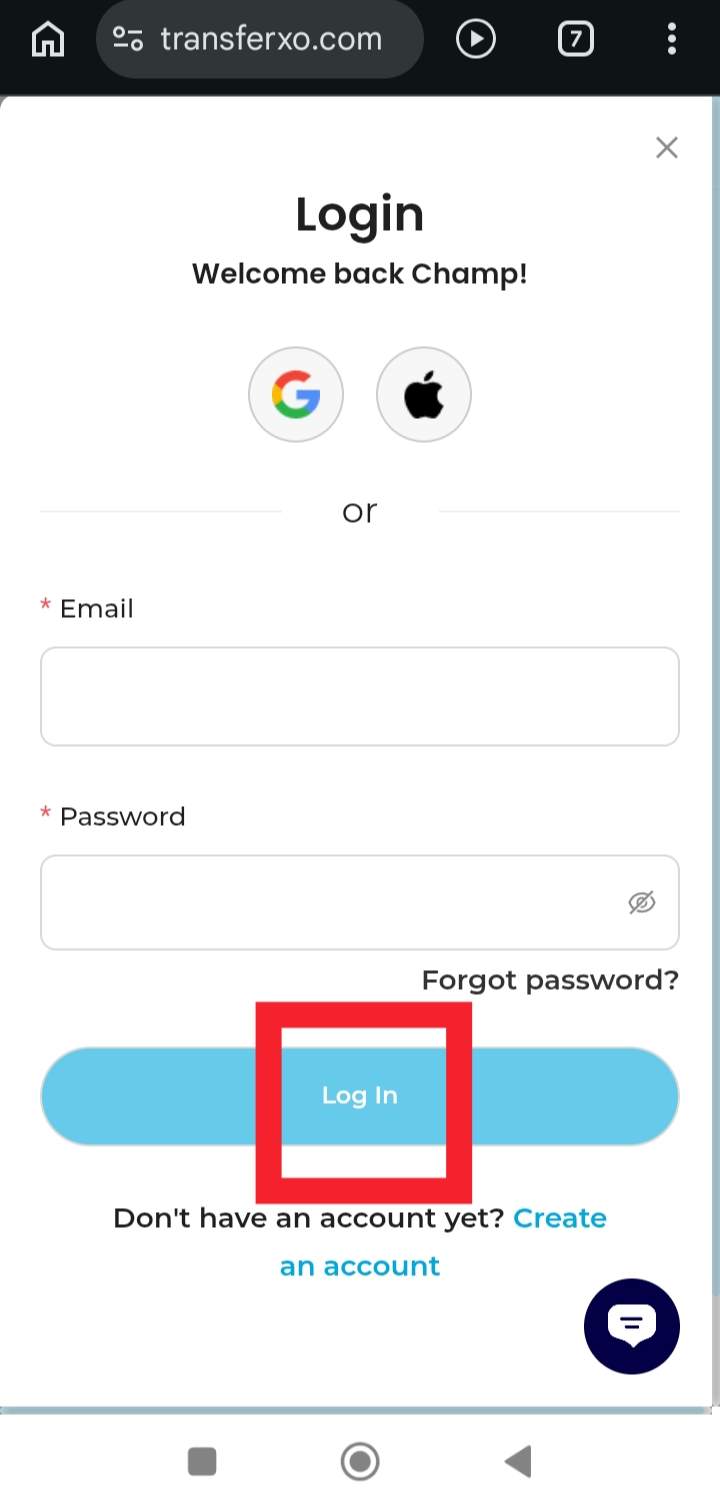
Step 2: Login to your account to access your dashboard.
Enter your username and password to securely sign in.
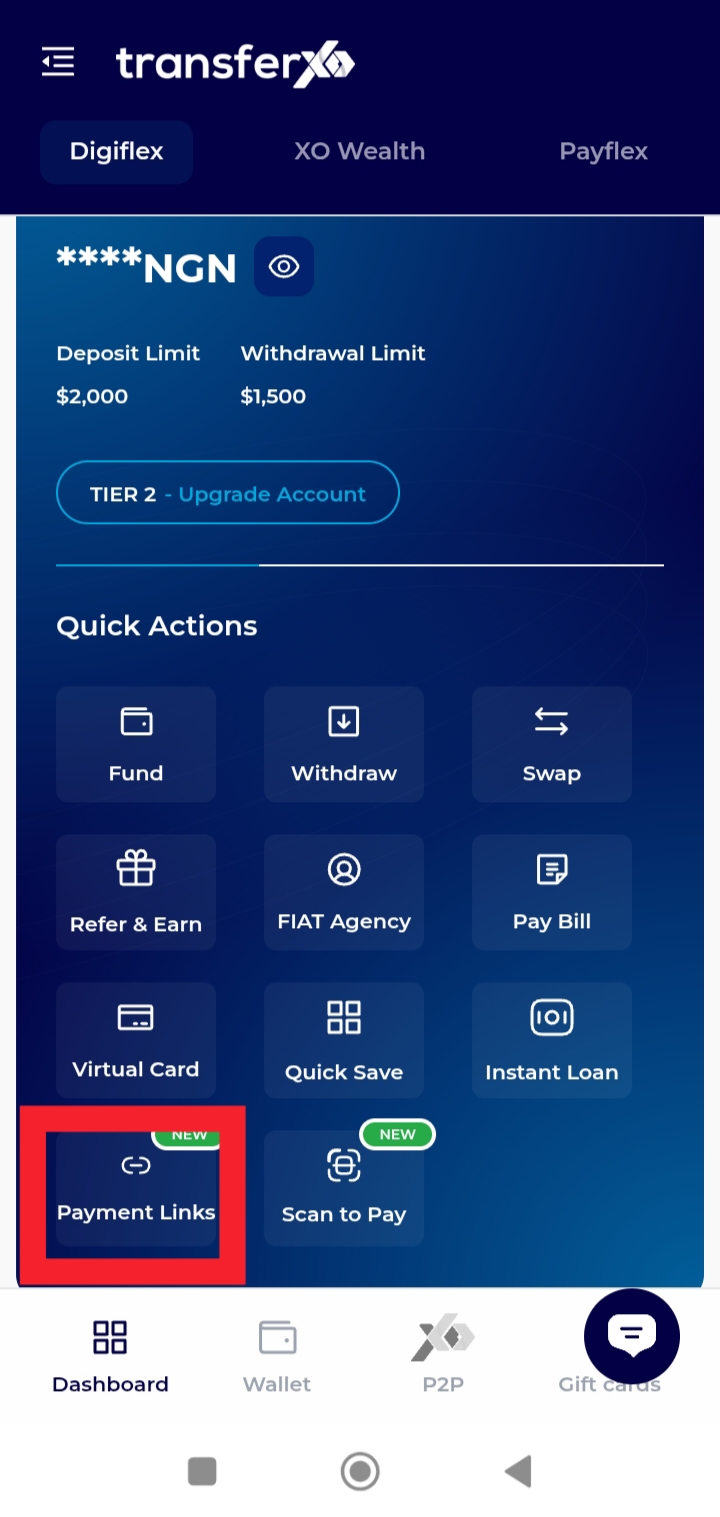
Step 3: On your Dashboard, tap Payment Links.
This takes you to the section where you can create and manage your payment links.
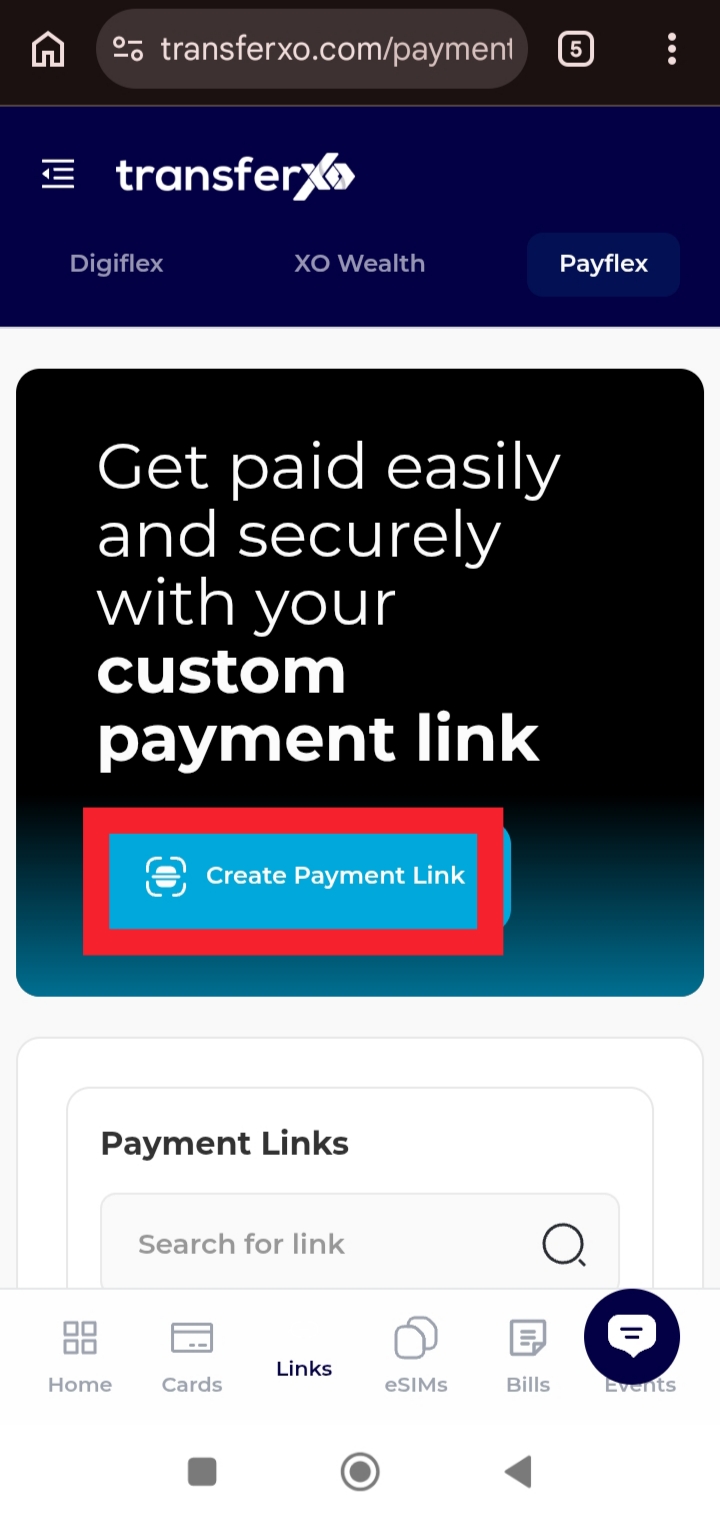
Step 4: Tap Create Payment Link.
This begins the process of setting up a new payment link.
Step 5: Enter the link title.
Provide a clear title that helps you identify the purpose of the payment link.
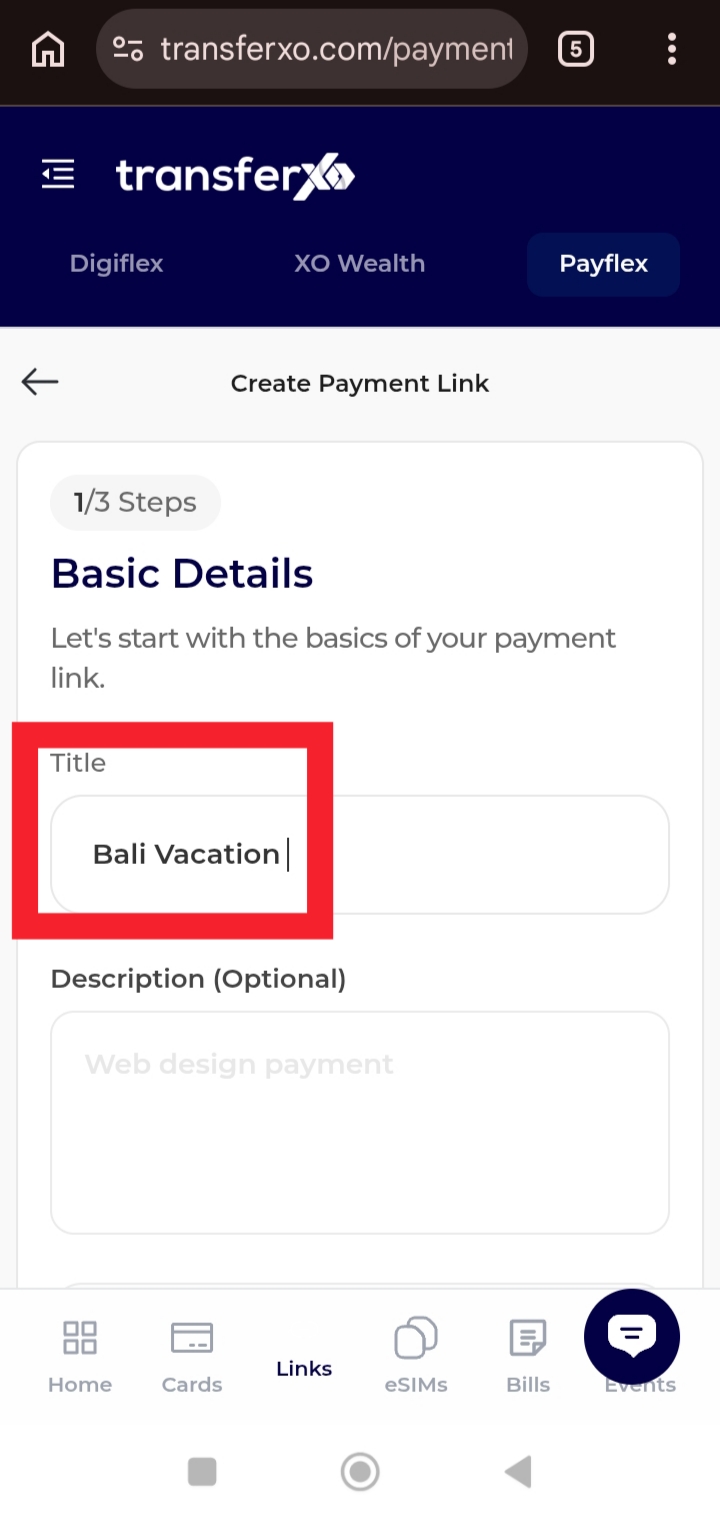
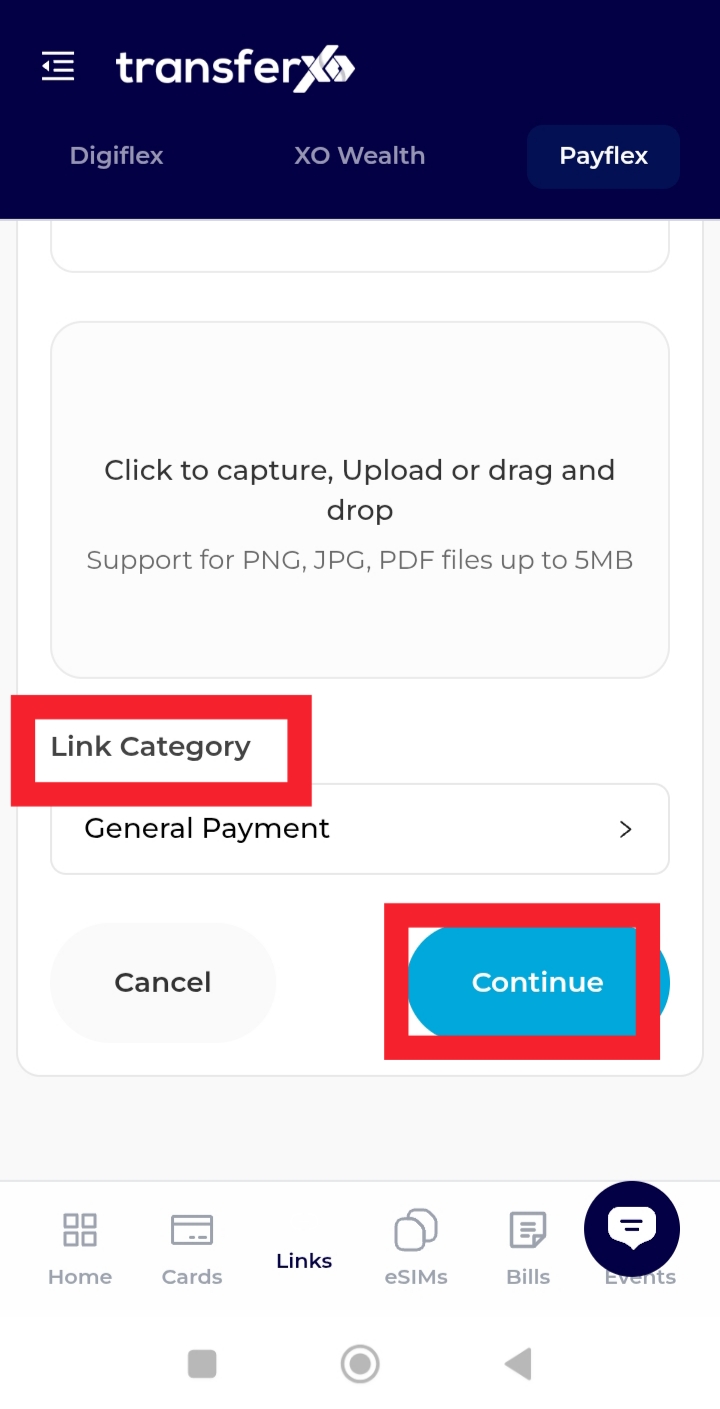
Step 6: Tap Link Category and continue.
Here, you can choose the type of payment link you want to create.
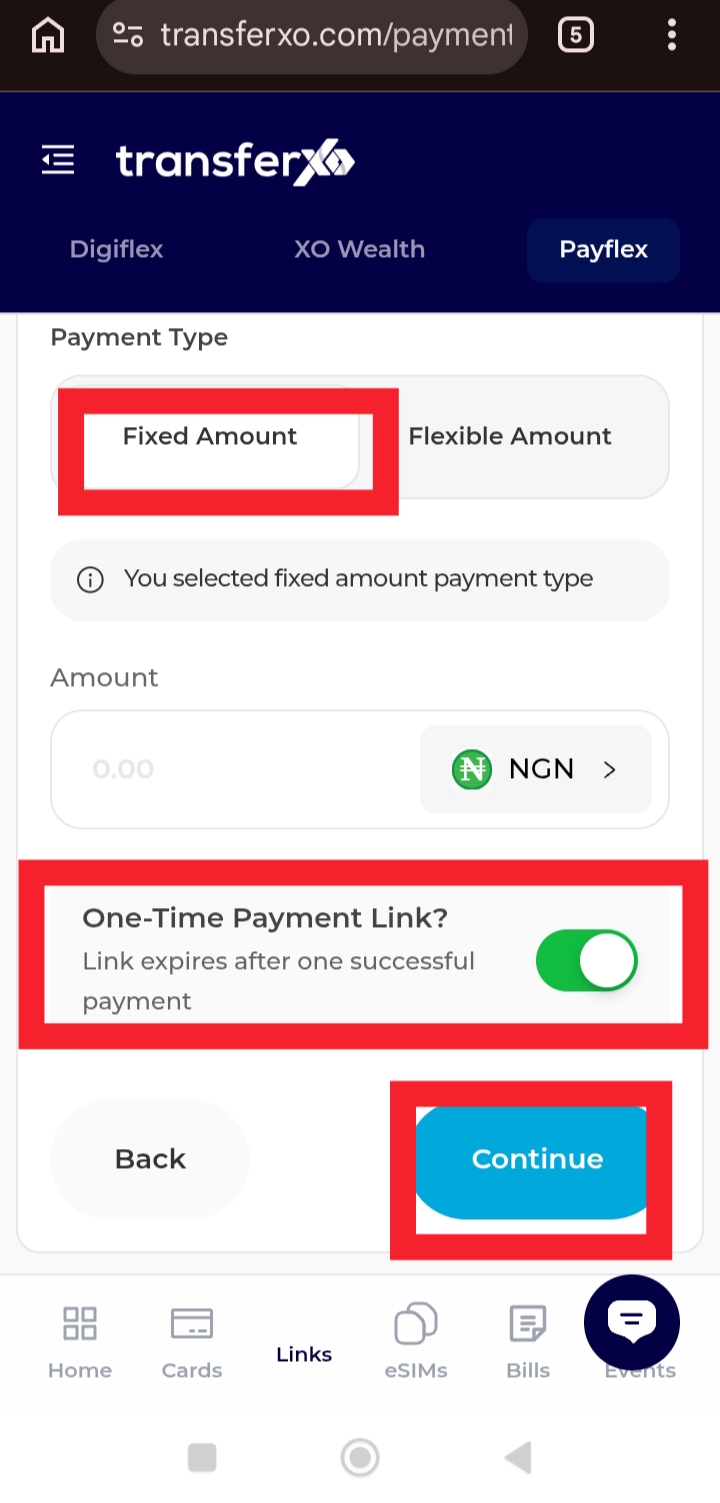
Step 7: Select Fixed Amount, enter the amount, and choose your payment type.
You may select a One-Time Payment Link or Set Target, depending on your objective, then tap continue.
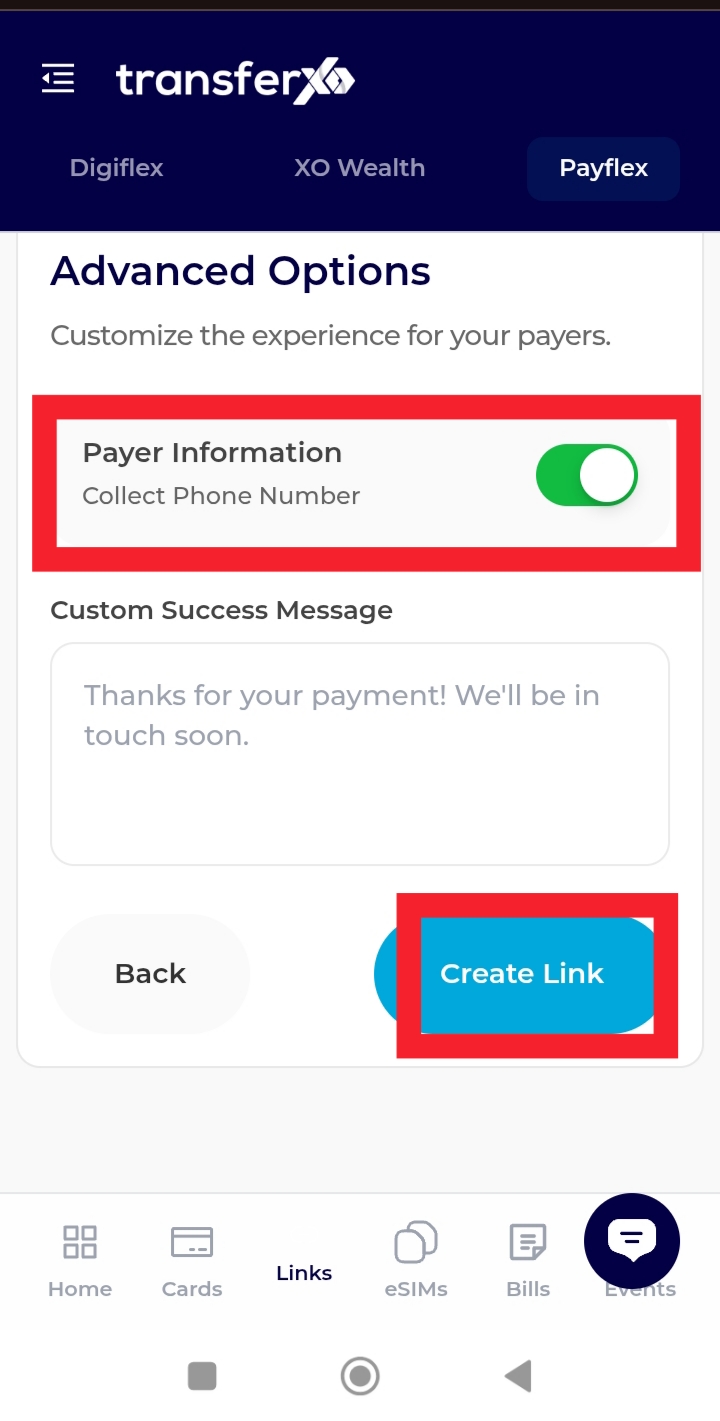
Step 8: Review your details, fill in the payer information, and tap Create Link.
Once completed, your fixed-amount payment link will be successfully generated and ready to share.
You can now copy and share your payment link with your intended recipient to receive payments quickly and securely.