


This guide will walk you through the steps to access and manage your purchased eSIMs directly from the TransferXO mobile website.
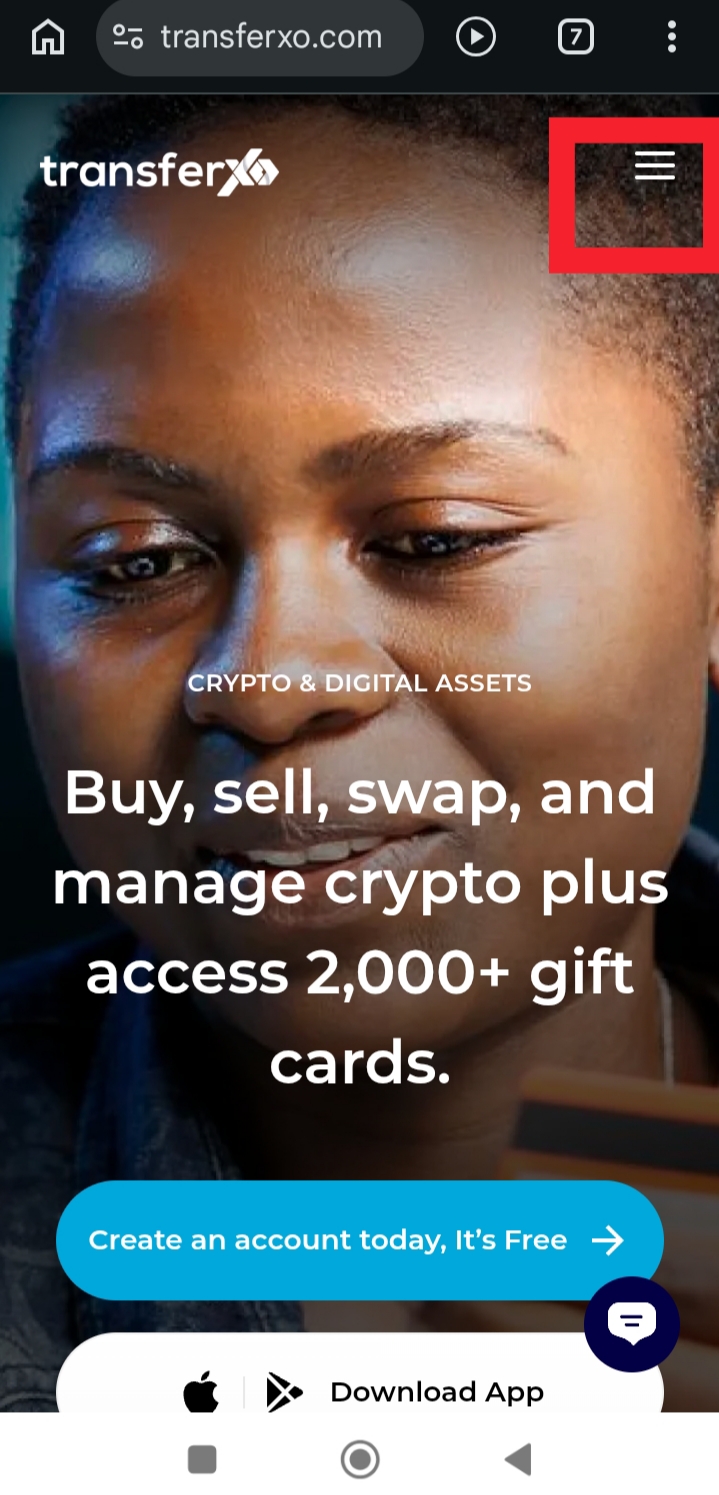
Step 1: Visit TransferXO.com and tap the Hamburger menu.
This opens the navigation menu where you can access the login option.
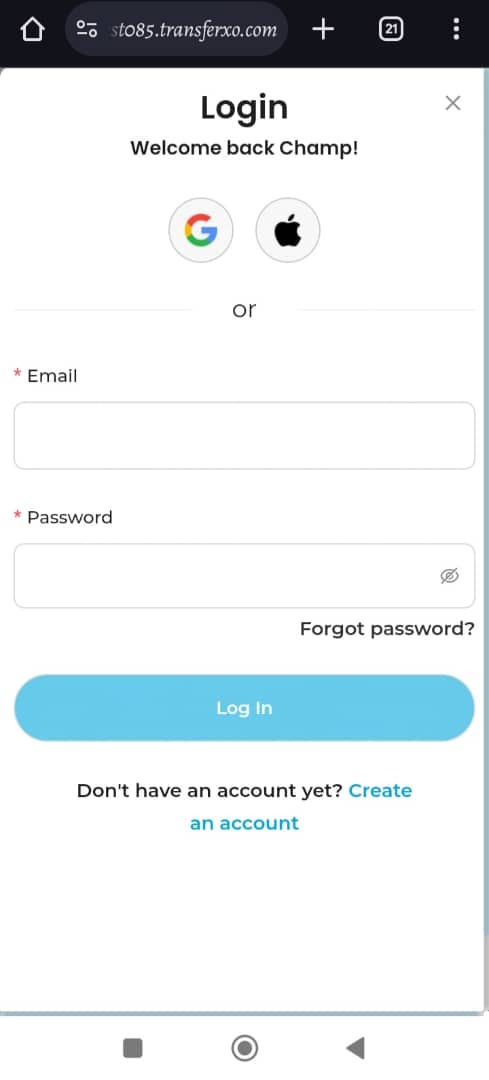
Step 2: Login to your account to access your dashboard.
Enter your email/username and password to sign in.
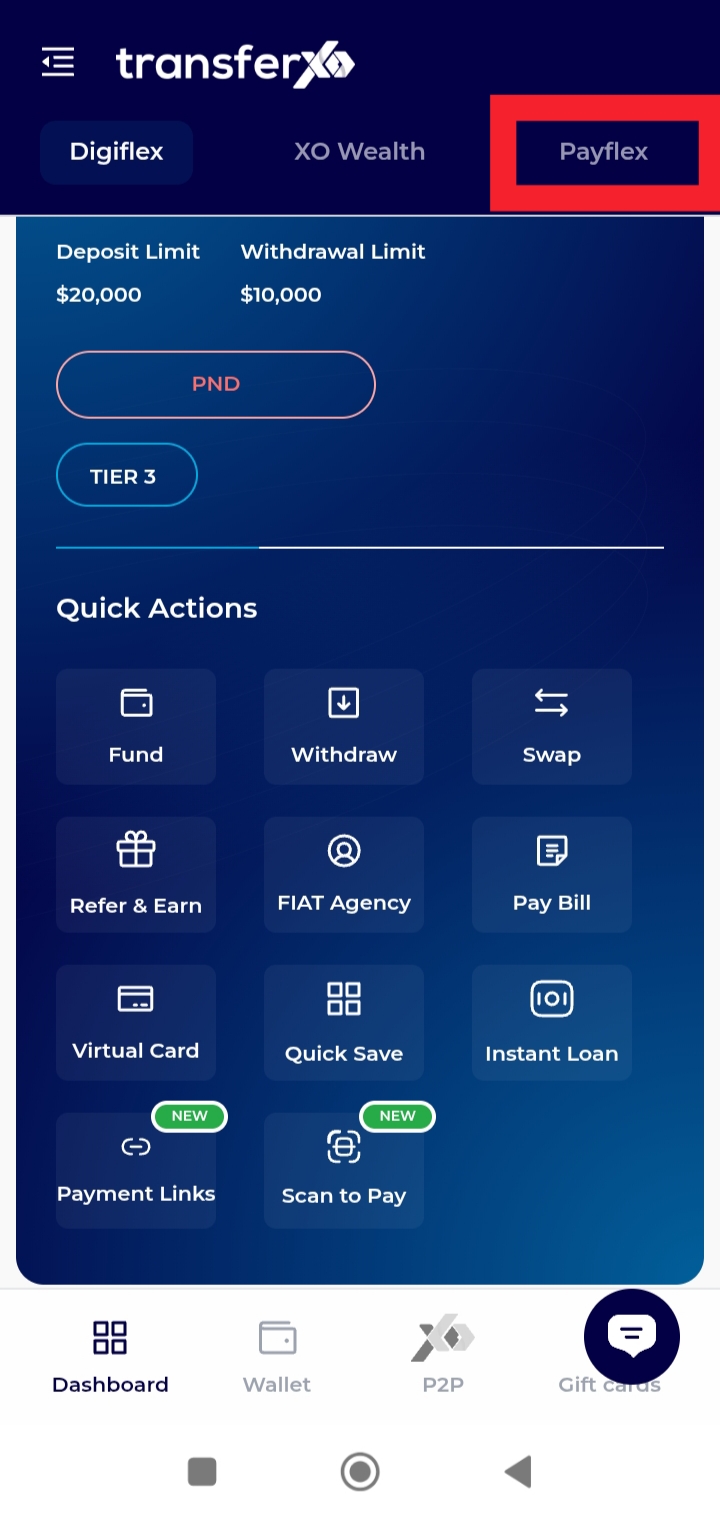
Step 3: On your Dashboard, click Payflex.
This takes you to the section where digital services, including eSIMs, are managed.
Step 4: Click on eSIMs.
You will be directed to the eSIM service page.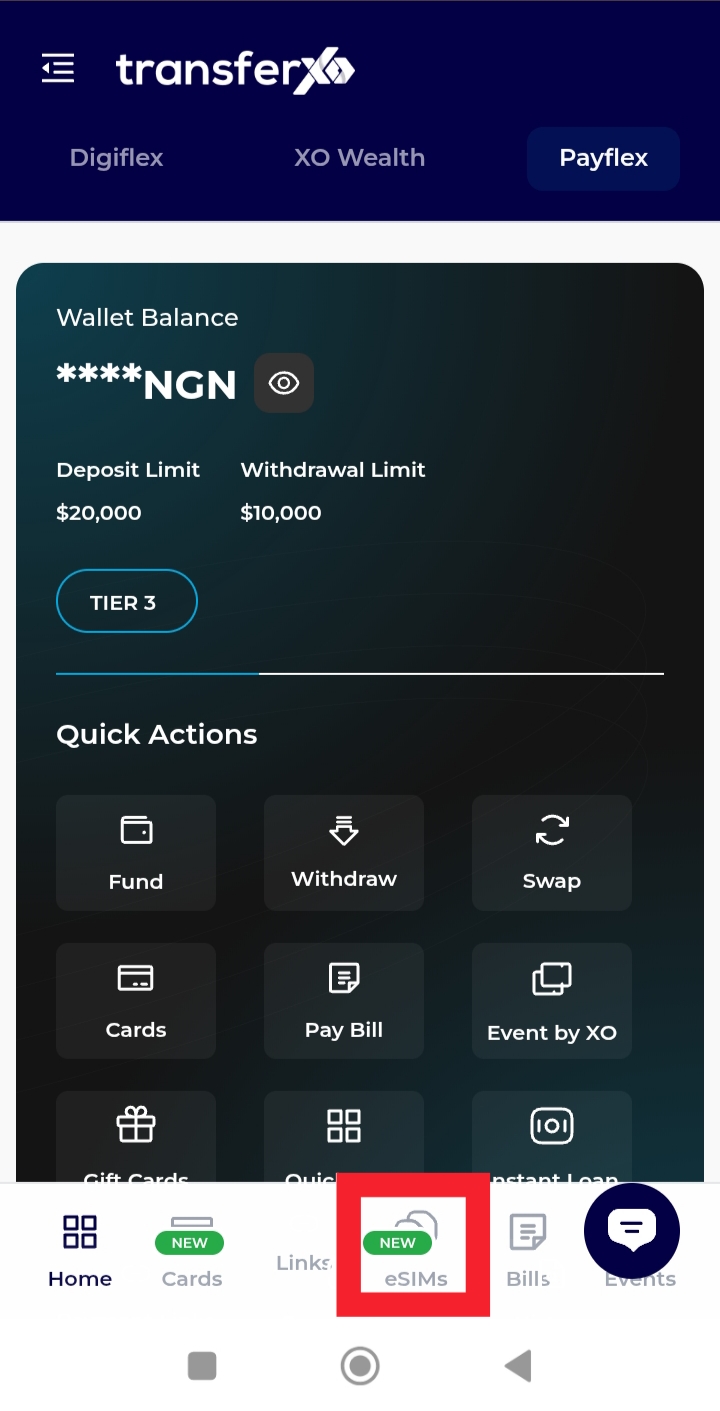
Step 5: Click on My eSIMs.
Here, you can view all the eSIMs you have purchased and linked to your account.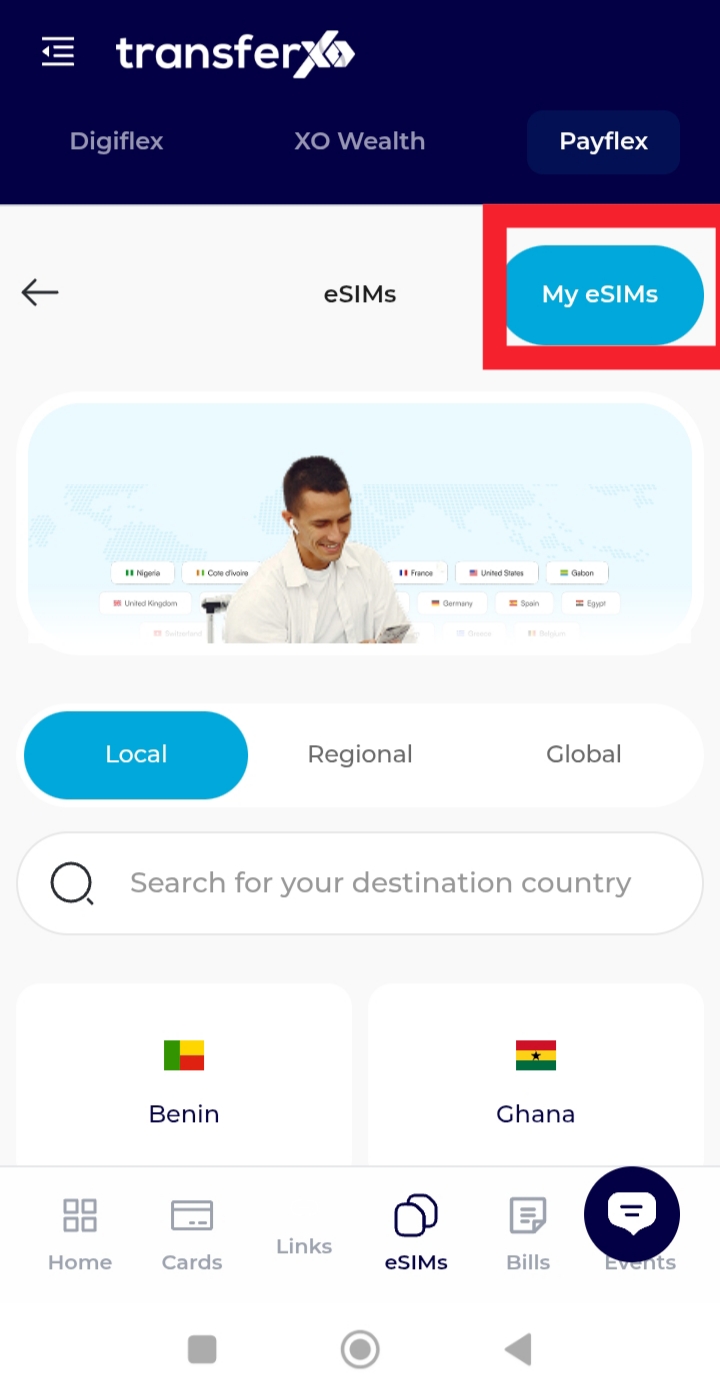
You can now easily access your purchased eSIMs anytime through the mobile web, allowing you to manage your plans and stay connected effortlessly.