


This guide walks you through the simple steps to access and manage all the eSIMs you have purchased from your TransferXO app.
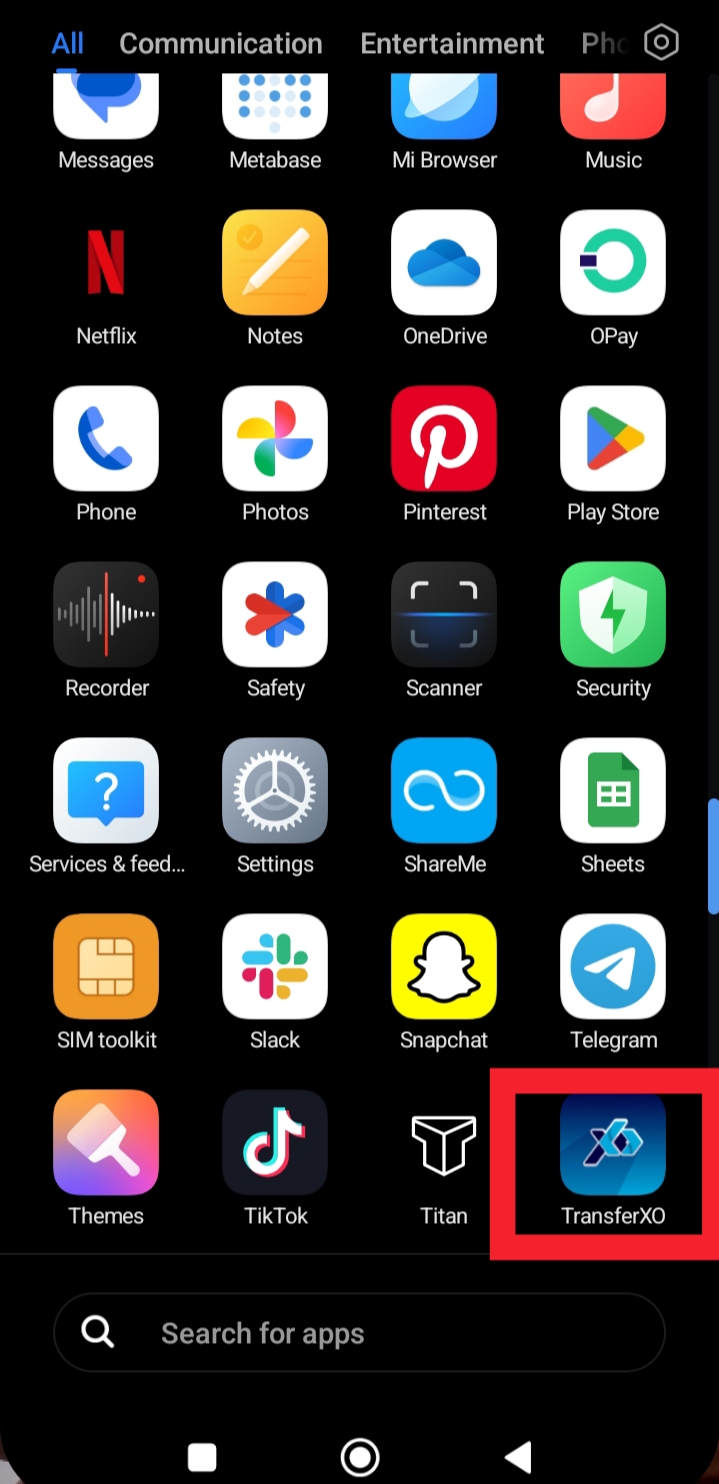
Step 1: Launch the TransferXO app on your mobile device.
Ensure you are using the latest version of the app for the best experience.
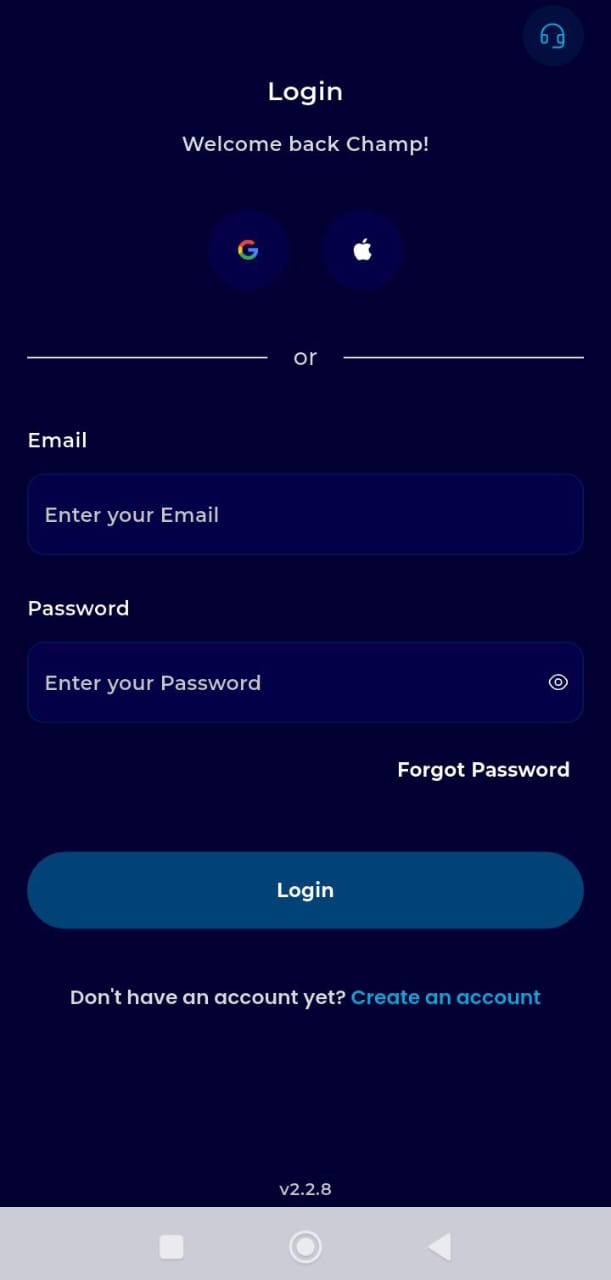
Step 2: Login to your account.
Enter your username and password to access your Dashboard.
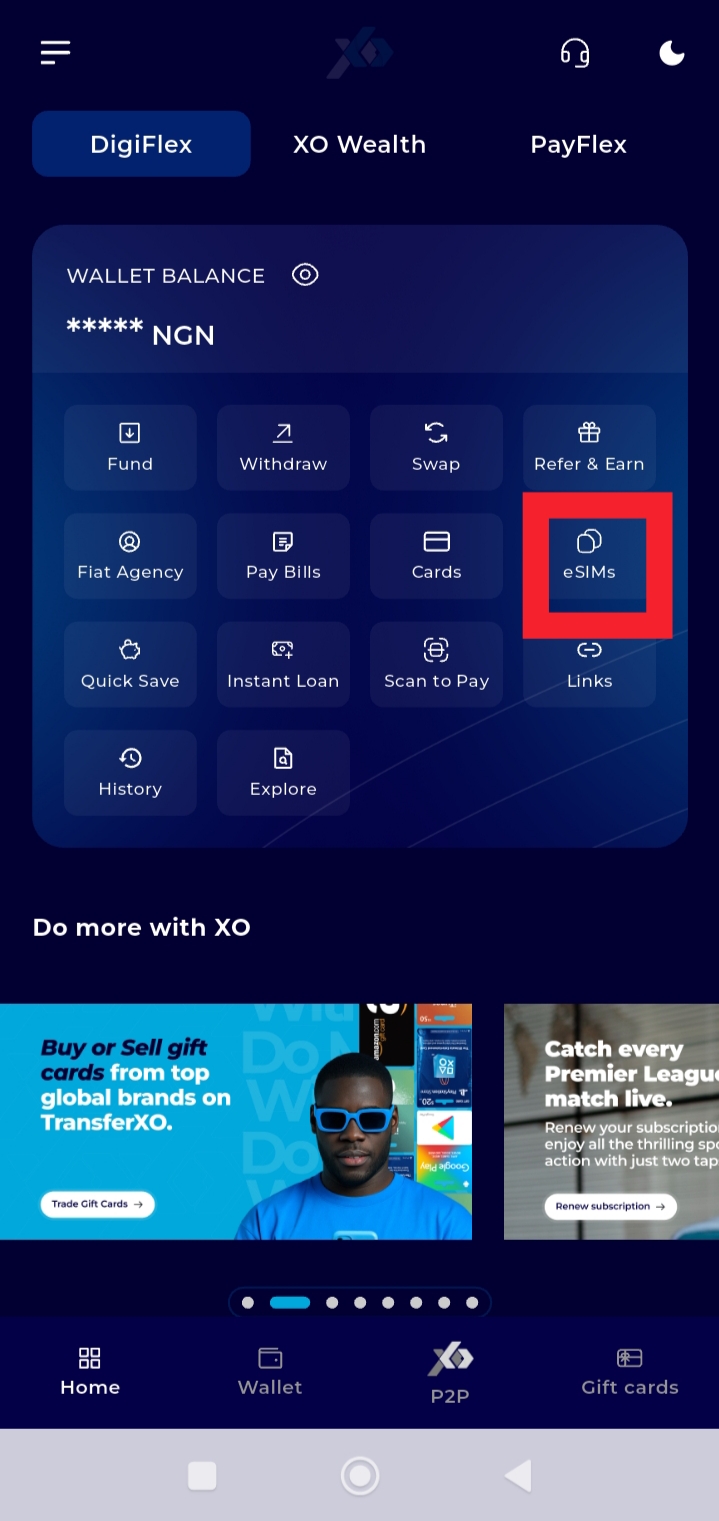
Step 3: On your Dashboard, tap eSIMs.
This takes you to the eSIM management section. of your account.
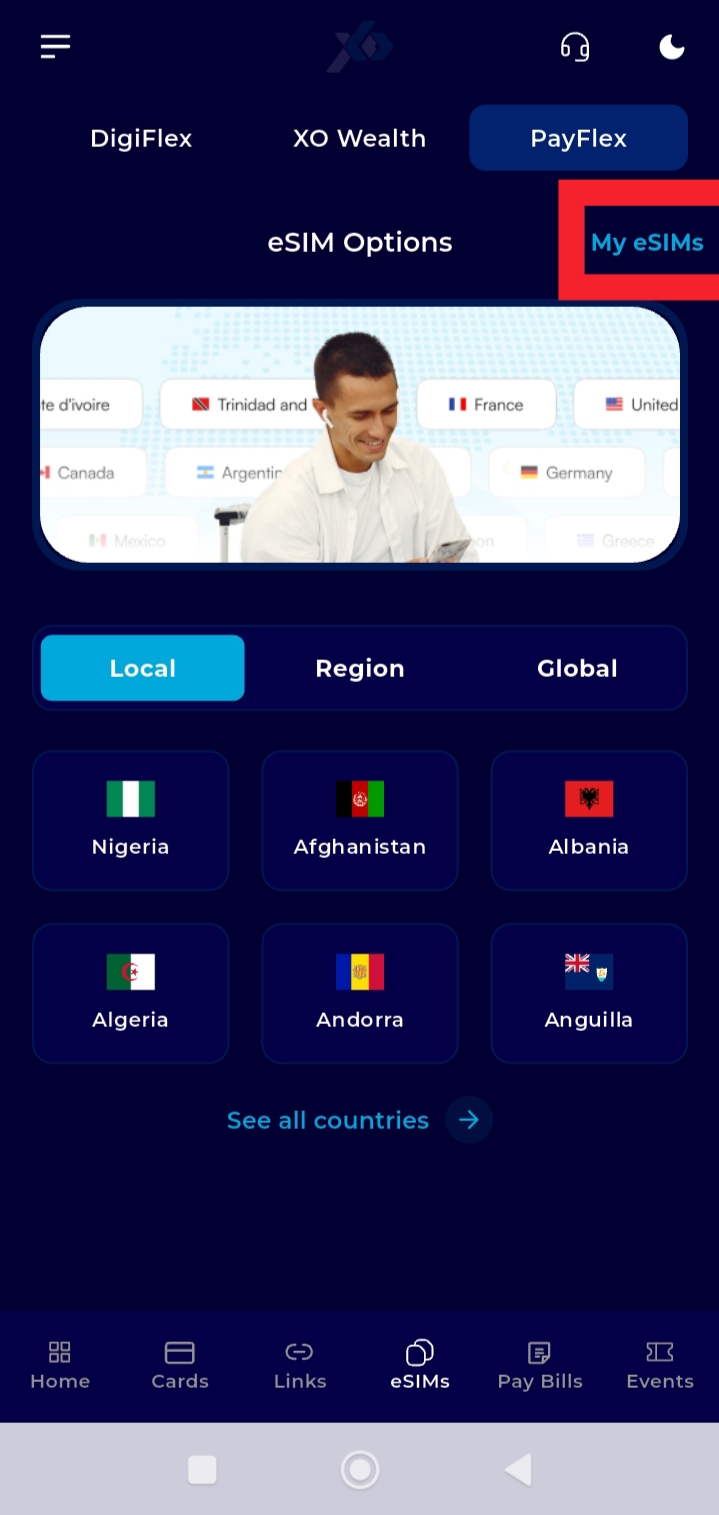
Step 4: Tap My eSIMs.
Here, you’ll find all eSIMs linked to your account.
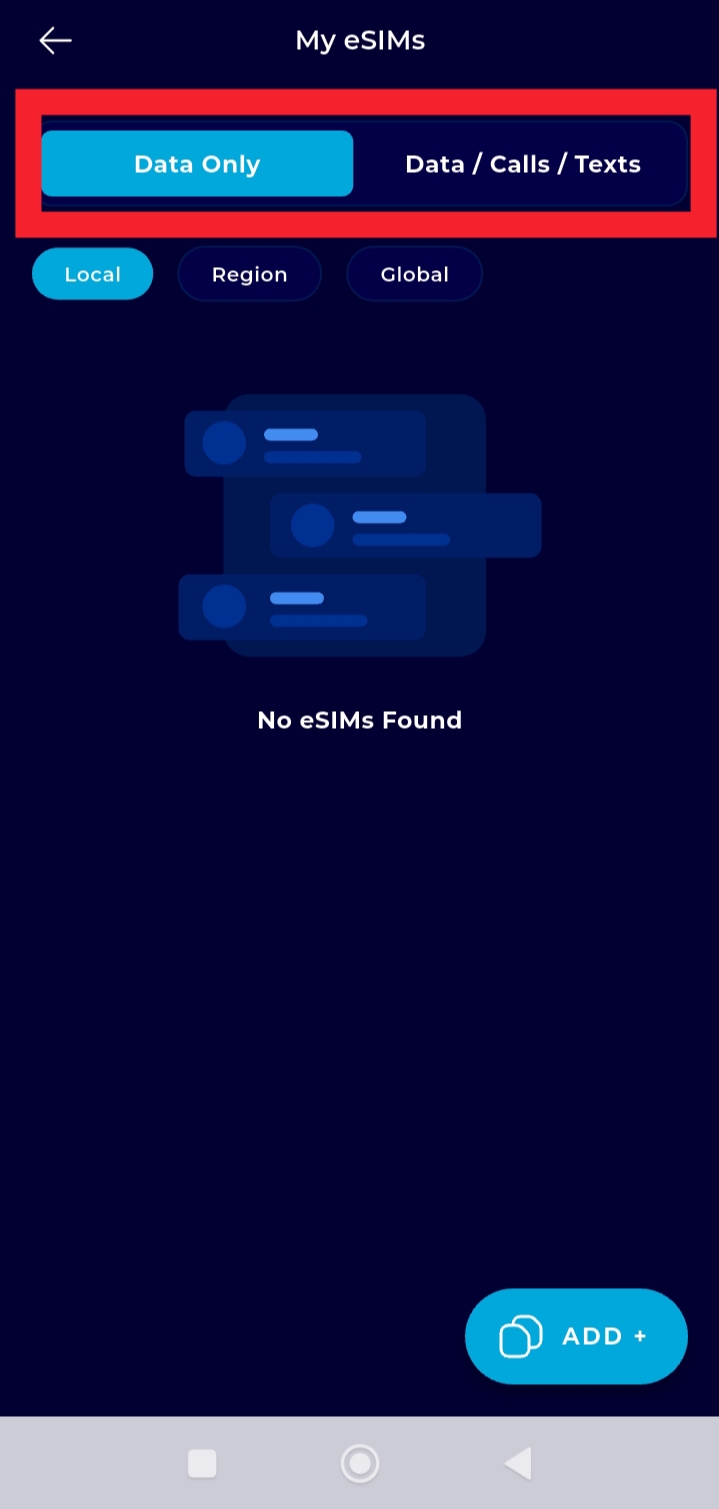
Step 5: Select Data Only or Data/Calls/Text.
Once selected, your purchased eSIMs under that category will be displayed.
You can now view the details of your purchased eSIMs anytime, making it easy to monitor your plans and stay connected without interruption.