


Follow the steps below to change your Transaction PIN via the TransferXO web app.
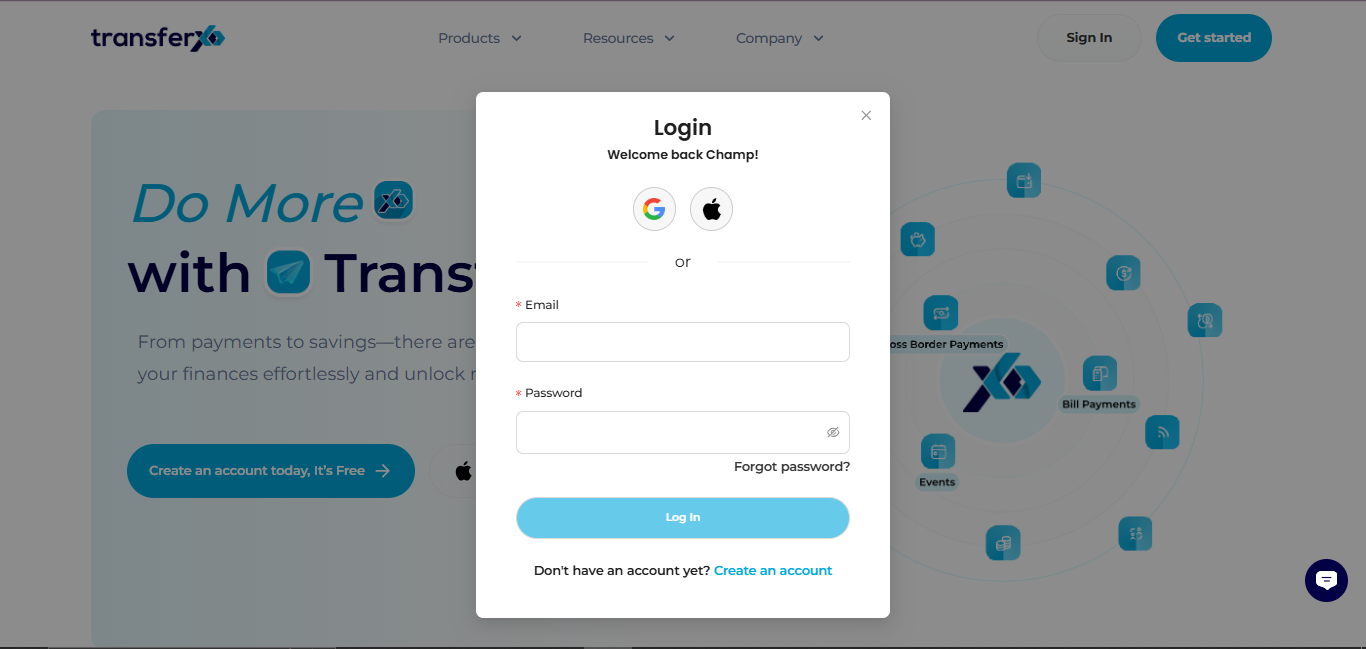
Step 1: Open the TransferXO Web App
Log in to your TransferXO account using your browser.
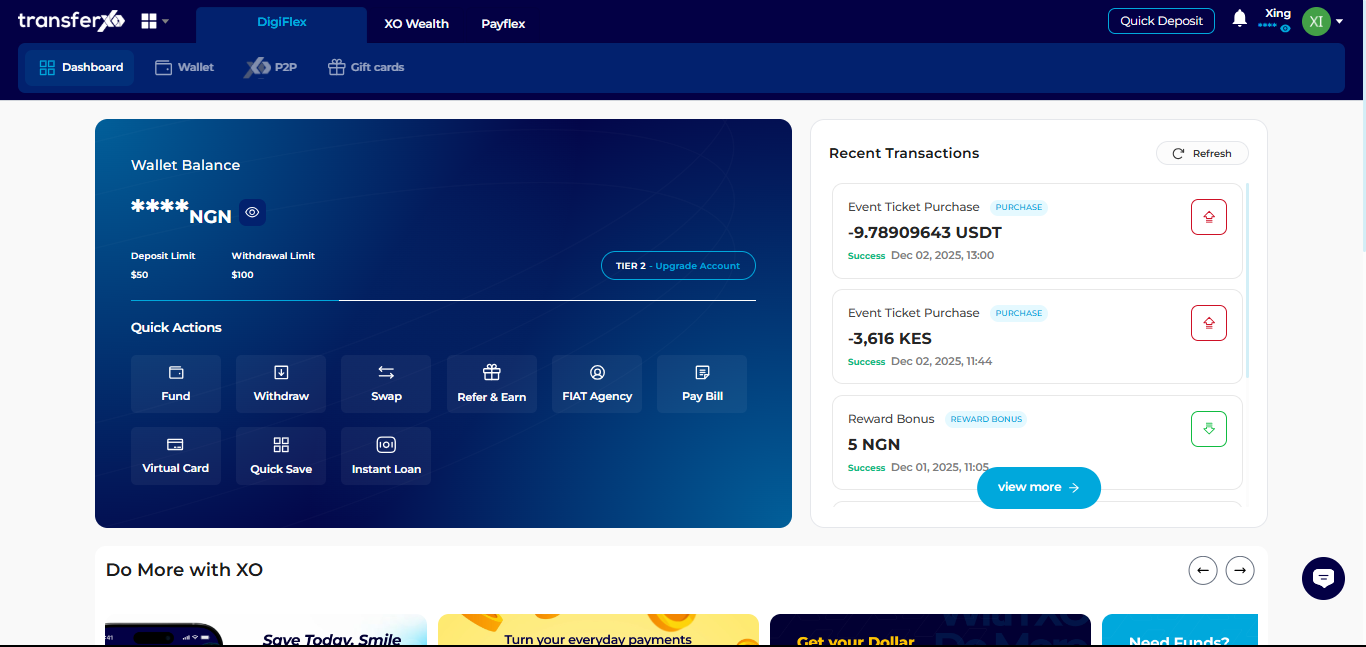
Step 2: Go to Your Dashboard
This is the main page displayed after login.
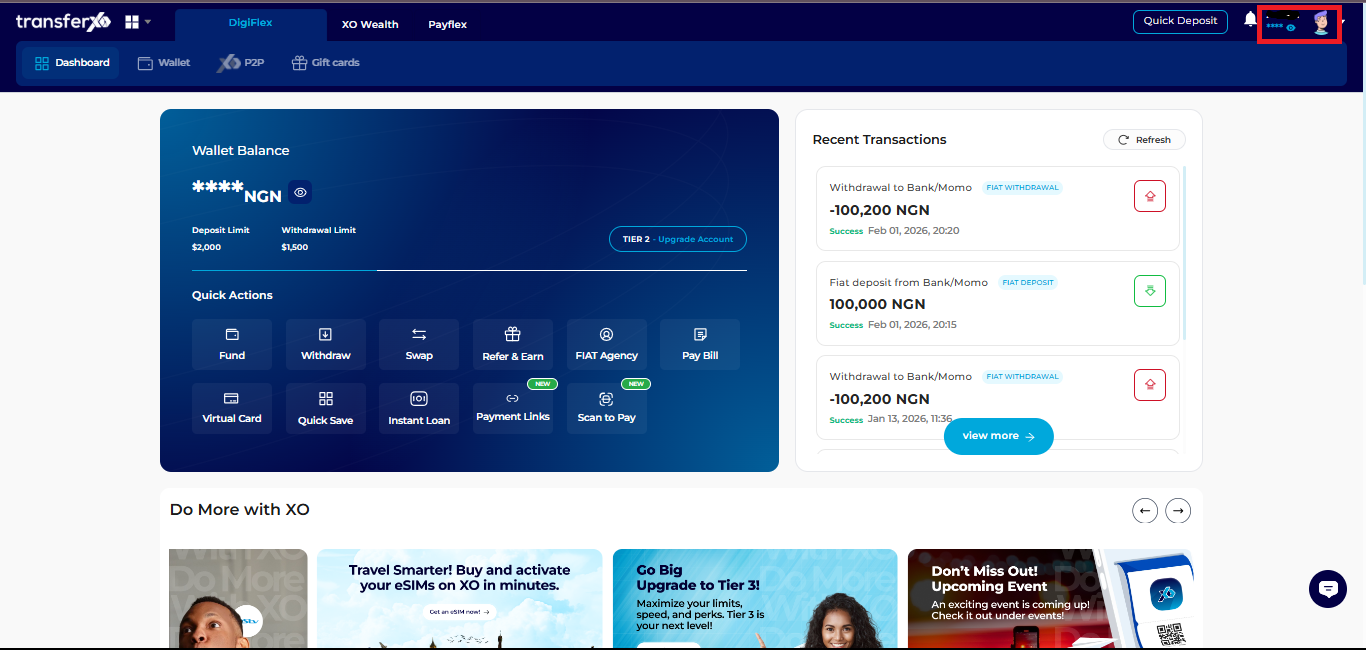
Step 3: Access Account Settings
- Click your profile picture at the top right corner.
- Select Account Settings.
Step 4: Open Privacy and Security
Click Privacy and Security to manage your account protection settings.
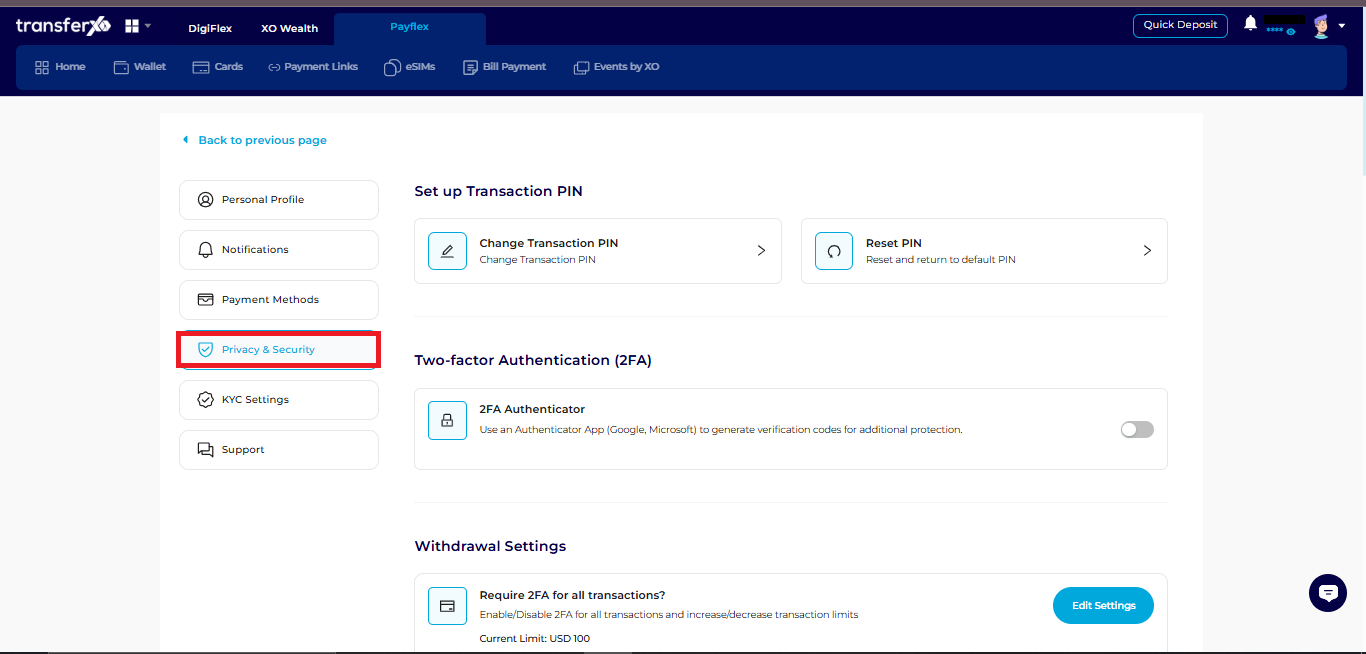
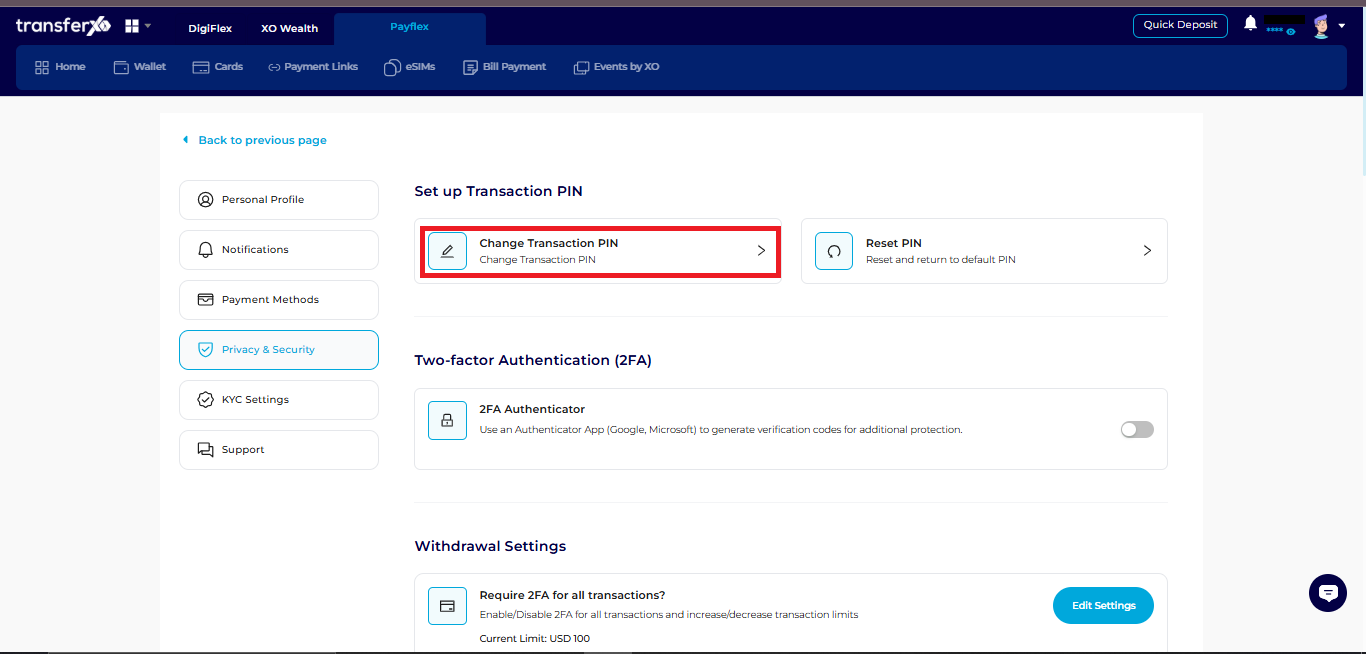
Step 5: Select Change Transaction PIN
Click Change Transaction PIN to begin the process.
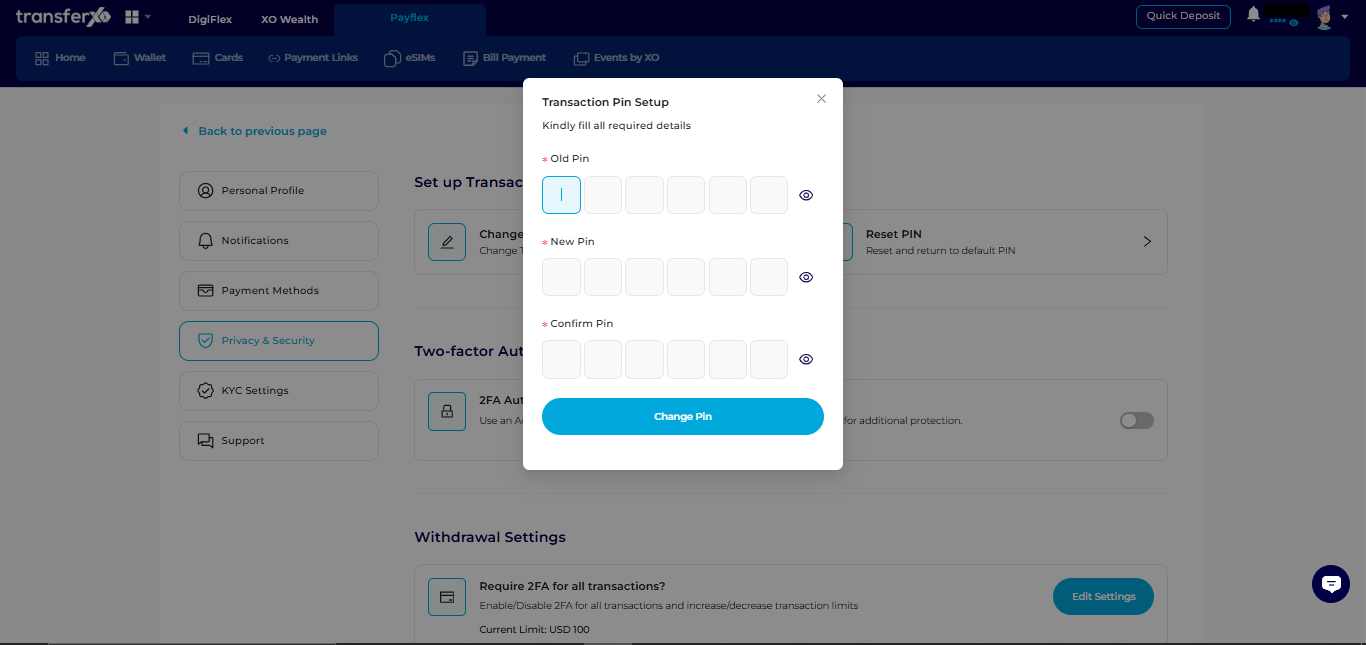
Step 6: Enter Required PIN Details
Input the following:
- Your current (old) PIN
- Your new PIN
- Confirm your new PIN
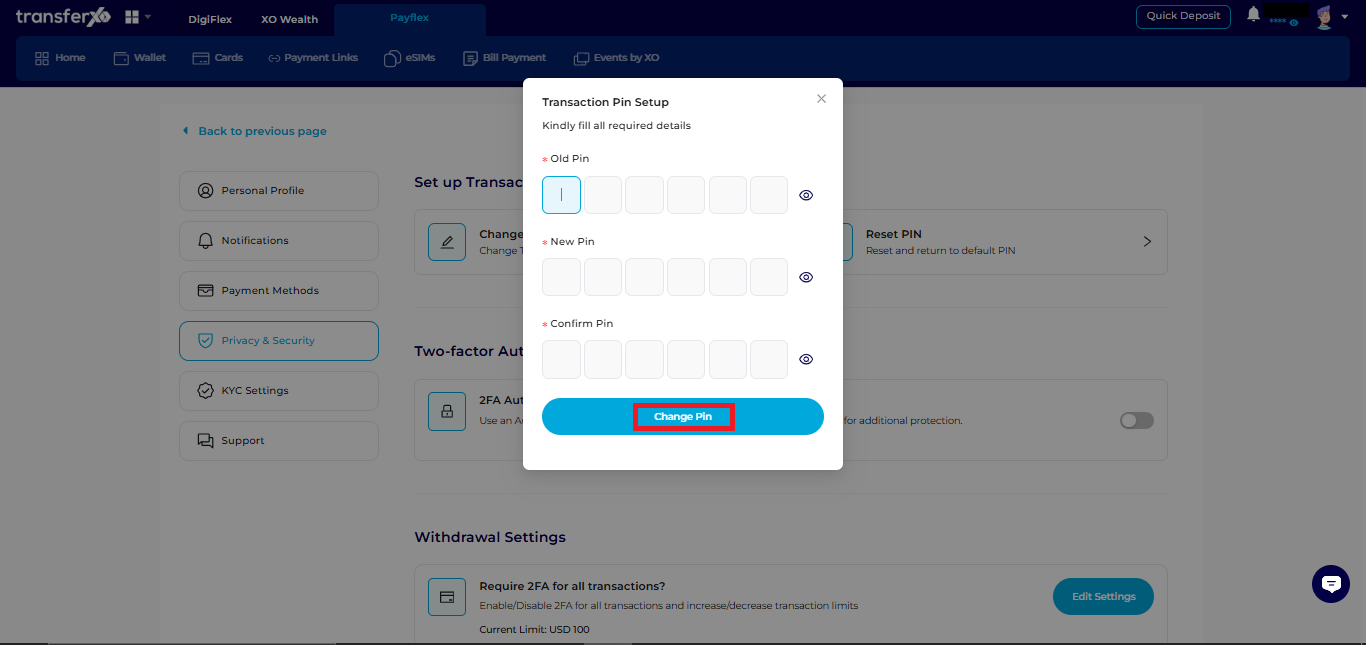
Step 7: Confirm Change
Click Change PIN to save your new transaction PIN.
Once updated, your new PIN will be required for all eligible transactions.