


This guide will walk you through how to purchase an eSIM on TransferXO using your computer.
Step 1: Visit TransferXO.com on your preferred browser.
Open the website on your computer or laptop to get started.

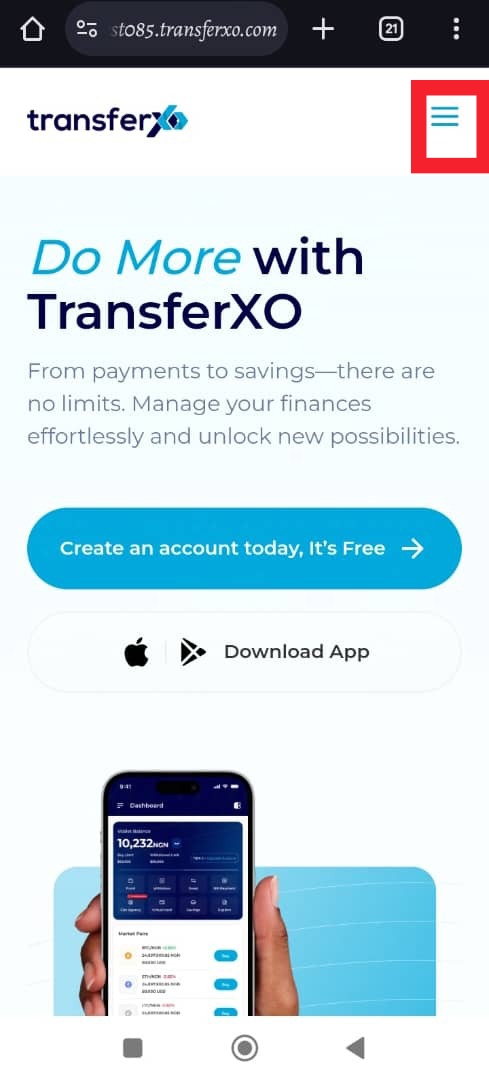
Step 2: Click on the Hamburger menu to access your Dashboard.
The three-line menu will open navigation options to your account.
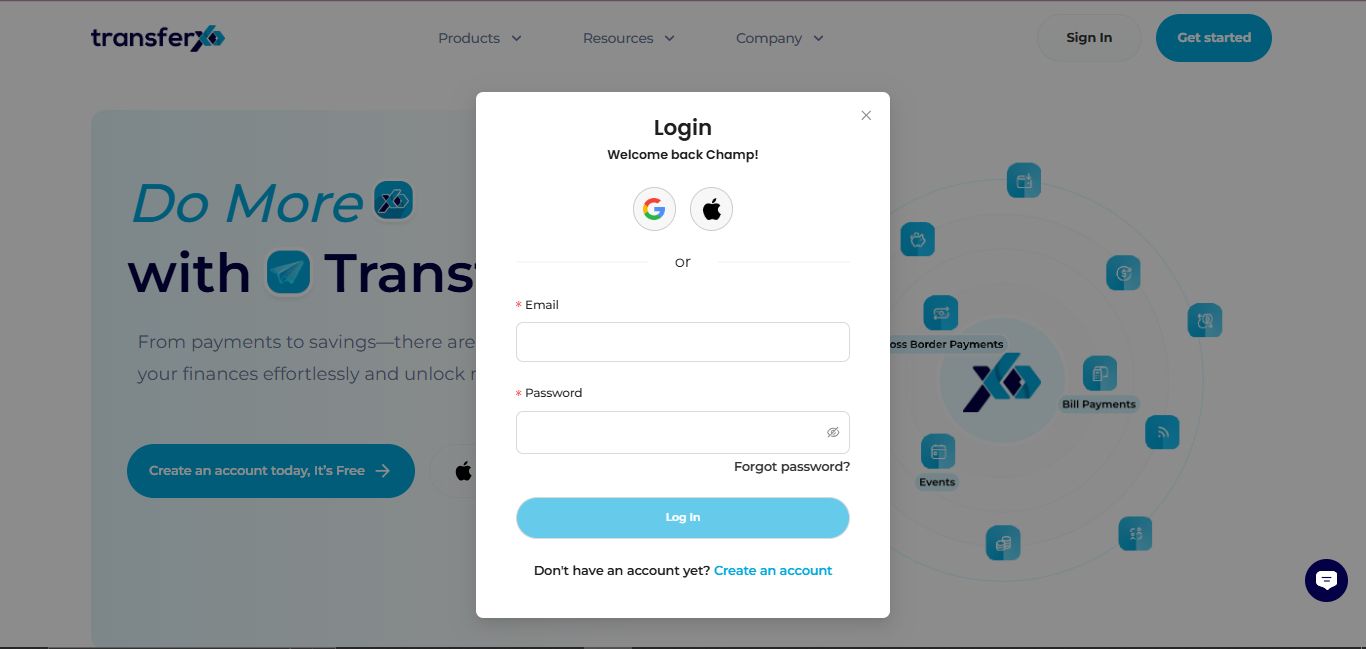
Step 3: Login to your account to access your Dashboard.
Enter your username and password securely to sign in.
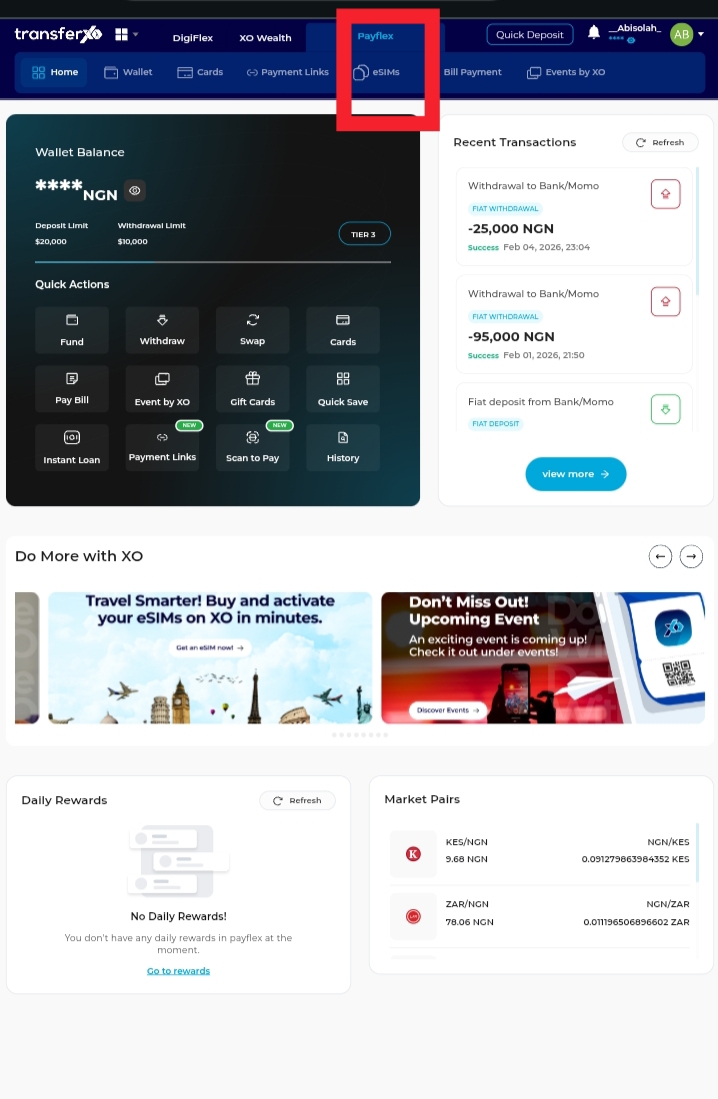
Step 4: On the Dashboard, click on PayFlex and then select eSIMs.
This will take you directly to the section where all available eSIM options are displayed.
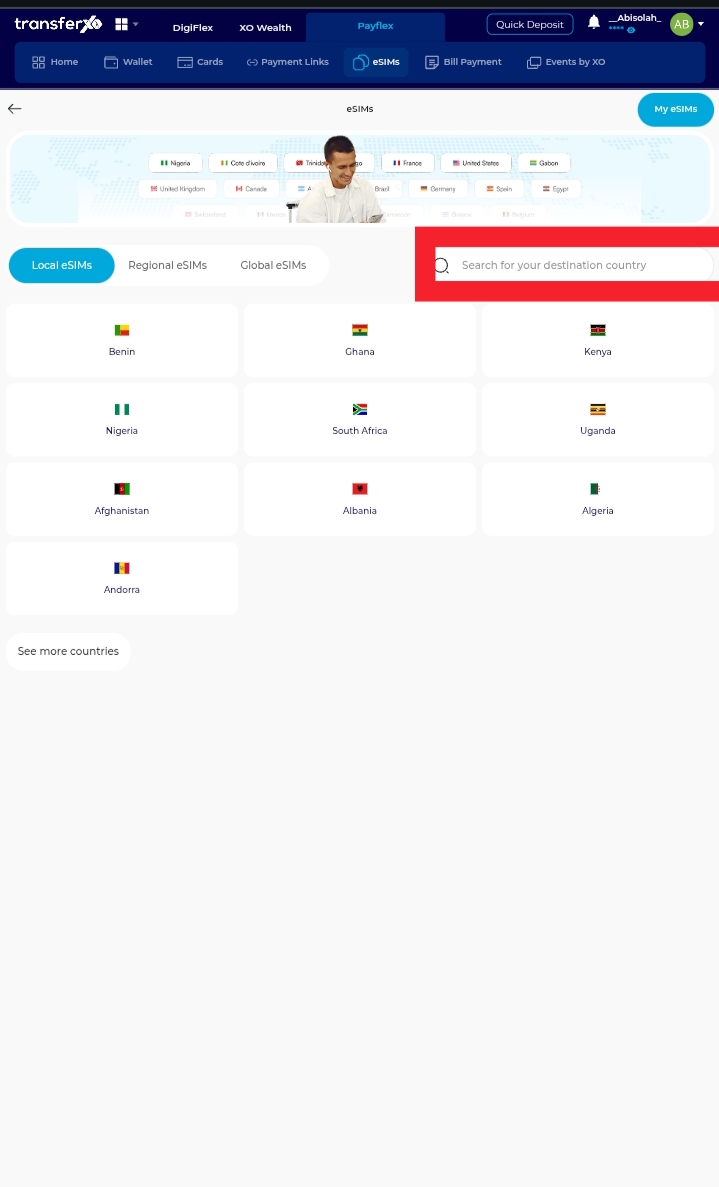
Step 5: Select your destination country.
Choose the country where you want to use the eSIM.
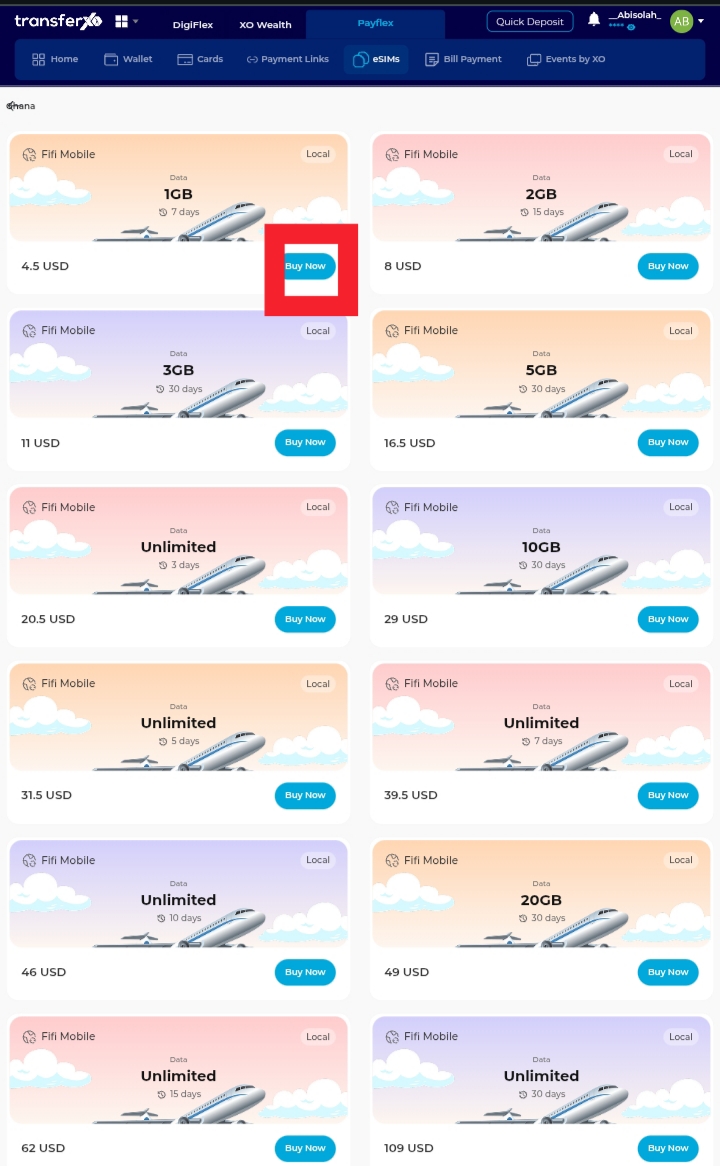
Step 6: Select your desired plan and click Buy Now.
Confirm your plan and complete the purchase.
This feature provides instant mobile connectivity without a physical SIM card, giving you flexibility and convenience wherever you are