


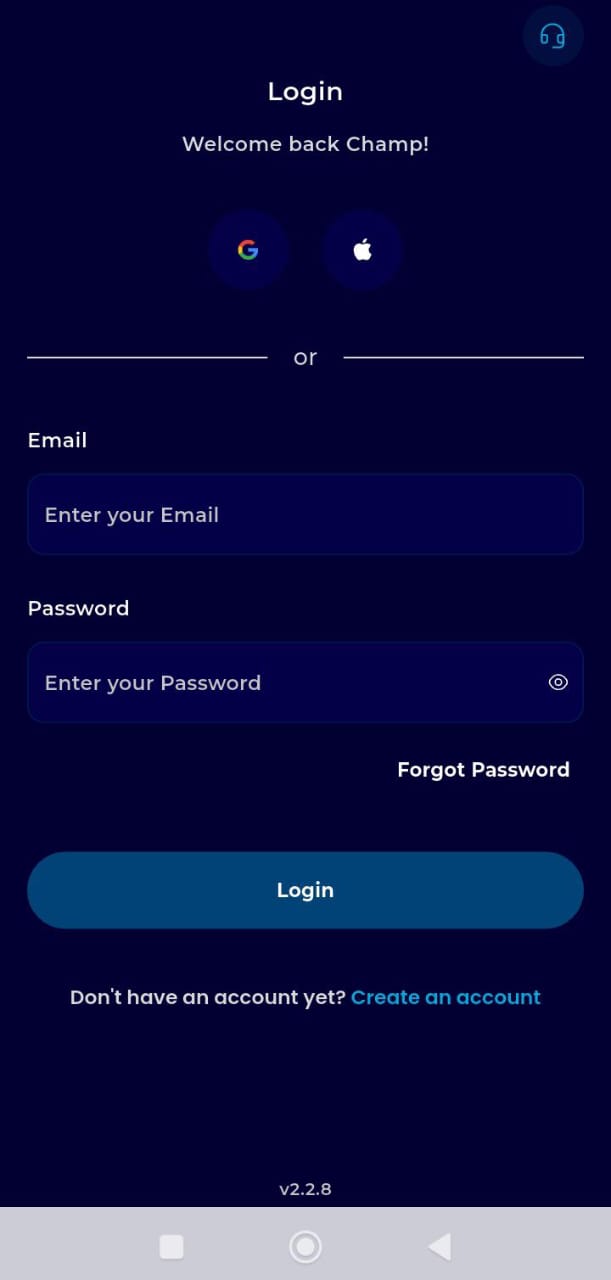
Step 1: Authentication
Sign In: Open your browser, go to the menu (three lines), and log in to your dashboard.
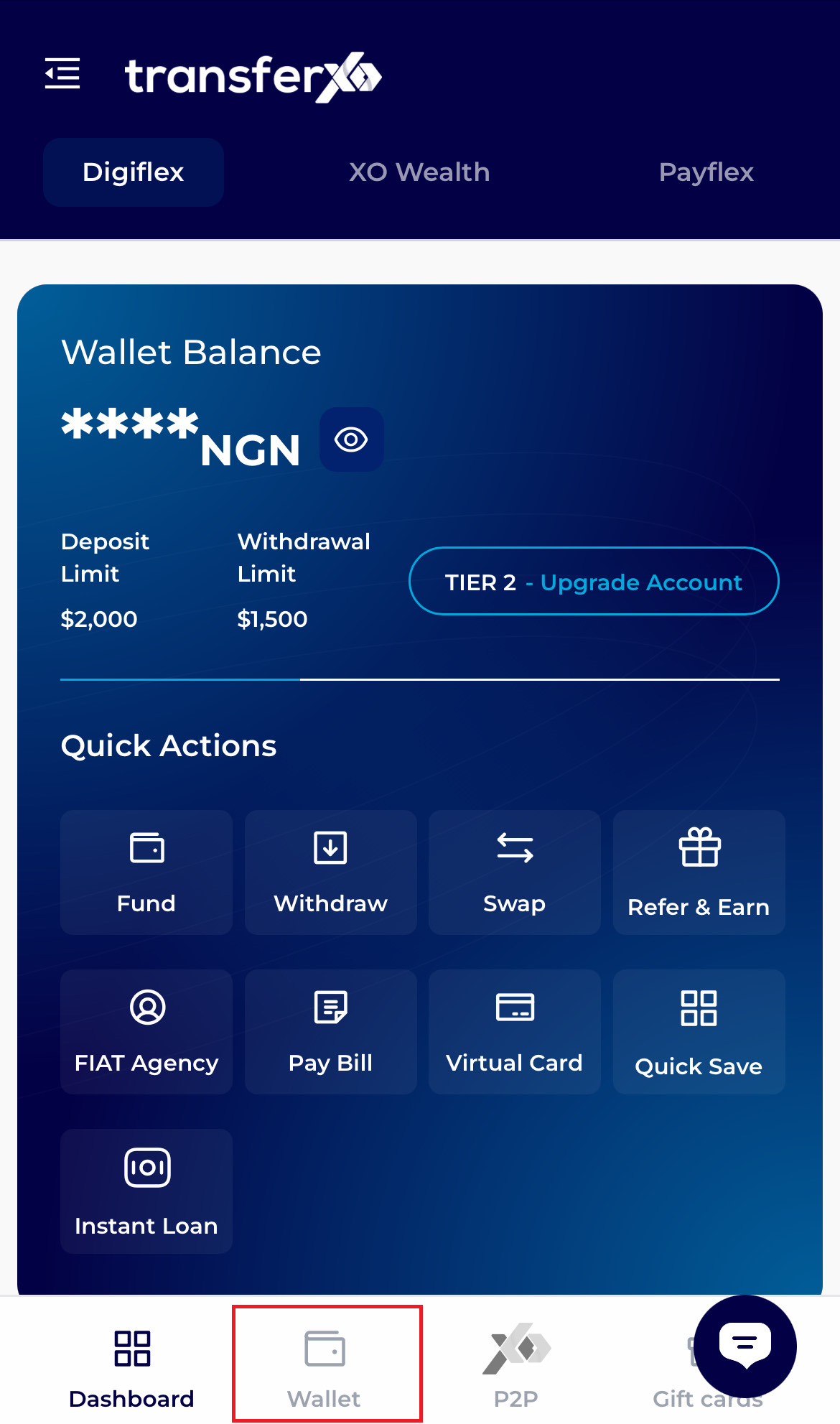
Step 2: Access the Wallet Hub
Tap the Wallet icon in the fixed navigation bar at the bottom of the screen.
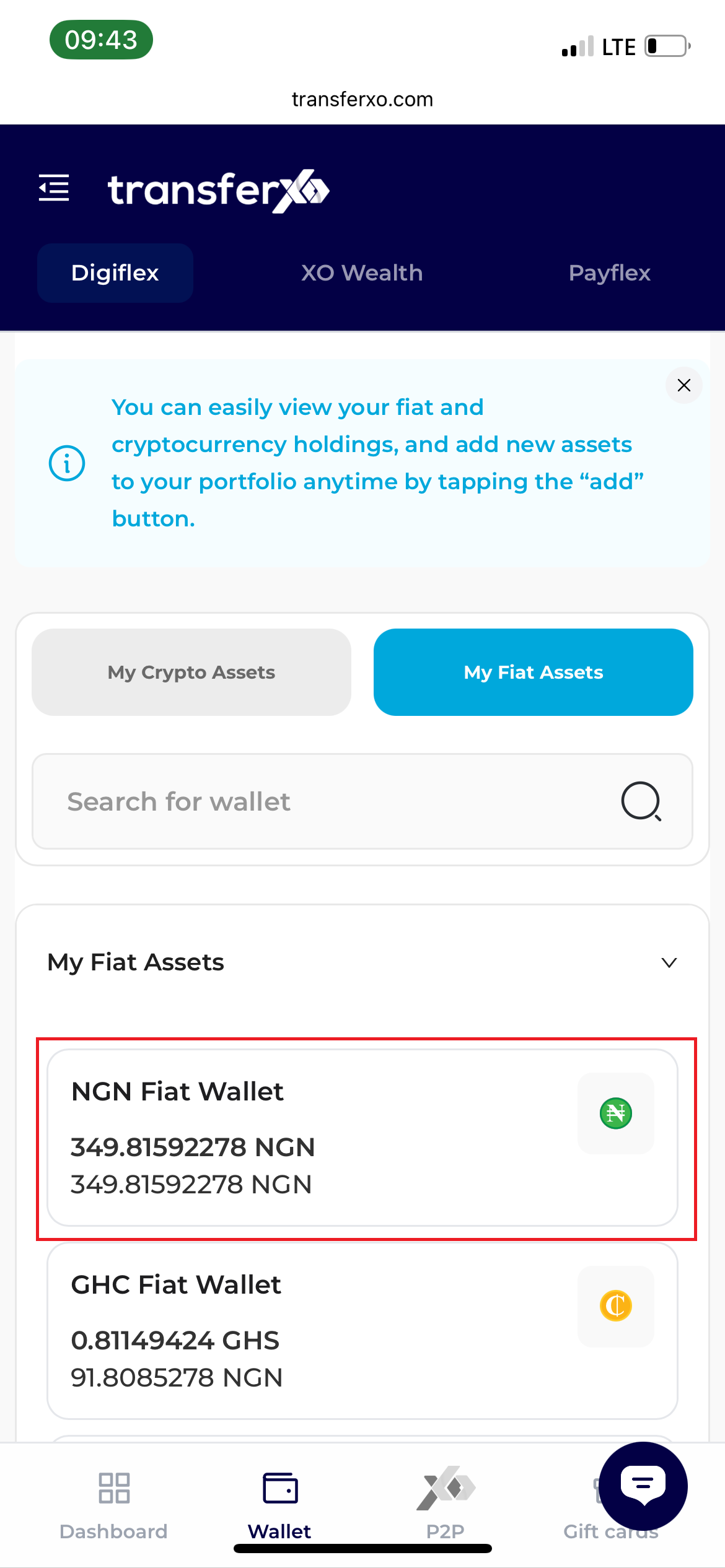
Step 3:Select Asset
Tap on your NGN Wallet balance.
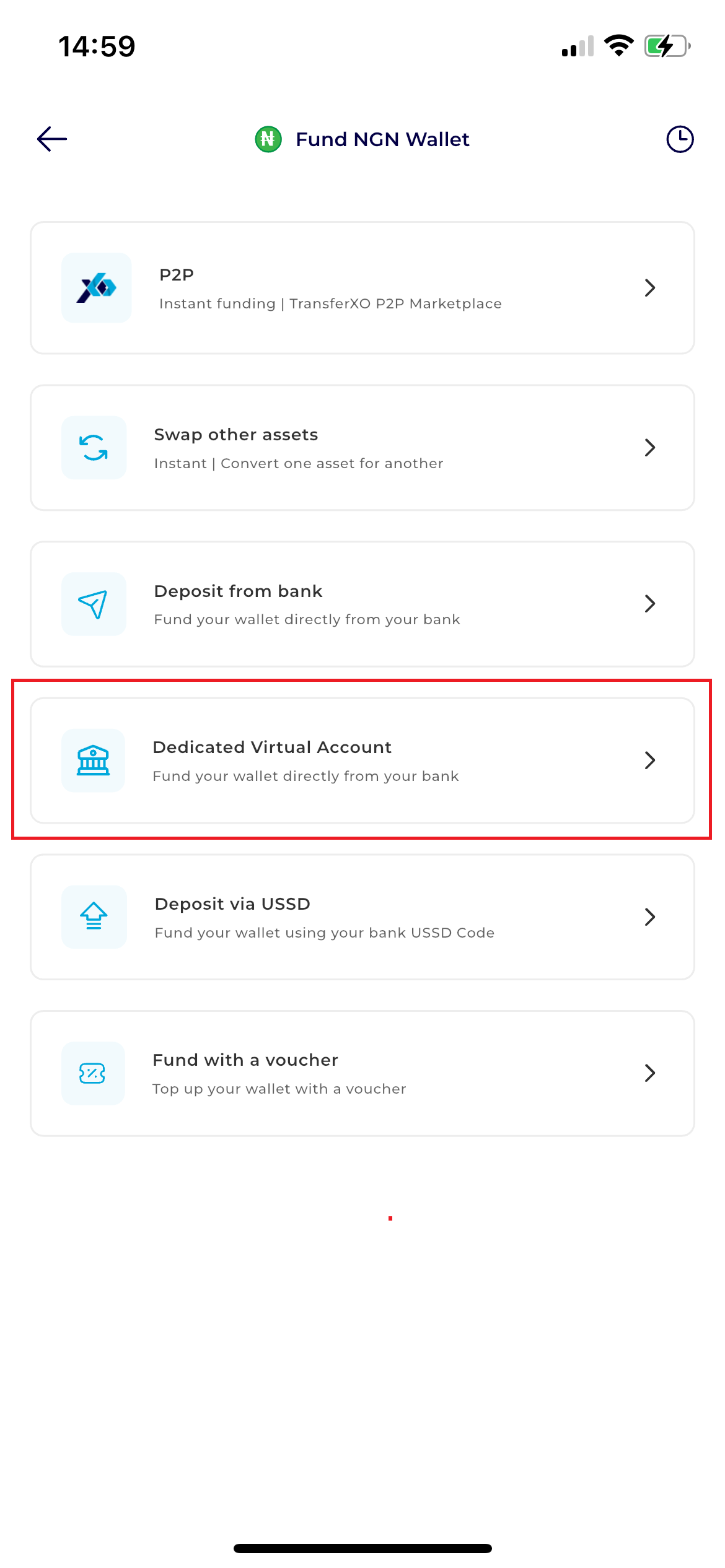
Step 4: Open Method Menu
Tap the Fund button. From the list of options that appears, select Dedicated Virtual Account.
Step 5: Account Snapshot
The screen will display your unique Virtual Account details.
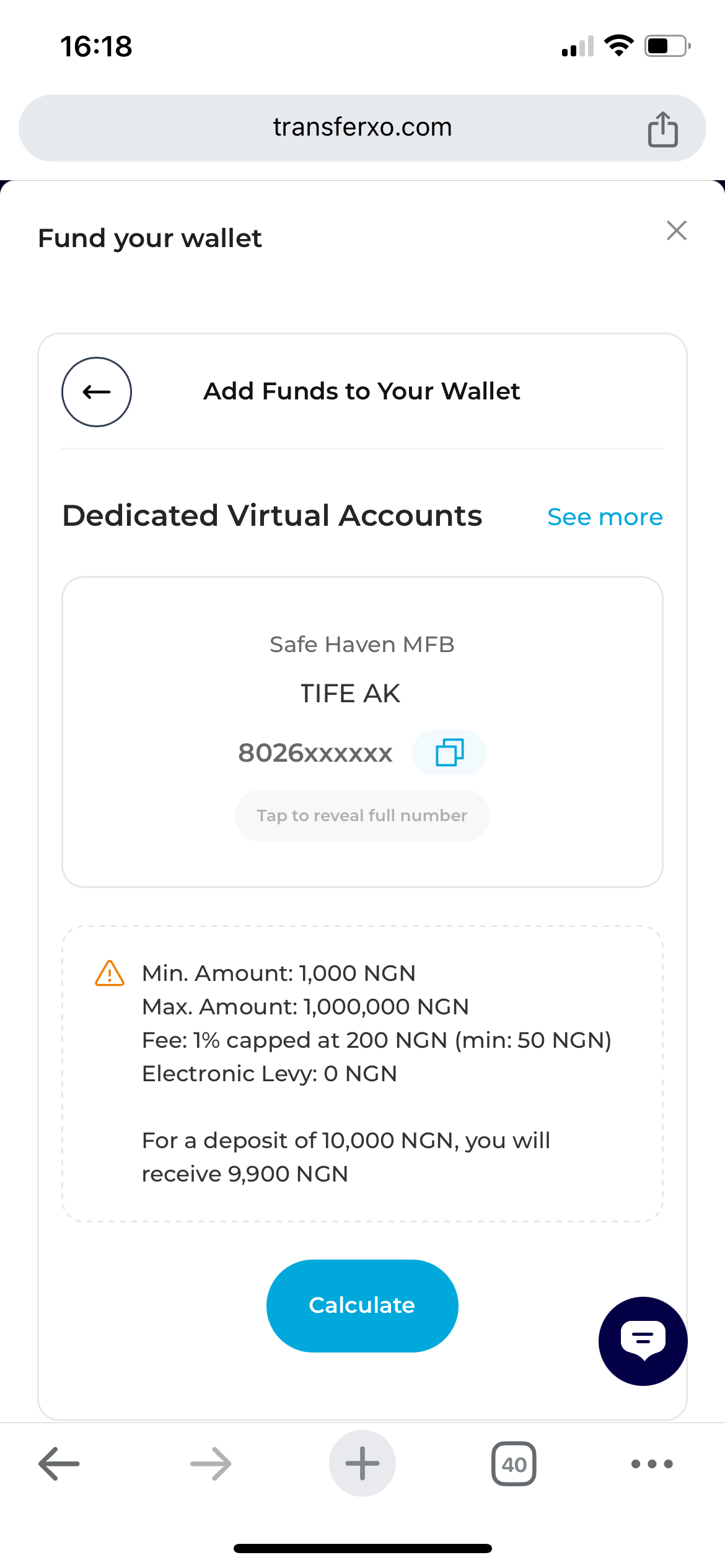
Step 6: Copy and Transfer
Tap the account number to copy it. Switch to your bank app to complete the transfer.
Step 7: Return to Dashboard
Once the transfer is complete, return to your browser and tap Dashboard to see your updated balance.