


Step 1: Access the Platform:
Open your mobile browser and navigate to transferxo.com.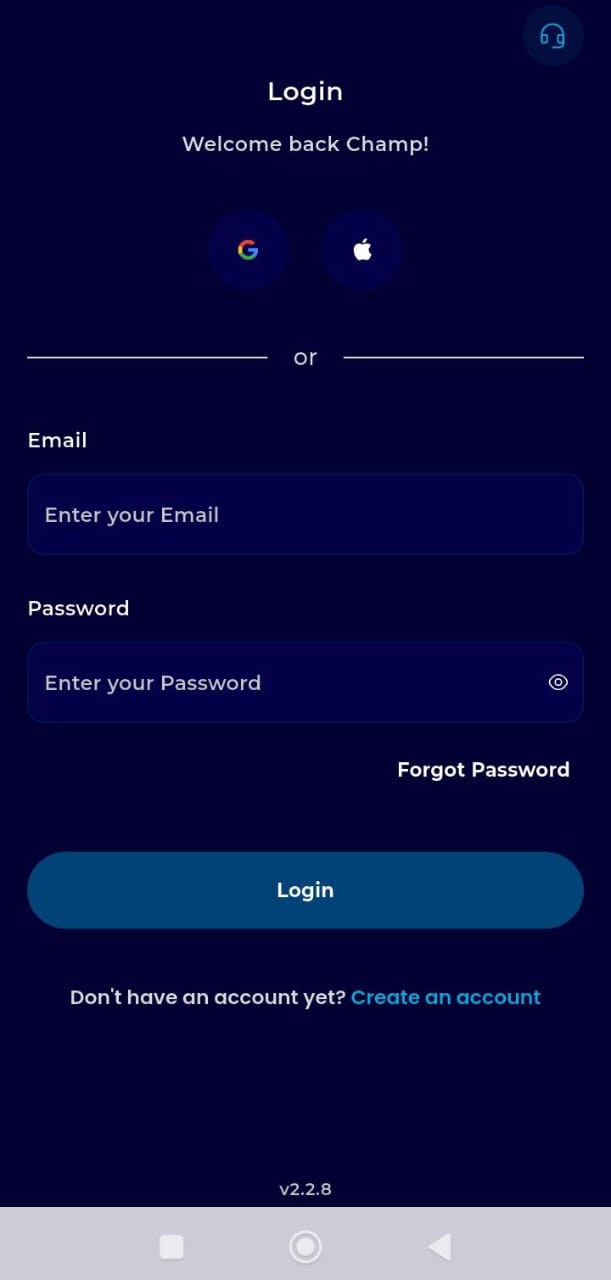
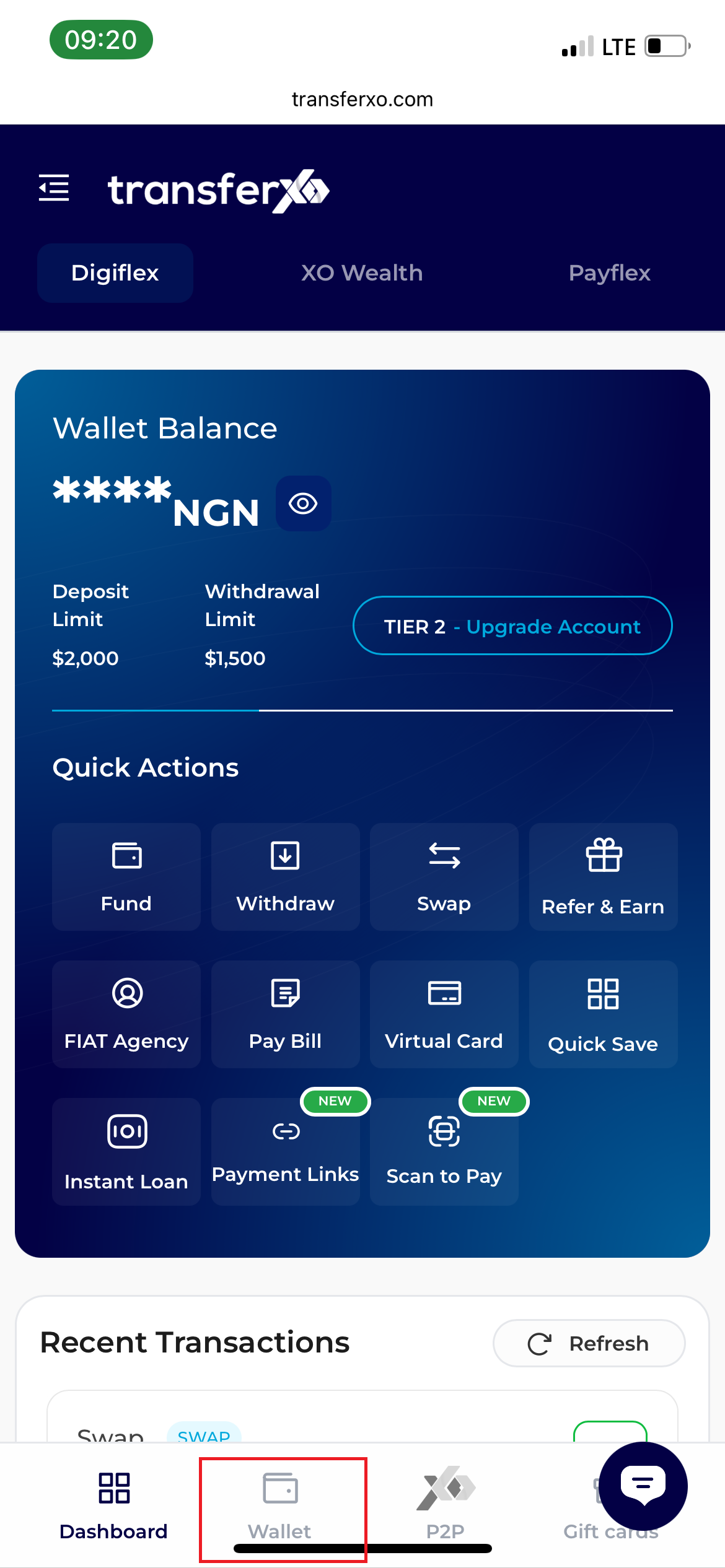
Step 2: Navigate to Wallet:
Once your dashboard loads, locate the fixed navigation bar at the bottom of your screen. Tap the Wallet icon (located to the right of the Dashboard icon).
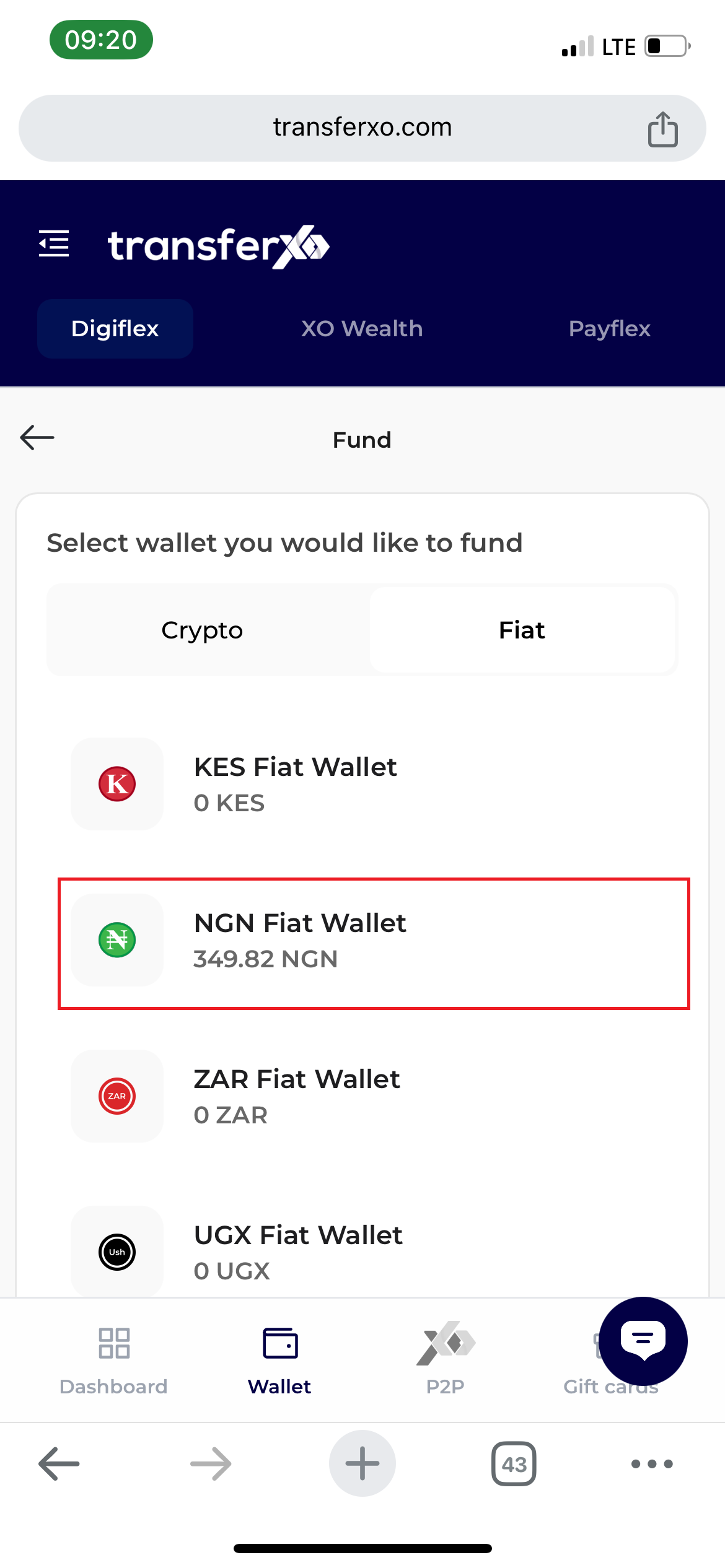
Step 3: Identify Your Asset:
Browse through your list of available wallets. You must select the wallet that corresponds to your voucher’s currency.
Example: For a Naira voucher, tap your NGN Wallet.
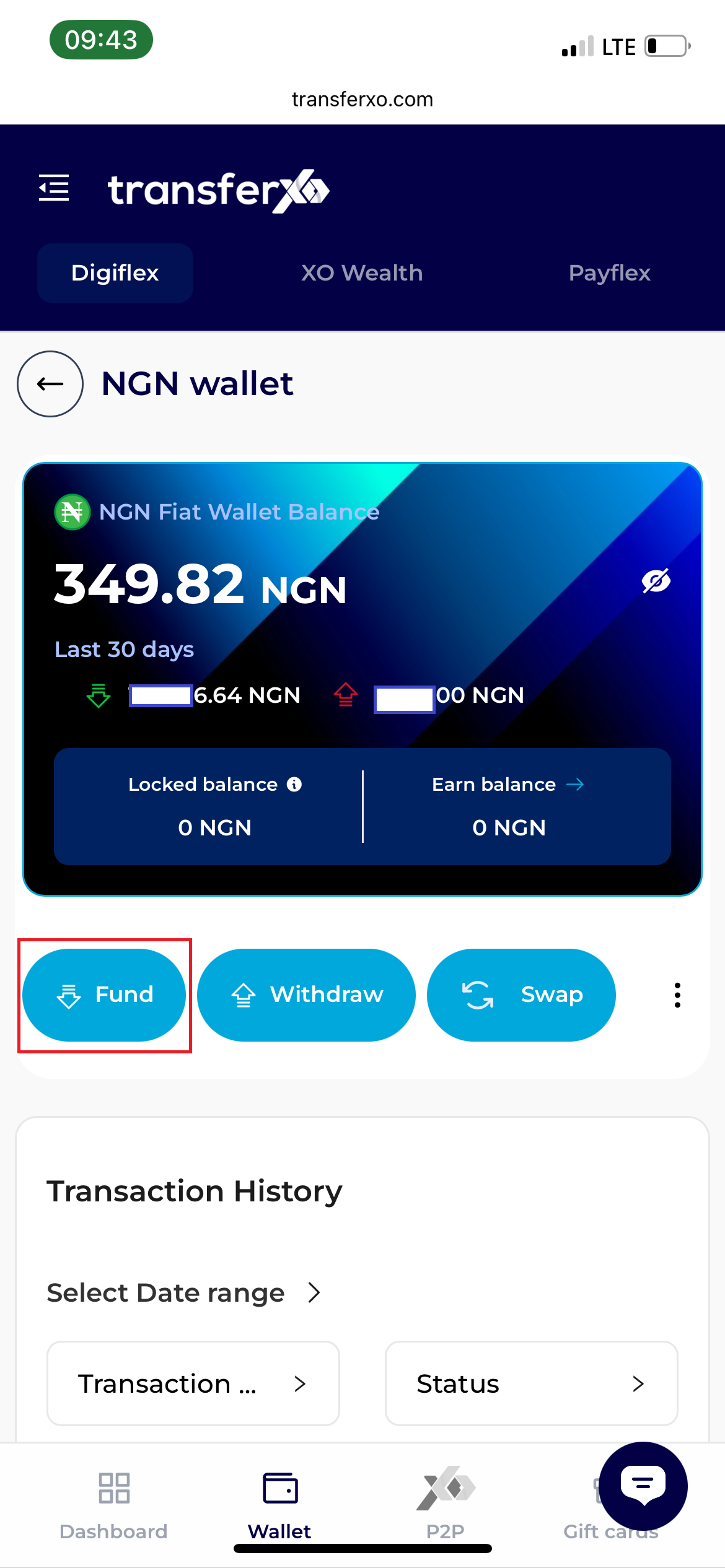
Step 4: Access Funding Options:
After tapping the asset, a new options page will open. Select the Fund button to view your deposit methods.
Step 5: Select the Voucher Method:
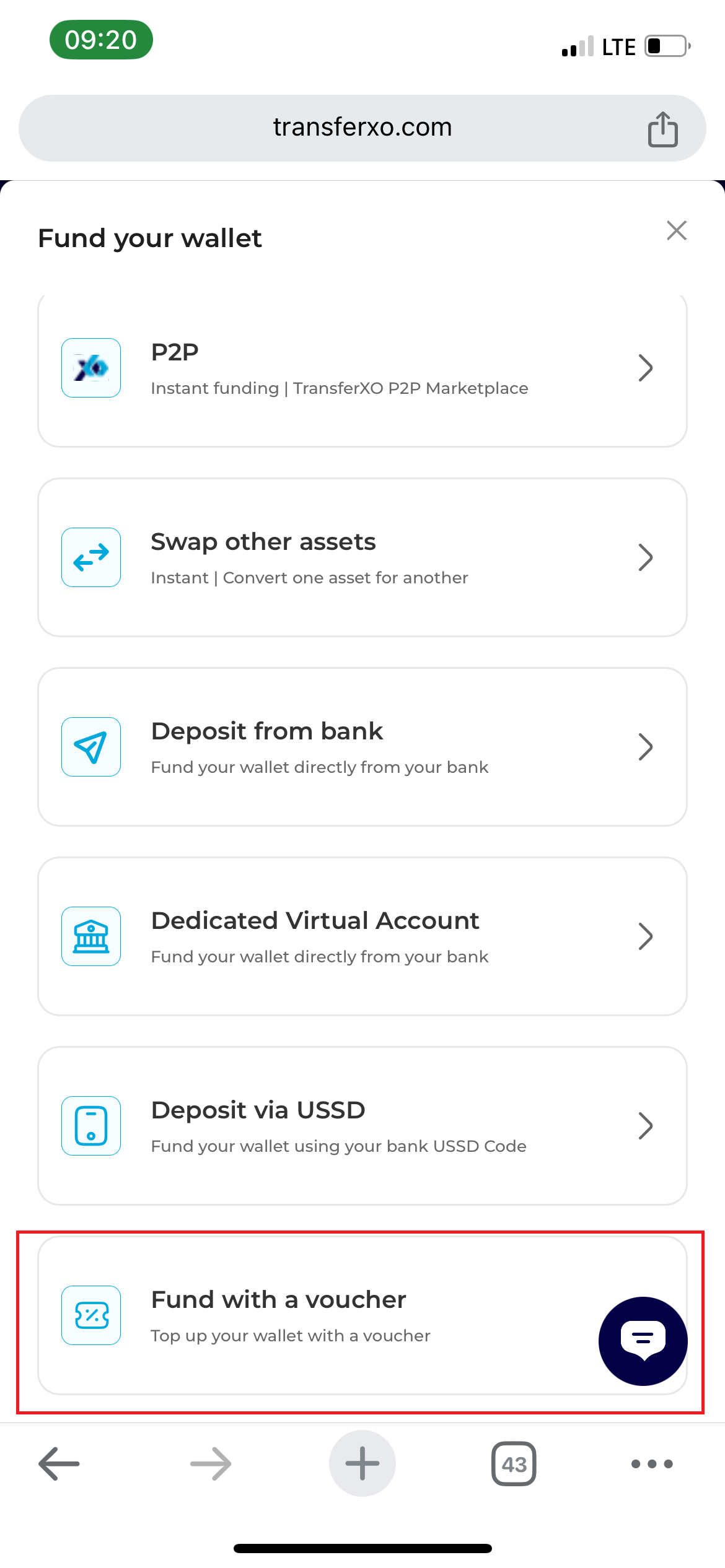
On the Asset Funding Method Panel (which may slide up or appear as a new overlay), choose the option labeled Fund with a Voucher.
Step 6: Enter the Code:
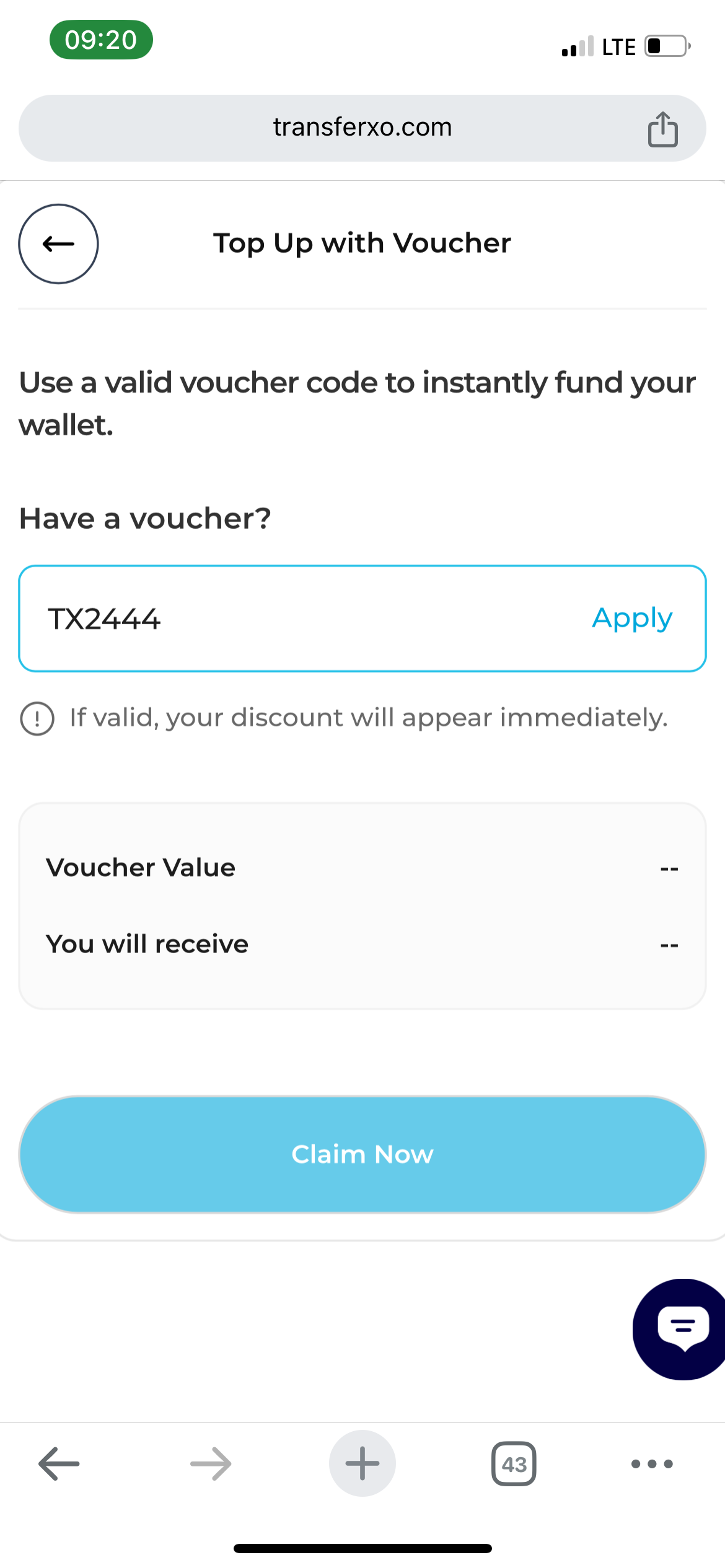
Carefully type your unique 12 or 16-digit voucher code into the "Enter Code" field.
Note: These codes are case-sensitive. Ensure you match the capitalization exactly as it appears on your voucher.
Step 7: Validation:
Tap the Apply button. The system will verify the code and display the total value to be credited.
Step 8: Final Execution:
Once the value is confirmed, tap the Claim Now button to complete the redemption.
Instant Confirmation: A success message will appear, and your balance will update immediately. You can view the record of this transaction in your History tab to confirm the settlement.