


1. The DigiFlex Dashboard (Daily Trading)
When DigiFlex is active, the dashboard focuses on liquidity and immediate action.
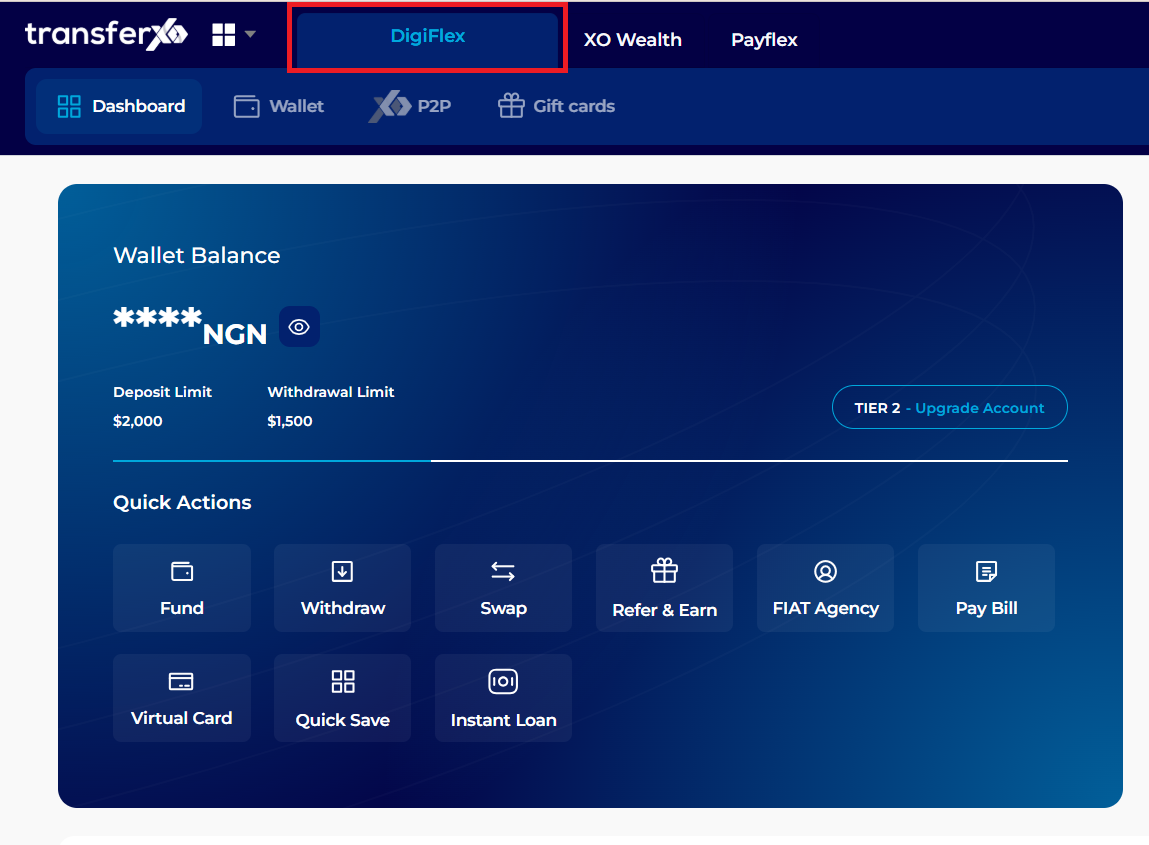
Wallet Balance Summary: Displays your total NGN value and your current account tier (e.g., Tier 2).
Account Limits: Explicitly shows your specific Deposit and Withdrawal limits for your current verification level.
Core Quick Actions: * Fund & Withdraw: Instant entry and exit for your fiat.
Swap: Exchange one cryptocurrency for another instantly.
Fiat Agency: Specialized tools for registered TransferXO agents.
- Virtual Card: Manage your crypto-linked spending card.
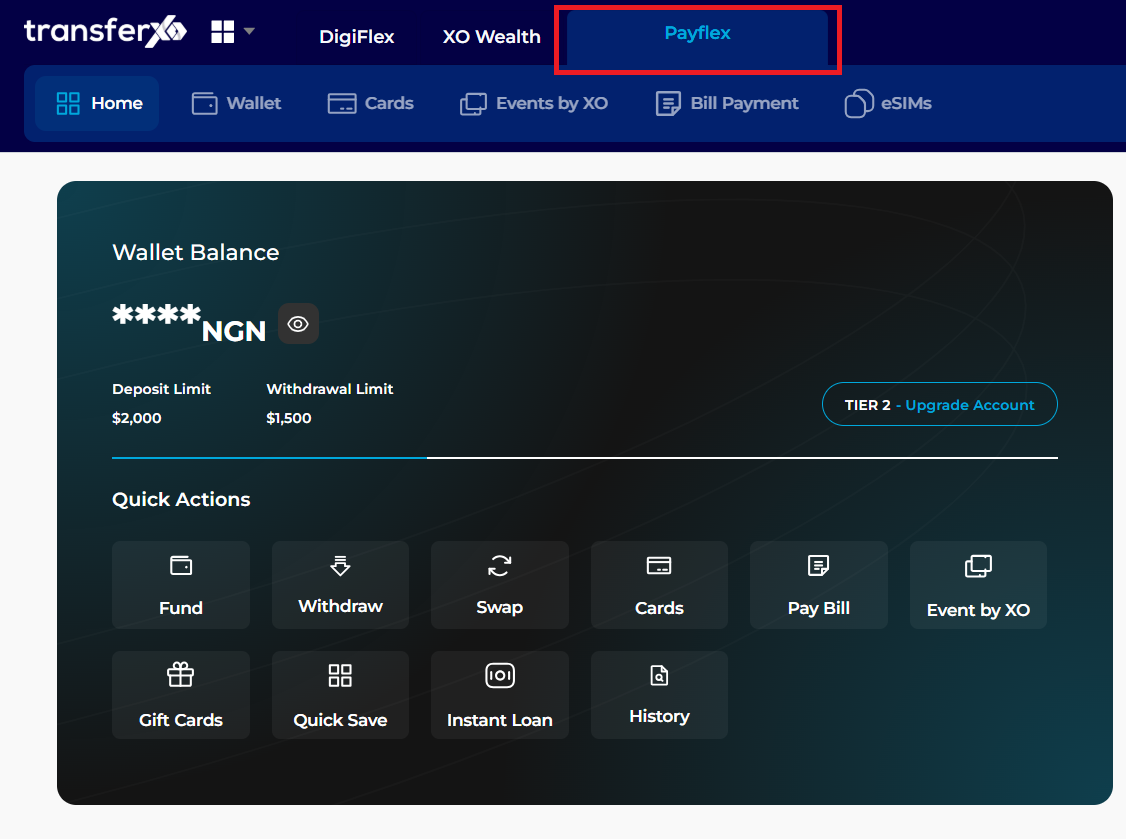
2. The PayFlex Dashboard
Switching to these tabs reconfigures the Quick Actions grid to show specialized tools.
PayFlex View: Replaces trading icons with utility-focused buttons like Pay Bill, Data, and Electricity
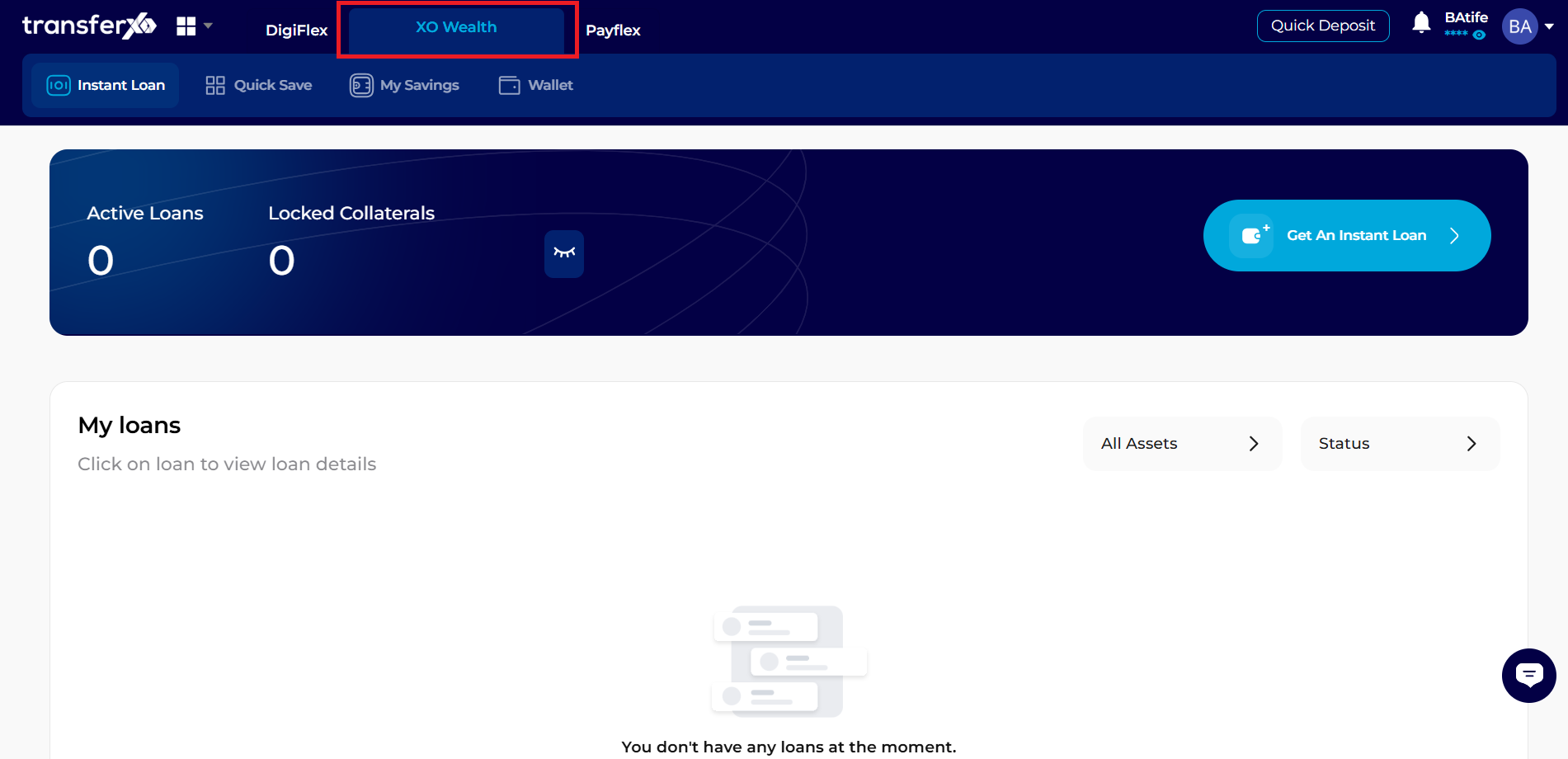
3. XO Wealth Dashboard
XO Wealth View: Focuses on growth icons such as Quick Save, Fixed Savings, and Instant Loan management.
4. Recent Transactions Side-Panel
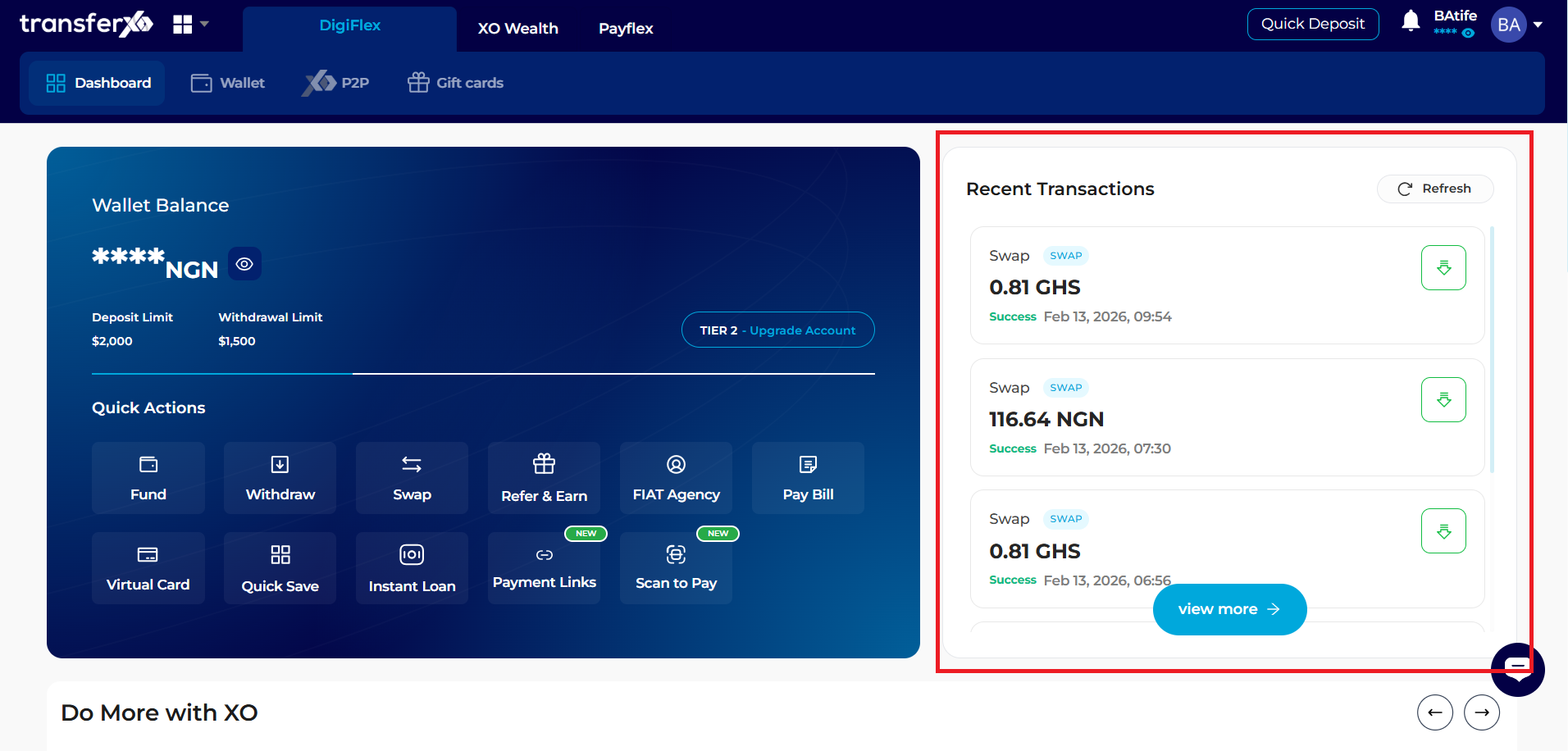 One of the main advantages of the Web View is the persistent transaction feed.
Detailed Status: View exactly when a Fiat Deposit or Bill Payment was successful, including the date, time, and exact amount.
- View More: Click the view more button to see your full transaction ledger for tax or record-keeping purposes.