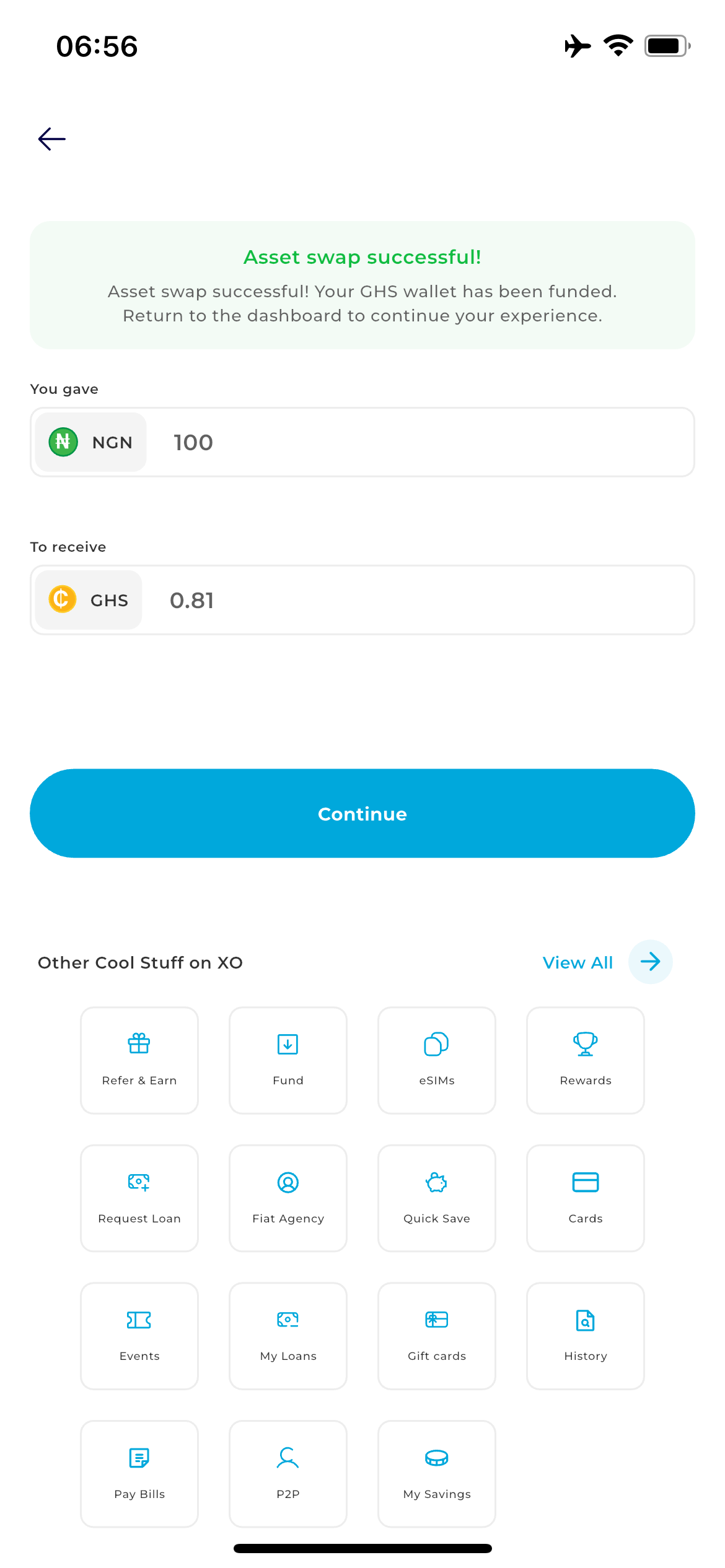
Step 1: Secure Login
Open your mobile browser and go to https://transferxo.com/ . Tap the Menu (three horizontal lines) at the top right, select Login, and enter your credentials to reach your dashboard.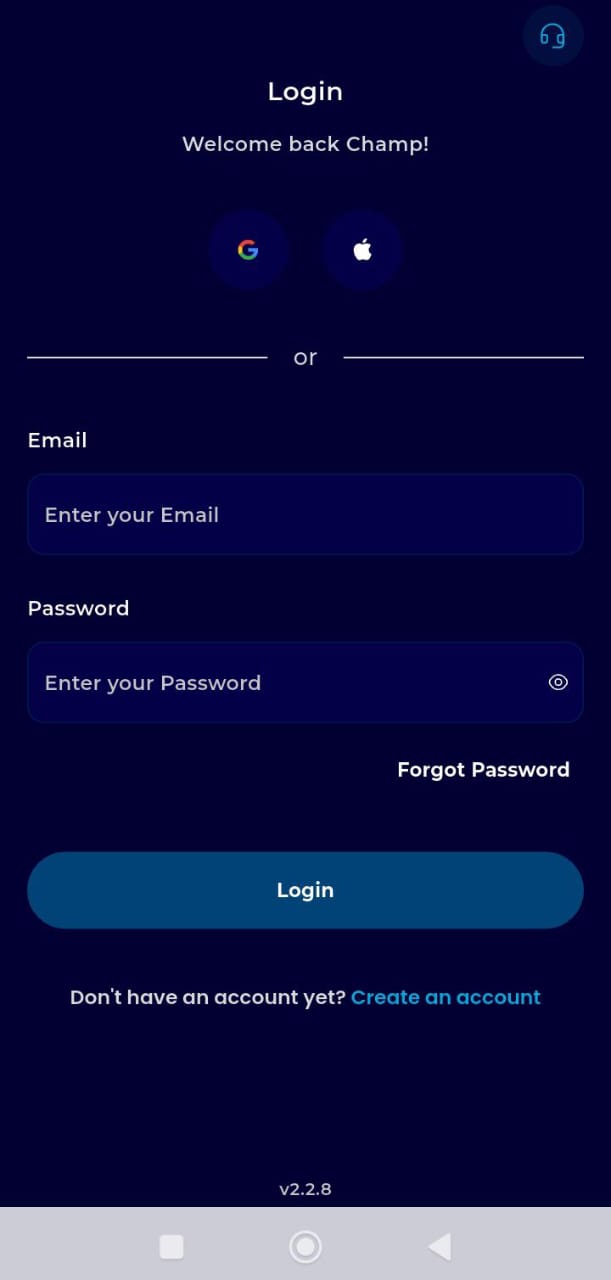
Step 2: Access the Swap Feature
Locate the swap icon on the Digiflex. This will take you to the list of wallet and asset balances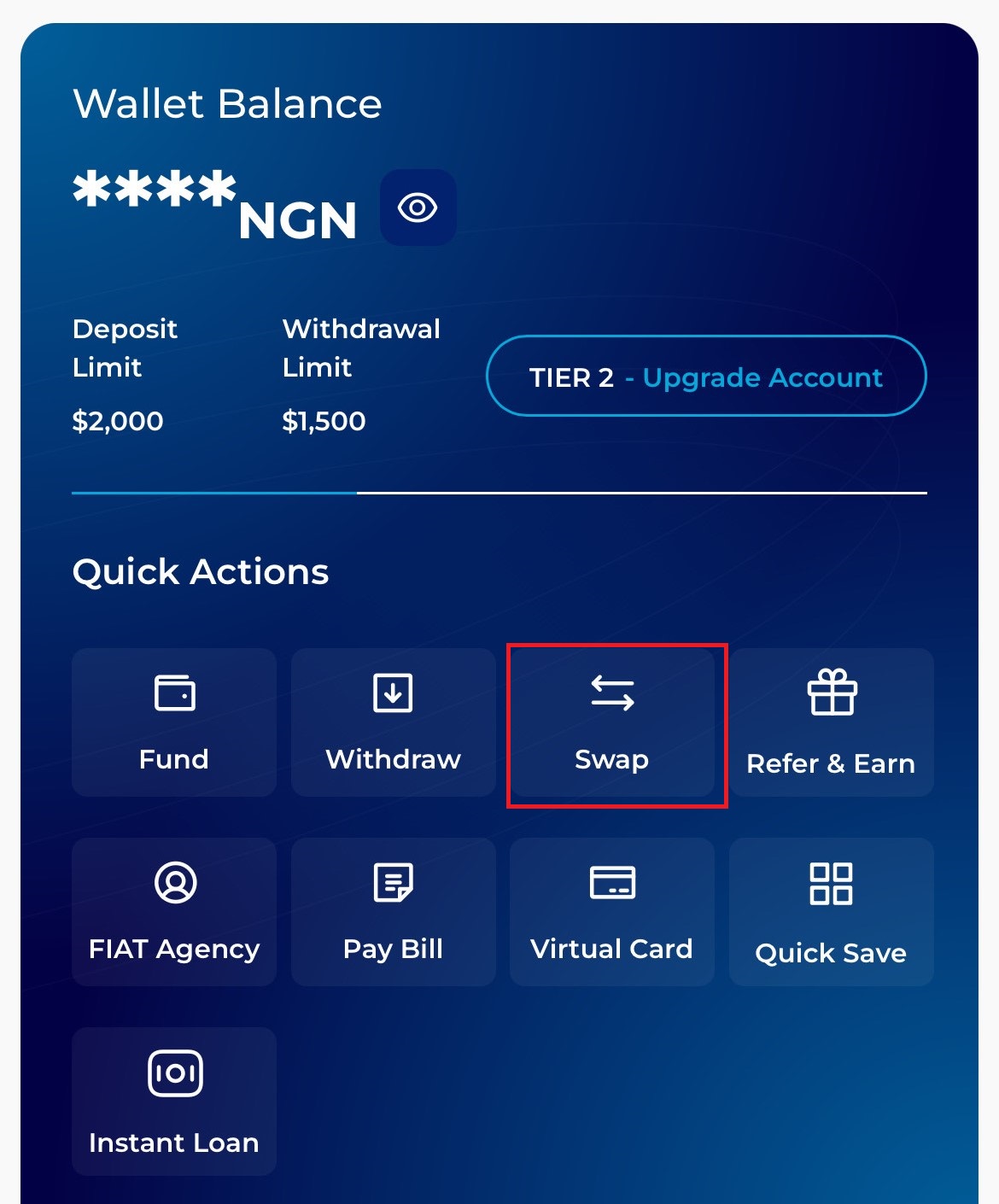
Step 3: Select Your Source Asset
Scroll through your list of assets and tap on the specific currency you currently hold and wish to swap (e.g., tap on Bitcoin (BTC)).
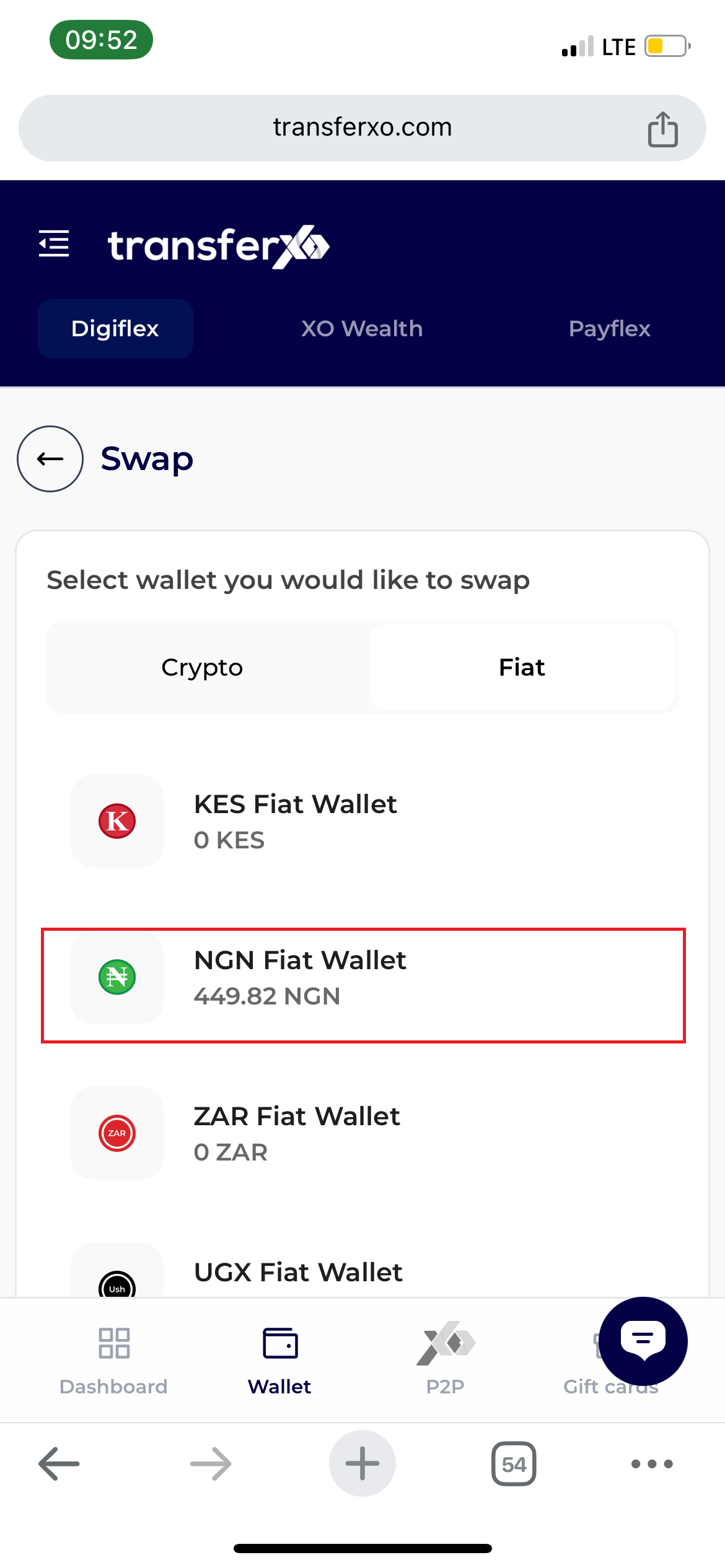
Step 4: Select the Asset
Select the asset you wish to swap. This initiates the direct conversion interface.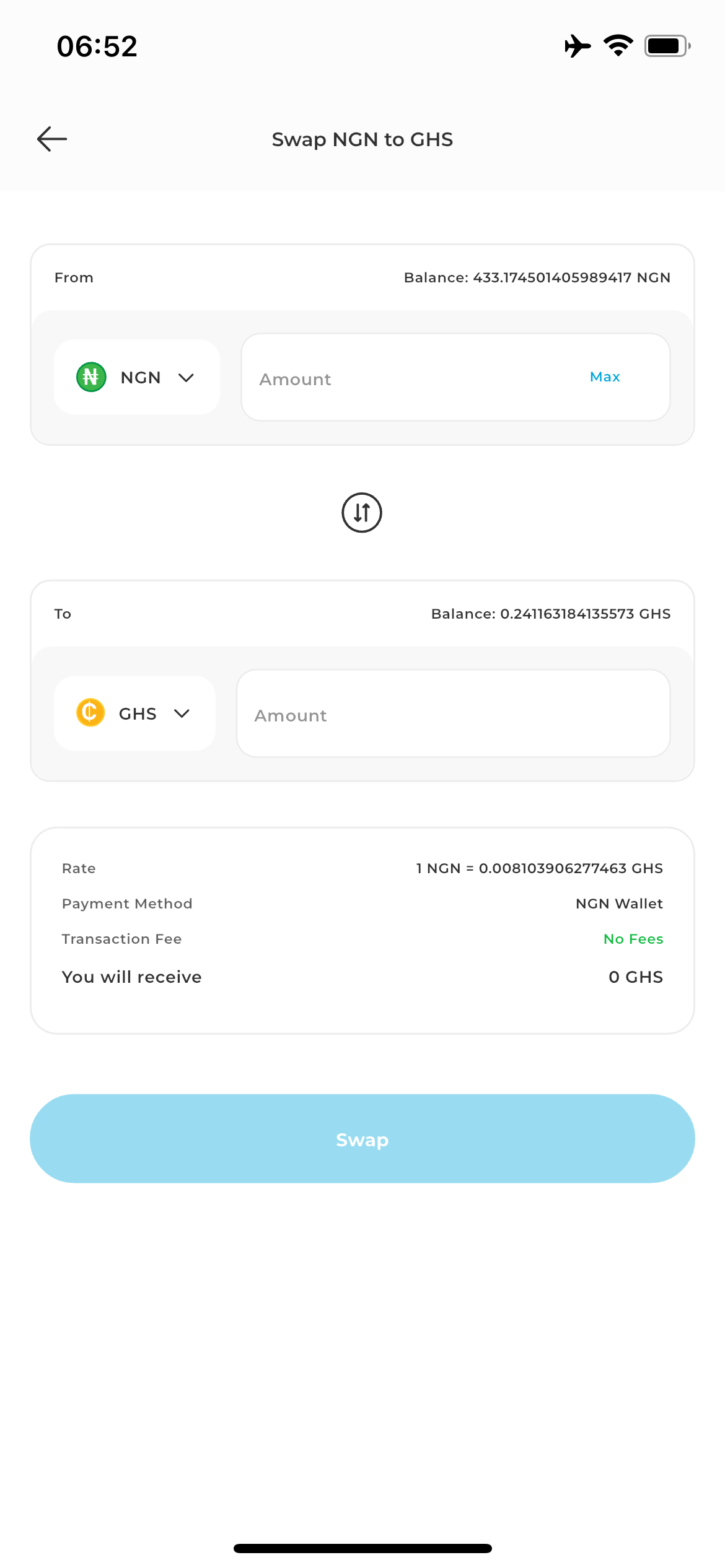
Step 5:Configure the Trade:
*Destination Asset: Choose the asset you want to receive from the dropdown menu.
- Amount: Enter the quantity of your current asset you wish to trade. The system will automatically display the estimated amount you will receive in the destination currency.
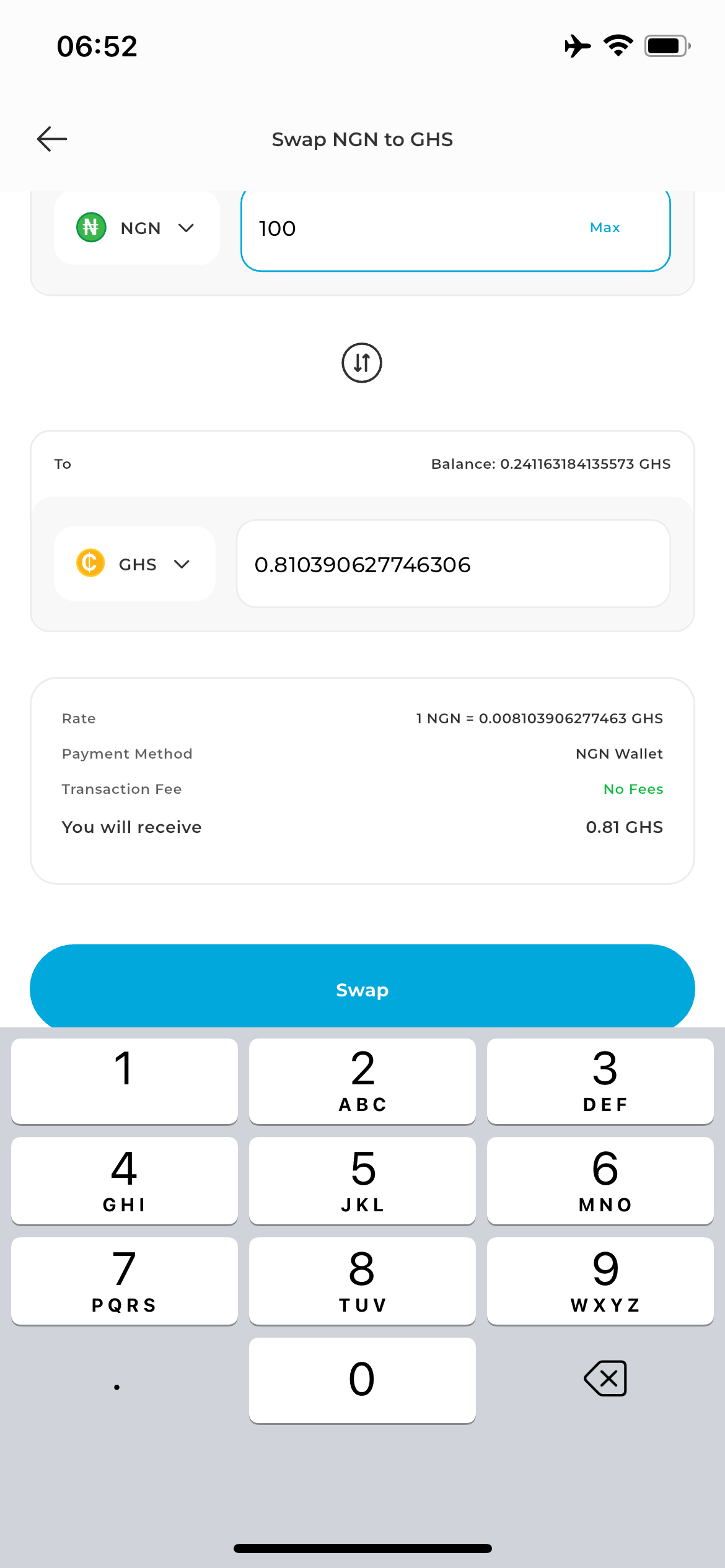
Step 6:Initiate the Review & Verify Summary
Tap the Swap button. A transaction summary will appear, showing the current exchange rate and any applicable network fees.
Carefully review the trade details, because market prices change rapidly. A live countdown timer will be visible on this screen.
Final Authorization: Tap Confirm Swap before the timer expires to lock in the rate.
Note: If the timer reaches zero, simply swipe down Refresh to get an updated market quote
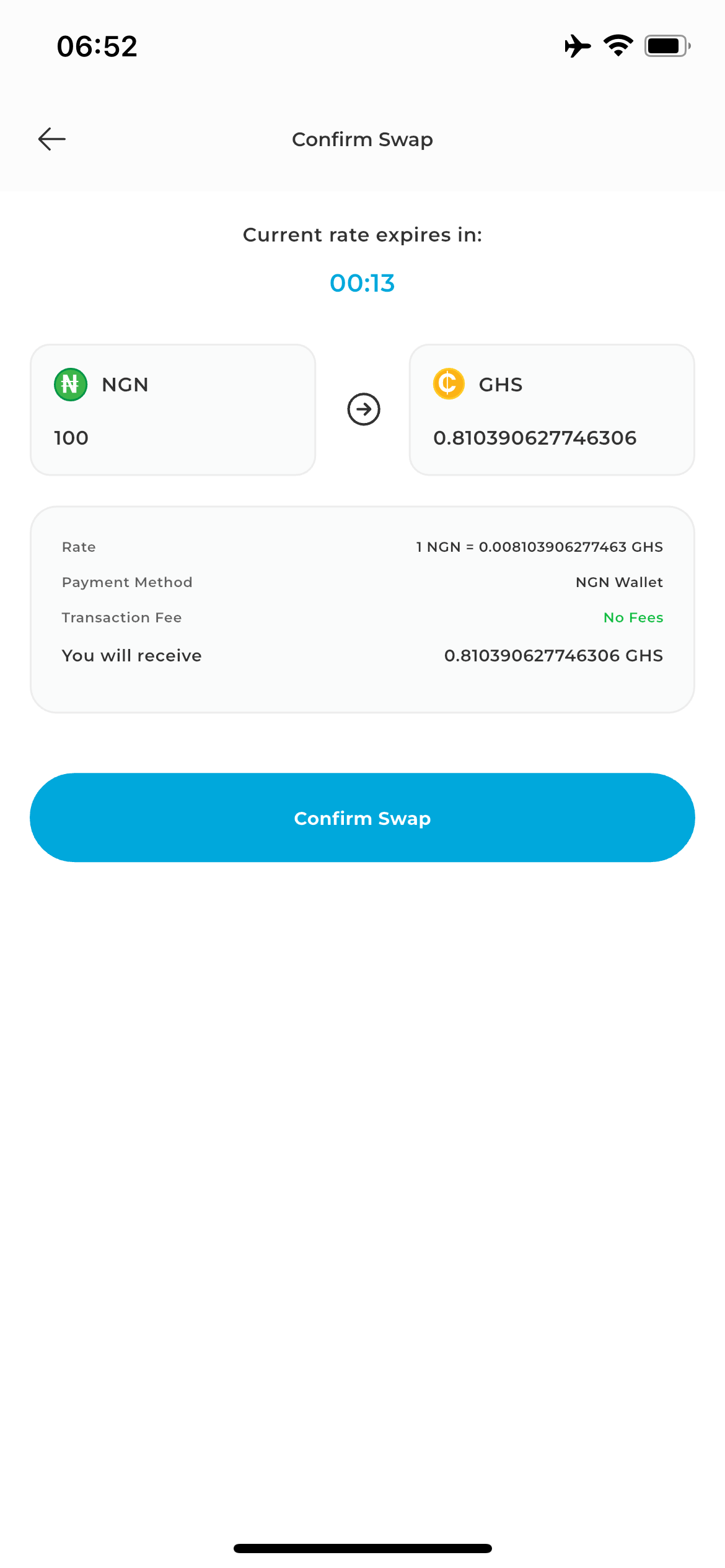
Transaction Completion
Once confirmed, the swap is processed instantly.