Step 1: Secure Login:
Open your browser and navigate to TransferXO . Click the Login button at the top right, enter your credentials, and complete your 2FA security verification.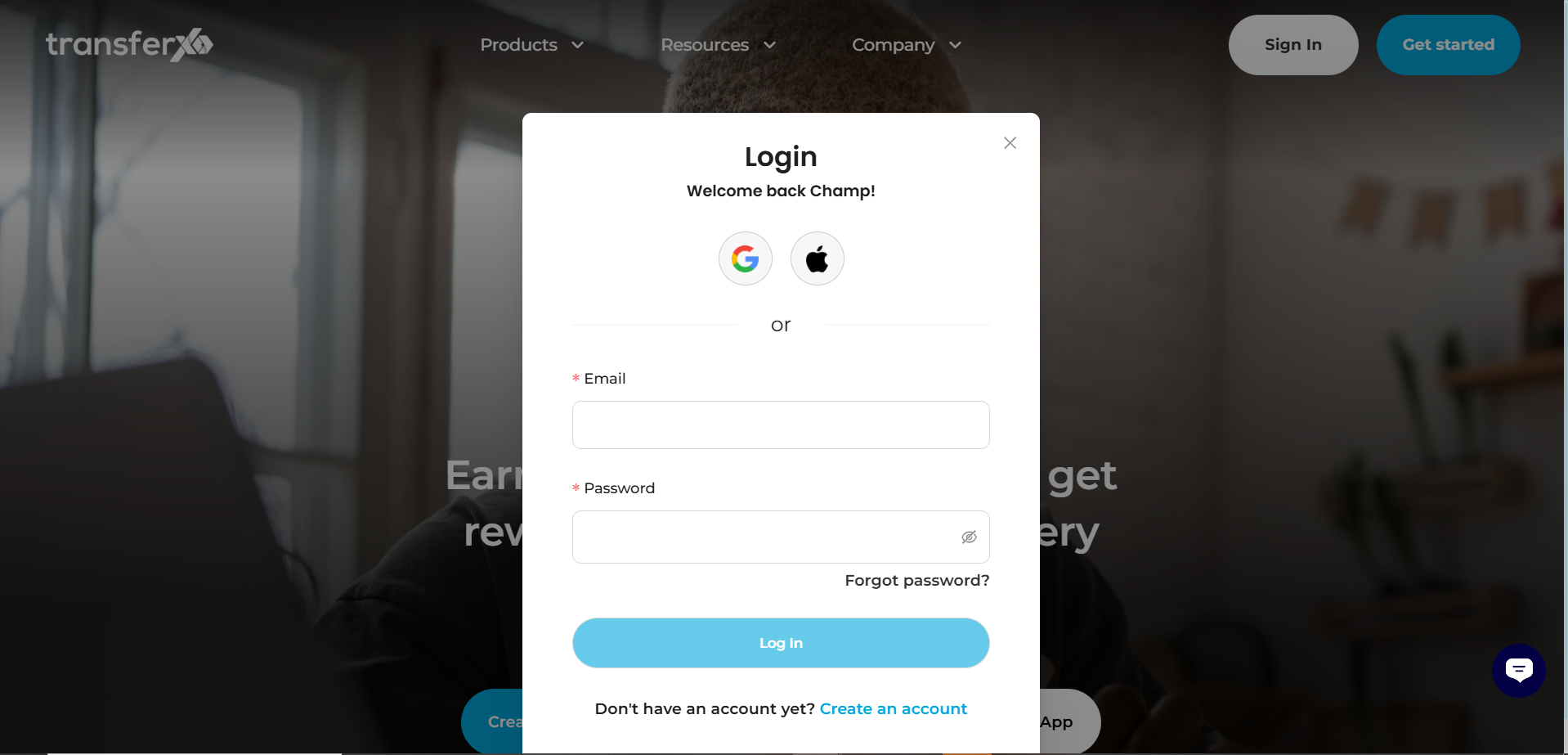
Step 2: Navigate to Wallet:
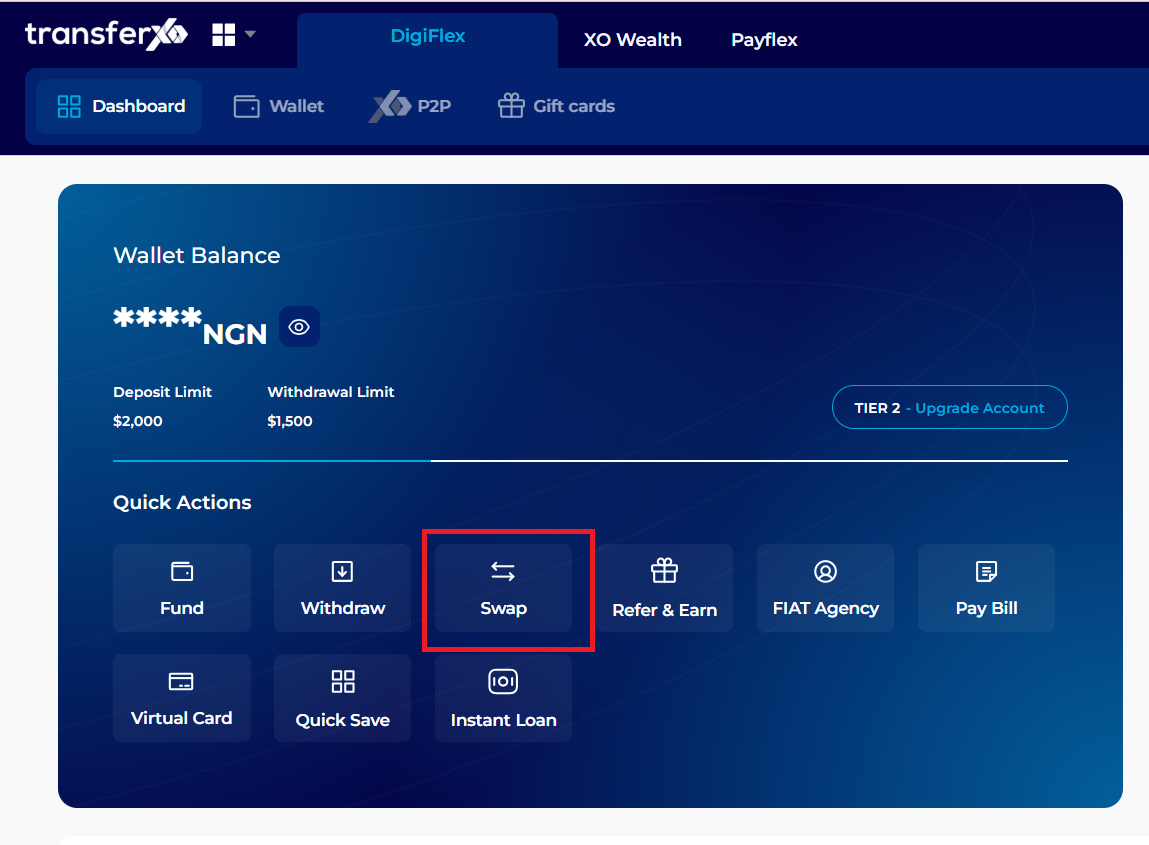
Once on the dashboard, locate the swap icon on the digiflex dashboard. Click on the Swap icon.
Step 4: Launch Swap:
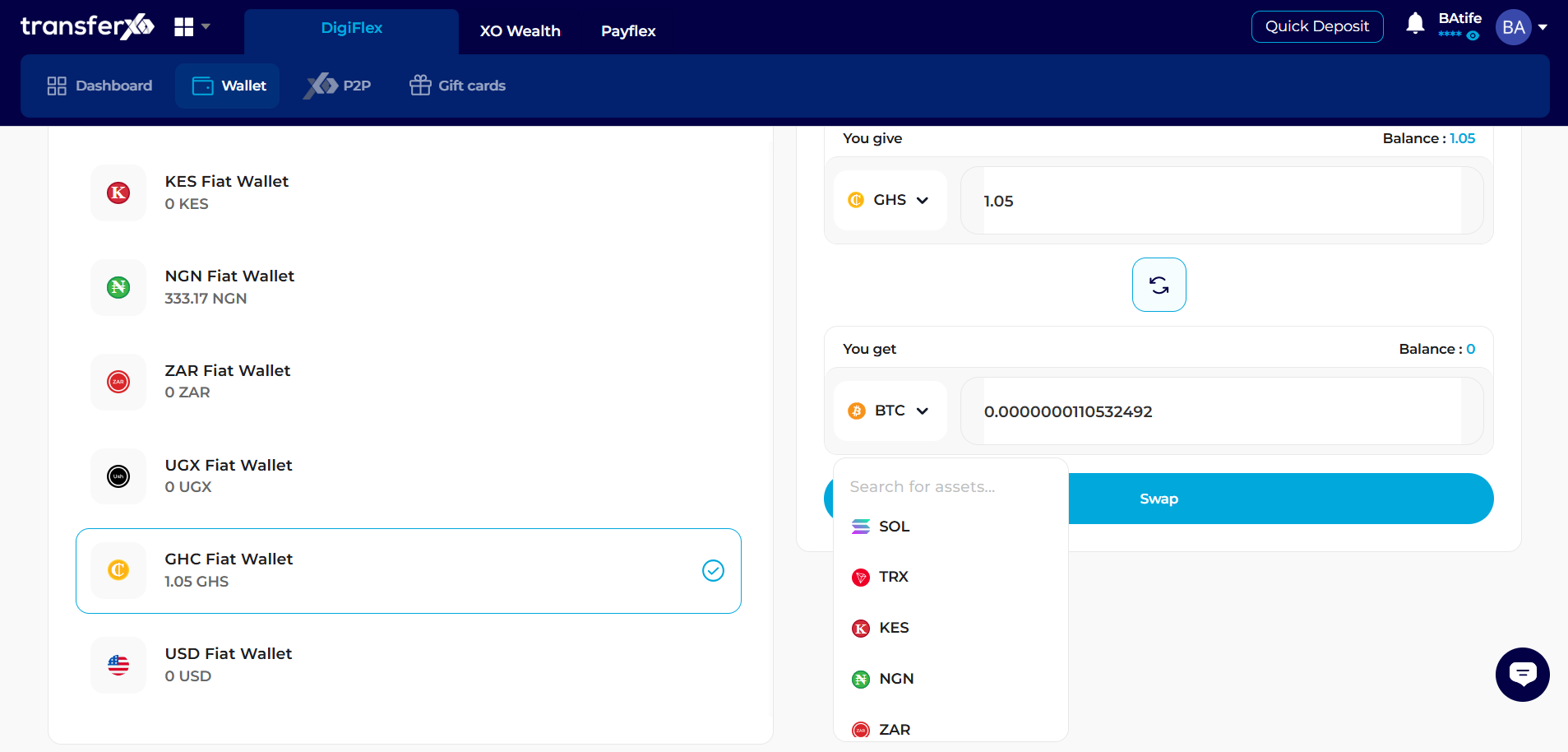
A specialized swap interface will open. A list of your crypto/fiat assets will be shown alongside the pane where the swap will occur.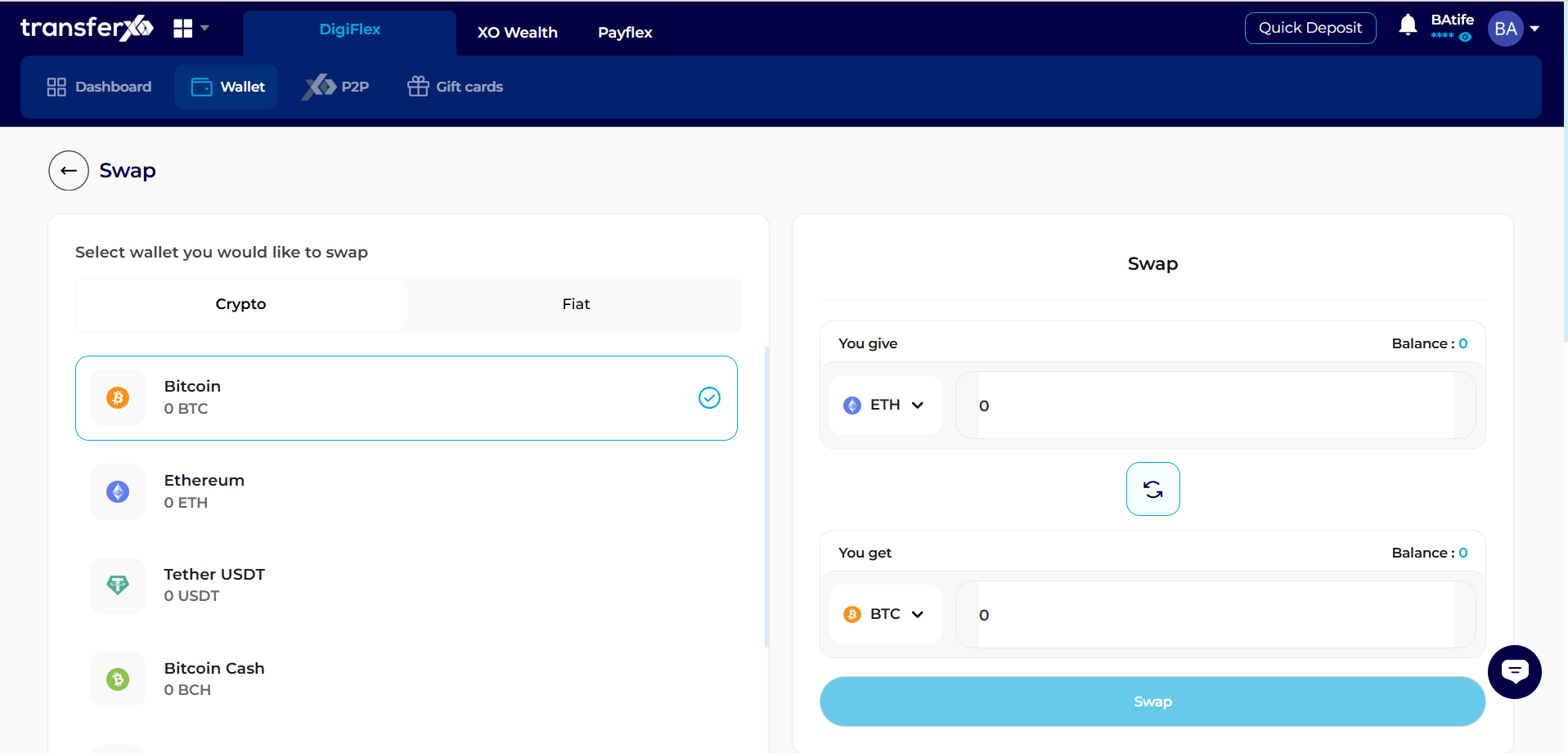
Step 5: Set the Destination and Amount:
- To (Destination Asset): Click the dropdown menu to select the asset you want to receive (e.g., select NGN if you are converting crypto to cash)
- Input Amount: Type the specific quantity you wish to convert. The system will automatically calculate the equivalent value of the destination asset.
Step 6: Fetch Best Offer:
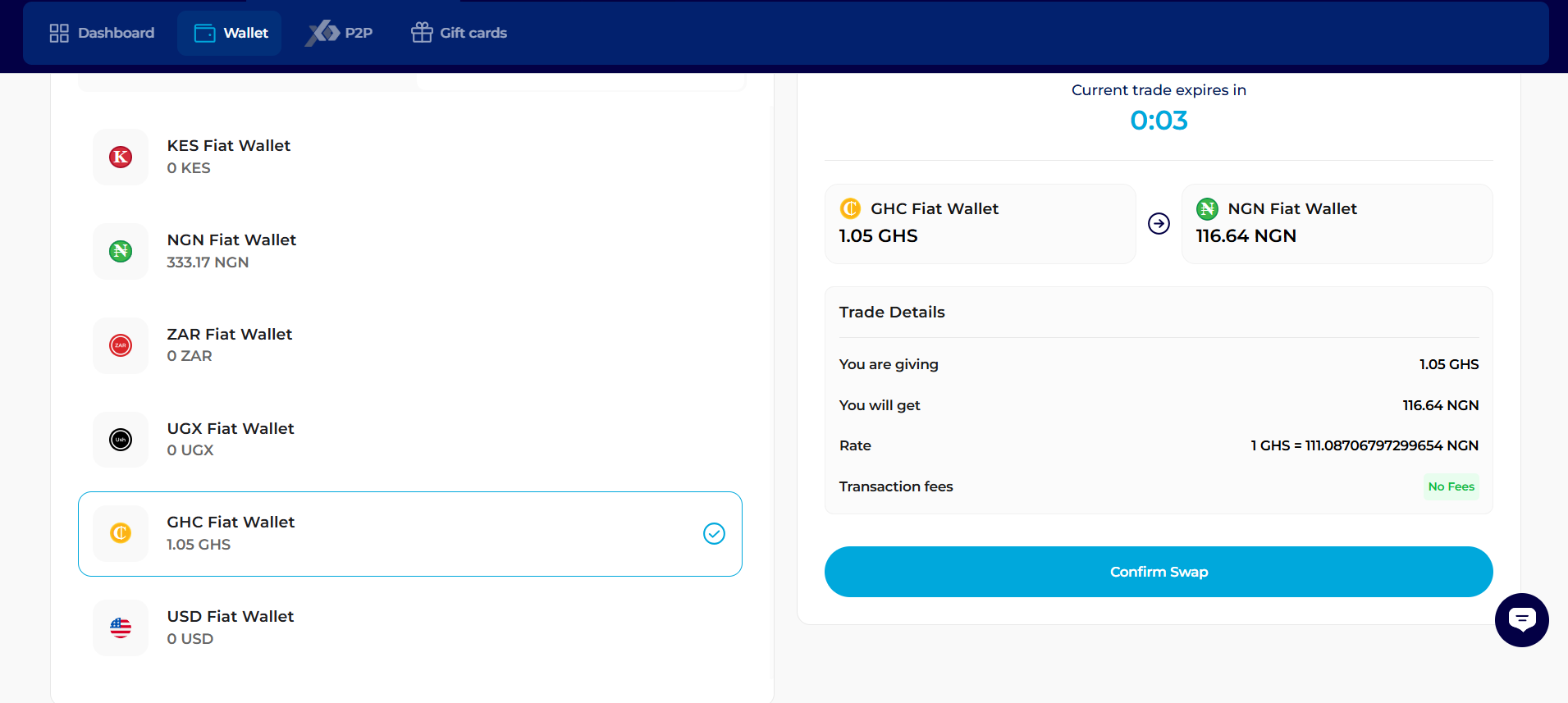
The system will instantly communicate with the market to fetch the "Best Offer." Review the conversion rate and any associated network fees displayed on the screen.
Step 7: Security Authorization:
If you are satisfied with the rate, click the Confirm Swap button.
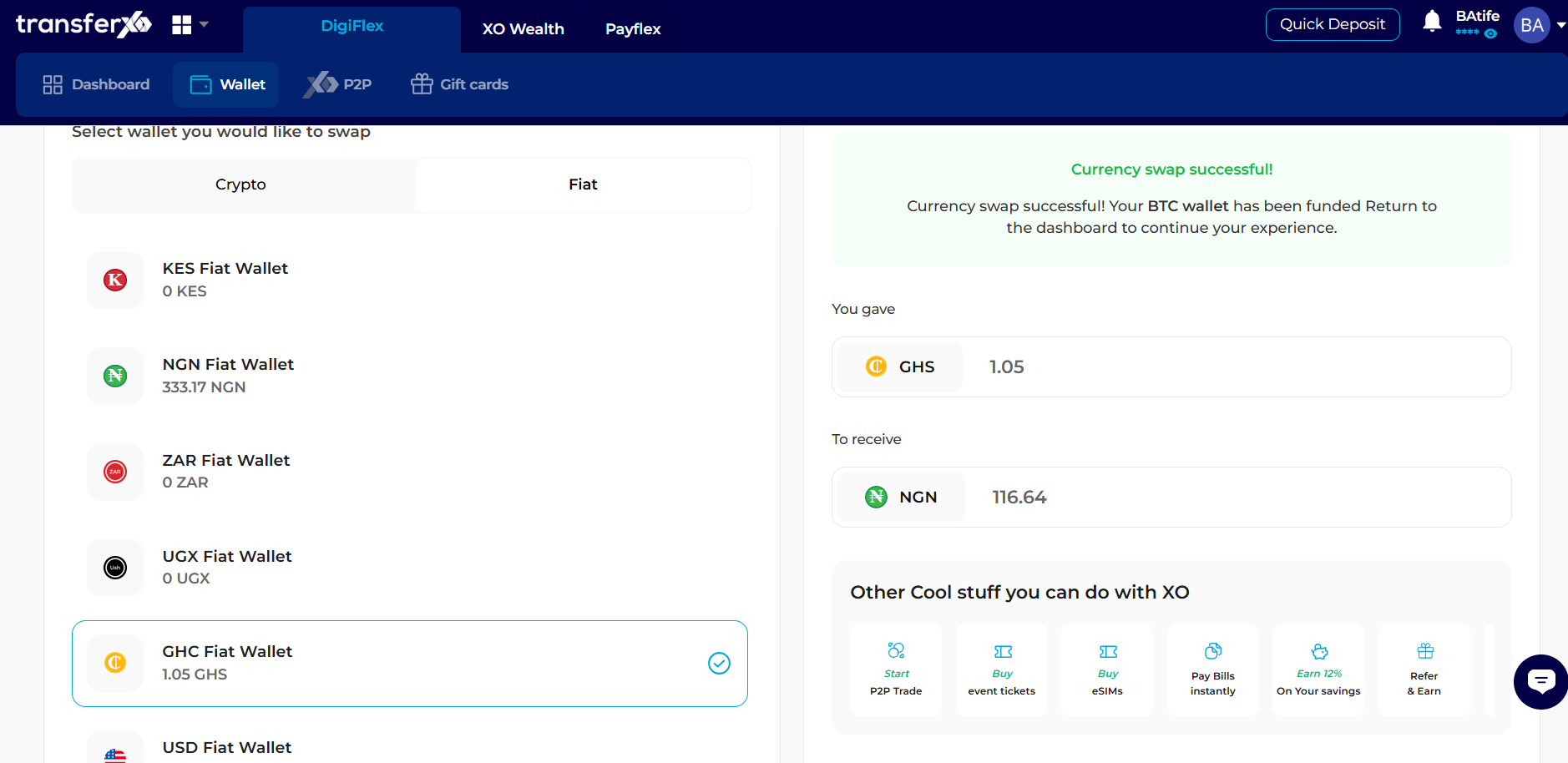
Congratulations, Your Asset has been successfully swapped!