


Step 1: Authentication
Launch the TransferXO app on your mobile device. Enter your registered Email and Password, then tap Login. Complete any 2FA security steps if prompted.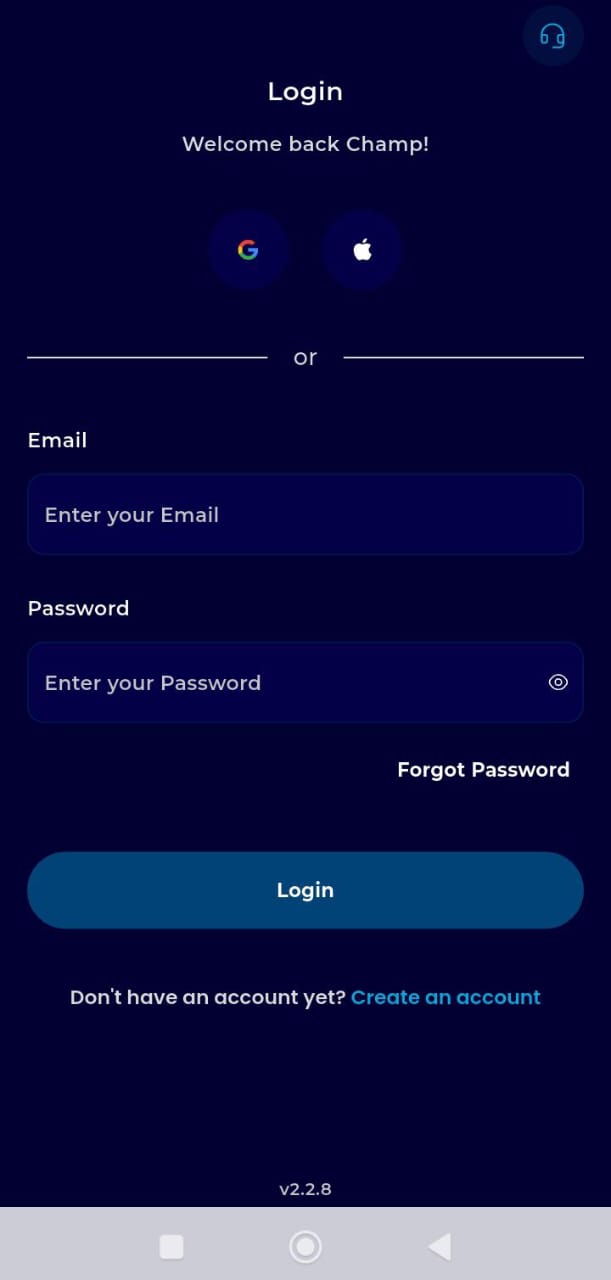
Step 2: Locate the Dashboard
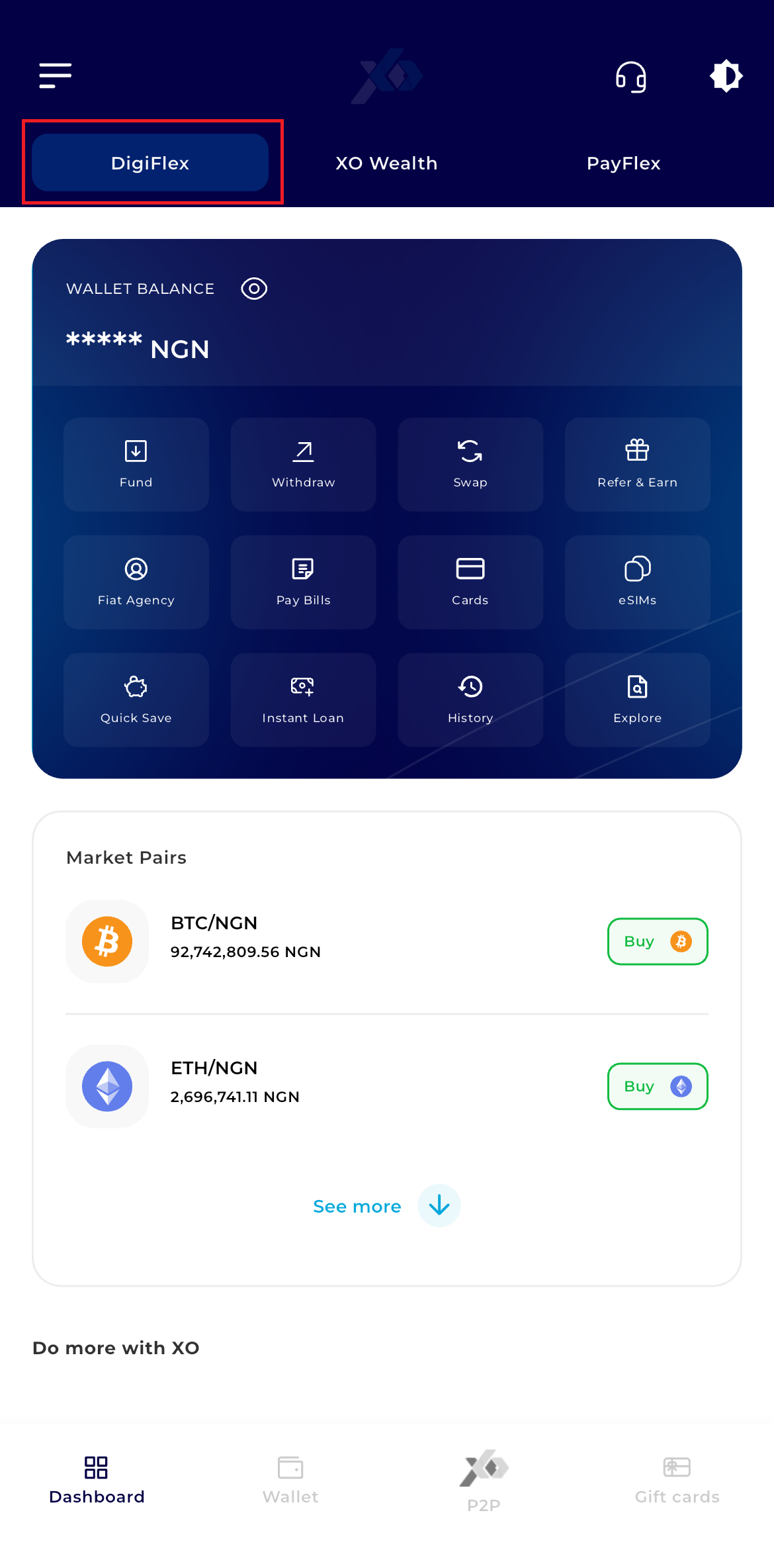
Once logged in, you will land on the DigiFlex Dashboard.
Step 3: Initiate Swap
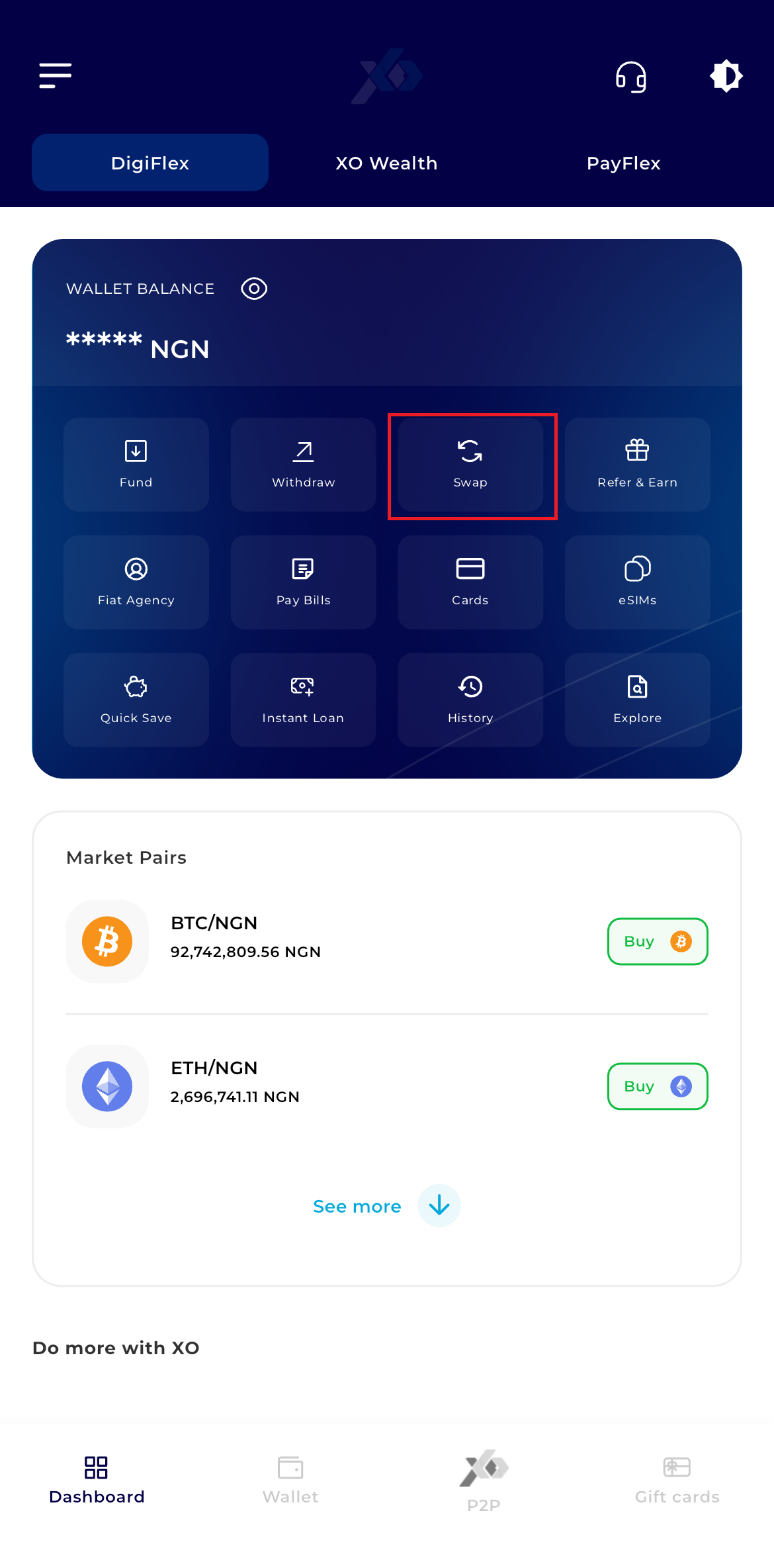
You have two primary paths to reach the swap screen:
- Option A (Quick Action): Tap the Swap icon located within the central "Quick Actions" grid on the dashboard.
Step 4: Select The Asset You Wish To Swap From
In the first field, select the asset you currently hold and wish to trade.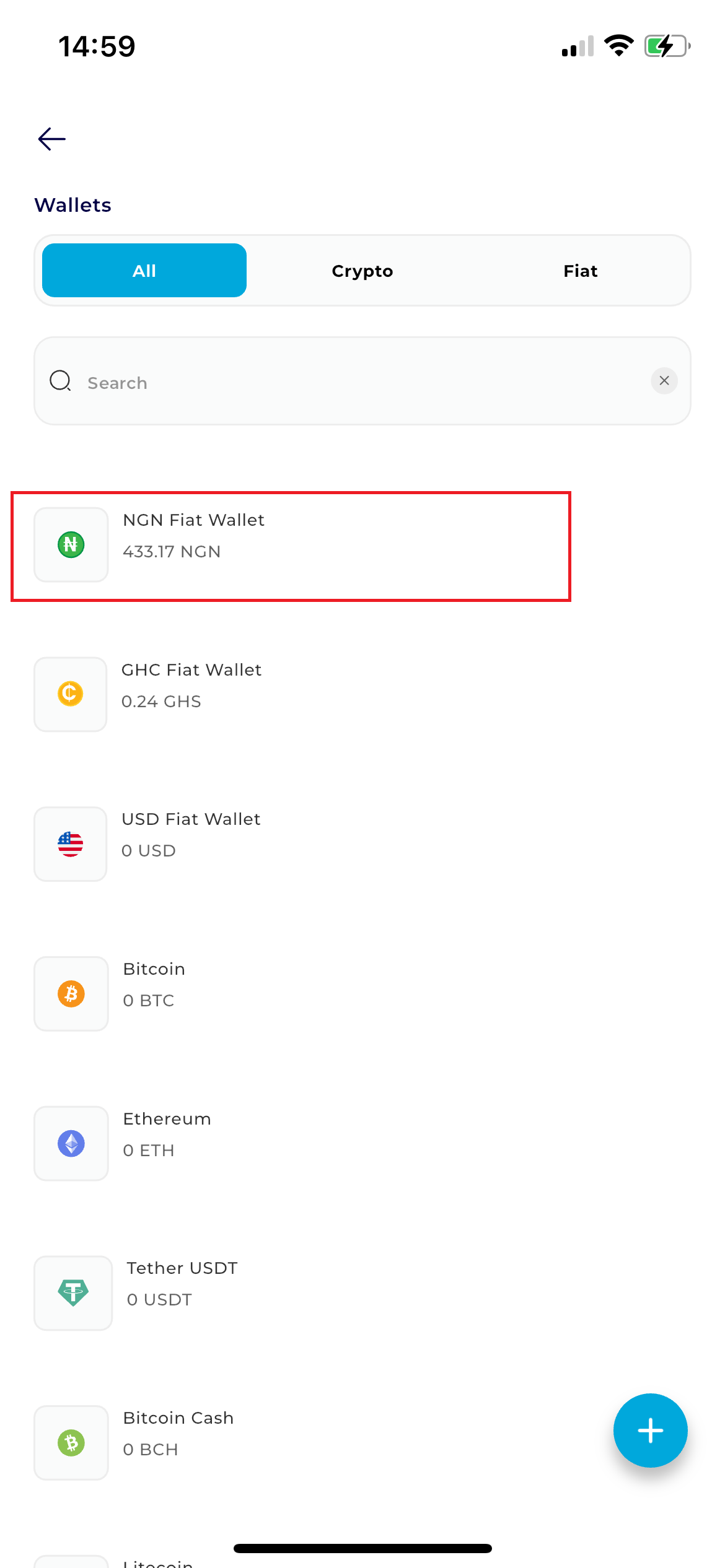
Step 5: Select The Asset You Want to Swap To
In the second field, choose the destination asset you wish to receive (e.g., swapping BTC to receive NGN).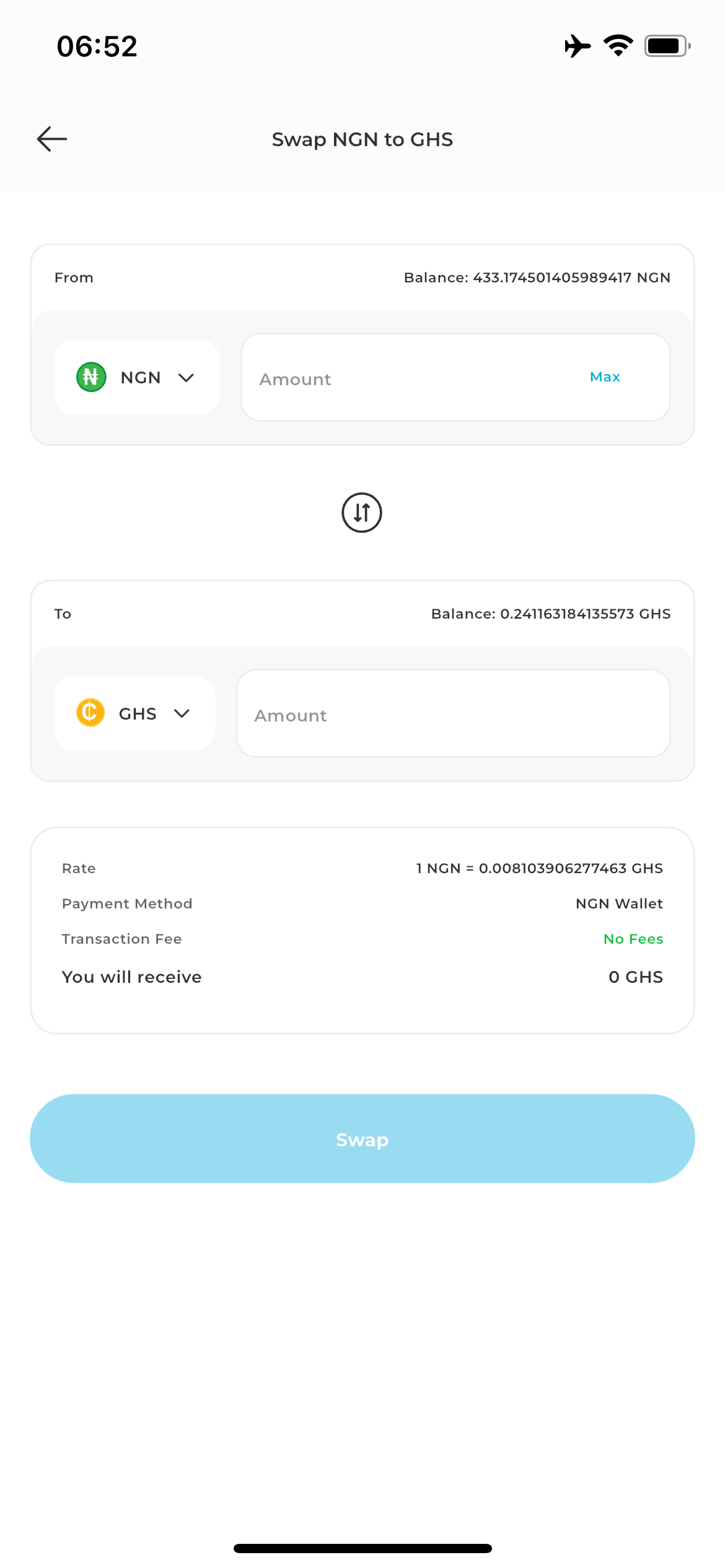
Step 6: Enter Amount
Type the amount of the "From" asset you wish to convert. The system will automatically calculate and display the equivalent value of the "To" asset based on current market data.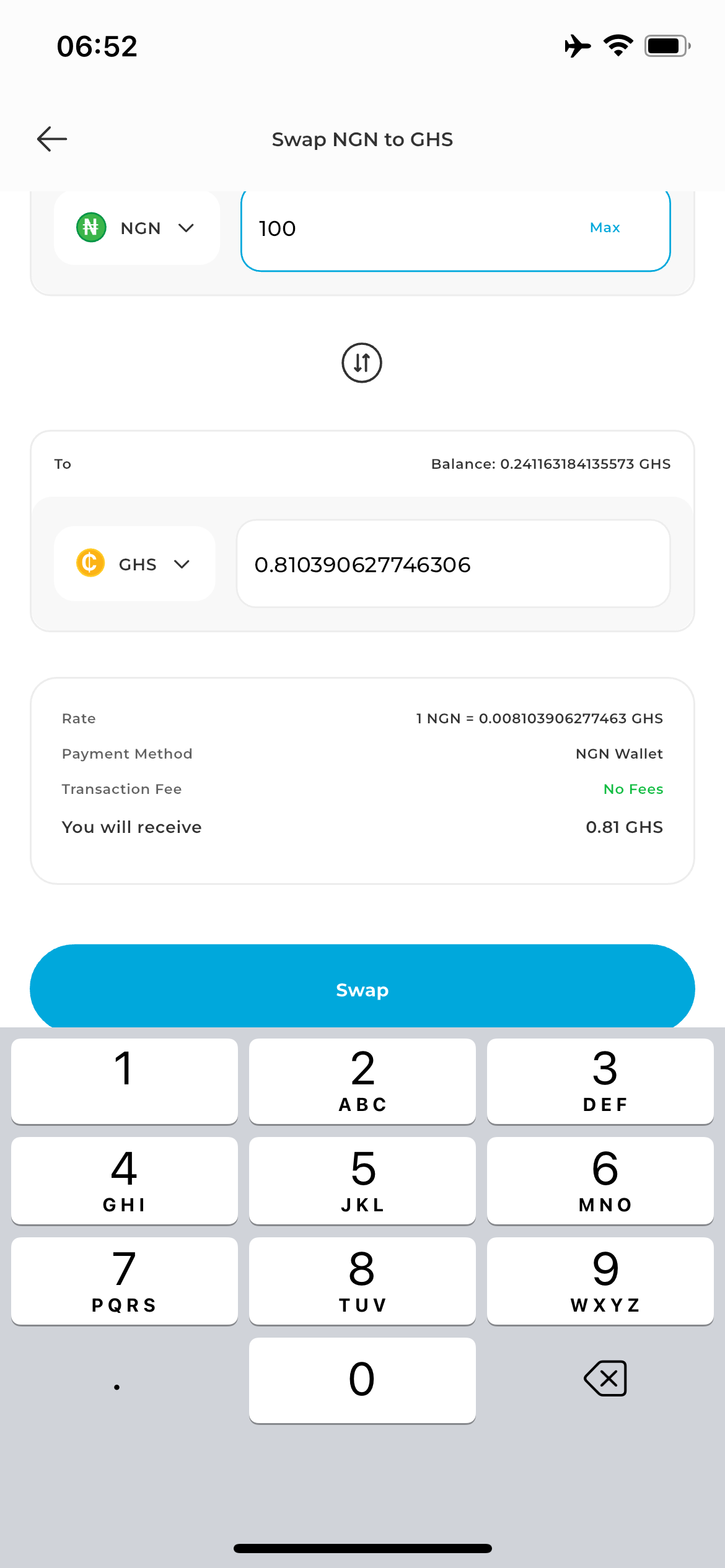
Step 7: Click on Swap.
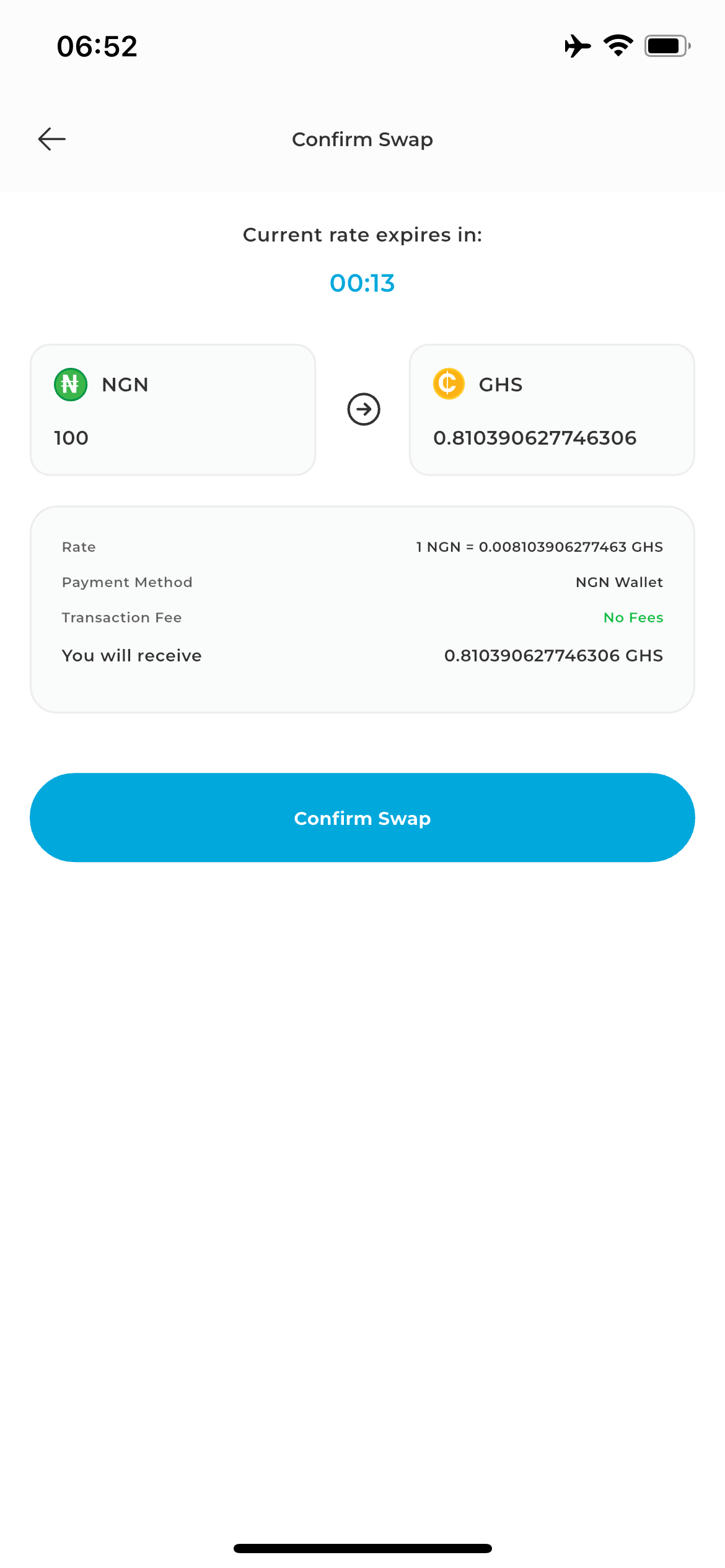
This screen will display a breakdown of the transaction, including the exact exchange rate and any applicable processing fees.
The Countdown Timer: A 30-second timer will appear. Because crypto prices are volatile, you must confirm the trade while the rate is still active.
Note: If the timer expires, swipe down the on the app, to fetch a new updated rate.
Step 8: Finalize Trade
Tap Confirm Swap to authorize the transaction.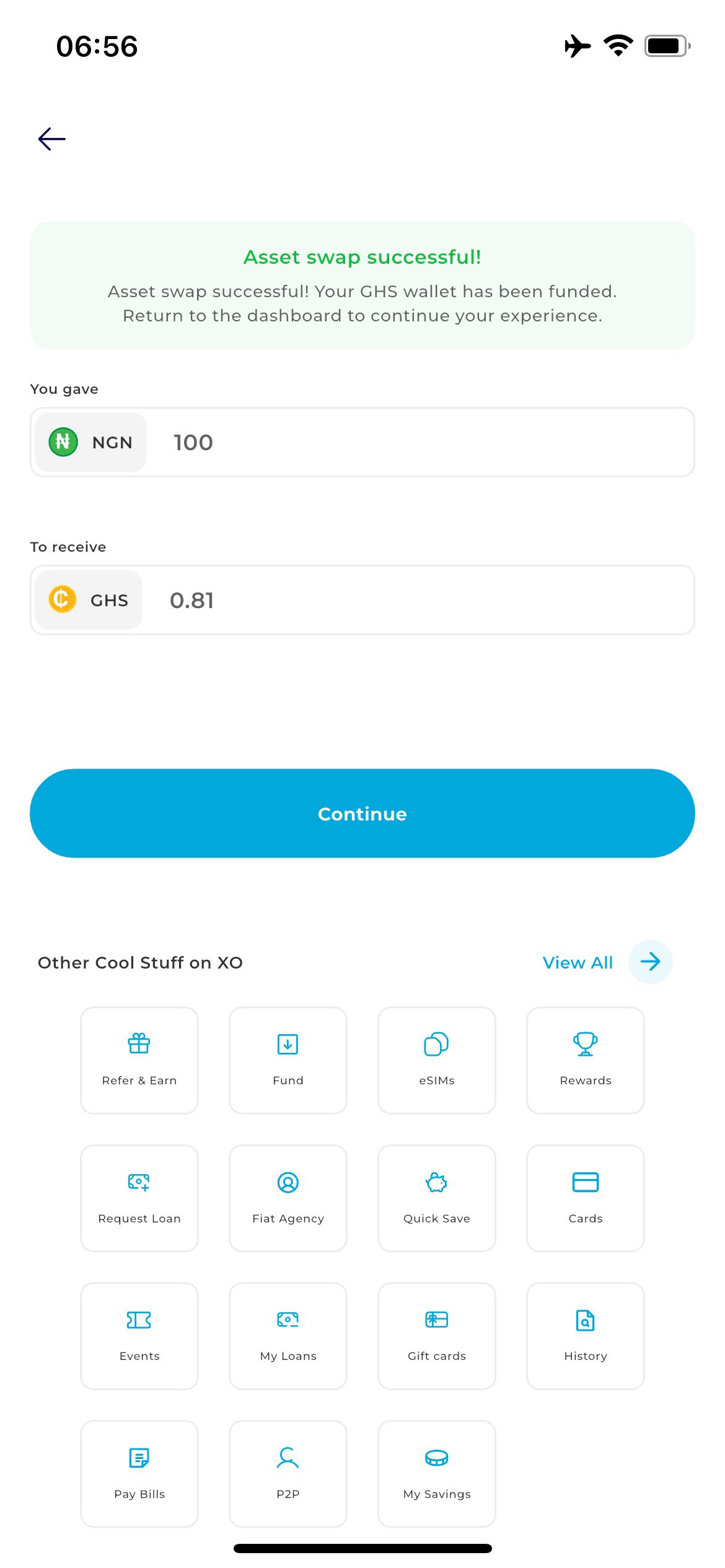
Success: Your funds will be moved instantly between wallets. You can treturn to your Dashboard to use your newly converted funds.