


Stay updated by enabling notifications on your TransferXO account. Follow these steps:
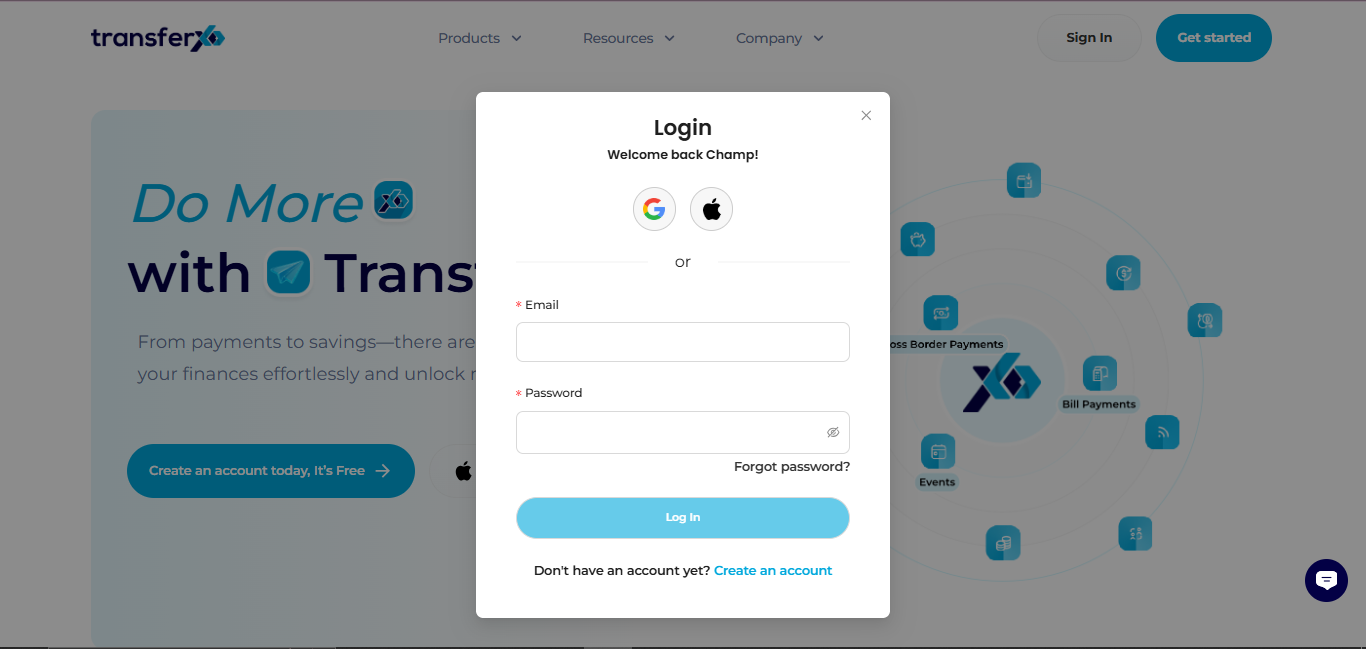
Step 1: Open the TransferXO Web App
Log in to your TransferXO account via your browser.
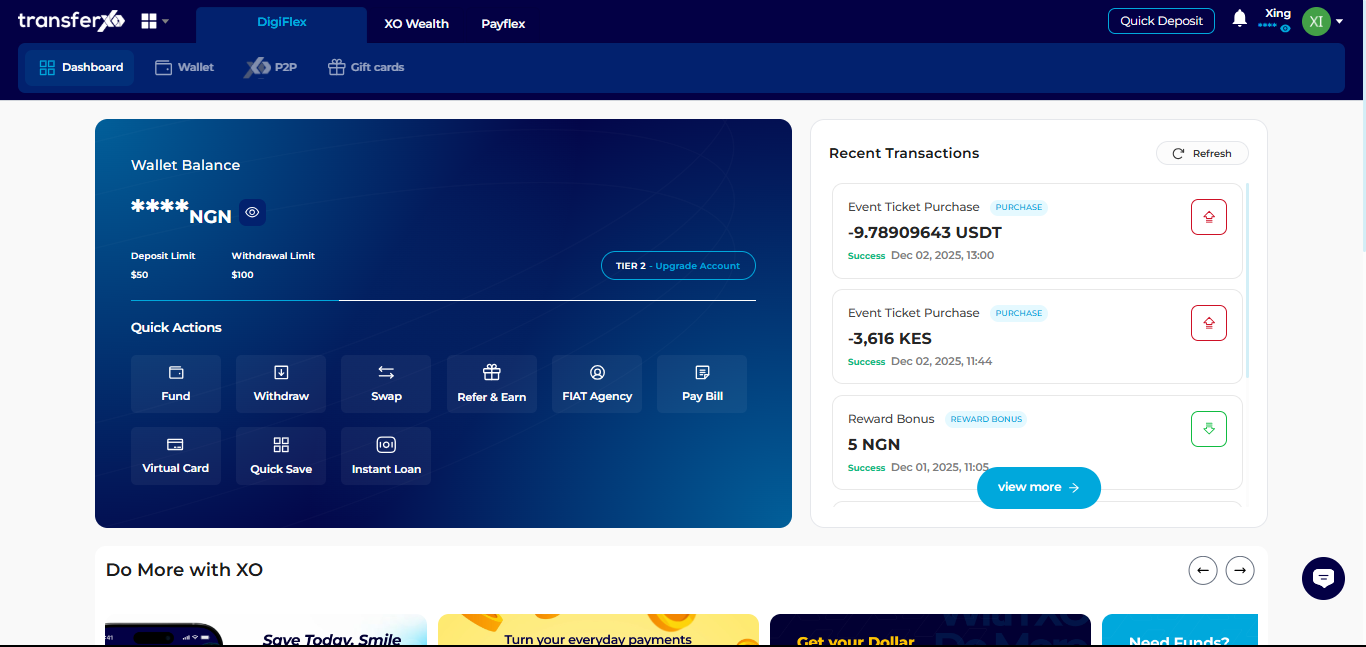
Step 2: Go to Your Dashboard
Once logged in, you’ll land on your dashboard, where you can view your account overview.
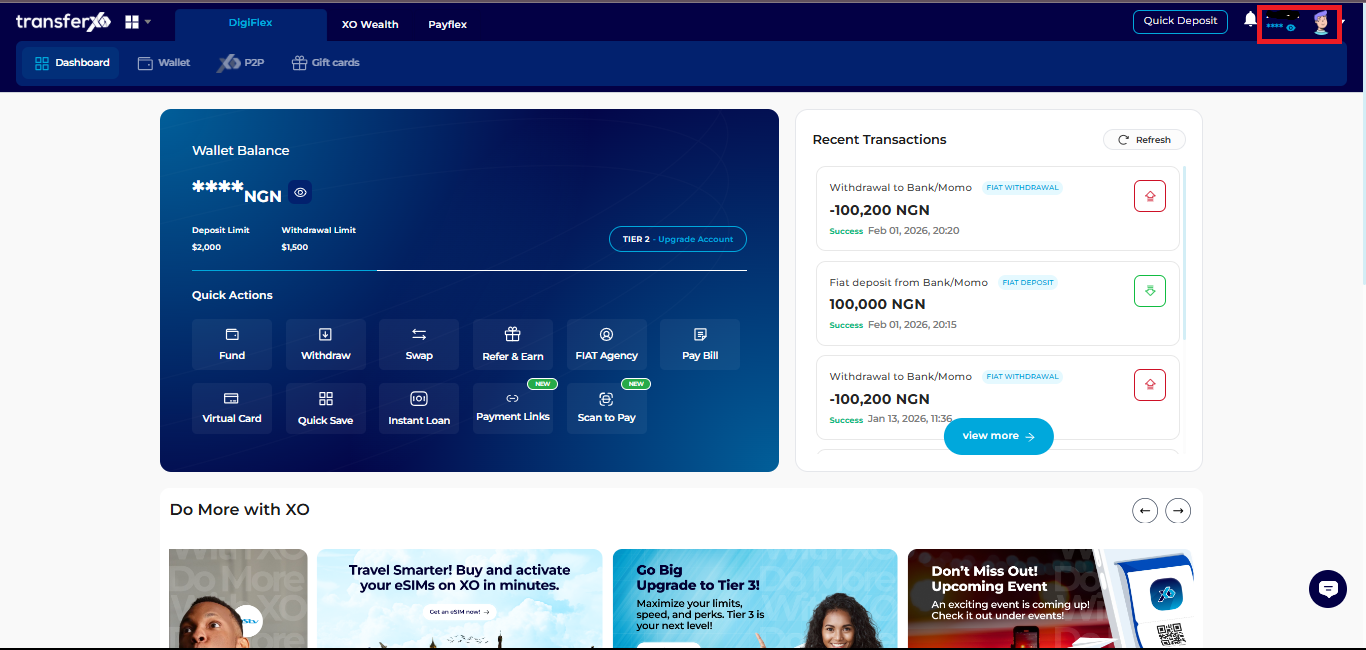
Step 3: Access Account Settings
Click your profile picture at the top right corner.
Select Account Settings from the dropdown menu.
Step 4: Navigate to Notification Settings
Select Notifications to view available notification options.
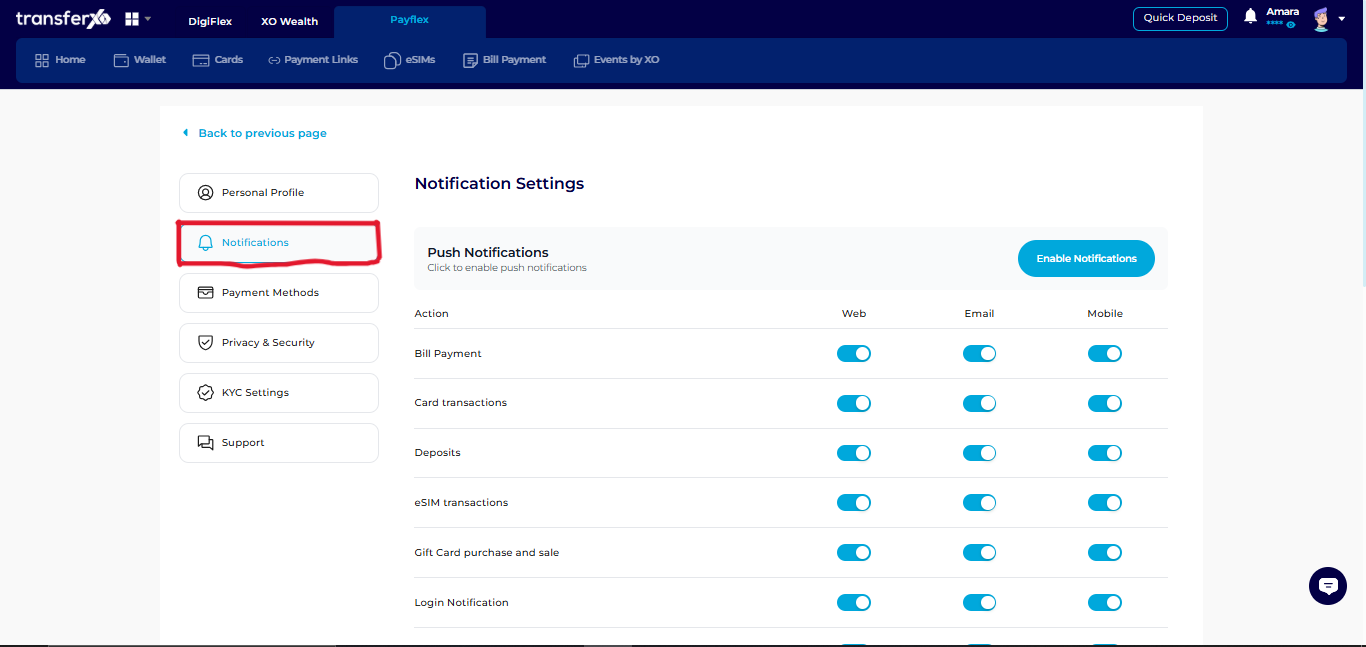
Step 5: Enable or Disable Notifications
Use the toggle buttons to activate or deactivate notifications based on your preference.
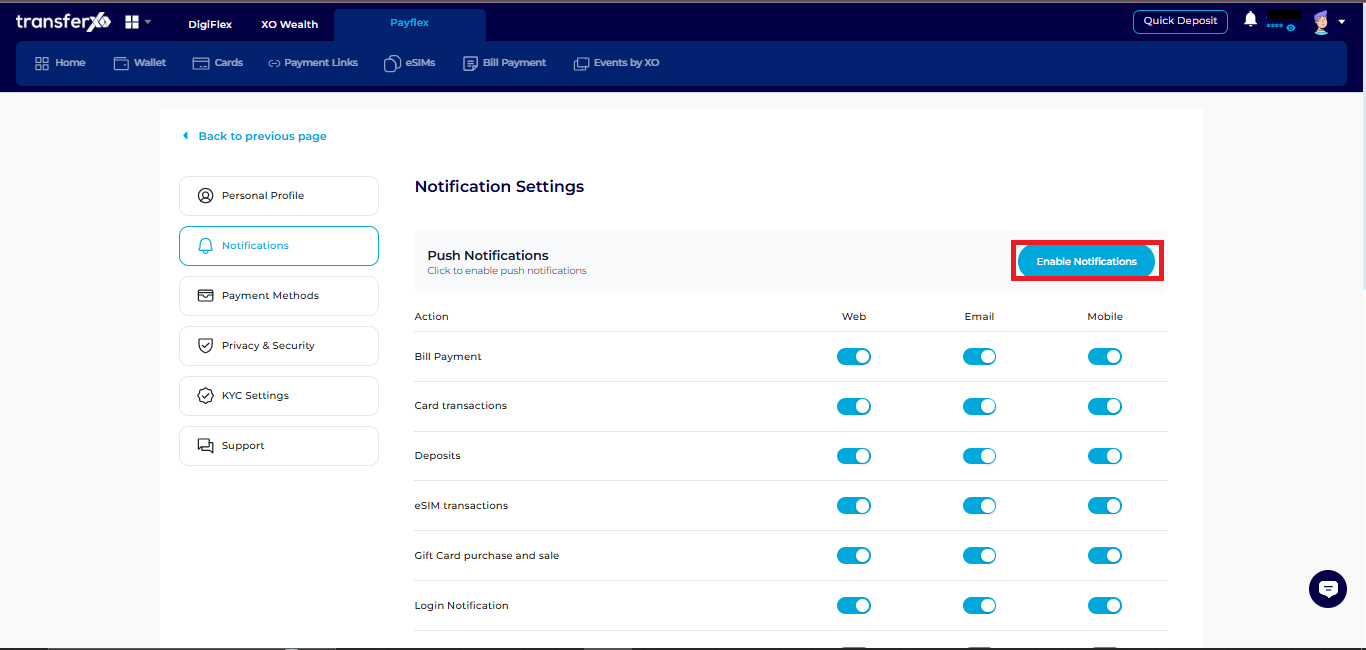
Once enabled, you’ll get timely notifications about important account activities and updates.