


This guide will walk you through how to start a Flexible Savings Plan on TransferXO using your mobile browser.
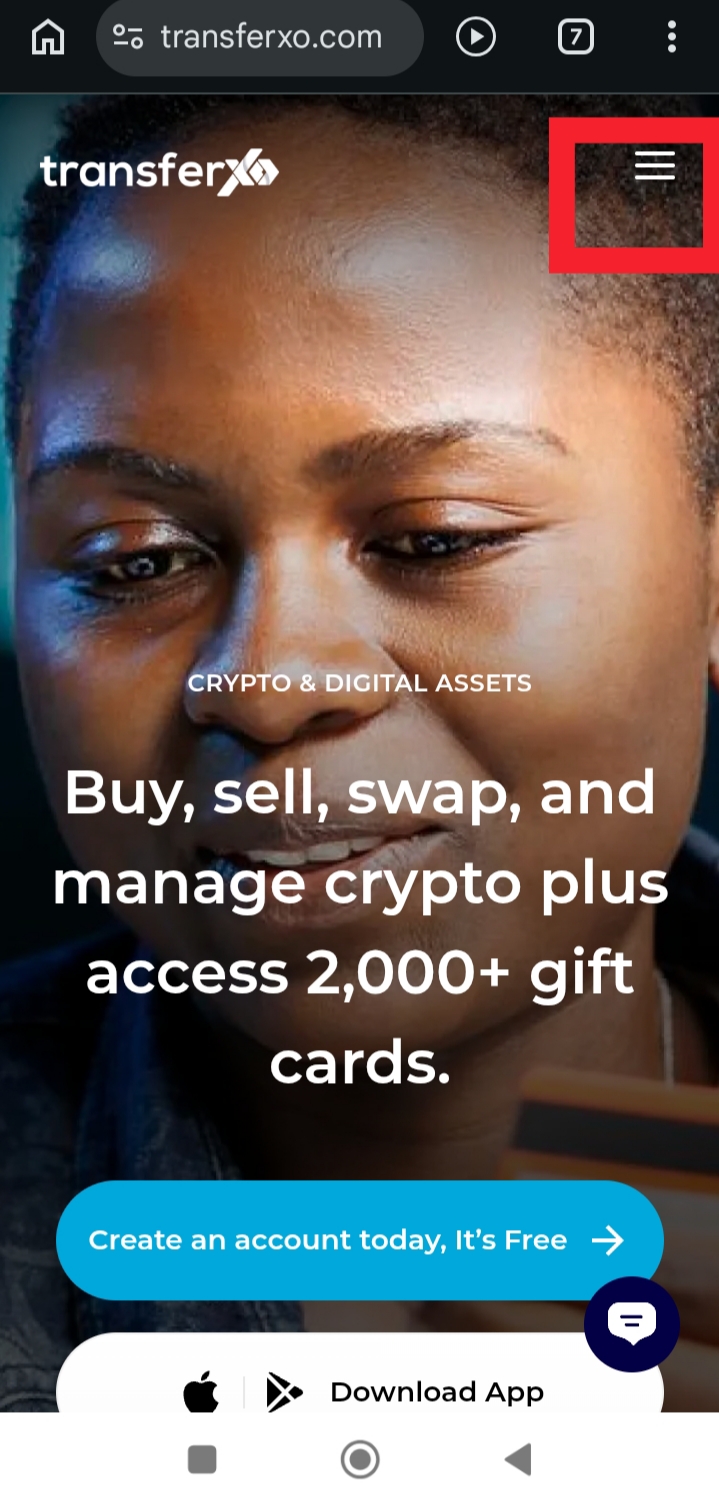
Step 1: On your browser, visit TransferXO.com and tap the hamburger menu at the top.
Open your mobile browser, go to the official TransferXO website, and tap the hamburger menu to open the navigation options.
 Step 2: Tap Login to Dashboard.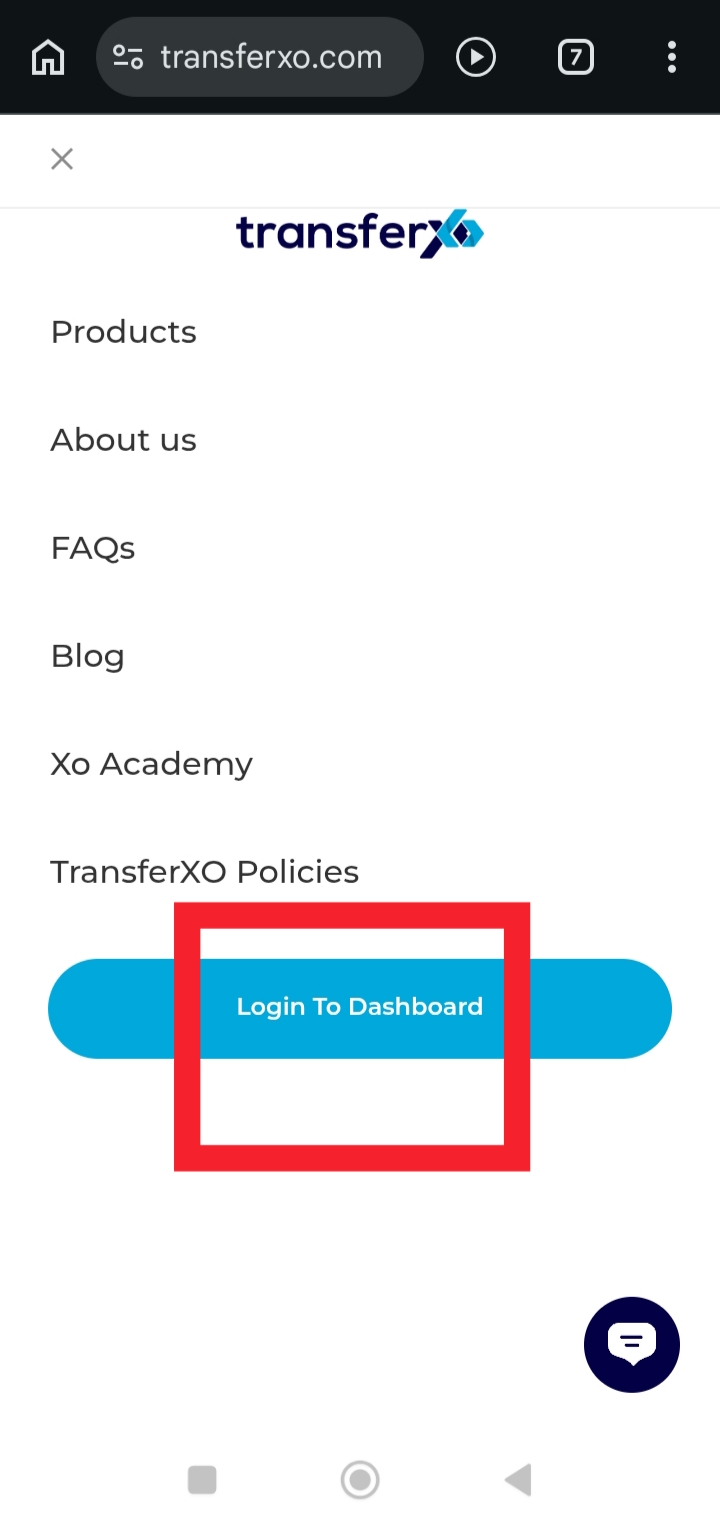
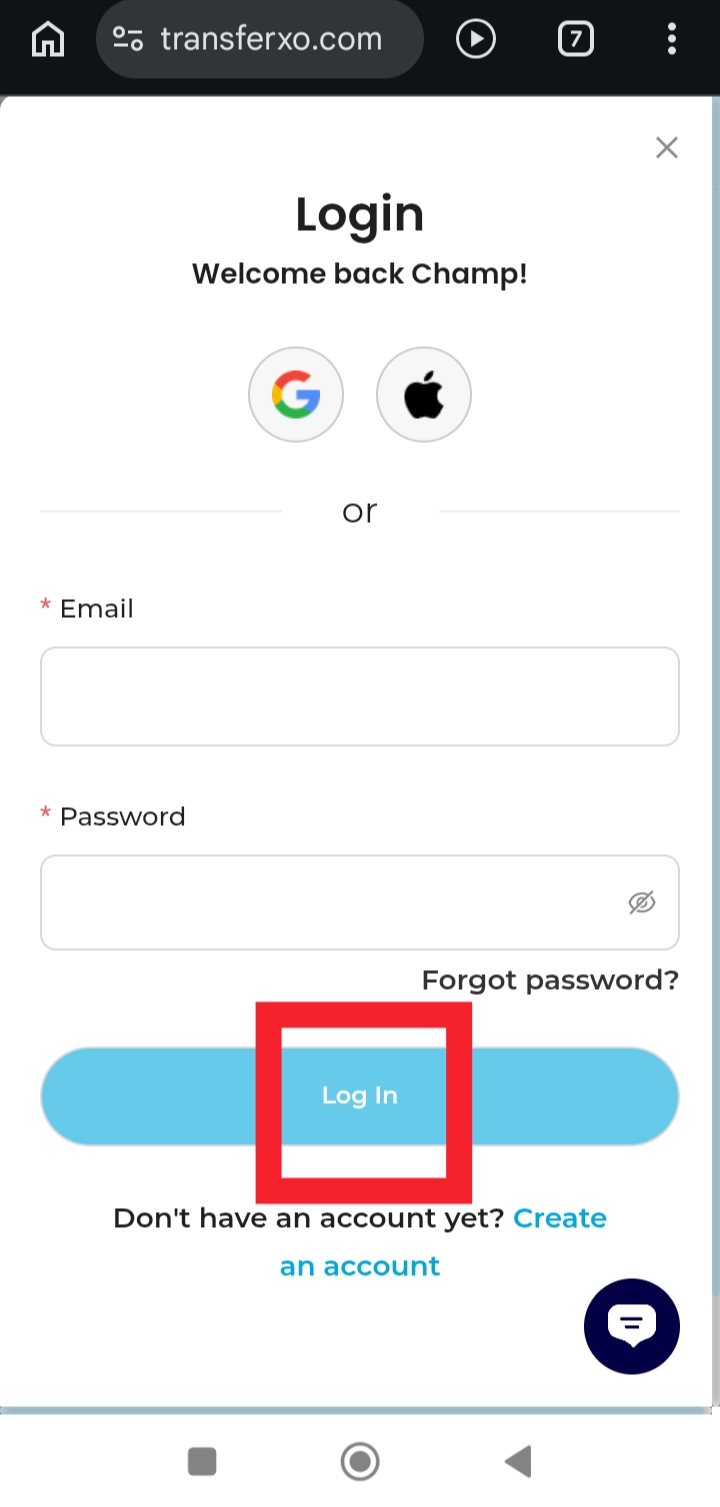
Step 3: Enter your credentials to access your account.
Provide your username and password to sign in.
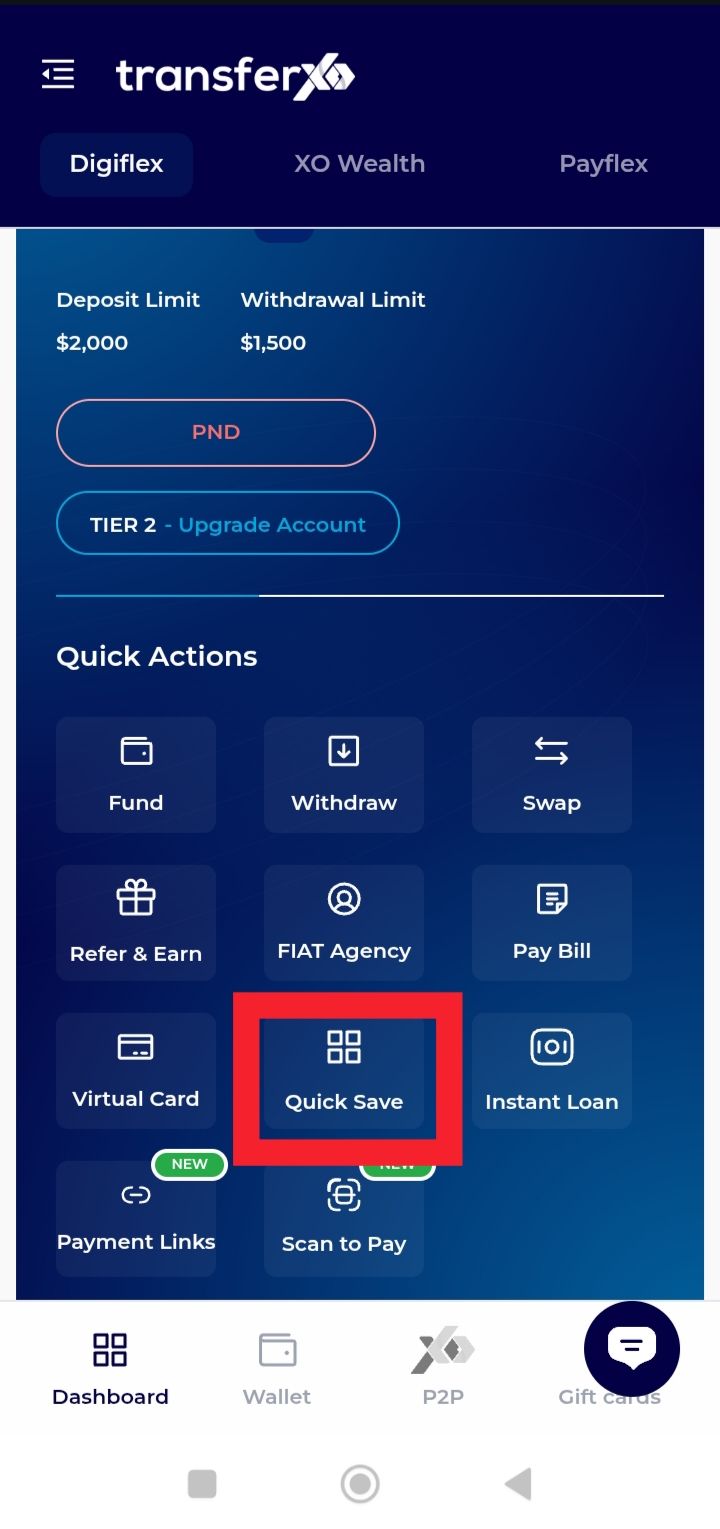
 Step 4: On the Dashboard, tap Quick Save.
This will take you to the savings options available on your account.
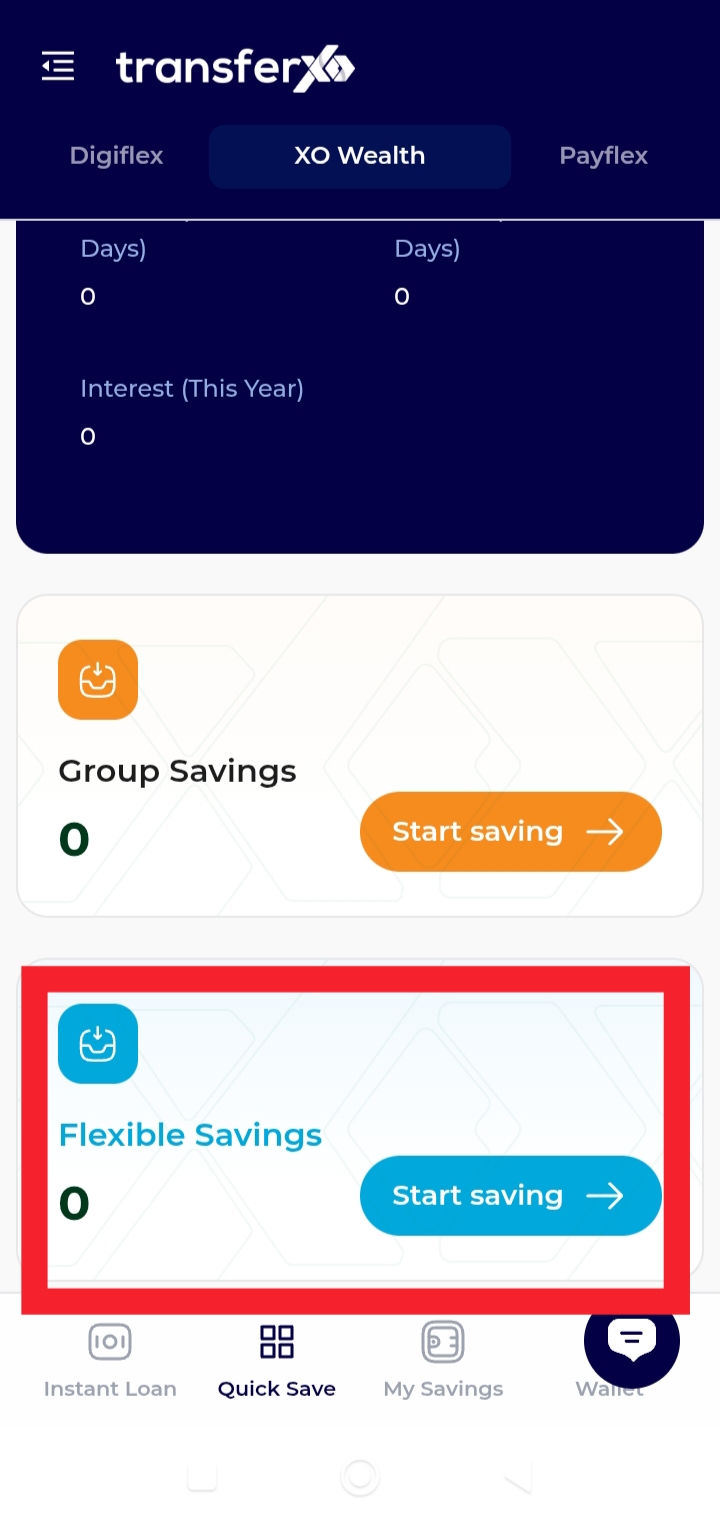
 Step 5: Tap Flexible Savings (Start Saving).
This option allows you to create a plan towards a specific goal.
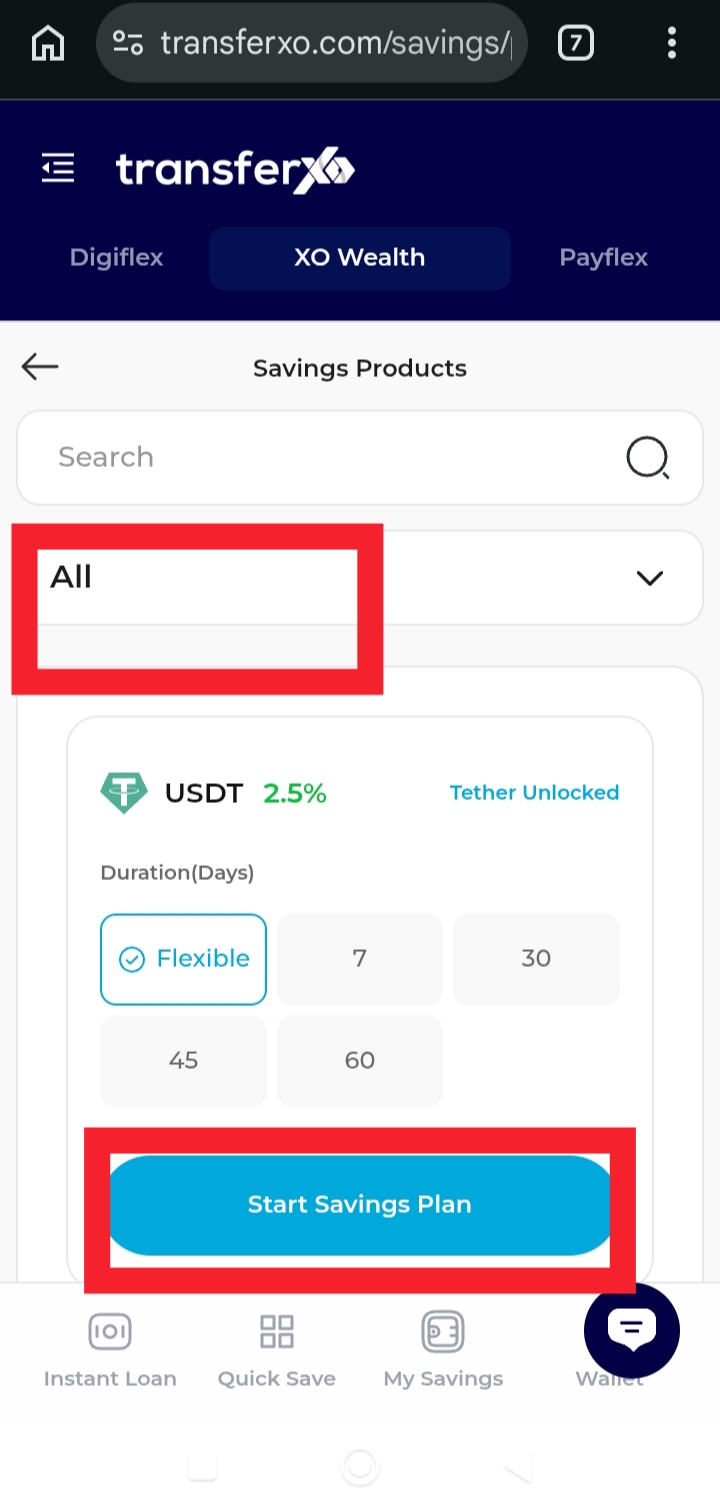
Step 6: Select the asset you want to start saving in.
Choose the asset type that fits your savings plan and click on start savings plan
 Step 7: Enter your savings objective and tap start plan.
Enter your objective and the amount you want to save. For example: Mortgage, Rent, Tuition, Relocation, etc. This helps you track your goal clearly.
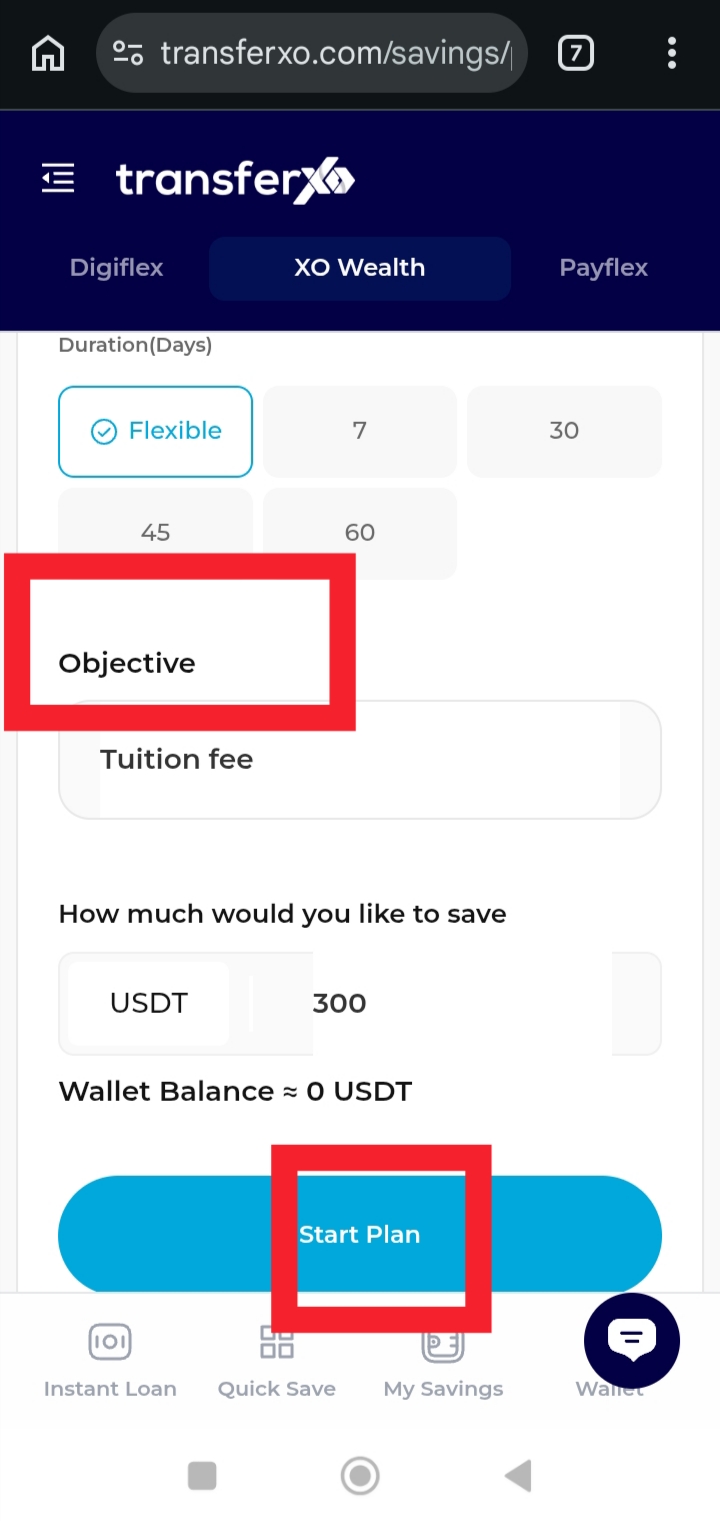
Now, your Flexible Savings Plan will be successfully created.