


This guide will walk you through how to start a Flexible Savings Plan on TransferXO using a desktop browser.
Step 1: Visit TransferXO.com.
Open your browser and go to the official TransferXO website transferxo.com and click the three hamburger menu to begin.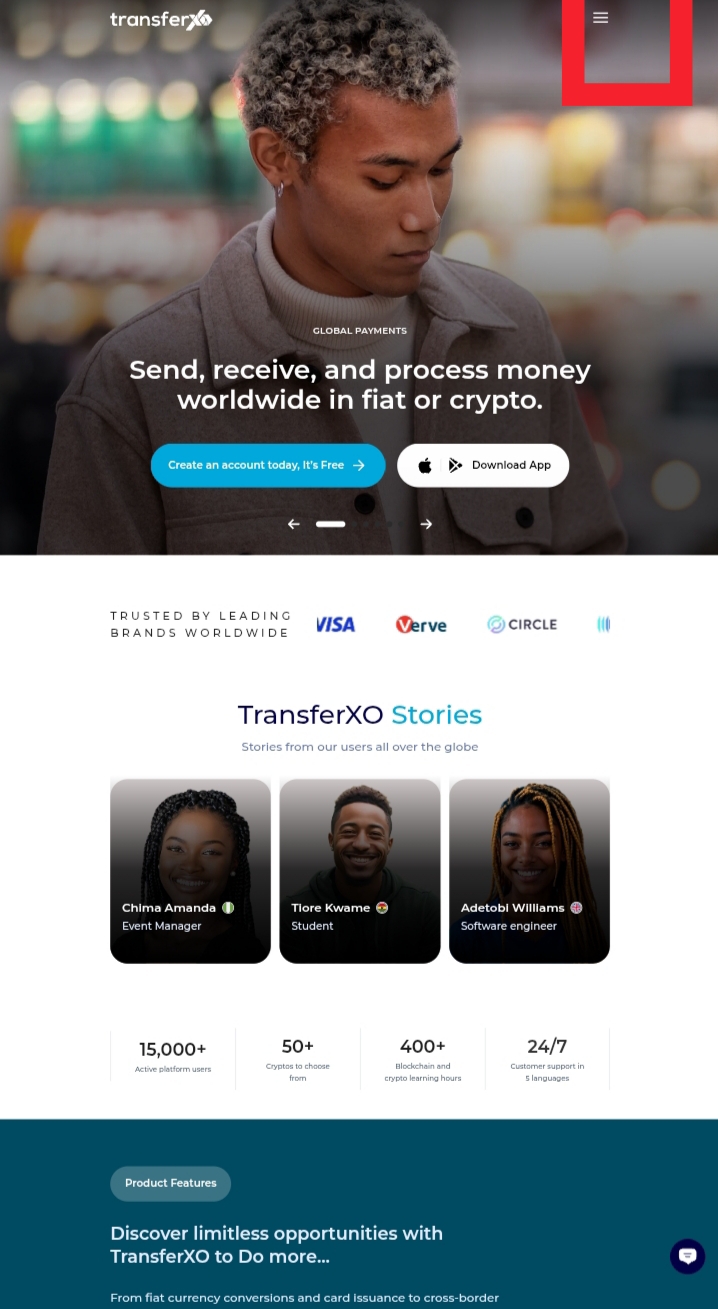
Step 2: Click Login to Dashboard.
This will open the navigation menu where you can access login options.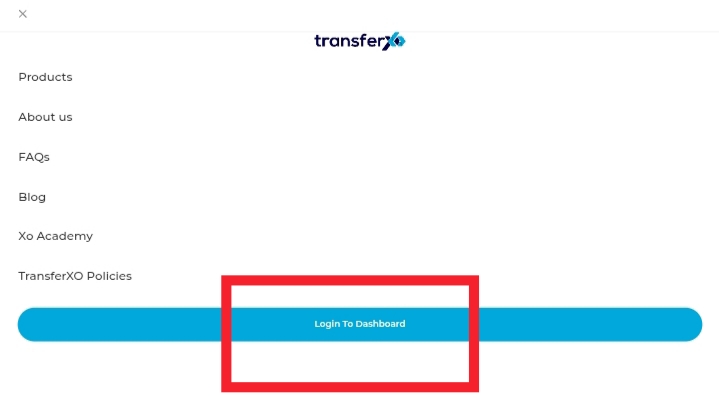
Step 3: Enter your credentials to access your Dashboard.
Enter your username and password to sign in to your account.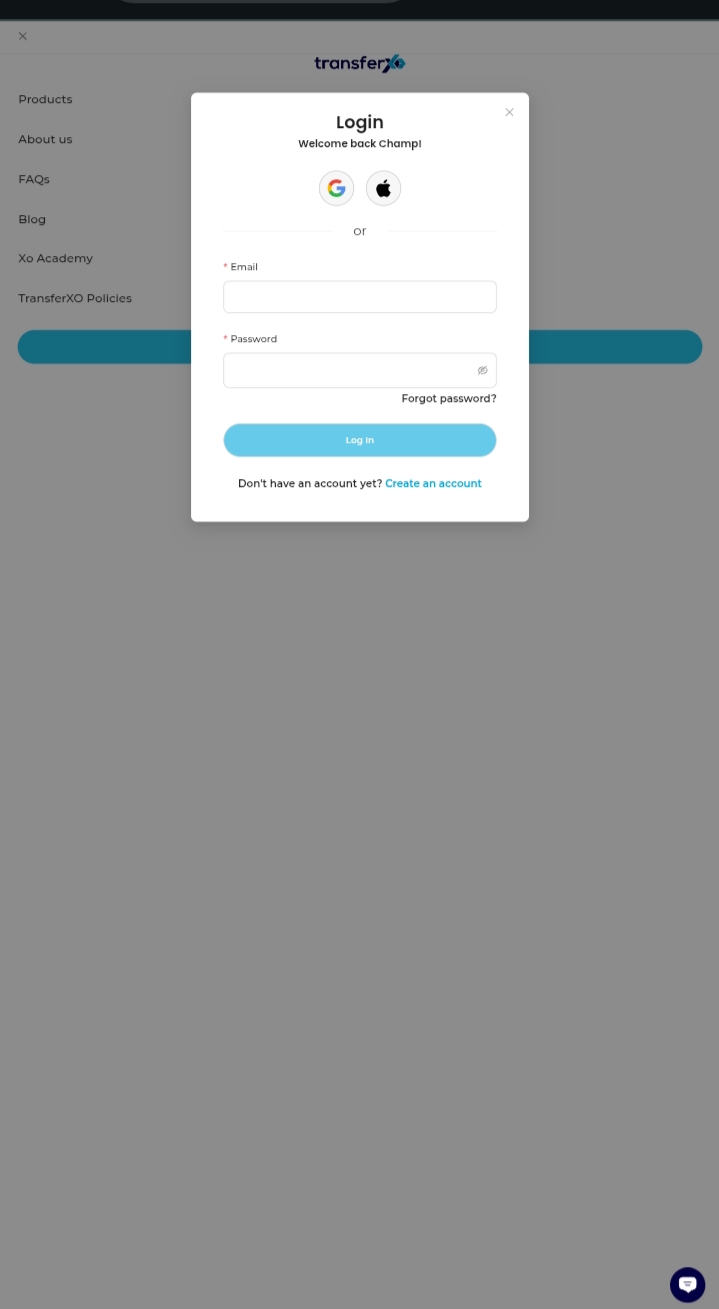 Step 4: On the Dashboard, click Quick Save.
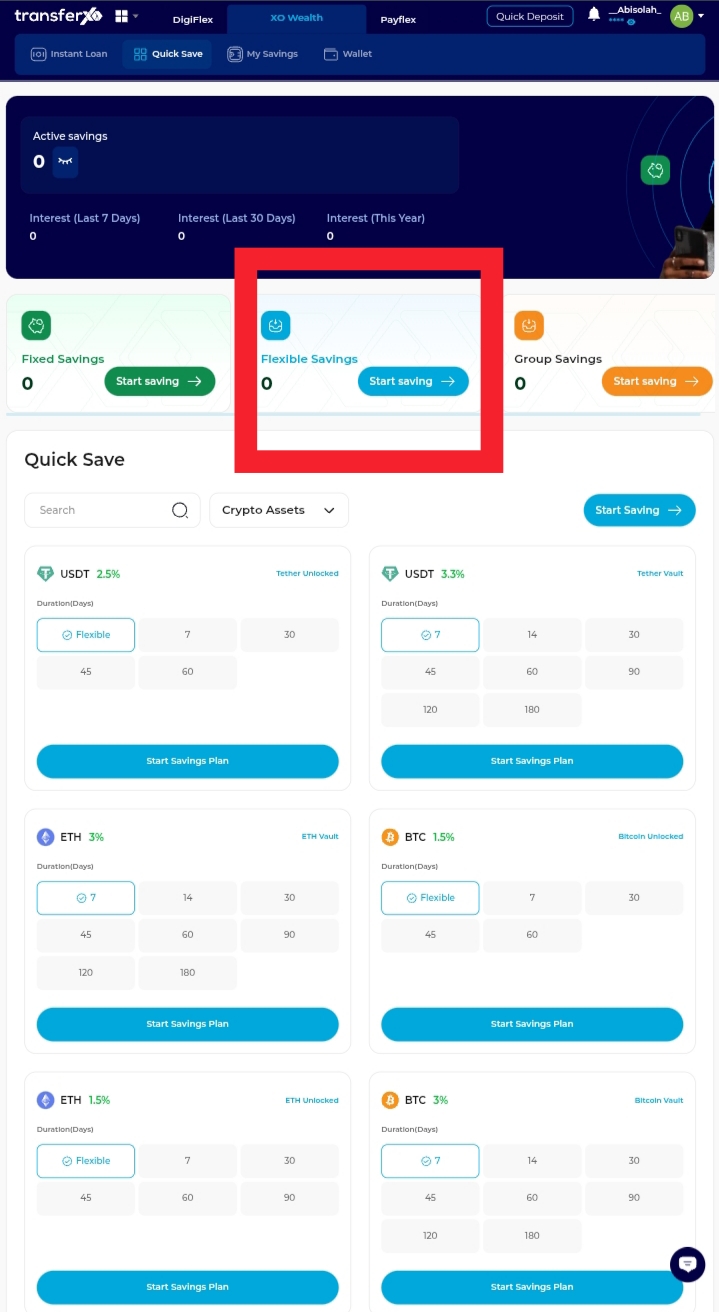
This will take you to the savings options available on your account.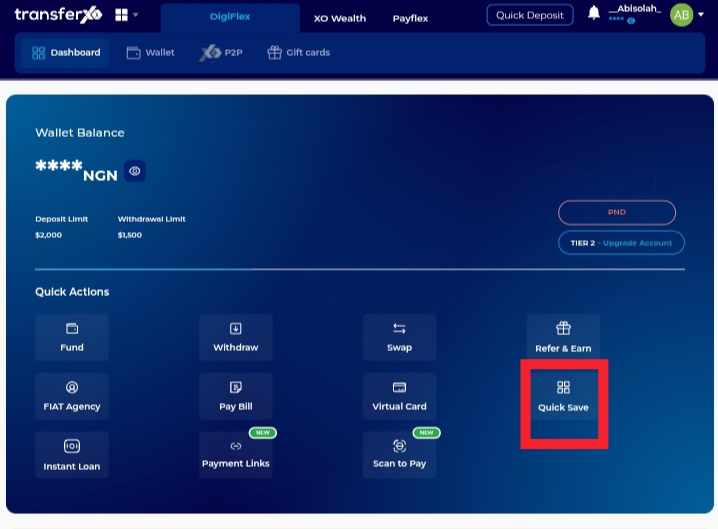 Step 5: Click Flexible Savings (Start Saving).
This option allows you to create a plan for a specific goal and select the asset type that fits your savings plan.
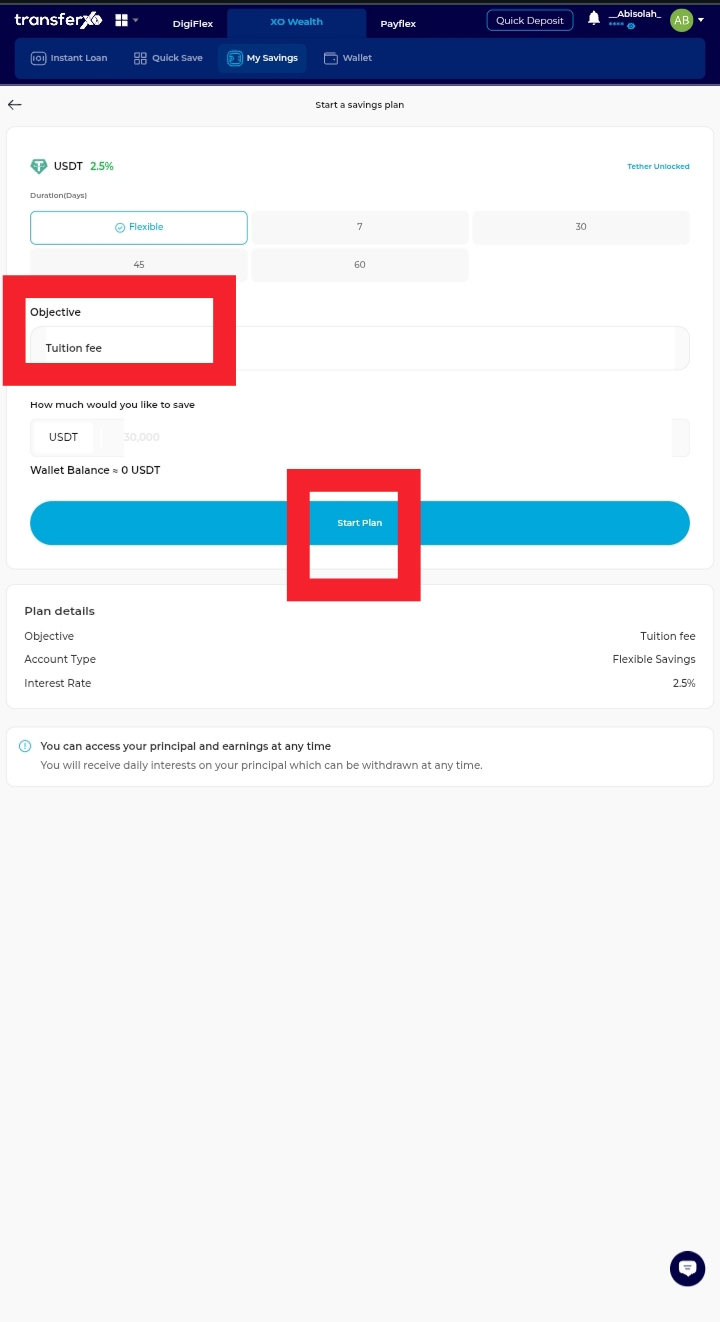
Step 6: Enter your savings objective and Click Start Plan.
For example: Rent, Tuition, Relocation, etc. This helps you track your goal clearly.
Your Flexible Savings Plan will be successfully created.